
Higgsfield MCP is a connection that lets an AI chat such as Claude, ChatGPT or Cursor use Higgsfield’s image, video and audio tools from inside a conversation. In Claude, you add one address as a custom connector and sign in with your Higgsfield account. Claude then picks a model, writes the prompt and starts the run. Every run uses credits from that account.
A marketer types one line: “make a 10-second product clip from this photo.” Claude picks a model, sets the length and runs it. The clip arrives in the chat. So does the bill, and nobody saw the number first.
This guide is for a brand or an agency that wants to work from Claude. It covers what Higgsfield documents, how the setup works, what gets billed, and six checks to make before a team uses it for client work.
Key Takeaways
- Higgsfield MCP is a remote connector. You paste one address into Claude and sign in. There is no API key.
- It needs a paid plan. Higgsfield’s help center says an active paid subscription is required.
- Every run uses credits. The help center says unlimited access and free runs apply only on Higgsfield’s website.
- There is no built-in spend cap. Higgsfield says a limit is a prompt-level instruction, not a hard limit.
- Claude picks the model unless you name one. Name the model when the cost or the look matters.
- Claude cannot watch the clip. A person still reviews every result before it reaches a client.
What is Higgsfield MCP?
Higgsfield MCP is Higgsfield’s server for the Model Context Protocol, the standard that lets an AI chat call outside tools. Higgsfield’s guide says one connection gives Claude access to its image, video and audio tools, with more than 30 models (higgsfield.ai/blog/claude-higgsfield-mcp-creative-studio, October 2026).
The help center lists the clients. In Claude it is a custom connector with the server address. In ChatGPT it is a plugin from the directory. In Cursor it comes from the marketplace. One Higgsfield account can be connected in several of them, and they share the same credits (higgsfield.ai help center, October 2026).
If the idea of MCP is new, our guide to skills and MCP explains it. Our Higgsfield AI review covers the product behind the connector.
How do you connect Higgsfield to Claude?
You connect it in three steps, and it takes a few minutes.
- Copy the address. Higgsfield gives the connector address as mcp.higgsfield.ai/mcp.
- Add a custom connector in Claude. Open Customize, then Connectors, add a custom connector, name it and paste the address.
- Sign in. Choose Connect and sign in with your Higgsfield account.
Check the Claude side too. Anthropic’s help center says custom connectors are available on the Free, Pro, Max, Team and Enterprise plans, and that Free users are limited to one custom connector. On Team and Enterprise plans, an owner adds the connector to the organization before members can use it (support.claude.com, October 2026).

To test the connection, ask Claude for your Higgsfield credit balance. If Claude answers without calling a tool, the connector is not active in that conversation.
What can Claude do through Higgsfield MCP?
The help center publishes a list of what works through MCP and what does not (higgsfield.ai help center, October 2026).
| Operation | Through MCP |
|---|---|
| Image and video runs on all models | Yes |
| Image and video upscaling | Yes |
| Background removal for images and video | Yes |
| Expand an image, reframe a video | Yes |
| Soul characters and reference elements | Yes |
| Voiceover, voice cloning, voice change, video dubbing | Yes |
| Credit balance, list of past results and uploads | Yes |
| Unlimited model access | No |
| Free runs | No |
Higgsfield’s guide also describes multi-step skills, such as an ad built from a product photo and a reference, and says Claude can look through your past results and reuse them. The same help page notes that audio works through Claude and not through ChatGPT, and that one skill is not available in ChatGPT. So the client you choose changes what you get.
What does Higgsfield MCP cost?
Higgsfield MCP has no separate fee, and runs are charged from your normal credit balance. Three billing facts matter more than the rate.
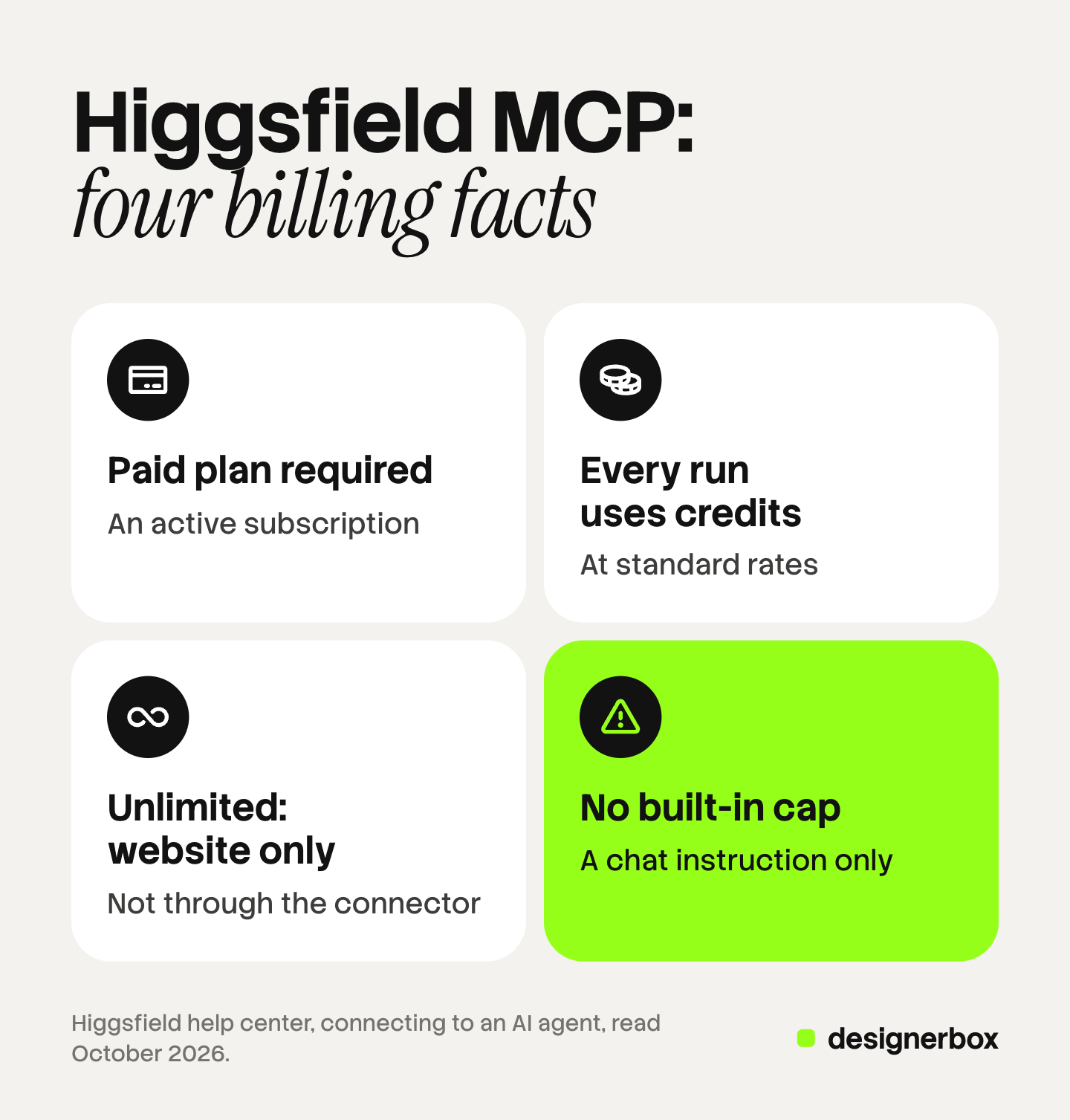
A paid plan is required. The help center says: “An active paid subscription is required.” An older Higgsfield post says new accounts can start with free credits, so the terms have changed over time. Read the current page before you plan.
Every run uses credits. The help center says each run through MCP, the ChatGPT plugin or the command line tool “deducts credits at standard rates”, and that “Unlimited access and free generations apply only on higgsfield.ai”. Higgsfield ran a limited trial named Unlimited MCP that removed credit charges inside Claude and ChatGPT for a set of models. Its post says that offer ran until 31 July (higgsfield.ai/blog/unlimited-mcp, October 2026).
There is no native cap. The help center says so directly. Its advice is to tell the chat: “Do not spend more than X credits. Always ask for approval before generating.” It adds that this “is a prompt-level instruction, not a hard limit”.
We do not print another vendor’s rates. Higgsfield lists them on its own pricing page (higgsfield.ai/pricing, October 2026). Our guide to AI video credits explains why the number of tries matters more than the price of one.
Six checks before a team uses it
A single user can connect and start. A team that makes client work should settle six things first.

1. The spend rule. Write one standing instruction and paste it at the start of each conversation: show the credit cost, then wait for approval. Check the balance on Higgsfield’s usage page each week, because the chat instruction is not a hard limit.
2. The model. Claude picks a model when you do not name one. Two people with the same brief can get two models, two looks and two costs. Put the model name in the brief.
3. The reviewer. Claude starts the run and receives a link. It does not watch the clip. Our guide to a Claude AI video generator explains this limit. Name the person who approves each result.
4. The brand rules. A chat holds your brand only as long as the conversation lasts. Keep the logo files, the colors, the reference pictures and the written rules in one place, and attach them every time.
5. The rights. Read who owns the results and how uploaded material is used before you upload a client’s product or a model’s face. Our Higgsfield review covers the default training clause and how to change it.
6. The seats. Decide whose Higgsfield account the team connects. One shared login means one shared balance and no record of who ran what.
A sensible first run
Start small and in order. This sequence keeps the first hour cheap.
- Ask for the credit balance to confirm the connection.
- Give the spend rule.
- Make or attach one reference image of the product.
- Ask for one image, on a named model, and read the cost first.
- Review it yourself. Fix the brief, not the result.
- Only then ask for a short video from the approved image.
- Ask for variations after one result is approved, not before.
Higgsfield’s own tips say the same thing in two lines: review one result before you scale, and ask Claude to show the expected cost and wait for approval. Our guide to a Claude AI image generator covers the image side of this loop.
DesignerBox in an AI chat
DesignerBox is AI creative production for brands and agencies. This section is for an agency, or for a brand with 20 to 500 products, that wants the same result for every product and not one clip from one chat.
The connection. DesignerBox has 68 tools over MCP. An AI chat such as Claude, ChatGPT or Cursor can run it. The MCP page shows the setup, and our DesignerBox MCP guide walks through it.
A saved workflow, not a new prompt. A workflow is your own set of steps, built once with your brand and run again. From the chat you run the saved workflow on the next product. The model, the brand rules and the framing are already decided, so two people get the same result. Anyone can make an AI picture. Making hundreds that still look like your brand is the hard part.
Brand record. A brand in DesignerBox holds products, reference pictures, logo, colors, fonts, voice and rules. The workflow reads it on every run, so the chat does not have to carry it.
Cost. The cost is shown before the run. Higgsfield lets you ask Claude for the cost first too, so both tools can do this.
The full workflow from the first product photo to the finished ad, in one subscription.
The honest limits, as of October 2026:
- DesignerBox does not have a public API. It has 68 tools over MCP.
- The free plan runs one run at a time, on sample products. Uploading your own photos and the commercial license start on the Pro plan. AI video starts on the Premium plan. Plans and credits are on the pricing page.
- Every plan below Ultra is one seat.
- A chat cannot judge a picture or a clip in DesignerBox either. A person approves the result.
FAQ
What is Higgsfield MCP?
Higgsfield MCP is a connection that lets an AI chat such as Claude, ChatGPT or Cursor use Higgsfield’s image, video and audio tools. You sign in with your Higgsfield account, and runs use that account’s credits.
Is Higgsfield MCP free?
No. Higgsfield’s help center says an active paid subscription is required, and that every run through MCP uses credits at standard rates. There is no extra fee for MCP itself.
Do unlimited plans work through Higgsfield MCP?
No, according to the help center. It says unlimited access and free runs apply only on Higgsfield’s website. A past trial removed charges inside Claude and ChatGPT for a limited time.
Do I need an API key for Higgsfield MCP?
No. The connector uses a sign-in with your Higgsfield account. Higgsfield says there is no API key to create or manage.
Can I set a spending limit on Higgsfield MCP?
Not a hard one. Higgsfield says there is no native credit cap. You can tell the chat to show the cost and wait for approval, and Higgsfield describes that as a prompt-level instruction.
Which Claude plans support the Higgsfield connector?
Anthropic says custom connectors work on the Free, Pro, Max, Team and Enterprise plans, with one custom connector on Free. On Team and Enterprise, an owner adds the connector first.
Does DesignerBox work in Claude too?
Yes. DesignerBox has 68 tools over MCP, and an AI chat such as Claude, ChatGPT or Cursor can run a saved workflow on the next product.
Sources
- Higgsfield blog, “How to Turn Claude Into a Full Creative Studio With Higgsfield” (higgsfield.ai/blog/claude-higgsfield-mcp-creative-studio), read October 2026: the setup steps, the tools, the tips
- Higgsfield help center, “How do I connect Higgsfield to Claude, ChatGPT, or another AI agent?” (higgsfield.ai/creator-hub/help-center), read October 2026: the paid subscription, the list of operations, credits, no native cap, the clients
- Higgsfield blog, “Meet Higgsfield Unlimited MCP” (higgsfield.ai/blog/unlimited-mcp), read October 2026: the limited trial and its end date
- Claude Help Center, get started with custom connectors using remote MCP, read October 2026
- Claude Help Center, use connectors to extend Claude’s capabilities, read October 2026
- DesignerBox MCP page (designerbox.ai/mcp), October 2026
- DesignerBox pricing page (designerbox.ai/pricing), October 2026
Higgsfield facts come from its blog and help center, read in October 2026. We did not test the connector, and this guide makes no claim about the quality of its results. Terms change, so check each vendor’s own page before you plan.