
Lead generation ads are paid ads that collect a person’s contact details in place of a sale. Each one has two parts: the creative that earns the tap, and the form that takes the name, email or phone number. The form opens inside the app on Meta, TikTok, LinkedIn and Google, or on your own website. The creative decides who taps. The form decides who finishes.
Most advice on lead ads covers only the form. It tells you to cut fields and add a strong button. Then the leads arrive and the sales team says half of them never asked for a call. The cause is often the video. A video that promises something free to everyone brings everyone, and the form cannot fix that after the tap.
This guide covers both parts. It gives the form limits each platform states, a 2025 benchmark for cost per lead with its sample, the evidence on instant forms against website forms, and six video shapes for lead ads. Platform facts come from each platform’s own help pages, read in October 2026. The guide is for brands and agencies that run lead campaigns every month.
Key Takeaways
- A lead ad is a creative and a form. Fix the creative first. It sets who arrives at the form.
- Meta allows 15 questions in one instant form. It keeps each lead for 90 days, then the lead expires.
- Meta has three form types. More volume is the default. Higher intent adds a review screen before the person submits.
- One 2025 benchmark puts the average cost per lead on Facebook at $27.66. The sample is 726 US campaigns, so read each industry row as a rough guide.
- Instant forms cost less per lead in the tests we found. One public test found the same quality rate on both form kinds.
- The qualified leads goal needs your CRM data. Meta’s developer guide asks for at least 200 leads a month and a daily upload.
- A generated presenter may explain the offer. It may not claim a personal result. The FTC rule on testimonials applies to lead ads too.
What are lead generation ads?
Lead generation ads are ads whose goal is a submitted form. The person gives contact details and agrees to hear from the business. The business then follows up by email, phone or message. A sale, if it comes, comes later and somewhere else.
That delay is what makes lead ads different from product ads. A product ad is judged by an order placed minutes after the tap. A lead ad is judged weeks later, when the sales team knows which leads were real. So the number in the ad account, cost per lead, is only half the answer. The other half is the percentage of leads that become customers.
Lead ads fit businesses where the buyer needs a conversation first: services, software, education, property, insurance, health and high-priced products. Our guides to B2B ads and SaaS ads cover those two cases in depth.
How do lead ads work on each platform?
Lead ads work the same way on every large platform: a person taps the ad, a form opens inside the app with some fields already filled, and the lead goes to a download file or a CRM. The limits differ. This table uses each platform’s own help page, read in October 2026.
| Platform | The native form | Limits the platform states | Where the lead goes |
|---|---|---|---|
| Meta (Facebook, Instagram) | Instant form, three types | 15 questions in one form | Download within 90 days, or a CRM |
| TikTok | Instant form, or your website form | Not stated on the page we read | CRM through Zapier, LeadsBridge or a custom API |
| Lead Gen Form | Up to 12 profile fields and 3 custom questions | Download, or a CRM | |
| Google Ads | Lead form asset | Needs a good policy record and a privacy policy | Download within 30 days; stored 60 days |
Meta. Meta says “instant forms can help you generate and qualify leads by asking people to fill out a form”, and that lead ads appear in “Facebook Feed and Stories, Instagram Feed and Stories, in-stream reels, Marketplace and more” (facebook.com, read October 2026). The creative is a single image, a video or a carousel. A form holds “a total of 15 questions” (facebook.com). And: “You have 90 days from the time a lead submits their form to download their information. Leads expire after 90 days” (facebook.com).
TikTok. The call to action opens an instant form, your own website, or a direct message. TikTok says “instant forms load faster than a typical landing page and offer the ability to pre-populate fields” (ads.tiktok.com, updated January 2026).
LinkedIn. Lead Gen Forms attach to single image, carousel, video, event, message, document and conversation ads. You can “select up to 12 profile demographic question fields” and “add up to three Custom questions” (linkedin.com, read October 2026). LinkedIn’s own advice is shorter: “Choose three to four fields” (linkedin.com).
Google Ads. Google says “you can add lead forms to Search and Performance Max campaigns”. It asks for “a good history of policy compliance” and “a privacy policy for your business”. It also sets a short window: “You can only download leads from the last 30 days. Google Ads stores leads for 60 days” (support.google.com, read October 2026).
Which Meta lead form type should you use?
Use More volume when you need many leads at a low cost and can filter them later. Use Higher intent when each follow-up call costs you time. Meta’s help page lists three form types: “More volume (default)”, “Higher intent” and “Rich creative” (facebook.com, read October 2026).
Higher intent adds two things, in Meta’s words: “Inline context under contact fields to indicate that your business may follow up”, and “an additional review screen that gives people a chance to confirm their information”. It also has a delivery limit: “A higher intent instant form will only be delivered to Facebook Feed and Instagram feed on mobile devices.”
Questions work the same way. Meta says: “Fewer multiple choice questions results in more form submissions, whereas more multiple choice questions typically results in more quality leads” (facebook.com, read October 2026). Conditional logic lets one answer change the next question, and Meta warns that it “may increase your cost per lead” (facebook.com).
Every step you add removes some people. The question is whether it removes the right ones. One qualifying question that your sales team already asks on the first call is usually worth its cost.
Instant form or website form?
An instant form usually gives a lower cost per lead, and the evidence on quality is mixed. Two sources are public, and both have limits.

Meta’s Lead Generation Guide reports that instant forms had a 20% lower cost per qualified lead than website forms. The basis is “15 global 3-cell A/B tests run from Nov 2022-Feb 2023 where advertisers self-reported results” (about.fb.com, November 2023). That is Meta’s own analysis of its own product, and it is three years old.
Jon Loomer, an independent Meta ads trainer, tested both in one account in 2024. The quality rate was almost the same: “Instant Forms: 114 of 392 leads were definitively Quality (29.1% and $7.03 per Quality Lead)”, against 29.0% and $13.01 for website leads. Email deliverability went the other way: 83.7% for instant forms and 92.4% for website leads (jonloomer.com, May 2024). That is one account and one offer.
| Instant form | Website form | |
|---|---|---|
| Speed | Opens in the app, fields filled in | Loads your page |
| Questions | Limited by the platform | Any logic you build |
| Cost per lead in the two tests above | Lower | Higher |
| Contact details | Filled from the profile, may be old | Typed by the person |
| Best for | Simple offers and high volume | Detailed qualifying |
TikTok gives the case for a website form in one line: use it to “ask more detailed qualifying questions that TikTok instant form doesn’t support”. The honest answer is to test both with your own offer, and to judge by leads that became customers.
What do lead generation ads cost?
One 2025 benchmark puts the average cost per lead for Facebook lead ads at $27.66, with an average conversion rate of 7.72%. The year before it was $22.87 and 8.67%. The source is the WordStream and LocaliQ Facebook Ads Benchmarks 2025 (wordstream.com, read October 2026). It is the newest edition we found.
| Industry | Average cost per lead | Average conversion rate |
|---|---|---|
| Restaurants and food | $3.16 | 18.25% |
| Real estate | $16.61 | 9.53% |
| Attorneys and legal services | $18.17 | 10.53% |
| Education and instruction | $28.22 | 10.08% |
| Dentists and dental services | $76.71 | 6.38% |
| All industries | $27.66 | 7.72% |
Read the sample before you use the rows. The report covers 726 US campaigns that ran between April 2024 and June 2025, and each industry includes “at minimum 2 unique active campaigns”. A row built on few campaigns is a rough guide. The 24-times gap between restaurants and dentists also shows that an average across industries tells you little about your own.
Cost per lead is the wrong number to end on. A $10 lead that never answers the phone costs more than a $40 lead that buys. Track cost per qualified lead, and then cost per customer. For LinkedIn, our SaaS ads guide covers the cost per lead figures.
What goes in the video for a lead ad?
The video for a lead ad has one job that a product video does not: it tells the wrong people to keep scrolling. A product video wants every viewer. A lead video wants the viewers your sales team can help.

Four parts do that work in a 15-second video:
| Beat | Seconds | Words | What it does |
|---|---|---|---|
| Who it is for | 0 to 3 | 8 | Names the person and the problem |
| The offer | 3 to 9 | 12 | Says exactly what they get for the form |
| What happens next | 9 to 13 | 8 | A call, an email or a file, and when |
| The ask | 13 to 15 | 4 | One action, matching the button |
The word counts follow a speech rate of about 150 words a minute, with one fifth left for pauses. Our UGC script templates explain the arithmetic.
Three rules make the video qualify leads:
- Name the buyer in the first line. “For clinics with more than two locations” loses most viewers on purpose. TikTok’s advice for all ads is to “introduce your content proposition in the first 3 seconds” (ads.tiktok.com, read October 2026).
- Say what the form is for. “Fill in three questions and we send the price list today” sets the right expectation. A person who expected a download and got a sales call is a bad lead and an unhappy one.
- Match the button. If the button says Get quote, the last spoken line says quote.
Then test the opening. Film or generate three first lines for the same body, and read hook rate next to cost per qualified lead. An opening that holds more viewers and brings worse leads is a loss.
Lead generation ad examples: six video shapes
Six video shapes cover most lead ads. Each one pairs a kind of offer with the proof a viewer needs before they give a phone number. These are shapes to build from. They are not ads from named brands.
- The offer explainer. A person holds or shows the thing you send: the guide, the quote, the sample. The line says who it is for and what is inside. It fits a guide, a price list or a free sample.
- The demo. The product or service at work for 8 seconds, then the offer. It fits software, equipment and anything visual.
- The question. The video asks the first qualifying question out loud: “Do you spend more than ten hours a week on invoices?” The form repeats it. It fits services with a clear threshold.
- The founder or expert. A real person from the business says what the first call covers. It fits high-trust services: legal, finance, health, education.
- The objection. The video names the reason people do not fill in forms, then answers it: “No call unless you ask for one.” It fits any offer where the form looks like a risk. Say it only when it is true.
- The process. Three steps on screen: form, call, result. It fits long sales cycles, where the viewer wants to know what happens next.
A real customer’s story is a seventh shape, and a strong one. It needs a real customer. The next section explains the limit. For generated clips, our AI UGC video prompts give the six lines each clip needs.
What can a lead ad not say or ask?
A lead ad cannot make a false testimonial, cannot ask for certain data in some categories, and must link a privacy policy. These are the rules that reject or restrict lead ads most often. This section is general information, not legal advice.
Special Ad Categories on Meta. Meta says “you are required to specify if you are running an ad to promote a Special Ad Category” (facebook.com, read October 2026). Since 21 January 2025 the financial products and services category is required for US advertisers and US audiences. In these categories, age, gender and postal code targeting are limited. The form is limited too: for housing, employment or financial products, “you may not collect certain information”, including “age, gender, marital/relationship status and location information” (facebook.com). Mortgage, insurance, loan and job lead ads all fall here.
Privacy policy. Meta says “a privacy policy is required to run instant forms on Facebook or Instagram” (facebook.com). LinkedIn and Google ask for one as well. In the EU, the GDPR requires a legal basis for the data and a statement of the purpose (eur-lex.europa.eu, Articles 6 and 13).
Testimonials. The FTC rule on reviews and testimonials, in effect since 21 October 2024, bans a testimonial that misrepresents “that the reviewer or testimonialist exists” or that the person “used or otherwise had experience with the product” (ecfr.gov, 16 CFR 465.2, read October 2026). A generated presenter can explain your offer. It cannot say “this firm got me my refund”.
AI labels. TikTok requires a disclaimer on “AI-generated, synthetic, or manipulated media” in ads, and says undisclosed AI content means “your ad will be rejected or restricted” (ads.tiktok.com, read October 2026). Meta adds an “AI info” label when it detects AI signals such as C2PA (facebook.com). Our guide to AI disclosure in advertising has the full table.
Calls and texts in the United States. The FCC’s one-to-one consent rule did not take effect. The FCC’s July 2025 order says the court “vacated and remanded” that part, and that “the revised rule has not gone into effect” (fcc.gov, July 2025). The older consent rule for marketing calls and texts still applies, so the form needs clear consent wording. Ask a lawyer for the exact text.
How do you get qualified leads?
You get qualified leads by sending results back to the ad platform, so it learns which leads became customers. Without that data, the platform finds more people who fill in forms. With it, the platform finds more people like your buyers.
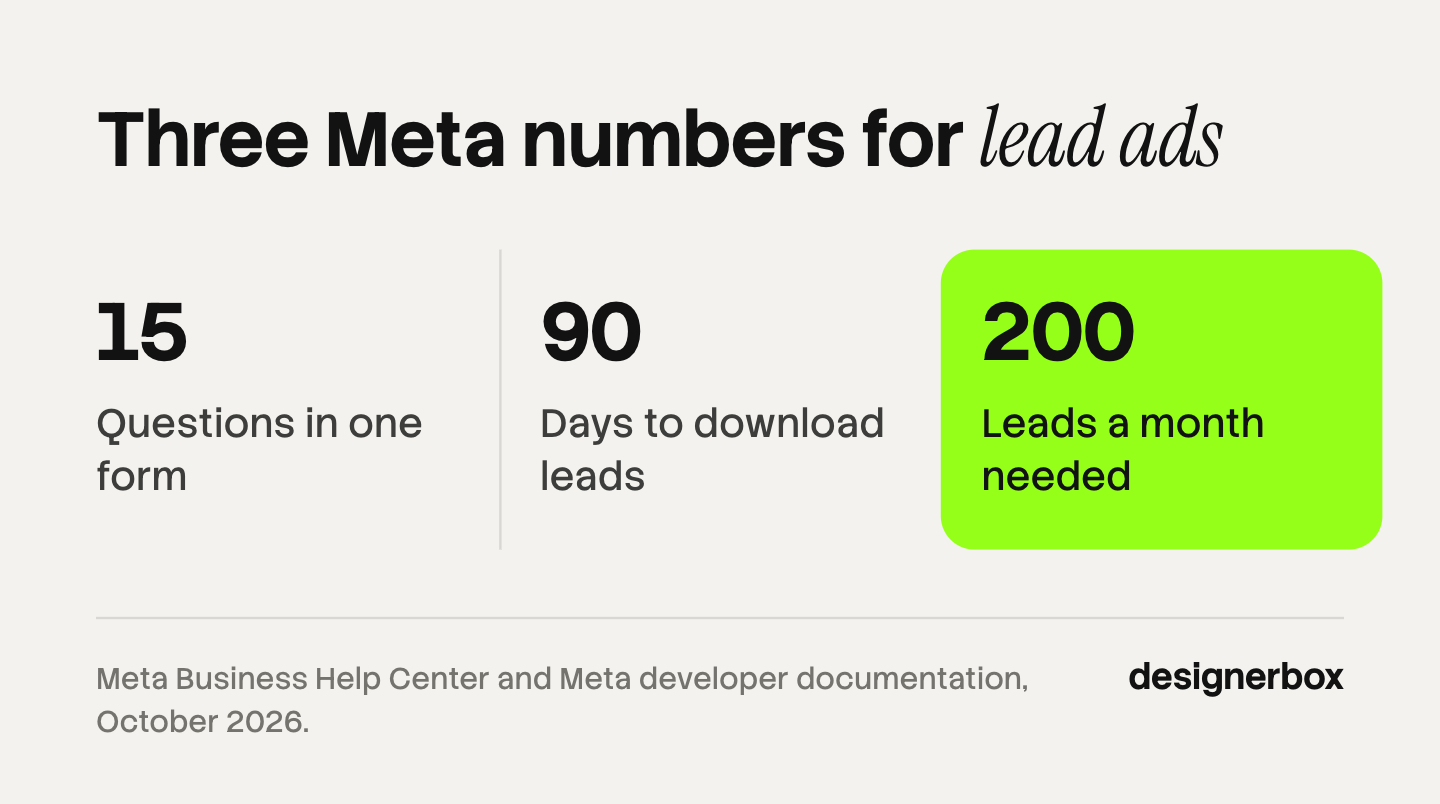
On Meta this is the qualified leads performance goal. Meta says: “You will need to set up and integrate your CRM” (facebook.com, read October 2026). The developer guide lists what the integration needs: “Generate at least 200 leads per month”, “upload data regularly at least once per day”, a conversion that “occurs within 28 days”, and a “conversion rate between 1% and 40%” (developers.facebook.com, read October 2026). Meta’s 2023 guide reported a 16% lower cost per quality lead with this setup, from “A/B tests on 68 advertisers”. That figure is Meta’s own.
An account with 60 leads a month is below that line. For a smaller account, five habits do most of the work:
- Add one qualifying question. Use the one your sales team asks first.
- Download leads every week. On Meta they expire after 90 days. On Google the download window is 30 days.
- Mark each lead. Reached, qualified, customer. A sheet is enough.
- Compare by creative. Count customers for each video. The video with the most forms is often a different one.
- Make the next video from that winner. Keep the opening line and the offer. Change one thing.
Step 5 is where volume returns. One winning video becomes several openings, several lengths and several languages. Our guide to ad creative testing covers how many variants a budget can support.
Lead ad variants inside one workflow
DesignerBox is AI creative production for brands and agencies. It makes the creative half of a lead ad. The form, the targeting and the CRM link stay in the ad platform. You download the finished files and upload them there.
The repeated work is the variants. Anyone can make an AI picture. Making hundreds that still look like your brand is the hard part. You set the brand rules once, and a saved workflow reads them on every run: the same presenter, the same offer wording, the same sizes for Feed, Stories and Reels. Batch runs that workflow over a whole sheet of offers or products. The script, the stills, the clips and the finished sizes stay in one place, in one subscription, and you see the cost before each run. The AI video ads page shows the workflow, and the page for performance marketers shows how variants come from your own winners.
The limits are plain. DesignerBox does not build forms, score leads or check your claims. A generated presenter explains the offer and does not give a testimonial. AI video starts on the Premium plan, and uploading your own photos starts on the Pro plan. Plans and credits are on the pricing page.
Start from a template, add your brand and your products, and run it. See the templates.
FAQ
What are lead generation ads?
Lead generation ads are paid ads that collect contact details through a form. The form opens inside the app on Meta, TikTok, LinkedIn and Google, or on the advertiser’s website. The business follows up later by email, phone or message.
How much do Facebook lead ads cost per lead?
One 2025 benchmark, from WordStream and LocaliQ, puts the average at $27.66 per lead across 726 US campaigns. Industry rows range from $3.16 for restaurants to $76.71 for dentists. Your own cost depends on the offer, the audience and the form.
Are instant forms or landing pages better for lead quality?
The public evidence is mixed. Meta’s 2023 guide reports a lower cost per qualified lead for instant forms, from tests that advertisers reported themselves. One independent test in 2024 found the same quality rate on both and better email deliverability from website forms. Test both with your own offer.
How many questions can a Meta lead form have?
Meta allows a total of 15 questions in one instant form. Meta also says fewer multiple choice questions bring more submissions, and more questions typically bring better leads. LinkedIn allows up to 12 profile fields and 3 custom questions.
Can I use AI video in lead generation ads?
Yes. A lead ad on Meta accepts a single image, a video or a carousel, and the video may be AI-made. TikTok requires a disclaimer on AI-generated media in ads. The presenter must not claim a personal experience, under the FTC rule on testimonials.
How long does Meta keep lead ad data?
Meta keeps each lead available for download for 90 days from the time the form was submitted. After that the lead expires. Download leads every week, or connect a CRM so they arrive as they come in.
Sources
- Meta Business Help Center, lead ads and instant forms: facebook.com, form types: facebook.com, questions: facebook.com, lead download: facebook.com, best practices: facebook.com, read October 2026
- Meta, qualified leads goal: facebook.com, and the conversion leads integration guide: developers.facebook.com, read October 2026
- Meta, Special Ad Categories: facebook.com, read October 2026
- Meta Lead Generation Guide: about.fb.com, November 2023
- TikTok Business Help Center, lead generation objective: ads.tiktok.com, updated January 2026
- LinkedIn Help, Lead Gen Forms: linkedin.com and linkedin.com, read October 2026
- Google Ads Help, lead form assets: support.google.com, read October 2026
- WordStream and LocaliQ, Facebook Ads Benchmarks 2025: wordstream.com, read October 2026
- Jon Loomer, testing quality leads: jonloomer.com, May 2024
- FTC rule on consumer reviews and testimonials, 16 CFR Part 465: ecfr.gov, read October 2026
- FCC order DA 25-621: fcc.gov, July 2025
- GDPR, Regulation (EU) 2016/679: eur-lex.europa.eu
- TikTok ads policy and creative best practices: ads.tiktok.com and ads.tiktok.com, read October 2026
- DesignerBox pricing and product pages, October 2026
Platform rules verified from each platform’s own help pages, and the benchmark from its publisher, as of October 2026. Individual results vary.