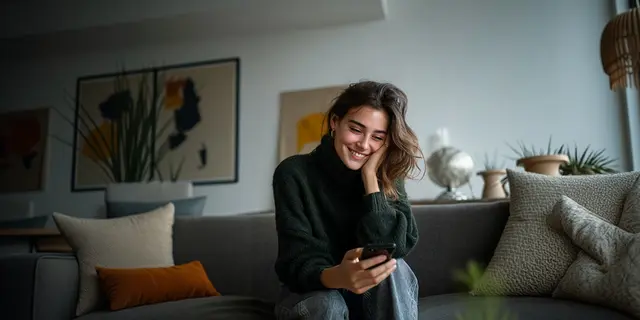
AI UGC video prompts are the written instructions that make a video model return a creator-style clip: one person, a real room, a handheld phone look and a spoken line. A prompt that works states six things: the person, the place, the camera, the action with the product, the exact words and the sound. An 8-second clip holds about 16 spoken words. Each model writes dialogue in a different way.
Most prompt lists give you a paragraph to paste and stop there. The paragraph asks for 40 words of speech in an 8-second clip, so the model rushes or cuts the line. It puts the line in quotation marks, so one model draws the words on screen. And it has the presenter say “I have used this for a month”, which a generated person cannot truthfully say.
This guide gives the six lines, the word budget for each clip length, the dialogue syntax that Google, ByteDance and Kling document, and 12 prompts to copy. Every model fact comes from the vendor’s own guide, read in October 2026. The guide is for brands and agencies that make creator-style ads every week.
Key Takeaways
- Write six lines. Person, place, camera, action, words and sound. A missing line is a choice you left to the model.
- Count the words first. Speech runs at about 150 words a minute, so an 8-second clip holds 20 words at most. Write 16.
- Dialogue syntax differs by model. Google documents quotation marks in one guide and a colon in another. Seedance 2.0 uses braces.
- Quotation marks can draw captions. Google’s own advice is a colon and no quotation marks to keep text off the video.
- One clip is one beat. A 30-second ad is four clips joined on a timeline. Prompt each beat separately.
- A generated presenter shows and explains. It cannot claim a personal result. The FTC rule covers a testimonial from a person who does not exist.
- Start from the product photo. A reference image keeps the product the same from clip to clip.
What is an AI UGC video prompt?
An AI UGC video prompt is a text instruction for a video model that describes a creator-style shot: who speaks, where, how the phone is held, what the person does with the product and what they say. It differs from a general video prompt in two ways. It asks for a casual, handheld look. And it carries a spoken line that has to fit the clip.
It is also different from a script. A UGC script is the plan for the whole ad: the hook, the beats and the call to action. A prompt makes one clip of that plan. Write the script first. Then write one prompt for each beat. Our ad script examples show full scripts to start from.
The six lines of an AI UGC video prompt
The six lines of an AI UGC video prompt are the person, the place, the camera, the action, the words and the sound. Google’s guide for Veo 3.1 gives a similar order: “[Cinematography] + [Subject] + [Action] + [Context] + [Style & Ambiance]” (cloud.google.com, published October 2025). A creator-style clip adds the spoken line and the sound as their own lines.
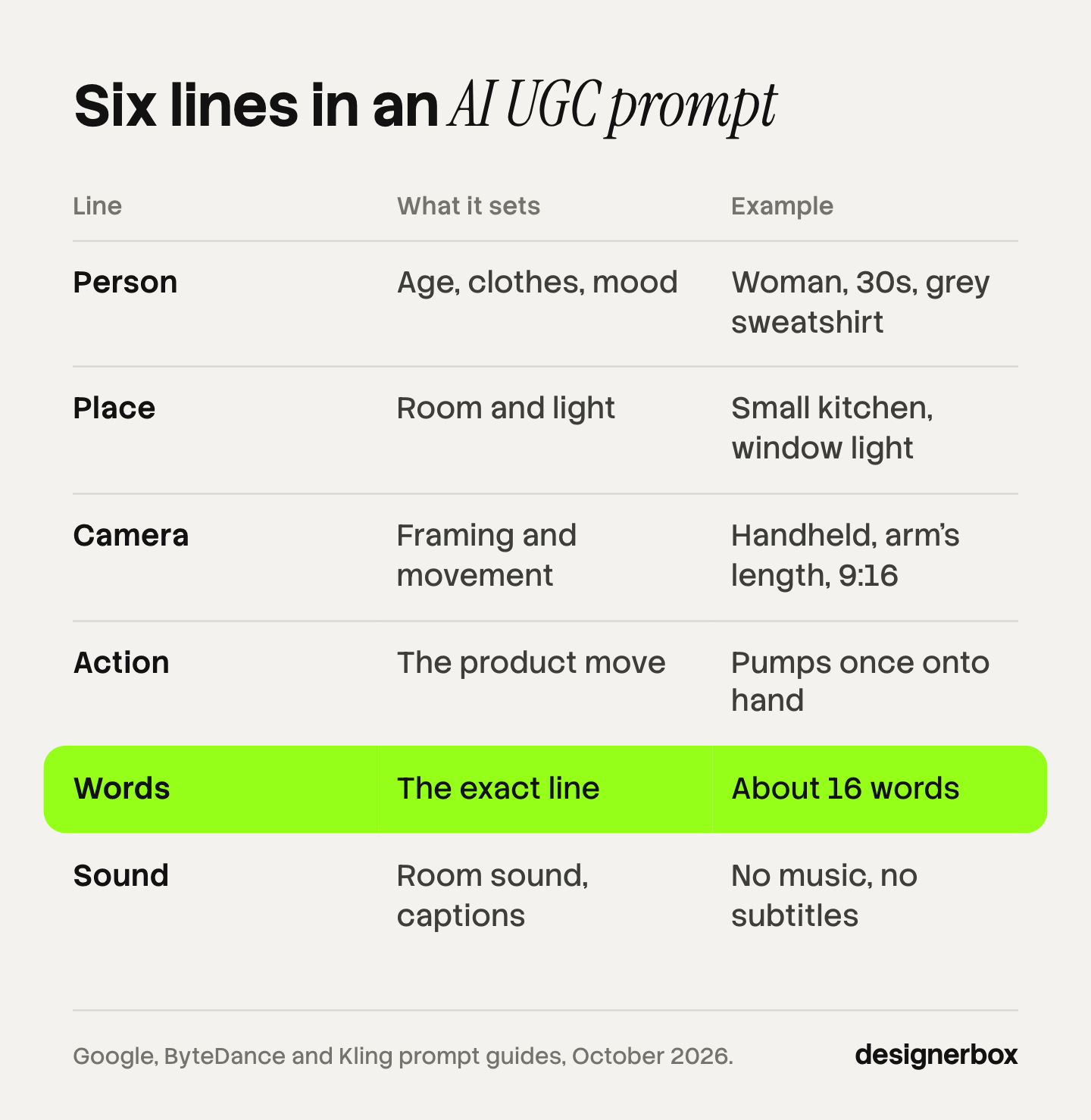
| Line | What it sets | Example |
|---|---|---|
| 1. Person | Age range, clothes, mood | A woman in her 30s in a grey sweatshirt, relaxed, smiling |
| 2. Place | Room and light | A small kitchen, morning window light, a few things on the counter |
| 3. Camera | Framing and movement | Vertical 9:16, handheld shot at arm’s length, slight natural shake |
| 4. Action | What happens with the product | She lifts the bottle to the lens, then pumps once onto her hand |
| 5. Words | The exact line, in the model’s syntax | She says: One pump covers both hands. |
| 6. Sound | Room sound, music, captions | Quiet room sound, no music, no subtitles |
Three notes on the lines.
Camera. Use the vendor’s own terms. Google’s Vertex guide defines “Handheld or shaky cam” as a camera “held by the operator, resulting in less stable, often jerky movements that can convey realism, immediacy” (cloud.google.com, read October 2026). Seedance 2.5 lists “handheld shake”, “first-person perspective” and “handheld shot” (docs.byteplus.com, read October 2026).
Sound. Google says: “We recommend that you use separate sentences in your prompt to describe the audio” (the same Vertex guide). Give the sound its own sentence at the end.
Single take. A creator clip is one shot. For Gemini Omni Flash, Google suggests the wording “In a single continuous shot / No scene cuts” (ai.google.dev, read October 2026).
Our guide to realistic AI video prompts covers the visual layers in more depth. This guide adds the spoken line.
How many words fit one clip?
About 2.5 words fit each second of a clip. The National Center for Voice and Speech says “the average rate of speech for English speakers in the United States is about 150 words per minute” (ncvs.org, read October 2026). That is 20 words in 8 seconds. Write fewer, because the person also has to move.
| Clip length | Words at 150 a minute | Words to write |
|---|---|---|
| 4 seconds | 10 | 8 |
| 6 seconds | 15 | 12 |
| 8 seconds | 20 | 16 |
| 10 seconds | 25 | 20 |
| 15 seconds | 37 | 30 |
The middle column is arithmetic from the speech rate. The right column is our working rule: cut one fifth, so there is time for a pause and a product move.

The clip length depends on the model. These are the lengths each vendor states, read in October 2026:
| Model | Clip lengths | Vertical 9:16 |
|---|---|---|
| Veo 3.1 (Google) | 4, 6 or 8 seconds | Yes |
| Seedance 2.0 (ByteDance) | 4 to 15 seconds | Yes |
| Seedance 2.5 (ByteDance) | 4 to 30 seconds | Yes |
| Kling VIDEO 3.0 (Kuaishou) | 3 to 15 seconds | Not stated in the guide we read |
| Gen-4.5 (Runway) | 2 to 10 seconds | Yes |
Sources: ai.google.dev, docs.byteplus.com, kling.ai and help.runwayml.com.
Two date notes. Google’s deprecations page lists 22 October 2026 as the shutdown date for the three Veo 3.1 preview model IDs on the Gemini API, with Gemini Omni Flash as the replacement (ai.google.dev, read October 2026). And OpenAI removed Sora 2 and its Videos API from the API on 24 September 2026 (developers.openai.com), so this guide has no Sora prompts.
How do you write dialogue for each model?
Each model documents its own way to mark spoken words. Use the form the vendor gives. A line in the wrong form is often read as a description, and the person stays silent or says something else.
| Model | Documented form | Example |
|---|---|---|
| Veo 3.1, Gemini API guide | Quotation marks | ”One pump covers both hands,” she says. |
| Veo 3.1, Google Cloud guide | A colon, no quotation marks | She says: One pump covers both hands. |
| Seedance 2.0 | Braces around the line | She says {One pump covers both hands} |
| Seedance 2.5 | Character, emotion, then the line | Woman’s line (warm): One pump covers both hands. |
| Kling VIDEO 3.0 | Name the speaker, the line and the delivery | The woman says, “One pump covers both hands,” in a calm, friendly voice. |
Google’s two guides disagree, and both are current. The Gemini API guide says: “Use quotes for specific speech” (ai.google.dev, read October 2026). The Google Cloud best-practice page says to “use a colon (:) after the speaker’s action to denote speech and avoid using quotation marks”, and it gives the reason: “to prevent the model from rendering text in the video” (cloud.google.com, read October 2026). For an ad where you add your own captions later, use the colon form.
Seedance 2.0 puts dialogue in braces and sound effects in angle brackets (docs.byteplus.com, read October 2026). Kling’s guide says to “name the speaker, write the line, and describe the intended emotion or delivery”, and it lists five languages: Chinese, English, Japanese, Korean and Spanish (kling.ai, July 2026).
The Runway pages we read for Gen-4.5 do not describe spoken dialogue, so we give no form for it. Our AI video prompting guide compares the five vendors’ full prompt structures.
How do you stop burned-in captions?
You stop most burned-in captions with three changes: drop the quotation marks, keep delivery notes away from single words, and ask for no subtitles in the form the model supports. No vendor promises zero captions.
- Veo 3.1. Use the colon form. Google also advises against “instructive language or words such as no or don’t” in a negative prompt, and says to list the unwanted thing instead (cloud.google.com, read October 2026).
- Gemini Omni Flash. It has no negative prompt field. Google says “you can put your negatives in the regular prompt”, for example “Do not do X” (ai.google.dev, read October 2026).
- Seedance 2.5. The guide says negative constraints “are supported for subtitles and audio control, such as no subtitles and no BGM”. It also warns against “repeating dialogue words after a line”, because that can cause subtitles.
- Seedance 2.0. ByteDance is direct about the limit: “Currently, it is not possible to directly avoid generating subtitles 100%”. It adds that subtitles are less likely in landscape than in portrait.
Plan for the last case. Add your own captions on a timeline after the clip is made, and keep them out of the platform’s edge zones. Meta says to keep the edges of a 9:16 ad “free of key creative elements, text and logos” (facebook.com, read October 2026).
12 AI UGC video prompts by ad format
These 12 AI UGC video prompts are written for an 8-second vertical clip with about 16 spoken words. They use the colon form from Google’s Cloud guide. Change the dialogue line to your model’s form from the table above. Replace the product and the words with your own, and attach your product photo as the reference image.
The prompts follow the structures the vendors document. We have not scored them across models, and results differ from model to model. Test each one on yours.
Hook clips
1. The result first
Vertical 9:16, single continuous shot, handheld at arm’s length with slight natural shake. A woman in her late 20s in a cream t-shirt stands in a bright bathroom with morning window light. She holds a white pump bottle next to her face and turns the label to the lens. She says: One bottle. One pump. Both hands covered. Watch this. Quiet room sound. No music. No subtitles.
2. The problem, named
Vertical 9:16, single continuous shot, handheld phone look. A man in his 30s in a navy hoodie sits on the edge of a bed in a small, tidy bedroom with soft daylight. He lifts a tangled set of three charging cables, then drops them on the bed. He says: Three cables for one bag. There is a better way to pack. Soft room sound. No music. No subtitles.
Demo clips
3. One feature, shown
Vertical 9:16, single continuous shot, handheld close-up at chest height. A woman in her 30s in a grey sweatshirt stands at a kitchen counter with window light from the left. She presses the lid of a steel lunch box until it clicks, then turns the box upside down over the sink. She says: Press until it clicks. Then turn it over. Nothing comes out. Kitchen room sound and one clear click. No music. No subtitles.
4. Hands only
Vertical 9:16, single continuous shot, first-person view looking down at a wooden desk with daylight. Two hands open a black leather card wallet, slide out one card with the thumb, then close it. A woman’s voice says: One push and the card you need is out. Quiet room sound and the soft sound of leather. No music. No subtitles.
Unboxing clips
5. The box opens
Vertical 9:16, single continuous shot, handheld at arm’s length. A woman in her 20s in a striped shirt sits on a sofa in a living room with warm afternoon light. She lifts the lid off a small kraft box and tilts the box toward the lens to show a ceramic mug in paper wrap. She says: Here is how it is packed. Paper wrap, and no plastic. Paper sounds and room sound. No music. No subtitles.
6. What is inside
Vertical 9:16, single continuous shot, overhead handheld view of a white table with soft daylight. Two hands take three items out of a box and place them in a row: a glass bottle, a small brush and a folded cloth. A man’s voice says: Three things in the box. The bottle, the brush and the cloth. Soft sounds of items on the table. No music. No subtitles.
Problem and fix clips
7. Before and after in one shot
Vertical 9:16, single continuous shot, handheld at arm’s length with slight shake. A man in his 40s in a plain green t-shirt stands in a hallway by a mirror with daylight. He holds up a wrinkled shirt, runs a small handheld steamer down the front once, and the fabric falls flat. He says: One pass down the front. That is the whole job. Soft steam sound and room sound. No music. No subtitles.
8. The old way and the new way
Vertical 9:16, single continuous shot, handheld at chest height. A woman in her 30s in a denim shirt stands at a kitchen counter with bright daylight. She pushes a large knife block to the side, then places one slim magnetic strip with three knives against the wall. She says: A knife block takes half a counter. This takes none of it. Kitchen room sound. No music. No subtitles.
Comparison and routine clips
9. Two sizes side by side
Vertical 9:16, single continuous shot, handheld close-up. A woman in her 20s in a black top sits at a desk with a window behind the camera. She holds a large over-ear headphone case in one hand and a small earbud case in the other, then puts the small case into her jacket pocket. She says: Same battery time on the box. Only one fits a pocket. Quiet room sound. No music. No subtitles.
10. A step in a morning routine
Vertical 9:16, single continuous shot, handheld at arm’s length. A man in his 30s in a white t-shirt stands at a bathroom sink with soft morning light. He puts a small amount of cream on two fingers, then spreads it on one cheek. He says: Step two. A small amount on two fingers is enough. Quiet bathroom sound and running water in the background. No music. No subtitles.
Founder and software clips
11. The maker speaks
Vertical 9:16, single continuous shot, handheld at arm’s length with slight shake. A woman in her 40s in a linen apron stands in a small workshop with shelves of candles and warm lamp light. She lifts one candle to the lens and turns it to show the label. She says: We pour each one by hand here. This label shows the pour date. Workshop room sound. No music. No subtitles.
12. An app on a phone
Vertical 9:16, single continuous shot, over-the-shoulder handheld view of a phone in one hand at a cafe table with daylight. The thumb taps one button on the screen and a short list appears. The screen content matches the reference image exactly. A man’s voice says: One tap, and the week’s orders are in one list. Soft cafe sound. No music. No subtitles.
Every line above is a demonstration or a fact about the product. None claims a personal result. Prompt 11 needs care: use it only when the words are true for your business. The next section explains why. For a personal testimonial you need a real person: our guide to UGC platforms lists the creator marketplaces. For a form-based campaign, the first line changes: see lead generation ads.
What can an AI UGC prompt not say?
An AI UGC prompt cannot put a personal experience in the mouth of a person who does not exist. In the United States, the FTC rule on reviews and testimonials has applied since 21 October 2024. This section is general information, not legal advice.

The rule makes it unlawful to create a testimonial that misrepresents “that the reviewer or testimonialist exists” or that the person “used or otherwise had experience with the product” (ecfr.gov, 16 CFR 465.2, read October 2026). The FTC’s own questions and answers add a useful limit: “The rule has no blanket prohibition on the use of AI-generated avatars in marketing”. It says an avatar is a problem “only if the underlying testimonials were fake or false” (ftc.gov, read October 2026).
The maximum civil penalty is $53,088 per violation (ftc.gov, February 2025). The FTC’s September 2026 notice says its penalty amounts “will remain unchanged during 2026” (federalregister.gov, September 2026).
| The line in the prompt | Safe for a generated presenter |
|---|---|
| ”Press until it clicks. Nothing comes out.” | Yes, a demonstration |
| ”The box holds three items.” | Yes, a product fact you can prove |
| ”I have used this every day for a month.” | No, a claimed experience |
| ”My skin cleared in two weeks.” | No, a claimed result |
| ”Thousands of customers love it.” | Only with proof of the number |
Platform labels are a separate rule. TikTok allows AI-generated ads when you “apply the AIGC label, or by adding a clear disclaimer, caption, watermark, or sticker of your own”, and it says undisclosed AI content means “your ad will be rejected or restricted” (ads.tiktok.com, read October 2026). Meta requires advertiser disclosure for social issue, election and political ads, and it adds its own “AI info” label to other ads when it detects AI signals (about.fb.com, updated June 2026). Our guide to AI UGC ads and the FTC line covers the EU rule and the full label table.
Why do AI UGC prompts return a clip that looks staged?
AI UGC prompts return a staged clip when the prompt describes an advert and not a phone video. The model follows the words. Polished words give a polished look.
Four changes help:
- Name the small mess. A few things on the counter, a cable on the desk, a door half open. An empty room looks like a set.
- Use window light. Say where the window is. Do not ask for studio light.
- Ask for the phone. Handheld, arm’s length, slight shake. TikTok’s own advice for ads is to “go for a DIY or not overly polished style” (ads.tiktok.com, read October 2026).
- Give the product as an image. Google says Veo 3.1 “accepts up to 3 reference images” to “preserve the subject’s appearance” (ai.google.dev, read October 2026). In Seedance 2.5 you can write “Image 1 is the first frame”. A written description of a label is not enough to keep the label.
Then check the clip before it ships: the hands, the label text and the lip movement. Our guide to UGC video quality lists the checks in order.
The prompt inside a saved workflow
A prompt that works once is a draft. The work that repeats is the same six lines for every product, every week, with the same presenter and the same rules.
DesignerBox is AI creative production for brands and agencies. Anyone can make an AI picture. Making hundreds that still look like your brand is the hard part. In DesignerBox the prompt sits inside a saved workflow. You set the brand rules once, the workflow reads them on every run, and the prompt help step turns a rough brief into a full prompt. The workflow picks the video model for each step, so the dialogue form changes with the model and you do not rewrite it. The AI UGC page shows the presenter workflow.
The script, the product photo, the clips and the captioned cut stay in one place, in one subscription. You join the clips and add captions in the video editor. An 8-second clip costs 40 to 560 credits, depending on the model, and you see the cost before each run. AI video and the video editor start on the Premium plan, and uploading your own photos starts on the Pro plan. Plans and credits are on the pricing page.
DesignerBox does not check the claim in your line. That stays with you.
Start from a template, add your brand and your products, and run it. See the templates.
FAQ
What is an AI UGC video prompt?
An AI UGC video prompt is a text instruction that makes a video model return a creator-style clip. It names the person, the place, the camera, the action with the product, the spoken words and the sound. It makes one clip of an ad, not the whole ad.
How long should an AI UGC video prompt be?
Most of the prompts in this guide run 60 to 80 words. Six short lines are enough. The spoken part matters more than the total: about 16 words for an 8-second clip, based on a speech rate of about 150 words a minute.
Which model is best for AI UGC video?
It depends on the clip length and the language. In October 2026, Veo 3.1 makes clips of 4, 6 or 8 seconds, Seedance 2.5 makes 4 to 30 seconds, and Kling VIDEO 3.0 makes 3 to 15 seconds with five spoken languages. Test the same prompt on two models before you choose.
How do I make the person say my exact words?
Use the dialogue form your model documents. Google’s Cloud guide for Veo uses a colon and no quotation marks. Seedance 2.0 uses braces. Kling asks you to name the speaker, write the line and describe the delivery. Keep the line inside the word budget for the clip.
Can I use AI UGC video prompts for TikTok and Meta ads?
Yes, with two checks. TikTok requires an AI label or your own clear disclaimer on ads with fully AI-generated media. And the words must not claim a personal experience the presenter did not have, under the FTC rule on testimonials.
Do I need a different prompt for each industry?
You need a different action and a different line, and the same six-line structure. A skincare clip and a kitchen clip share the person, place, camera and sound lines. The product action and the words change.
Sources
- Google Cloud, prompting guide for Veo 3.1: cloud.google.com, published October 2025
- Google, Vertex AI video prompt guide: cloud.google.com, read October 2026
- Google Cloud, video best practices: cloud.google.com, read October 2026
- Google, Gemini API Veo, Omni and deprecations pages: ai.google.dev/gemini-api/docs/veo, omni, deprecations, read October 2026
- ByteDance, Seedance 2.5 and 2.0 prompt guides: docs.byteplus.com and docs.byteplus.com, read October 2026
- Kling, VIDEO 3.0 native lip sync and audio guide: kling.ai, July 2026
- Runway, Creating with Gen-4.5: help.runwayml.com, read October 2026
- OpenAI API deprecations: developers.openai.com, read October 2026
- National Center for Voice and Speech, rate of speech: ncvs.org, read October 2026
- FTC rule on consumer reviews and testimonials, 16 CFR Part 465: ecfr.gov, and the FTC questions and answers: ftc.gov, read October 2026
- FTC civil penalty amounts: ftc.gov, February 2025
- TikTok ads policy and creative best practices: ads.tiktok.com and ads.tiktok.com, read October 2026
- Meta, AI transparency in ads and safe zones: about.fb.com and facebook.com, read October 2026
- DesignerBox pricing and product pages, October 2026
Model prompt rules verified from each vendor’s own documentation, and FTC and platform rules from their primary sources, as of October 2026. Individual results vary.