





The closest Pictory alternatives are Fliki, Lumen5 and InVideo for turning a script or a blog post into a video, Descript and VEED for editing a recording, Synthesia and HeyGen for presenter videos, OpusClip for cutting a long video into short clips, and DesignerBox for video made from your own product photos. The right one depends on what you start from.
That last point decides most of the choice. Pictory takes text, a URL, slides or an existing video and builds scenes from stock footage, AI voices and captions. A team that starts from a webinar recording needs a different tool from a team that starts from a blog post or a product photo.
A note on bias. DesignerBox makes AI creative production software, so it is one of the tools on this list. This guide says where the other tools are the better choice. It prints no vendor prices. Each vendor lists its plans on its own pricing page.
Key Takeaways
- Pick by source material. A script, a recording, a presenter, a long video and a product photo each lead to a different shortlist.
- Pictory grew. It now lists avatars, an image and clip generator, voice cloning, dubbing and an API next to its stock-footage scenes (pictory.ai, October 2026).
- Fliki and Lumen5 are the closest matches. Both start from text or a blog link and build scenes for you.
- Descript and VEED edit what you recorded. They do not need a script. They need footage.
- Synthesia and HeyGen put a presenter on screen. Synthesia leads with training, HeyGen with translation.
- Stock footage cannot show your product. If the video has to show the real item, start from your own photo.
- AI video use is rising. 63% of video marketers say they have used AI tools to create or edit video, up from 51% a year earlier, in a vendor-run survey.
What does Pictory do?
Pictory turns text into video. You give it a script, a blog post, a URL, slides, images, a screen recording or an existing video, and it builds scenes with stock clips, a voiceover and captions (pictory.ai, October 2026).

The stock clips come from Getty Images and Storyblocks, and the voices are made by ElevenLabs in several languages. Pictory also lists brand kits with fonts, colors and logos, a team workspace, integrations with Make and Zapier, a Chrome extension and an API (pictory.ai, October 2026).
The product is wider than it was. Pictory now lists avatars, which it calls digital presenters, and an AI Studio that makes images or clips from a prompt. Its menu also names voice cloning, dubbing, editing a video by its text, and automatic summaries of long videos (pictory.ai, October 2026).
So Pictory does four jobs:
- Text to video. A script or a blog post becomes scenes with stock footage.
- Voice and captions. An AI voice reads the script, and captions follow it.
- Repurposing. A long recording becomes a short summary.
- Brand and team. A brand kit and a shared workspace keep videos consistent.
Write down which of the four you use every week. That list is your filter for everything below.
Which Pictory alternative fits your source material?
Start from what you already have on the day you make the video. This is the fastest way to cut nine tools to two.
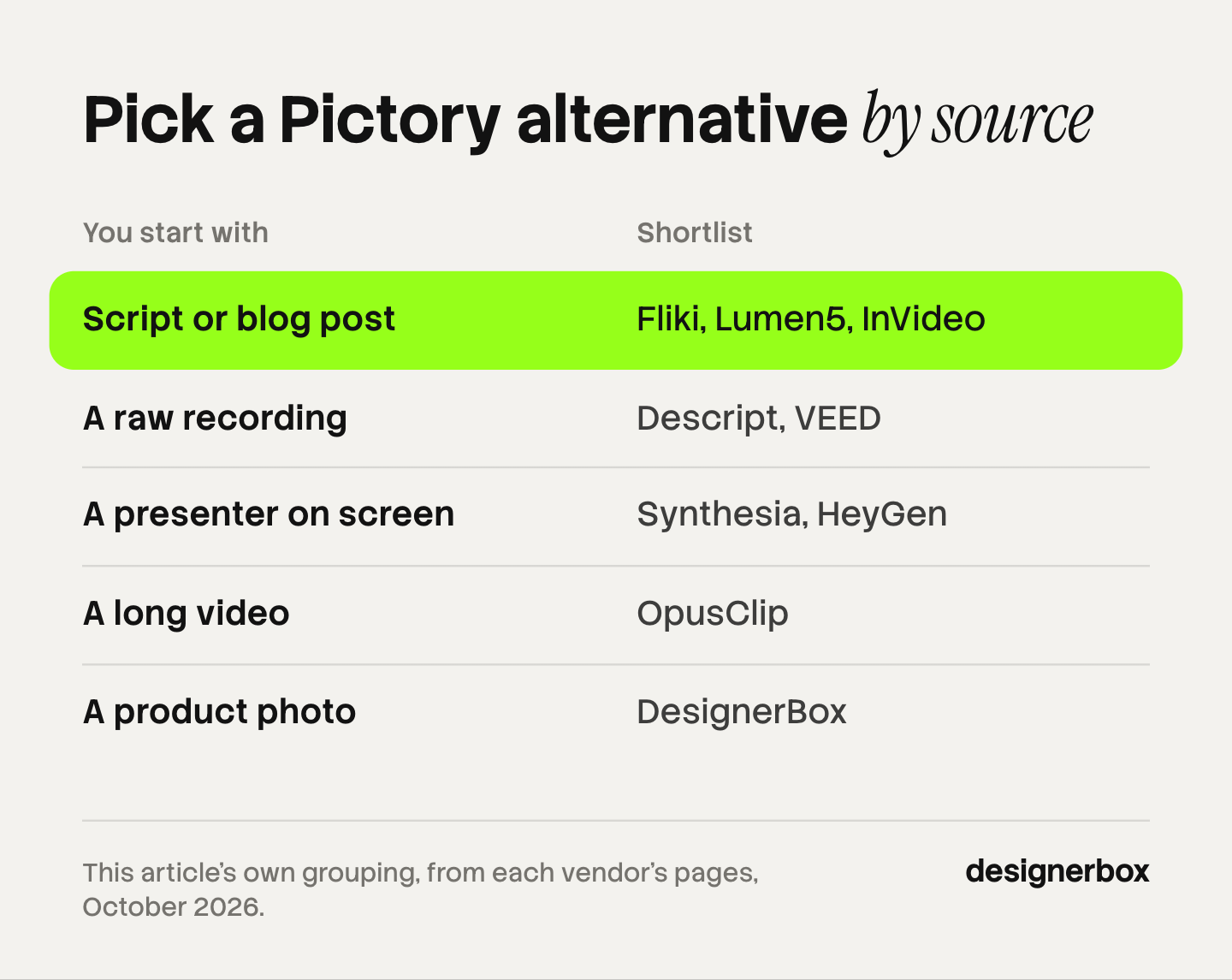
| You start with | Shortlist | What you get back |
|---|---|---|
| A script or a blog post | Fliki, Lumen5, InVideo | Scenes with footage, voice and captions |
| A raw recording | Descript, VEED | A tighter cut with subtitles |
| A presenter on screen | Synthesia, HeyGen | An avatar video, often in many languages |
| A long video | OpusClip | Short clips for social platforms |
| A product photo | DesignerBox | Product video and ads that show the real item |
Few teams have only one source. A marketing team often has blog posts and webinars. In that case, pick the tool for the job you repeat most, and check whether it covers the second job well enough.
The 9 best Pictory alternatives in 2026
The order runs from the tools closest to Pictory’s text-to-video job to the tools furthest from it.
1. Fliki
Fliki is the closest match for script-first video. It takes a script, a blog post, a blog URL or a one-line prompt, and it turns PowerPoint or Google Slides into narrated scenes. Fliki lists more than 2,000 AI voices in more than 80 languages and dialects, voice cloning from a short sample, and AI avatars. It also translates and dubs video (fliki.ai, October 2026).
Best for teams that publish many narrated videos from text and care most about voice choice.
2. Lumen5
Lumen5 turns blogs, articles and documents into videos for marketing, communications and education. You enter a blog or news link, and it summarizes the article into a storyboard with matching media and music. The brand kit holds a logo, fonts, a palette and a watermark, and Lumen5 applies it to every new project. It supports several kits (lumen5.com, October 2026).
Lumen5 names marketers, publishers and brands as its users, and it has an Enterprise offer with creative services.
Best for content teams that turn each article into a branded social video.
3. InVideo
InVideo makes a video from a prompt. It writes the script, picks stock media, and adds voiceover and music. You then edit by text command, for example to delete a scene or change the accent. InVideo lists stock images and footage from iStock, voice clones, AI avatars in more than 50 languages, and real-time collaboration. It also names Google’s Veo 3.1 among the video models it offers (invideo.io, October 2026).
Its homepage now describes an editing agent on a multitrack timeline, so the product reaches past templates.
Best for teams that want a first draft from a brief and expect to edit it afterward.
4. Descript
Descript edits video through its transcript. You delete a word in the text, and that moment leaves the video. It removes filler words, and its Studio Sound feature removes echo and background noise. Underlord, its AI editor, turns a raw recording into a tighter cut. Descript also offers remote recording, a screen recorder in its desktop app, and a free plan (descript.com, October 2026).
Descript needs footage or audio to work on. Stock-footage scenes from a blog post are outside its main job.
Best for podcasts, interviews and talking-head video where the recording already exists.
5. VEED
VEED is a video editor that runs in the browser. It records your webcam and screen, adds automatic subtitles with styles and animations, and exports them burned in or as a file. VEED lists more than 60 AI avatars, a custom clone from one recording, a brand kit, dubbing, a video translator and a teleprompter (veed.io, October 2026).
Best for small teams that record, subtitle and publish in one browser tab.
6. Synthesia
Synthesia makes presenter videos with AI avatars. It lists more than 240 avatars, more than 1,000 voices and more than 160 languages. For large companies it lists SOC 2 Type II, GDPR, ISO 42001 and single sign-on, plus a brand kit, live collaboration and version control. SCORM export is on its Enterprise plans (synthesia.io, October 2026).
Synthesia leads with training: compliance, technical and sales. It has a free plan.
Best for learning and enablement teams that update training video often.
7. HeyGen
HeyGen also makes avatar video, and it leads with translation. Its current avatar model is Avatar V. Video translation keeps lip sync and the speaker’s voice in more than 175 languages and dialects, from an uploaded file or a YouTube link. HeyGen imports a PPT or a PDF with one scene per slide, and its API covers avatars, voices, translation and lip sync (heygen.com, October 2026).
A custom avatar requires identity verification on camera.
Best for teams that need one presenter video in many languages. HeyGen alternatives covers the avatar field in more detail.
8. OpusClip
OpusClip turns long videos into short clips and publishes them to social platforms. Its ClipAnything model finds clips in any genre and accepts a prompt in plain language. ReframeAnything resizes with object tracking, and captions are added automatically. It imports from YouTube, Google Drive, Vimeo, Zoom, Dropbox, Loom and local files, and it has a posting calendar, a team workspace and an API (opus.pro, October 2026).
OpusClip starts from a finished long video. Writing a script and building scenes are outside its scope.
Best for teams with webinars, podcasts or streams that need many short clips each week.
9. DesignerBox
DesignerBox is AI creative production for brands and agencies. It does a different job from Pictory. Pictory builds scenes from stock footage. DesignerBox makes video and ads from your own product photos, so the item on screen is the item you sell.
It has no stock footage library, and it does not turn a blog post into a video. The fit and the limits are in their own section below.
Best for brands and agencies whose video has to show the real product, and who repeat the same video set for every new product.
Pictory alternatives compared
Every cell is the vendor’s own published fact, read on the date in the Sources. Each vendor lists its current prices on its own pricing page.
| Tool | Starts from | Main result | Avatars |
|---|---|---|---|
| Pictory | Text, URL, slides, video | Stock-footage scenes with voice | Yes |
| Fliki | Script, blog URL, slides | Narrated scenes | Yes |
| Lumen5 | Blog, article, document | Branded storyboard video | Talking head videos listed |
| InVideo | A prompt | Draft video, edited by text command | Yes |
| Descript | A recording | Transcript-edited cut | Yes |
| VEED | A recording or upload | Subtitled, edited video | Yes |
| Synthesia | A script | Presenter video for training | Yes |
| HeyGen | A script, PPT or video | Presenter video, translated video | Yes |
| OpusClip | A long video | Short social clips | Not checked |
| DesignerBox | A product photo | Product video and ads | Talking avatar with lip sync |
“Not checked” means this guide did not confirm the fact on the vendor’s own page. Ask the vendor before you rely on it.
How many teams use AI for video?
Most businesses already make video, and AI is now a normal part of the process. In Wyzowl’s Video Marketing Statistics 2026, 91% of businesses say they use video as a marketing tool. 63% of video marketers say they have used AI video tools to create or edit marketing videos, up from 51% the year before (Wyzowl, October 2026).
Read that number with care. Wyzowl sells video production, so the survey is vendor-run, and it covered 266 respondents in late 2025. It shows a direction, and a small sample cannot show more.
The same survey says 59% of respondents create video in house. That is the group these tools serve: a team that makes its own video every week and wants the repeated steps done for it. AI video marketing for small business covers where to start with a small team.
How to pick a Pictory alternative
Start from the job list you wrote earlier.
- Name the source. Script, recording, presenter, long video or product photo. Use the table above.
- Check the footage. Stock clips suit explainers and news. A product video needs your own item on screen.
- Check the voice. Listen to the voices in your language before you compare anything else.
- Check the languages. If you publish in five markets, test translation and dubbing on one real video.
- Count seats. Read the seat rule and the team features on each pricing page.
- Check the export. Training teams may need SCORM. Developers may need an API. Confirm which plan carries it.
- Run one real video in the trial. Use your own script and your own brand kit. A demo template proves little.
For the steps after the first draft, how to edit AI-generated video covers the cut, captions and sound. AI voiceover for UGC ads covers the voice step, and AI video tools for LinkedIn covers B2B formats.

DesignerBox fit and limits
Anyone can make an AI picture. Making hundreds that still look like your brand is the hard part. DesignerBox fits when the video has to show your real product and the same set repeats for every new product.
You set the brand once: logos, fonts, palette and rules. The workflow reads that brand record on every run. A saved workflow takes a product photo, makes the product images, turns one into a video clip and builds the ad. The video editor is a real timeline, with several tracks, transitions, animated text and audio. Text to speech has 20 voices, and a talking avatar has lip sync. A colleague can run the same job through an app, which is a workflow with a form. Batch runs one workflow over a sheet of up to 200 products, so row one and row two hundred get the same standard. Three critic steps score the results, and best-of-N keeps the best one. You see the cost before each run. The full workflow from the first product photo to the finished ad, in one subscription.
The limits matter for a Pictory user. DesignerBox has no stock footage library, and it does not build a video from a blog post or a URL. Fliki, Lumen5 or Pictory itself is the better choice for that job. Descript is the better choice for a podcast, and Synthesia for training video with SCORM. DesignerBox does not publish to a social account. You download the results, or send them with a webhook or an S3 step. DesignerBox does not have a public API. It has 68 tools over MCP, so an AI chat such as Claude, ChatGPT or Cursor can run it.
Uploading your own photos and the commercial license start on the Pro plan. AI video, the image editor and the video editor start on the Premium plan. There is a free plan, and it runs on sample products. For an agency, team features are on the Ultra plan, and every plan below Ultra is one seat. Plans are on the pricing page. The AI video ads page shows the video side, and turning a product photo into a video ad walks through the job.
The first job is one product video, built once. Start from a template, add your brand and your products, and run it. See the templates.
FAQ
What is the best alternative to Pictory?
It depends on the source material. Fliki and Lumen5 are closest for script and blog video. Descript and VEED fit recordings. Synthesia and HeyGen fit presenter video. OpusClip fits long videos that need short clips. DesignerBox fits video made from your own product photos.
Is there a free Pictory alternative?
Descript and Synthesia each list a free plan, and Lumen5 has a free sign-up (vendor pages, October 2026). DesignerBox has a free plan that runs on sample products, and it cannot make video. Check each vendor’s page for what the free tier includes before you plan a project on it.
Which Pictory alternative turns a blog post into a video?
Fliki and Lumen5 both take a blog URL. Fliki builds narrated scenes from it, and Lumen5 summarizes the article into a storyboard with media and music (fliki.ai and lumen5.com, October 2026). InVideo starts from a prompt and writes the script itself.
Which tool is best for training videos?
Synthesia leads with training. It lists more than 240 avatars and more than 160 languages, and SCORM export is on its Enterprise plans (synthesia.io, October 2026). Pictory also lists SCORM export under Pictory Central (pictory.ai/pricing, October 2026).
Can these tools cut a long video into short clips?
OpusClip is built for it. It finds clips, reframes them and adds captions (opus.pro, October 2026). Pictory lists automatic summaries of long videos, and Descript cuts a recording through its transcript.
Can DesignerBox replace Pictory?
Only for a different job. DesignerBox makes product video and ads from your own product photos, and it shows the cost before the run. It has no stock footage library and it does not turn a blog post into a video. Teams that need both often keep a text-to-video tool for articles.
Do Pictory alternatives have an API?
Pictory, HeyGen and OpusClip each list an API on their own pages (vendor pages, October 2026). This guide did not confirm which plan carries each one. DesignerBox does not have a public API. It has 68 tools over MCP.
Sources
- Pictory inputs, avatars, AI Studio, ElevenLabs voices, brand kits, integrations, Chrome extension and API: (pictory.ai, October 2026)
- Pictory stock sources, team workspace and SCORM export: (pictory.ai/url-to-video and pictory.ai/pricing, October 2026)
- Fliki inputs, slides, voices, languages, voice cloning, avatars and dubbing: (fliki.ai, October 2026)
- Lumen5 blog-to-video, storyboard, brand kits, audience and Enterprise offer: (lumen5.com and help.lumen5.com, October 2026)
- InVideo prompt-to-video, text-command editing, iStock media, voice clones, avatars, collaboration and Veo 3.1: (invideo.io, October 2026)
- Descript transcript editing, Underlord, filler word removal, Studio Sound, screen recorder and free plan: (descript.com, October 2026)
- VEED browser recorder, subtitles, avatars, brand kit, dubbing and translator: (veed.io, October 2026)
- Synthesia avatars, voices, languages, security standards, SCORM export and free plan: (synthesia.io and help.synthesia.io, October 2026)
- HeyGen Avatar V, video translation, PPT and PDF import, identity verification and API: (heygen.com and docs.heygen.com, October 2026)
- OpusClip clipping, ClipAnything, ReframeAnything, captions, import sources, calendar and API: (opus.pro and help.opus.pro, October 2026)
- Business video use, AI video tool use and in-house production: Wyzowl, Video Marketing Statistics 2026, October 2026. Vendor-run survey of 266 respondents.
- DesignerBox plan gates, batch, video editor and MCP tools: (DesignerBox pricing and product pages, October 2026)
Vendor facts verified from each vendor’s own pages as of October 2026. Individual results vary.


