The best product photography ideas start with the slot, the place where the image will appear. A main listing image needs a pure white background and no extra props on Amazon, Walmart and TikTok Shop. Gallery images can show the product in use, with props and scale. Ads and social posts accept color, text and mood. This guide sorts 20 ideas by slot.
A styled scene with props is a strong gallery image and a rejected Amazon main image. The idea is the same in both cases. Only the slot changed. Every platform rule below was read on the platform’s own page in October 2026.
Key Takeaways
- The slot comes first. Choose where the image will appear, then choose the idea.
- There are four slots. The main image, the gallery, ads and social posts. This guide has 4, 7, 5 and 4 ideas for them.
- The main image is the strictest slot. Amazon, Walmart and TikTok Shop all ask for a pure white background there.
- Props belong in the gallery. Amazon bars props that are not included with the product from the main image.
- Added text is barred on many listings. eBay and TikTok Shop bar added text on every listing photo.
- Ads and social posts are the open slots. The limits there are shape and safe zones.
Why every product photography idea needs a slot
A product image always has a job, and the job depends on where the image sits. Four slots cover almost every product image a brand makes.
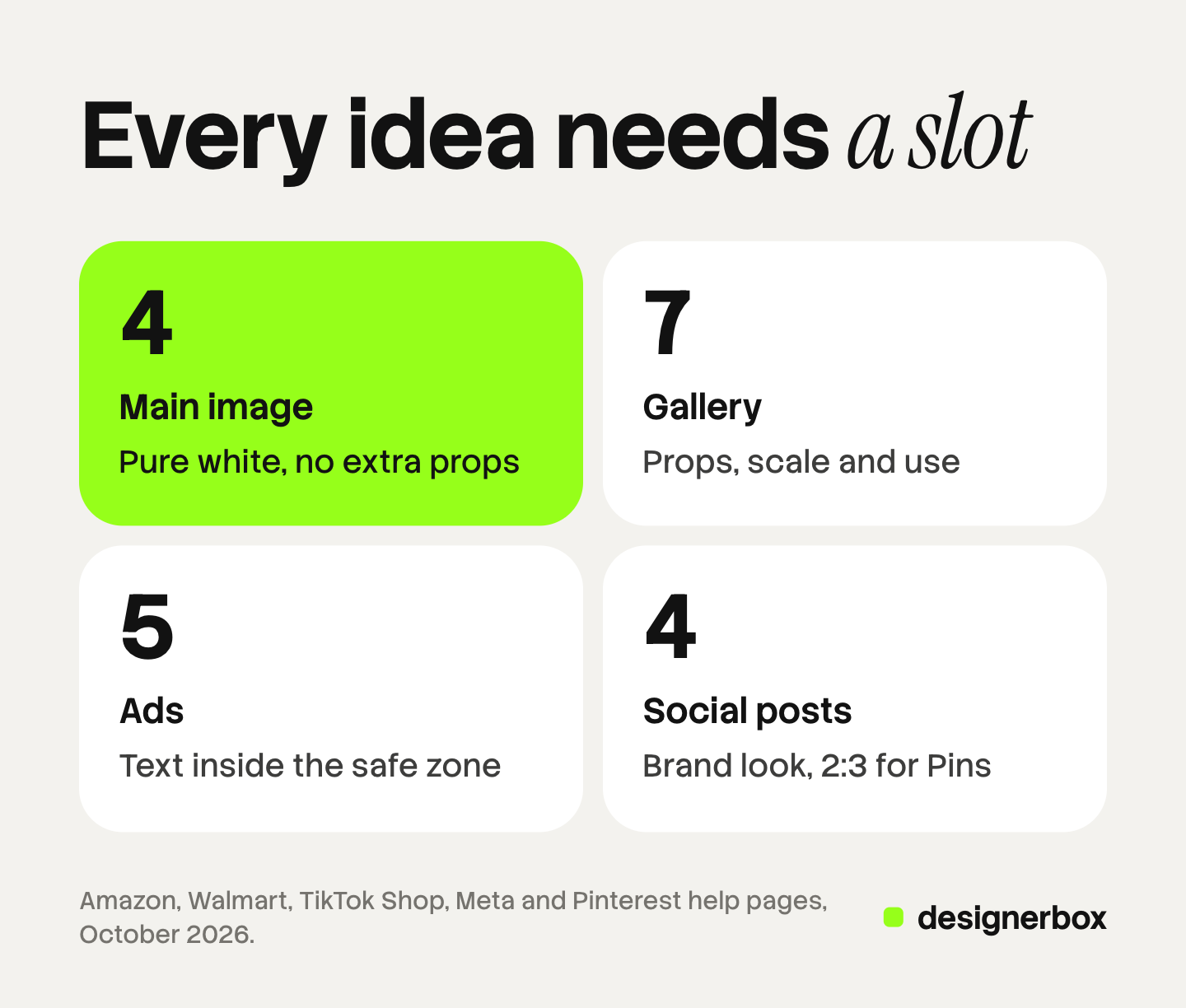
- The main image. It appears in search results and is the first image on the product page.
- The gallery. The other images on the product page answer questions about size, material and use.
- Ads. These images reach someone who was not looking for the product.
- Social posts. These images reach people who follow the brand.
Each slot has an owner, and the owner sets the rules. A marketplace owns the main image and the gallery. An ad platform owns the ad. On your own store, your brand rules are the only rules.
An idea is useful only when you know which slot accepts it. Our guide to the types of product photography explains the seven shot types. This guide starts from the slot and gives ideas for each one.
What each platform allows in each slot
The table shows what six platforms say about the main image and the other listing images.
| Platform | Main image | Other listing images |
|---|---|---|
| Amazon | Pure white background. The product shows as 85% of the image. No props that are not included with the product | Variant slots take more angles, the product in use, accessories and details. No review images, star ratings or claims such as free shipping |
| Walmart | Seamless white background. No watermark, seller name or logo. No accessories that are not included | No claims or promotional language in any image. Walmart recommends at least four images |
| TikTok Shop | Pure white background and the front view of the product | Up to 9 square images. Usage scenarios, styled scenes, close-ups and size comparisons are allowed. No added logos, text, borders or watermarks on any image |
| eBay | No added borders, text, artwork or marketing material. No watermarks | The same rule applies to every photo |
| Google Merchant Center | No promotional text, overlays, watermarks or borders | Up to 10 additional images with staging or the product in use. Up to 5 lifestyle images with no text |
| Etsy | The first photo should be horizontal or square. Etsy recommends at least 2,000 pixels on each side | The first photo sets the shape of the photos that follow |
The sources are Amazon Seller Central, Walmart Marketplace Learn, TikTok Shop Seller University, eBay’s picture policy, Google Merchant Center Help and Etsy Help, all read in October 2026.
Two details matter. Amazon’s page writes its no-text line for the swatch image only, so check your category style guide before you add text to a gallery image. TikTok Shop allows styled scenes, and the same page says images must include only what the customer will receive. Our guide to Amazon image requirements covers the Amazon rules in full. For the size and file specs of five channels, see our guide to ecommerce product photography.
Product photography ideas for the main image
The main image has the least freedom. On a marketplace, each of these four ideas is shot on pure white.
1. The straight front view. Place the camera level with the middle of the product. TikTok Shop requires the front view for its main image.
2. The three-quarter angle. Turn the product about 45 degrees so two sides show. Amazon asks for a single shoe, facing left, at a 45-degree angle for all footwear. Our guide to product photography angles lists the standard angles.
3. The product with what is in the box. Lay the included accessories beside the product. The strict grid version of this frame is knolling photography. Amazon allows one unit and any accessories that are included with it. Do not show the packaging, unless it is a product feature such as a carrying case.
4. The tight crop that fills the frame. Move closer until the product fills most of the image. Amazon asks for 85% of the image. Walmart asks you to crop the item as close as possible to the frame.
Clothing is a special case. Amazon asks for adult clothing on a standing model in the main image, and bars every kind of mannequin there.
Creative product photography ideas for the gallery
The gallery is where creative product photography belongs on a listing. Amazon’s variant slots take more angles, the product in use, accessories and product details.
5. The scale shot. Show the product in a hand, on a body or beside a familiar object. Baymard’s testing found that 42% of users try to judge a product’s size from the product page images (Baymard Institute, October 2026). A product alone on white cannot answer that question.
6. The material close-up. Fill the frame with one detail: a seam, a zipper, a wood grain or a clasp. Google allows an additional image to highlight part of the product without showing all of it.
7. The product in use. Show a person doing the main thing the product is for. Keep the product as the largest and sharpest object in the frame.
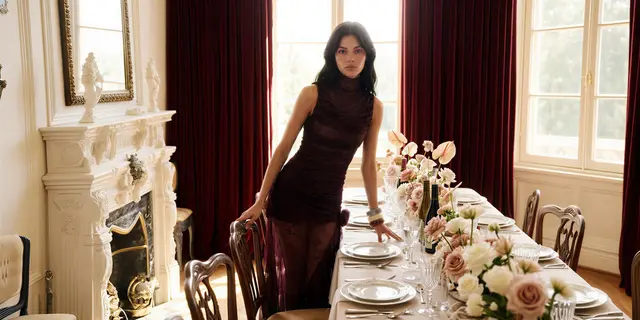
8. The styled scene. Place the product in the room or setting where it lives. A lamp sits beside a chair. Our guide to lifestyle product photography covers this shot in detail.
9. The flat lay. Photograph the product from directly above, with a few related items around it. Our guide to flat lay photography gives the two rules that decide whether a flat lay works.
10. The color range. Show every color of the product in one row. Amazon’s main image may show only one unit, so the range goes in the gallery.
11. The back, the base and the inside. Show the back and the base, or open the product. Buyers look for ports, labels, linings and care instructions.
Product photography props: three rules before you buy any
Props decide whether many ideas fit a slot. Three rules keep them useful.
A prop must explain something. A good prop shows use, scale or material. A lemon beside a citrus soap explains the scent. A prop that explains nothing takes attention from the product.
A prop must not look like part of the product. Amazon’s main image rule bars accessories or props that are not included and could confuse the customer. Walmart’s rule for the main image says the same about accessories, and also says to avoid too many props. A buyer should know at once what arrives in the box.
A prop stays smaller and quieter than the product. Choose matte surfaces and muted colors, and keep props at the edge of the frame.
A short prop kit covers most catalogs: two neutral surfaces, one natural material such as linen or stone, and one item for scale. Reuse the same props on every product so the gallery looks like one set. Our guide to product photography backdrops covers the surfaces.
Product photoshoot ideas for ads
Color, text and mood are all allowed in an ad. The limits are shape and placement.

Meta’s guide for a Facebook feed image ad lists a 4:5 ratio and 1440 x 1800 pixels, and it supports ratios from 1.91:1 to 4:5 (Meta Ads Guide, October 2026). For Stories and Reels ads, Meta defines a safe zone where text overlays and logos are not cropped or covered by the interface (Meta Business Help Center, October 2026).
12. One product on one bold color. Use a single saturated background and no props. Pick a color from the brand palette so every ad looks like the same brand.
13. The frozen moment. Catch the product in action: a pour, a splash, a fold or a bite.
14. The hand-held shot. A hand holds the product in an ordinary place, such as a kitchen or a street.
15. The text-led image. Leave one third of the frame empty for a short line of text. Keep the text and the logo inside the safe zone. If a Reels ad carries a disclaimer, Meta says to leave the bottom 40% free of text, logos and key elements.
16. The unboxing layout. Arrange the box, the tissue, the product and the insert card as a buyer first sees them. Amazon’s main image bars packaging in most cases, so this idea belongs in ads.
Product photography ideas for social posts
Social posts have the fewest written rules, so the brand’s own look is the rule. The main limit is the shape of the feed. Pinterest recommends a 2:3 ratio, or 1000 x 1500 pixels, and says that taller Pins might be cropped in the feed (Pinterest Business Help, October 2026).

17. The making-of shot. Show the product half made, on the workbench or at the sewing machine.
18. The seasonal scene. Place the product in a setting that matches the month: a beach, a holiday table or a rainy street.
19. The ingredient or material story. Put the product beside what it is made from. A candle sits with beeswax and dried orange. A sweater lies on raw wool.
20. The tall vertical scene. Compose one styled scene in a 2:3 frame with space at the top. It fits a Pin without a crop.
Social images can also serve Google. Google shows lifestyle images in free listings, takes up to 5 for each product, and asks for at least 600 x 600 pixels with no text (Google Merchant Center Help, October 2026).
How to turn product photography inspiration into a shot plan
Three steps turn a board of saved pictures into a list a team can shoot.
- Write the slot beside every idea. Mark each saved picture as main, gallery, ad or social. Remove any idea that has no slot.
- Check the rule for that slot. Use the table above for the platforms where you sell. Move an idea to another slot when the first slot bars it.
- Fix the set for every product. Choose the same ideas for every product in a category. For example: one front view, one scale shot, one close-up, one scene and one ad image.
Twenty different ideas on twenty products look like twenty brands. Five ideas repeated on every product look like one. A shot list template holds the plan in one sheet, with one row for each product.
Here is an example count. Forty products with five images each need 200 images, so the ideas have to be few and fixed.
One brand look across every slot
DesignerBox is AI creative production for brands and agencies. It makes images, ads and video from a brand’s own inputs, and a product photo is one of those inputs. Anyone can make an AI picture. Making hundreds that still look like your brand is the hard part.
Your colors, fonts, reference pictures and rules live in one brand record, and every run reads it. You save a set of ideas as a workflow: a clean white image, a scale shot, a styled scene and an ad image. A batch then runs that workflow over a sheet, one product per row, from row one to row two hundred. The cost is shown before the run.
You keep or discard each result yourself. The product side of this work is described on the AI product photography page. The same workspace makes the ad and the video from those images. The full workflow from the first product photo to the finished ad, in one subscription.
A generated scene can change a detail of the product, so compare every result with the source photo. Marketplace rules still apply to generated images, and TikTok Shop bars digital renderings of a product. DesignerBox does not send finished work to a store or an ad account. You download the results, or send them with a webhook or an S3 step. Every plan below Ultra is one seat.
Uploading your own photos and the commercial license start on the Pro plan. AI video, virtual try-on, upscaling, the image editor and the video editor start on the Premium plan. Plans and credits are on the pricing page.
There is a free plan, and it runs on sample products. Get started free
FAQ
What are good product photography ideas for beginners?
Start with five: a straight front view on white, a three-quarter angle, a scale shot in a hand, a material close-up and one styled scene. The first two fit the main image. The other three fit the gallery.
Can I use props in an Amazon main image?
Only props that are included with the product. Amazon’s main image rule bars accessories or props that are not included and could confuse the customer (Amazon Seller Central, October 2026). Props are for the other image slots, which take the product in use and product details.
Can I add text to product photos?
Not on most marketplace listing photos. eBay bars added text, artwork and marketing material on listing photos. TikTok Shop bars added text on all product images. Google bars promotional text on product images and any text on lifestyle images. Ads and social posts accept text, inside the safe zone for the format.
How many product photos does a listing need?
Amazon requires one compliant main image and recommends at least six additional images and one video. Walmart recommends at least four images. TikTok Shop accepts up to 9 square images.
What size should a product photo be for ads and social posts?
Meta lists a 4:5 ratio at 1440 x 1800 pixels for a Facebook feed image ad. Pinterest recommends a 2:3 ratio at 1000 x 1500 pixels for a Pin.
Can AI produce these product photography ideas?
AI can make scenes, backgrounds and ad images around a real product photo. It cannot confirm that the product still looks correct, so a person checks every result. Check each platform’s rules as well. In DesignerBox, a saved workflow applies the same ideas to each product, and you see the cost before you press Run.
Sources
- Amazon main image rules (pure white background, 85% of the image, props, packaging, footwear angle, clothing on a model), variant slots, the rules for all images, and the recommended six additional images: Amazon Seller Central, product image requirements, accessed October 2026
- Walmart main image background, watermark, accessory and prop rules, the claims rule and the four-image recommendation: Walmart Marketplace Learn, image guidelines and requirements, last updated 12 May 2026, accessed October 2026
- TikTok Shop image count, main image background and front view, allowed gallery content, the added-text rule and the digital rendering rule: TikTok Shop Seller University, product listing policy, accessed October 2026
- eBay rules on added borders, text, artwork, marketing material and watermarks: eBay, picture policy, accessed October 2026
- Google main image rules on promotional text, overlays, watermarks and borders: Google Merchant Center Help, image link, accessed October 2026
- Google additional images, up to 10, with staging, the product in use or part of the product: Google Merchant Center Help, additional image link, accessed October 2026
- Google lifestyle images, up to 5, at least 600 x 600 pixels, no text, shown in free listings: Google Merchant Center Help, lifestyle image link, accessed October 2026
- Etsy first photo shape and the 2,000 pixel recommendation: Etsy Help, requirements and best practices for images, accessed October 2026
- Meta feed image ratio and resolution: Meta Ads Guide, Facebook feed image, accessed October 2026
- Meta safe zone for Stories and Reels ads and the bottom 40% guidance for disclaimers: Meta Business Help Center, text overlays and the safe zone, accessed October 2026
- Pinterest 2:3 ratio and 1000 x 1500 pixels: Pinterest Business Help, product specs, accessed October 2026
- 42% of users try to judge product size from product page images: Baymard Institute, the current state of product page UX, accessed October 2026
- DesignerBox brand record, batch rows and the cost shown before the run: DesignerBox brand and batch pages (designerbox.ai/product/brand, designerbox.ai/product/batch), October 2026
- DesignerBox plan gates: DesignerBox pricing page (designerbox.ai/pricing), October 2026
Platform image rules verified on each platform’s own help pages in October 2026. The 200-image count is example arithmetic. Platform rules change often and vary by category, so check each page before a large upload. Individual results vary.