
Amazon image requirements come in two layers. Every image must be a JPEG, TIFF, PNG or non-animated GIF, between 500 and 10,000 pixels on the longest side, with 1,000 pixels or more to turn on zoom. The main image must also show the whole product once, on a pure white background, filling 85% of the frame. A listing with no compliant main image can leave search.
Most sellers know the white background rule. Fewer know that Amazon sorts a failed image into one of three outcomes, and that only one of them takes the listing out of search. That difference decides what you check first when you have 200 products and seven images each.
This guide covers the file spec, the main image rules, the rules for every other image, what Amazon does when an image fails, and how to check a whole catalog before you upload. It is written for brands and operators who list more than a handful of products.
Key Takeaways
- The file spec is short. JPEG, TIFF, PNG or non-animated GIF. At least 500 pixels and at most 10,000 pixels on the longest side. At least 72 dpi. RGB is preferred and JPEG is recommended (Amazon Seller Central, product image guide, October 2026).
- 1,000 pixels is the working minimum. Images with 1,000 pixels or more on the longest side turn on zoom. Amazon says not to enlarge a small image to get there.
- The main image has its own rules. Pure white background at RGB 255, 255, 255. The product fills 85% of the image, appears once, and is not cut off. No props, no mannequin, and no packaging unless the packaging is a product feature.
- A failed image has three possible outcomes. A technical failure cannot be uploaded. A rule failure may be removed. A listing with no compliant main image may be removed from search until you supply one.
- Amazon may edit your image. The guide says Amazon may modify submitted images to meet the requirements, and its suppression page gives removing a watermark as an example.
- Amazon recommends seven images and a video. One compliant main image is required. Amazon recommends at least six more images and one video.
- AI-generated people need a tag. An image with photorealistic people made entirely by AI must carry the keyword contains-synthetic-performer in its metadata.
What are the Amazon image requirements in 2026?
The Amazon image requirements for every product image are a file spec plus a content standard. The file must be a JPEG, TIFF, PNG or non-animated GIF, from 500 to 10,000 pixels on the longest side, at 72 dpi or more, and clear with no pixelation. The content must represent the product accurately and match the product title.
Here is the full file spec from Amazon’s product image guide, as read in October 2026.
| Spec | Amazon’s rule | Required? |
|---|---|---|
| File format | JPEG, TIFF, PNG or non-animated GIF | JPEG recommended |
| Minimum size | 500 pixels on the longest side | Yes. Smaller files cannot be uploaded |
| Maximum size | 10,000 pixels on the longest side | Yes |
| Zoom | 1,000 pixels or more on the longest side | Recommended |
| Resolution | At least 72 dpi | Yes |
| Image quality | Clear, not pixelated, no jagged edges | Yes |
| Color mode | RGB | Preferred |
| File name | Product identifier, variant code, file extension | Optional, but needed for bulk upload |
Two notes on that table. The guide does not print a file size limit. It sends you to a separate page, Technical image file requirements, for color modes, ICC profiles and compression. And Amazon tells you not to enlarge a small image artificially. An upscaled 400 pixel photo may pass the pixel count and still fail the image quality line. The same problem on other channels is covered in what to do with low resolution product images.
What does the Amazon main image need?
The main image is the first image on the detail page and the one shoppers see in search results. Amazon identifies it with the variant code MAIN, and it carries stricter rules than any other slot.
Product rules
- The image is realistic and of professional quality. It shows the real scale, quantity and color of the product.
- The product fills 85% of the image.
- The whole product is inside the frame. No part is cut off.
- The product appears once. Amazon’s example: show the front, not the front and the back together.
- The image shows one unit, plus any accessories that come with it.
- No placeholder image. Amazon says the first image you upload defines the product identity, and a placeholder can block the image you meant to use.
Background rules
- The background is pure white, RGB 255, 255, 255.
- No packaging, unless the packaging is an important product feature. Amazon names a carrying case and a gift basket as examples.
- No props or accessories that are not included with the product.
- A limited number of product types may use a lifestyle image as the main image, with no text or extra logos. Amazon lists them in its product page style guide.
Clothing and footwear rules
- No part of a mannequin, whatever it looks like, and no hanger.
- Adult clothing is shown on a model, and the model is standing. Amazon adds that it encourages models with different physical mobilities, including people who use wheelchairs or prosthetics.
- Clothing accessories and multipacks are shown flat, without a model.
- Footwear is shown as a single shoe, facing left, at a 45-degree angle.
Getting a phone photo to pure white is the most common single job here. The steps after an AI background removal cover where the cutout goes wrong, and the clothing shot list covers the on-model and flat shots the clothing rules ask for. Socks have their own exceptions, set out in sock photography.
What rules apply to every Amazon product image?
Six rules apply to all images, the main image included (Amazon Seller Central, product image guide, October 2026).
- The image accurately represents the product you sell.
- The image matches the product title.
- No nudity and no sexually suggestive images. This covers models and drawings.
- Children’s and baby undergarments, leotards, swimwear and similar form-fitting items are photographed lying flat, without models.
- No customer reviews, five-star imagery, claims such as free shipping, or information about one selling partner.
- No Amazon logos, trademarks or badges, and nothing that could be confused with them. Amazon names “Amazon’s Choice”, “Best seller” and “Works with Amazon Alexa” among the badges.
The guide also says swatch images carry no text or pricing details.
Rule 5 is the one that catches alternate images. A benefit graphic is fine in an alternate slot. A graphic with a star rating or a “free shipping” claim is not. Which image types earn one of the six alternate slots is a separate question, and what each marketplace listing gallery shows answers it. The modules under the product description follow their own sizes, covered in Amazon A+ Content modules and image specs.
The variant codes
Each image slot has a code. You need the codes when you upload in bulk, because the file name carries them.
| Image type | Code |
|---|---|
| Main image | MAIN |
| Additional angles, product in use, details | PT01 to PT99 |
| Named angle shots | TOPP, BOTT, LEFT, RGHT, FRNT, BACK, SIDE |
| Swatch | SWCH |
| Product safety and compliance | PS01 to PS06 |
| Ingredient information | INGR |
| Multipack | DTLS |
A bulk file name has three parts separated by periods: the product identifier, the variant code and the file extension. Amazon’s example is B000123456.MAIN.jpg. The identifier can be an ASIN, UPC, EAN, GTIN, ISBN, JAN or barcode number. Spaces, dashes or extra characters stop the file from uploading.
What happens when an Amazon image fails?
Amazon’s guide describes three outcomes, and they are not equal.
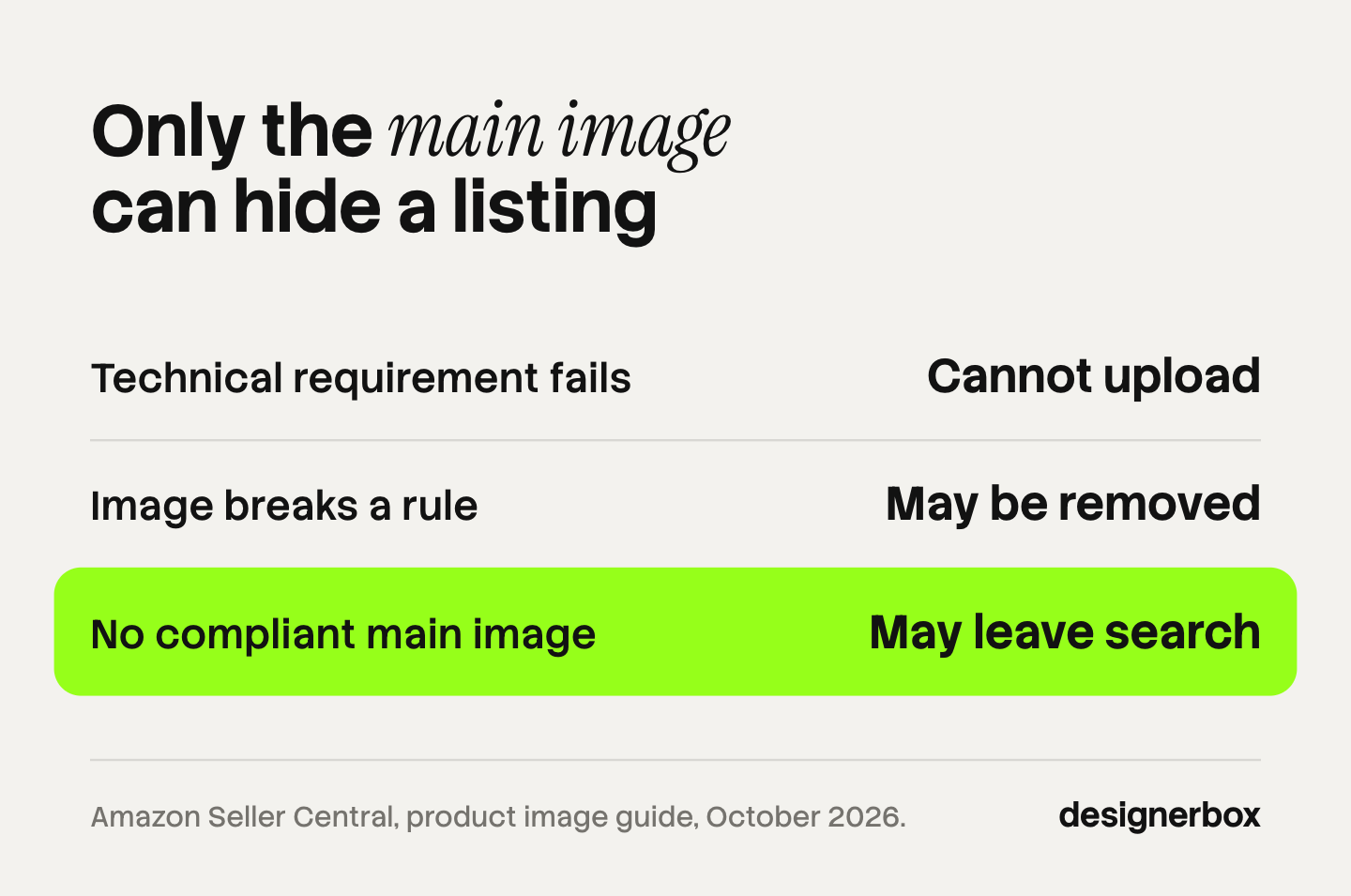
| What fails | What Amazon says it does |
|---|---|
| A technical requirement, such as size or format | The image cannot be uploaded |
| A product image requirement or a selling policy | The image may be removed |
| The listing has no compliant main image | The listing may be temporarily removed from search until you provide one |
The first outcome is the cheap one. You see the error at upload and nothing reaches a shopper. The third is the expensive one, because a listing that is out of search gets no traffic from search while it waits.
Amazon’s Image suppression page says that when you upload images, Amazon checks them against the product image requirements. If an image does not comply, Amazon may suppress the listing from search until you provide a compliant image, or remove or modify the image. Its example of a modification is removing a watermark (Amazon Seller Central, Image suppression, October 2026).
When read in October 2026, that page listed 17 issue types:
- About the picture: text, logos, graphics and watermarks; prohibited badging and banned words or graphics; non-white background; cropped product; product not outside its packaging, or with packaging tags; propping; blurriness or pixelation; product too small; prurient images; image and title do not match.
- About people and display: human models; mannequin or hanger; model in a non-standing position.
- About the file: bad ASIN or variant; unsupported file suffix; corrupted file or unexpected format; unknown internal error.
Two more facts shape your planning. Uploading an image does not guarantee Amazon displays it, because Amazon selects and arranges images from several selling partners. And a selected image can take up to 24 hours to appear on the detail page.
How do you find and fix a suppressed listing?
Amazon’s Suppressed listings page says a customer cannot find a listing in search while it is suppressed. To find yours, open the menu in your seller account, click Inventory, and select Manage All Inventory (Amazon Seller Central, Suppressed listings, October 2026). The same page lists non-image causes too, such as a title that is too long or a missing attribute, so read the stated reason before you edit the picture.

When the reason is the image, fix the cause and replace the file.
| Stated issue | The fix |
|---|---|
| Non-white background | Cut the product out and fill with RGB 255, 255, 255. A light grey sweep does not count |
| Product too small | Crop tighter so the product fills 85% of the image |
| Cropped product | Go back to the source photo. A crop cannot restore what the frame cut off |
| Text, logo, graphics or watermark | Export a clean version. Move the graphic to an alternate slot if the rules for all images allow it |
| Propping | Remove anything the customer does not receive |
| Mannequin or hanger | Reshoot on a standing model, or shoot the item flat where the rules ask for flat |
| Blurriness or pixelation | Replace the source. Do not enlarge a small file |
| Image and title do not match | Check that the file name carries the right ASIN and the right variant |
Then allow up to 24 hours for the new image to appear before you conclude the fix did not work.
How do you check a whole catalog before upload?
Seven images for each product is Amazon’s own recommendation: one main image and six more. At 200 products that is 1,400 files. Nobody inspects 1,400 files by eye and catches every 480 pixel export, so split the checks by who can do them.

Checks a script can do. These are yes or no questions about the file:
- Is the longest side at least 1,000 pixels and no more than 10,000?
- Is the format JPEG, TIFF, PNG or non-animated GIF?
- Is the color mode RGB?
- Does the file name have three parts separated by periods, with a valid variant code?
- On the MAIN file, are the corner pixels exactly 255, 255, 255?
- On the MAIN file, does the product’s bounding box cover about 85% of the image?
A failed file here never needs a human opinion. Block it and fix it.
Checks a person has to do. These are judgment calls about the picture:
- Does the image show the product in the title, in the right color?
- Is anything in the frame that the customer does not receive?
- Is there a star rating, a claim or a badge in an alternate image?
- Is the model standing? Is the shoe facing left?
- Does a photorealistic person in the image come from AI, so the file needs the tag?
Review the MAIN files first. They are one seventh of the set and the only ones that can take a listing out of search.
Give every failure one of three routes. Fix the file when the fix is mechanical, such as a wrong format or an off-white background. Send it back to the source when the photo itself is too small, blurred or cut off. Send it to a named person when the rule needs judgment.
This is a pre-check, and it lowers the count of failures. It does not replace Amazon’s own review, which decides what is displayed. Larger sets bring their own planning questions, and how agencies plan bulk product images covers them.
Do AI-generated images meet Amazon’s rules?
Amazon’s general image guide sets standards for the image. It does not contain a rule against product images made or edited with AI. It does contain one AI rule about people.
If an image includes photorealistic people who were generated entirely by AI, you must tag the file before you upload it. Add the keyword contains-synthetic-performer to the dc:subject (XMP) field with an IPTC-compatible metadata editor. Amazon then adds a disclosure where one applies. Do not add the tag when the image shows only real people, even people edited with AI, when it shows no people, or when the people are not photorealistic.
The accuracy rules still apply to every file. An AI image that changes the real scale, quantity or color of the product fails the first main image rule, whatever made it. The wider picture across five marketplaces, the EU AI Act included, is in marketplace rules for AI product photos. Creators who post shoppable photos and videos follow separate rules, covered in our guide to the Amazon Influencer Program.
How do Amazon’s rules differ from Walmart and eBay?
The same master photo usually serves all three, and the export differs.
| Amazon | Walmart | eBay | |
|---|---|---|---|
| Size | 500 px minimum, 1,000 px for zoom, 10,000 px maximum on the longest side | 2200 x 2200 px, 1500 x 1500 px minimum for zoom | 500 x 500 px minimum, about 1600 x 1600 px recommended |
| Formats | JPEG, TIFF, PNG, non-animated GIF | JPEG, JPG, PNG, BMP. No GIF | JPEG, PNG, GIF, TIFF, BMP, WEBP, HEIC, AVIF |
| File size | Not printed in the image guide | 5 MB or less | Up to 12 MB |
| Shape | Not fixed | 1:1 square | Not fixed |
| Background | Pure white on the main image | Seamless white, 255/255/255 | Neutral backdrop. eBay says white is generally best |
Sources: Walmart Marketplace Learn, image guidelines and eBay Help, adding pictures, both October 2026.
A square master at 2200 pixels or more on pure white meets the size line on all three. Two differences bite at export. Walmart does not accept GIF and caps the file at 5 MB. eBay asks sellers not to add badges, logos or watermarks, because they can affect a listing’s placement in search results. The five-channel version of this table is in ecommerce product photography specs.
Listing images in DesignerBox
DesignerBox is AI creative production for brands and agencies. For an Amazon catalog, the job it does is the listing set: the same main image, angles and detail shots for every product, made the same way each time.
You build a workflow once with your brand rules, your white point and your framing. A saved workflow runs the same way on the next product. Batch runs it over the whole sheet at once, and the standard on row one is the standard on row two hundred. Anyone can make an AI picture. Making hundreds that still look like your brand is the hard part. The page for Amazon FBA sellers shows the listing set, and batch shows the sheet.
Review is part of the run. Critic steps score the results and best-of-N keeps the best one, and in batch you keep or discard each row and run one row again. The cost is shown before the run.
The limits matter for this topic. DesignerBox does not check a file against Amazon’s image requirements, and it does not upload to Seller Central. You download the results, run the pre-checks above, and upload them yourself. Amazon decides what it displays.
There is a free plan, and it runs on sample products. Uploading your own photos and the commercial license start on the Pro plan. Virtual try-on, upscaling and the image editor start on the Premium plan. Every plan below Ultra is one seat. Plans are on the pricing page. The main image, the alternates and the ad that follows them come from one place: the full workflow from the first product photo to the finished ad, in one subscription.
Start from a template, add your brand and your products, and run it.
FAQ
What size should Amazon product images be?
At least 1,000 pixels on the longest side, so zoom works. Amazon’s hard limits are 500 pixels minimum and 10,000 pixels maximum on the longest side, at 72 dpi or more (sellercentral.amazon.com, October 2026). A square master at 2,000 pixels or more leaves room to crop and also covers Walmart and eBay.
What background does the Amazon main image need?
Pure white, RGB 255, 255, 255. The product fills 85% of the image, appears once, and sits fully inside the frame. Amazon allows a lifestyle main image for a limited number of product types, which it lists in its product page style guide.
Can the Amazon main image have text or a logo?
No. Text, logos, graphics and watermarks are the first issue type on Amazon’s Image suppression page. Amazon may suppress the listing from search until you provide a compliant image, or it may remove or modify the image itself.
How many images does Amazon require?
One compliant main image is required for every product. Amazon recommends at least six more images and one video. Uploading an image does not guarantee that Amazon displays it, because Amazon selects images from several selling partners.
Why is my Amazon listing suppressed?
A suppressed listing is hidden from search. For images, the usual cause is a main image that does not meet the requirements, such as a non-white background, a product that is too small, or text on the image. Open Inventory, then Manage All Inventory, to see the listing and the stated reason. Titles and missing attributes can also suppress a listing.
How long does a new Amazon image take to appear?
Up to 24 hours after upload, if Amazon selects the image for display (sellercentral.amazon.com, October 2026). Wait that long before you replace the file a second time.
What does a set of listing images cost in DesignerBox?
The cost is shown before the run, so you see it before you press Run. It depends on the model behind each step. Plans are on the DesignerBox pricing page.
Sources
- Amazon Seller Central, Product image guide: file spec, main image requirements, requirements for all images, variant codes, file naming, the three outcomes of a failed image, the 24-hour display time and the AI-generated people tag, accessed October 2026
- Amazon Seller Central, Image suppression: what Amazon may do with a non-compliant image and the list of issue types, accessed October 2026
- Amazon Seller Central, Suppressed listings: what suppression means and where to find suppressed listings, accessed October 2026
- Walmart Marketplace Learn, Image guidelines and requirements: pixel dimensions, formats, file size, aspect ratio and background, accessed October 2026
- eBay Help, Adding pictures to your listings: minimum and recommended size, formats, the 12 MB limit and the guidance on graphics and backdrops, accessed October 2026
- DesignerBox pricing page (designerbox.ai/pricing), October 2026
Amazon, Walmart and eBay image rules verified from each platform’s own help pages as of October 2026. Rules change, so read the current page before a catalog-wide upload. This is general information, not legal advice. Individual results vary.