AI tools for fashion brands cover four production jobs per drop: on-model imagery, short video, presenter or tutorial content, and a version of each for every placement. No single AI tool in this guide covers all four, so a brand needs a stack of several tools.
Picking them is the easy half. The hard half is that the same four jobs run again in six weeks, on thirty new products. Almost nothing in a normal stack remembers how you did it last time.
Here is the shape of it. The drop lands in six weeks. You have flat lays for every SKU, a shoot day you can only book once, and a paid calendar that wants nine ad variants by launch. The photography gets done. The video does not, because the video was a separate quote from a separate supplier. The version that was supposed to run on Reels is still a 4:5 still with text on it.
The tools below each solve one piece of that. Each of them works on one asset at a time, which is fine for one product and expensive for thirty. So the question to ask of every tool here is whether the production you build in October runs again in November on new SKUs, at the same standard, without anyone rebuilding it.
This guide maps the tools to the production stages rather than ranking them, because a ranking of tools that do different jobs tells you nothing. No vendor price is printed here. Each company’s own pricing page is named instead, read in July and October 2026, along with the view that page opens on.
Key Takeaways
- Sort tools by stage, not by score. On-model imagery, stills to video, presenter content, and versioning are four separate jobs, and no tool in this guide covers all four.
- A six-tool fashion stack costs the sum of six entry tiers, and each vendor publishes its own on the page named below. That sum is the smallest part of what a drop costs you, because the same four jobs run again in six weeks on thirty new products.
- Two of these tools are also model makers. Kling and Runway build video models and sell direct subscriptions. You can buy them alone, or choose either one as a step in a DesignerBox workflow.
- An 8-second AI clip has no single price. Which model you pick moves the bill more than how many clips you make.
- Commercial rights are not standard. Only Midjourney and Kling state commercial terms on their own pricing pages. For Runway, Canva, Photoroom, HeyGen self-serve and FASHN, the accurate line is that the pricing page does not state them.
- CapCut does not publish a fixed price. Its own help center says the price can vary by region, device and available promotions, and that the final price is shown on the payment page (capcut.com/help, October 2026), so no monthly figure for it is quoted here.
What does a fashion or beauty brand have to produce per drop?
Four asset classes, and they are not interchangeable. On-model imagery for the PDP and the lookbook. Short video for Reels, TikTok and paid placements, which is worth budgeting against click-through rather than returns. Presenter or tutorial content, which matters far more in beauty than in apparel. And a version of every one of those cut to the size and ratio each placement demands. The specs each placement enforces decide how many versions you have to make.
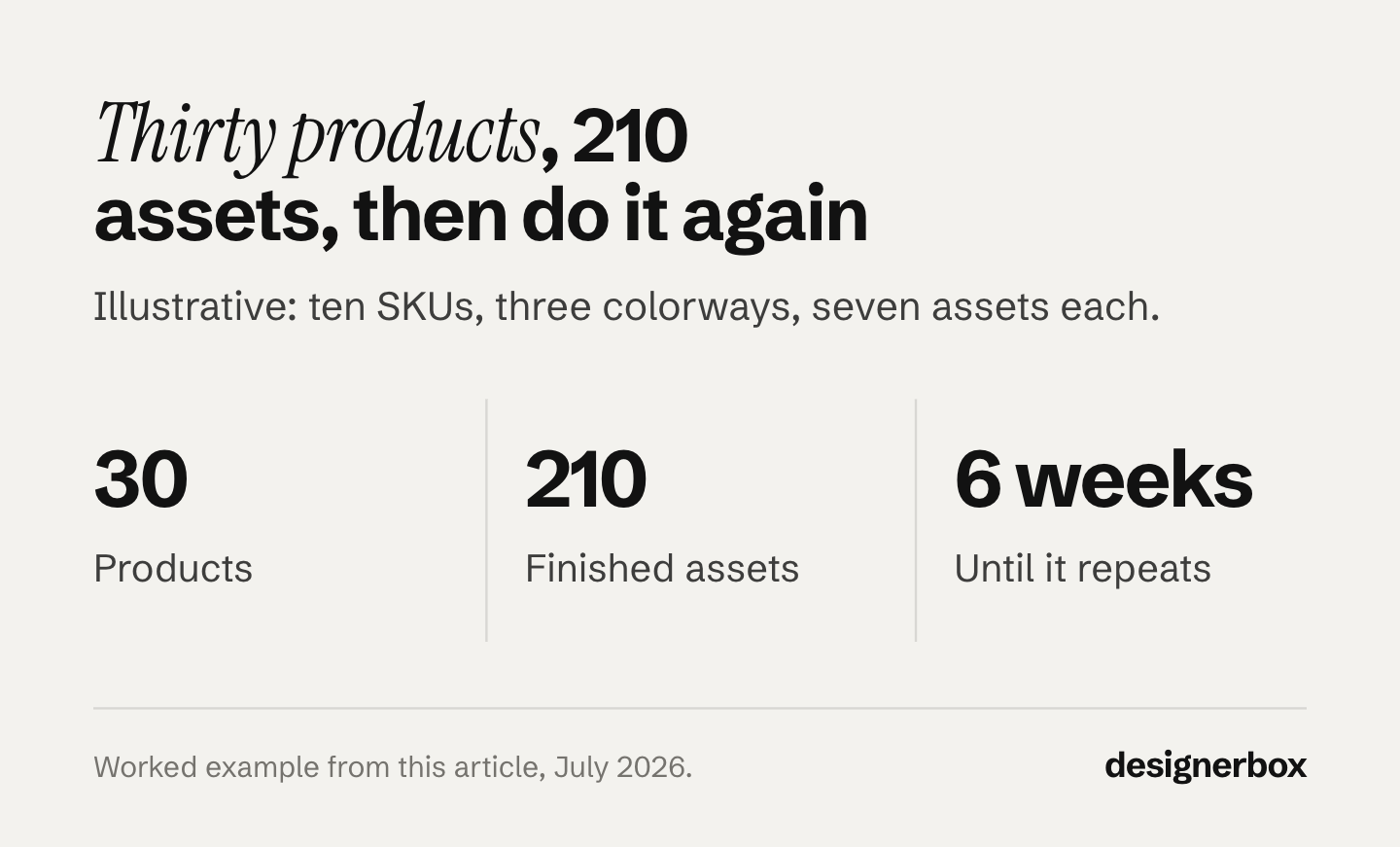
A ten-SKU drop with three colorways is thirty products. At two on-model shots, one video and four ad variants each, that is 210 finished assets before anyone has written a caption. Sizing that requirement channel by channel is the first step in DTC marketing for fashion brands, because a channel plan you cannot feed is a cost rather than a strategy.
At that volume the tool choice matters less than whether all 210 assets read as one label. Row one is easy. Row 210 is the test, and it lands on a Thursday. That is a branding question as much as a software one, and what an apparel brand locks before its first shoot covers the decisions the stack then has to repeat.
Traditional production does not scale to that, and the rates are why. Product photographers charge $500 to $3,000 per day, and $50 to $350 per image, with rush fees running 25% to 200% of the job (shopify.com, January 2026). We break that down further in what a product photoshoot costs. For the return side, see the three numbers that decide AI fashion photography ROI.
The studio rate cards tell the same story. Soona lists a price per photo and a studio fee per booking on its own pricing page (soona.co/pricing, October 2026), and Squareshot lists model shoots by the day, per-image shoots and per-hour shoots on its own page (squareshot.com/services, October 2026). Read both before you compare a shoot day against a run.
All four jobs start once the garment exists. The graded pattern and the fitted sample come first, and pattern making software for fashion brands sorts the tools for that step by job. Before the pattern, the software a new designer learns first covers the sketch, the flat and the tech pack. The stack below is organized by those four jobs. If you are still deciding where AI belongs at all, the wider set of fashion AI use cases sorts them by what each one demands of your team before you shop for tools.
Which AI tools for fashion brands cover which stage?
Each AI tool in this guide is built for one or more production stages. The table maps each tool to the stages it covers.
| Stage | What it produces | Tools built for it |
|---|---|---|
| Concept and campaign stills | Editorial concepts, mood, seasonal direction | Midjourney, DesignerBox |
| On-model imagery | Garment on a person, try-on, size and look range | FASHN, Photoroom, DesignerBox |
| Stills to video | Runway walks, product motion, Reels | Kling, Runway, DesignerBox |
| Presenter and tutorial | Talking-head explainers, translation, how-to | HeyGen |
| Versions and layout | Placement sizes, banners, decks, captions | Canva, CapCut |
Read that as a map, not a shortlist. A brand that only needs the first two stages has a two-tool stack and should stop there.
AI fashion stylist apps
AI fashion stylist apps help a person choose what to wear. Alta, Style DNA and Whering all start from clothes the user already owns. The user adds photos of those clothes, and the app suggests outfits for the day, the weather or a trip. None of the three says on its own site that it makes product photos or catalog images for a brand (altadaily.com, styledna.ai, whering.co.uk, September 2026).
A brand that searches for an AI stylist usually needs a different result: each garment styled on a model, with the same light and framing on every product. That is the on-model stage in the map above. Stage one below covers the tools built for it, including DesignerBox for fashion brands. For several of your products worn together in one image, see the AI outfit generator guide.
Stage one: getting the garment onto a model
This is the stage that decides whether the rest is worth doing, and there is evidence for why. Baymard Institute’s product page research is based on 30,000+ rated performance scores across 155+ benchmarked sites. It found that 42% of users try to work out product size from the images alone, and that 23% of sites do not include human model imagery for wearable products (baymard.com, updated March 2026). On a product page the on-model shot is doing the job a size chart cannot.
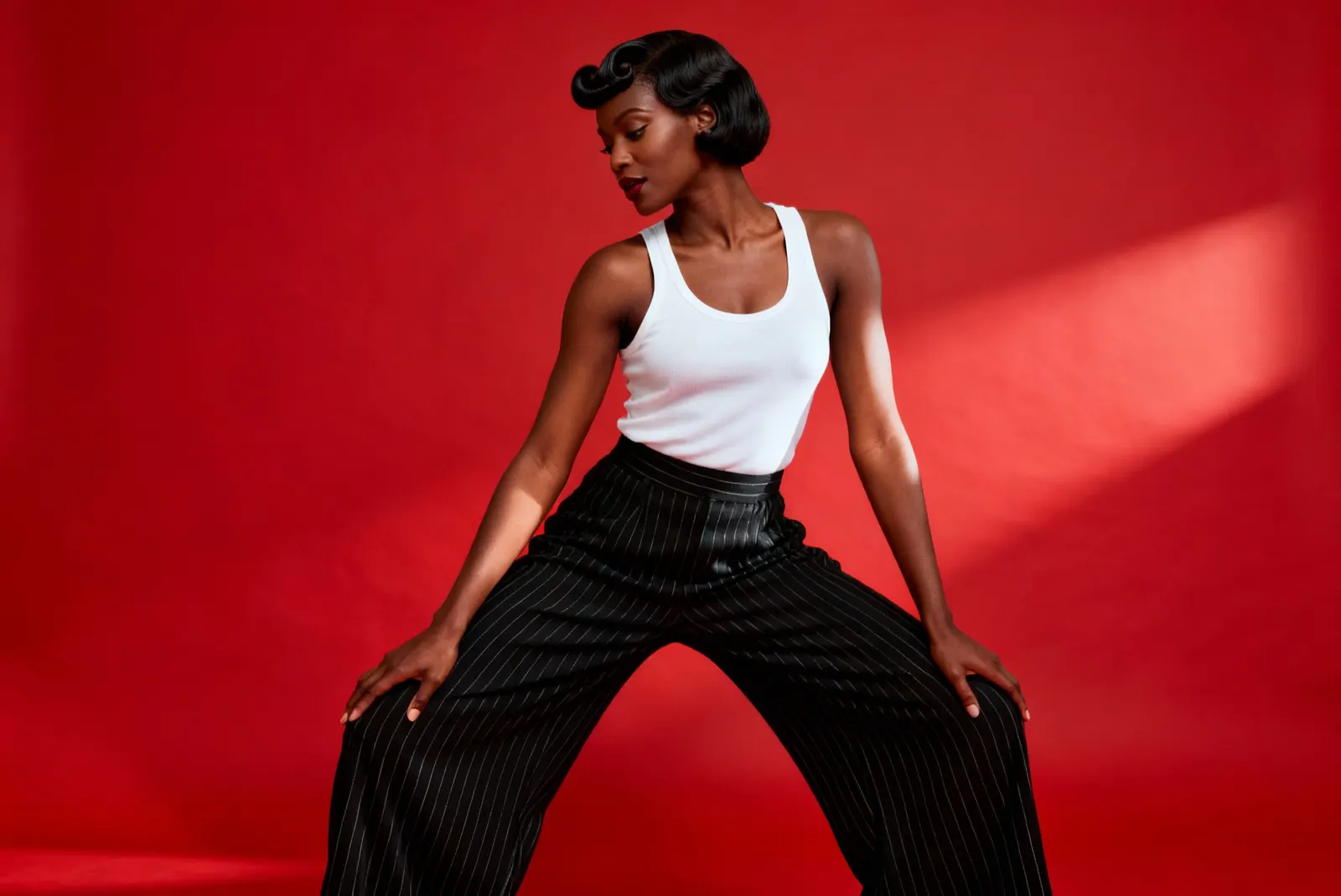
FASHN calls itself “the fashion AI agent” for ecommerce brands. You bring a product photo or describe an idea, and the agent picks the process. Product to model, model swap and try-on are still in it (fashn.ai, October 2026). Its pricing page lists image output up to 4K, and video at 1080p on its Pro and Agency plans. The page renders on monthly billing (fashn.ai/pricing, October 2026). Custom Face References are on the Agency plan.
Photoroom covers on-model work as one feature inside a broader listing-production tool, alongside background removal, retouch and AI backgrounds. It lists its plans on its own pricing page, which loads with the yearly view selected and a discount already applied, so check which view you are reading (photoroom.com/pricing, October 2026). Video generation starts on Max and 4K on Ultra. API and MCP usage sit outside the plan’s export allowance and use a separate one.
DesignerBox produces on-model imagery from a flat garment photo through the Clothes on a model app. Its Clothing catalog turns one garment into four shots: front, three-quarter, back and a fabric close-up. Those are the four shots a PDP needs from a single upload.
One detail matters more in fashion than in any other category: edits stack without losing detail. Retouch the fabric, relight the frame, change the angle and swap the background, and the garment still reads at PDP resolution at the end of the chain. The fifth edit is usually the one a merchandiser asks for, and in a tool that degrades on every pass, the fifth edit is where the knit texture goes.
The dividing question across all three is whether the tool stays anchored to your actual garment photo or reinterprets it from a description. Our comparison of AI fashion model generators goes through that axis properly, including how each tool holds one model consistent across a collection. For a wider field, 15 AI fashion photography tools compared by job covers back views, video and rights terms. Five tools built for on-model fashion photos are sorted by job in WearView alternatives.
Stage two: from stills to video
Most fashion brands already own thousands of images and almost no video. Image-to-video is the stage that closes that gap without a second shoot. The video makers built for apparel, and the editors that caption and resize their clips, are compared in the best clothing brand video maker. The camera moves that make a garment clip work are in 8 fashion videography techniques.
Kling sells image-to-video direct, and it lists its plans on its own pricing page (klingai.com/pricing, July 2026). Read that page carefully. It renders a first-subscription promotional price, a struck-through list price and a different renewal rate, so three figures sit on every tier. Only the list rate describes what you pay each month after the first. Kling states commercial use on Standard and above, and states that Basic output is not for commercial use (kling.ai, July 2026).
Runway covers generation plus the editing around it: text-to-video, image-to-video, image generation, 4K upscaling and no watermarks from Standard, and custom voices for lip sync from Pro. It lists Standard, Pro and Max on its own pricing page, which loads on the yearly toggle at 20% off, so the figure on screen is the discounted annual one (runway.com/pricing, October 2026). The pricing page does not state commercial-use terms.
DesignerBox runs the Fashion video with a model template over the same product photo the stills came from, so the garment in the clip is the garment in the packshot. An 8-second clip costs 40 to 560 credits, depending on the model.
That range is the whole budgeting question for a drop. The cheap end covers a scroll-stopping loop for a feed post. The expensive end is for the one hero clip that has to hold up on a paid placement. Picking per shot rather than per subscription is what keeps thirty clips inside a sensible number.
The cost of a run is shown before the run. That is the number that matters when a drop needs thirty clips and you choose where the budget goes. See what AI video costs per clip for the wider picture.
Stage three: presenter and tutorial content
Beauty needs this stage. Apparel mostly does not. A skincare routine, a shade-match explainer or an application demo does work that a product still cannot do. Shooting each variation with a person is what makes that content expensive.
HeyGen generates avatar-led video from a script, with voice cloning and video translation across 175 languages and dialects (heygen.com/pricing, October 2026). It lists its plans on its own pricing page, which loads on monthly billing (heygen.com/pricing, July 2026). Commercial terms appear only in the Enterprise column (heygen.com/pricing, October 2026), so confirm the rights before you run an avatar video as a paid ad.
In DesignerBox, Avatars gives you ready avatars, or you make your own from one sentence or one photo. Every avatar is a set of nine fixed poses, and the cost is shown before the run. The same face can then speak in a short talking video, with one of 20 voices. If long-form scripted presenter content is central to your calendar, that is a job HeyGen is built around and DesignerBox is not.
Stage four: versions, layout and placement
The last stage is unglamorous and consumes more hours than any of the others. One approved hero has to become nine placements, each with its own ratio, safe area and text treatment.
Canva is where most small teams do this. It lists its plans on its own pricing page. The page renders on the yearly toggle and labels the totals per year instead of dividing them into a monthly figure (canva.com/pricing, July 2026). AI is metered as a shared monthly allowance across its Standard, Premium and Ultra AI uses. AI output indemnity is on its Enterprise plan only. Canva Teams is closed to new sign-ups, and the team tier is now Business.
CapCut handles the video side of the same job. It does not publish a fixed price. Its own help center says the price can vary by region, device and available promotions, instead of a fixed global price. It also says the final price shows on the payment page, where it may vary by platform and taxes (capcut.com/help, October 2026). No monthly price for CapCut is quoted here.
Midjourney sits earlier in the process than either, at the concept stage. It lists its tiers in its own docs, which show monthly and annual together rather than defaulting to one (docs.midjourney.com, July 2026). It states General Commercial Terms on all tiers, with the condition that a company over $1,000,000 gross revenue per year must be on Pro or Mega. Midjourney is a general-purpose image model with a strong aesthetic, which suits campaign concepting. It works from a prompt rather than from your product photo, so the output is a garment like yours rather than yours. Tools for each frame of an AI fashion editorial sets Midjourney next to 13 other tools, from mood to motion.
The video-first suites belong on this list now too. Higgsfield ships an Outfit Shot app and a Fashion Factory alongside its film surfaces, and its product photography page sets out what the stills half covers.
Two of these are models, not tools
Kling and Runway hold an unusual position in this list. They build video models, and they also sell subscriptions to a consumer product wrapped around those models. Listing them only as tools hides the choice underneath.
Kling 2.6 Pro and Runway Gen-4.5 both sit in the DesignerBox catalog, which holds image and video models including Veo 3.1, Veo 3.1 Fast, Seedance 2.0, Nano Banana Pro, Nano Banana 2, GPT Image 2, Seedream 5, FLUX 2 Flex, FLUX Pro 1.1 and Kontext Multi. So you can subscribe to Kling directly, subscribe to Runway directly, or choose the model for each shot in a workflow that keeps the same brand inputs across every model you use.
That distinction matters for a fashion brand specifically. Garment motion, fabric drape and skin rendering are not equally good across models. The model that handles a silk dress well may not be the one that handles a matte lipstick swatch. Locking into one video subscription locks you into one model’s behavior on every clip. Neither of these vendors is a competitor to argue with here. Both build models that run as steps in a DesignerBox workflow.
What the whole stack costs
A six-tool fashion stack costs the sum of six entry tiers. No figure for that sum appears here, because each page opens in a different state and a number copied off the wrong view is wrong by a third. The table names where each vendor publishes, and what its page shows you first.
| Tool | Where its plans are listed | What the pricing page defaults to | Commercial use stated on the page |
|---|---|---|---|
| Midjourney | docs.midjourney.com | Monthly and annual shown together | Yes, all tiers |
| Kling AI | klingai.com/pricing | Promotional price displayed | Yes, Standard and up |
| Runway | runway.com/pricing | Annual, at 20% off | Not stated |
| HeyGen | heygen.com/pricing | Monthly | Enterprise column only |
| Canva | canva.com/pricing | Yearly, labeled per year | Not stated |
| Photoroom | photoroom.com/pricing | Annual, discounted | Not stated |
| FASHN | fashn.ai/pricing | Monthly | Not stated |
| CapCut | No fixed price published | Not applicable | Not stated |
| DesignerBox | designerbox.ai/pricing | Monthly, with an annual view | From Pro up |
Read from each vendor’s own pages, July 2026. The Runway, Photoroom and FASHN rows were re-read on 2 October 2026. The CapCut statement and the HeyGen commercial-terms cell were re-read on 7 October 2026. Open each one yourself, because the view a pricing page opens on decides what the number means.
Add the entry tier of Midjourney, Kling, Runway, HeyGen, Canva and Photoroom and you have the monthly running cost of the stack. Three of those nine pricing pages open on a discounted annual view, so read the toggle before you copy a figure off any of them. The DesignerBox pricing page opened on its monthly view on 7 October 2026. The comparison of AI product photography tools covers that arithmetic in more depth.
That total is not the number that decides this, though. Every tool in the table works on one asset at a time, so thirty products is thirty passes through each stage, and six weeks later it is thirty more. Brand drift happens at the handoffs, not inside any one tool, and it compounds with every repeat. We put real figures on the multi-tool version of that in the six-tool stack breakdown.
So judge a stack on the second drop, not the first. Build it once, run it on the whole catalog, and hold the same standard on row one and row 210.
How to run this for every drop instead of rebuilding it
The stack is only half the problem. The other half is that most brands rebuild the same production from scratch every drop, which is where the hours go. Making that production repeatable is what creative automation means. The tools for the rest of the business, from tech packs to stock by size, are sorted in automation tools for fashion brands.
Whatever tools you land on, make the sequence repeatable:
- Fix the source photo standard. One accurate garment or product shot per SKU, shot the same way every time. Every downstream asset inherits its faults.
- Lock the brand inputs once. Colors, type, model look and scene treatment as a saved record the run reads, not as a prompt somebody retypes.
- Define the asset set per SKU. Two on-model, one video, four ad ratios. Write it down so it stops being renegotiated each drop.
- Save the run, not the output. The campaign that worked should be re-runnable against the next SKU without rebuilding the steps.
- Review in one pass. Thirty products is 210 files. Keep or discard per row and re-run the rows that failed, rather than re-running the drop.
- Keep one library. Searchable, one place, so the launch-week question “where is the black colorway hero” has an answer.
DesignerBox makes step four a set of saved workflows that rerun for the next product, drop or client, and step two a brand profile the workflow reads on every row. You also do not start from a blank page: the template library holds the image templates, so the first version of a seasonal look is a starting result rather than a prompt-writing exercise. If you run a multi-tool stack instead, build the equivalent discipline yourself with a shared drive convention and a written brief template. The tooling matters less than the fact that the sequence exists.
What the ad platforms require when the model is AI
Fashion and beauty run more AI-generated people than most categories, so this is worth checking before a launch rather than after a rejection. The two big platforms handle it differently, and the difference is who has to act.
Meta labels for you. Ads made with Meta’s own generative tools get labeled automatically, and Meta began automatically detecting ads created or edited with third-party AI tools using industry-standard signals. With Meta’s own tools, minor edits with no photorealistic human carry no label (about.fb.com, published February 2025, updated June 2026). When Meta’s own AI tools add a photorealistic person, the label sits next to the Sponsored label at the top of the ad (Meta Help Center, accessed September 2026). Meta now shows an “Ad” label where it used to show “Sponsored”. When Meta detects a third-party AI tool, the “AI info” label sits in About this ad, in the three-dot menu (Meta Business Help, accessed September 2026). An AI model in a Meta ad is permitted.
TikTok puts the duty on you. Its advertising policy allows significantly edited media and AI-generated content only if you apply the AIGC label or add a clear disclaimer, caption, watermark or sticker. Significantly modified means changed beyond minor tweaks, and the policy names fully AI-generated video and AI voice cloning as examples. Lighting adjustments, background removal and denoising are exempt. Undisclosed AI-generated content means the ad is rejected or restricted (ads.tiktok.com, October 2026). TikTok has also read C2PA Content Credentials to auto-label content made elsewhere since May 2024 (newsroom.tiktok.com, October 2026).
In the EU, the marking duty mostly sits with the model provider, not with you. Article 50(2) of the AI Act requires providers of systems generating synthetic image, video, audio or text to mark outputs in a machine-readable format. The deployer duty in Article 50(4) attaches to deepfakes and to AI text published on matters of public interest, with a reduced disclosure standard for evidently artistic or creative work. Article 50 obligations have applied since 2 August 2026 (ai-act-service-desk.ec.europa.eu, October 2026).
This is general information, not legal advice. None of these rules blocks AI creative in this category. They change what the finished ad looks like, which is a creative decision worth making deliberately. For which assets in a drop carry a disclosure duty, see labeling AI-generated fashion images.
When a multi-tool stack is the right answer
Consolidation is not automatically correct, and there are cases where the six-tool stack wins.
You produce heavy scripted presenter content in many languages. HeyGen is built around that job and its translation coverage is not something a general campaign tool matches. You concept constantly, and the quality of the concept image is the deliverable. Midjourney on its own is hard to argue with for that stage. You need exactly one thing, like background removal at volume, and a single narrow subscription is cheaper than any platform.
One stack wins when the assets have to relate to each other and the job repeats: when the video has to show the same garment as the packshot, when nine ad variants have to stay on brand, and when the same production has to run again next month with thirty new SKUs.
DesignerBox is the one-stack version of that. The stills, the on-model shots, the video and your brand rules sit in one account, so the garment in the clip is the garment in the packshot. The model you pick for each step sets its rate. The beauty and skincare photography page covers the label on the curve, clear glass and the texture shot.
The limits are worth reading before the pitch. Uploading your own photos and the commercial license start on the Pro plan. AI video and the Clothes on a model app start on the Premium plan. Team features, shared brand kits and white label are on the Ultra plan, and every plan below Ultra is one seat. Check that if you are an agency running several labels. The free plan cannot make video. Plans and credits are on the pricing page. Fashion is one of five industries covered in who uses AI creative tools, alongside beauty, food, fitness and interiors.
The Clothes on a model app, a saved workflow for the OOTD set and Avatars cover the three pieces most drop calendars need. Changing clothes in a photo with AI covers the garment-swap step in isolation. For the store side of a fashion brand on Shopify, from size charts to exchanges, see the best Shopify apps for clothing stores.
FAQ
What AI tools do fashion brands use?
Most run a stack rather than one tool. A common shape is Midjourney or a similar image model for concepting, FASHN or Photoroom for on-model imagery, Kling or Runway for image-to-video, HeyGen for presenter content in beauty, and Canva or CapCut for versioning. DesignerBox covers the concept, on-model and video stages in one workspace, with image and video models in the catalog.
Can an AI fashion stylist app make product photos for a brand?
Not the stylist apps named in this guide. Alta, Style DNA and Whering suggest outfits from clothes a person already owns, and none of them lists product or catalog images on its own site (September 2026). For styled on-model photos of a collection, use a tool built for on-model imagery, such as the ones in stage one.
What is the best AI tool for putting clothes on a model?
FASHN is built around on-model work. Its agent covers product to model, model swap and try-on, and it lists its plans on its own pricing page (fashn.ai/pricing, October 2026). Photoroom includes on-model imagery inside a broader listing tool (photoroom.com/pricing, October 2026). DesignerBox returns front, three-quarter, back and a fabric crop from one garment upload. Its Clothes on a model app starts on the Premium plan. Pick on whether the on-model shot is the deliverable or the first step. For the shortlist around that decision, see the FASHN AI alternatives compared by job.
What does an AI stack for a fashion brand cost per month?
Add the entry tier of each tool you keep. Midjourney, Kling, Runway, HeyGen, Canva and Photoroom each publish their plans on their own pages, read July and October 2026, and the six together are the running cost of the stack. That total still leaves out the credit top-ups, the extra seats most of them charge for, and the hours the same production takes again on the next drop, which is usually the larger number.
Are AI-generated fashion images allowed in paid advertising?
Yes on both major platforms, with different obligations. Meta permits them and applies the label itself (Meta Business Help, accessed September 2026). The label sits next to the “Ad” label when Meta’s own AI tools add a photorealistic person (Meta Help Center, accessed September 2026). When Meta detects a third-party AI tool, the label sits in About this ad (Meta Business Help, accessed September 2026). TikTok requires you to apply the AIGC label or a clear disclaimer, and rejects or restricts undisclosed AI content (ads.tiktok.com, October 2026). Separately, check the tool’s license: only Midjourney and Kling state commercial terms on their own pricing pages, and DesignerBox grants one from Pro up.
Do these tools work for beauty brands as well as apparel?
The video and versioning stages transfer directly. The on-model stage differs, because beauty needs close-crop skin, texture and shade fidelity rather than garment drape, and shade accuracy is the thing to test hardest before you commit a catalog. The presenter stage matters far more in beauty than in apparel, since tutorials and routines carry the category.
Can AI replace a fashion photoshoot?
Not the first one. Every tool here needs at least one accurate photo of the real garment or product to work from, so the source shoot still happens. What it replaces is the repeats: the reshoot when a colorway lands late, the extra angle nobody scoped, and the video quote that arrives after the photography budget is already spent.
Sources
- FASHN agent, tools, plan gating and output resolutions (fashn.ai and fashn.ai/pricing, October 2026)
- Photoroom tiers, billing toggle, and feature gating by tier (photoroom.com/pricing, October 2026)
- Kling list rates, credit allowances, and commercial-use statements per tier (kling.ai, July 2026)
- Runway tiers, credits, billing toggle, and feature gating (runway.com/pricing, October 2026)
- HeyGen plans and credit metering (heygen.com/pricing, July 2026), and language coverage and commercial terms (heygen.com/pricing, October 2026)
- Canva plans, AI usage metering, and indemnity terms (canva.com/pricing, July 2026)
- Midjourney tiers, annual terms, and General Commercial Terms revenue condition (docs.midjourney.com, July 2026)
- CapCut price statements: the help center entries dated 8 April 2026 and 23 September 2026 (capcut.com/help, read 7 October 2026)
- Product photography day rates, per-image pricing and rush fees (shopify.com, January 2026), and published studio rates (soona.co and squareshot.com, October 2026)
- Product page image UX findings, including size judgement from images and human model imagery coverage (baymard.com, updated March 2026)
- Meta generative-AI transparency in ads products, labeling behavior and third-party detection (about.fb.com, published February 2025, updated June 2026)
- Meta AI info labels on ads, the About this ad location for third-party AI detection, and the “Sponsored” label renamed “Ad”: Meta Business Help, accessed September 2026
- Meta AI info label next to the Sponsored label for a photorealistic AI person made with Meta’s own tools: Meta Help Center, accessed September 2026
- TikTok advertising policy on misleading and false content, last updated April 2026, AIGC labeling requirements and enforcement (ads.tiktok.com, October 2026), and Content Credentials adoption (newsroom.tiktok.com, October 2026)
- EU AI Act Article 50 provider and deployer transparency obligations, which have applied since 2 August 2026 (ai-act-service-desk.ec.europa.eu and digital-strategy.ec.europa.eu, October 2026)
- AI stylist app features: Alta (altadaily.com), Style DNA (styledna.ai) and Whering (whering.co.uk), September 2026
- DesignerBox plans, the video credit range, the model catalog and feature gating: (designerbox.ai/pricing and designerbox.ai/models, September 2026)
Competitor features verified from each vendor’s own published pages as of July 2026. The FASHN, Photoroom and Runway pricing pages and the TikTok advertising policy were re-checked on 2 October 2026. The CapCut help center, the Soona and Squareshot pages, and HeyGen’s language count and commercial-terms listing were re-read on 7 October 2026. No competitor price is printed here, so read each vendor’s own pricing page before you buy. CapCut does not publish a fixed price at all. Commercial-use rights are recorded only where the vendor states them on the page itself; absence of a statement is not a restriction, it means the page does not say. Plans change often. Check the page and the billing toggle before you buy. Individual results vary.