




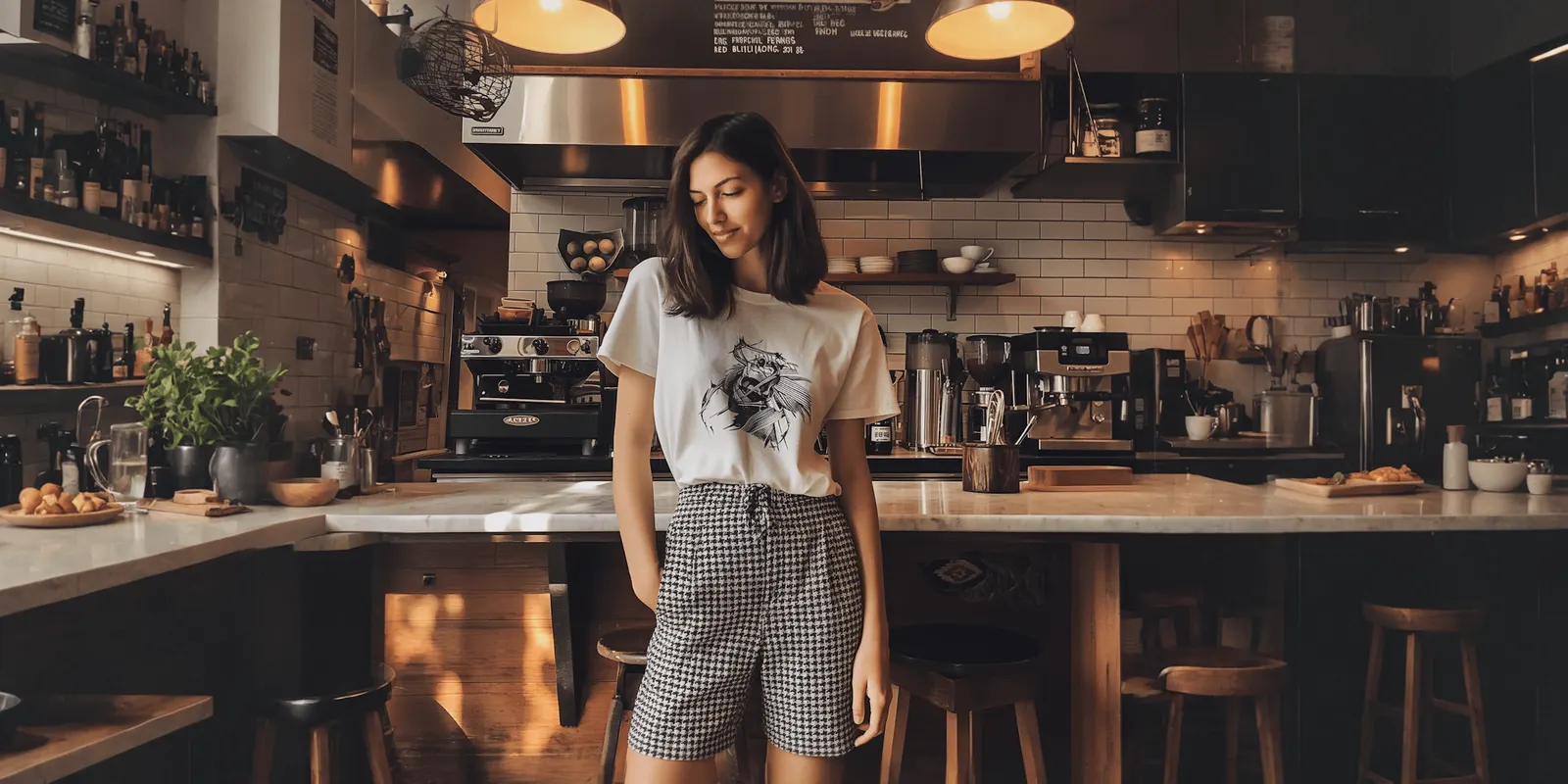
A food commercial is a short video ad that sells a food or a drink by making the viewer want to eat it. Most food commercials are built from the same five shots: the pour, the steam, the break or bite, the sizzle and the pack shot. Each shot does one job. The rule behind all five is that the food on screen must be the product the buyer gets.
A brand with 60 products cannot film five shots for each one every season. AI video now makes some of these shots from one product photo. This guide shows which ones, and the advertising rule that decides what you may change. It is for a food or drink brand with 20 to 500 products, or its agency.
Key Takeaways
- Five shots build most food commercials. The pour, the steam, the break or bite, the sizzle and the pack shot.
- AI video is strongest when the product stays still. That covers the pack shot, added steam and a sizzle.
- AI video is weakest when the product changes shape. A pour changes the amount of a liquid. A bite shows an inside the model has never seen.
- The food shown must be the real product. In 1970 the FTC acted against a soup commercial that used glass marbles to lift the solid pieces.
- Platforms label AI video. TikTok asks the advertiser for a label. Meta adds one when it detects AI signals.
What is a food commercial?
A food commercial is a short video ad for a food or a drink. The format started on television. Today the same ad runs as a vertical clip on TikTok, Instagram and YouTube, and as a product video on a store page. The craft behind it is food videography: filming food so that texture, heat and freshness show on screen.
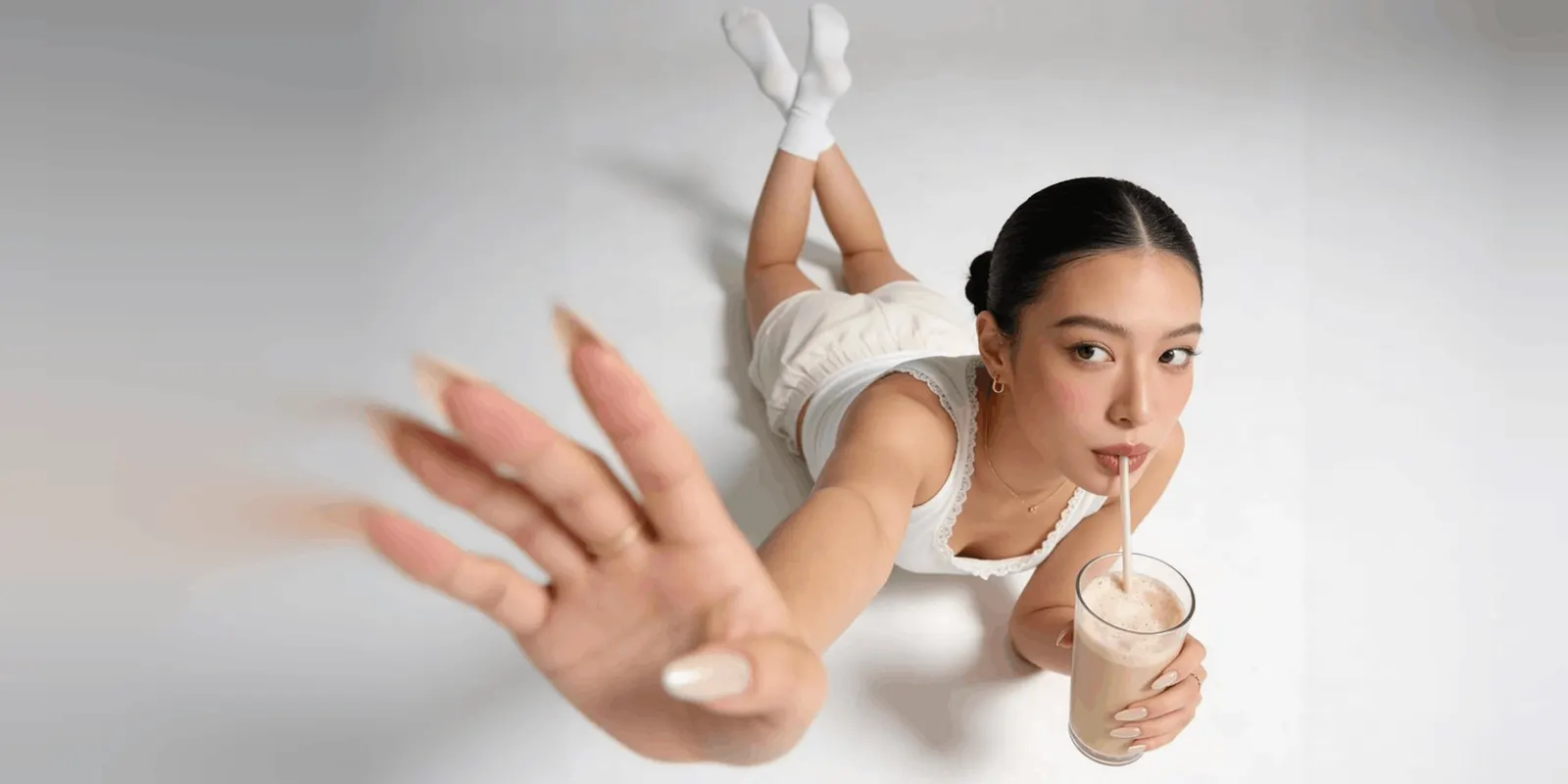
The famous food commercials are all made the same way. A crew films a list of short shots, each a few seconds long, and an editor joins them. A 15-second burger ad may hold six shots, and the burger is complete in only one of them.
The five shots in a food commercial
Every shot answers one question the viewer has about the food.
| Shot | The question it answers | What the viewer checks |
|---|---|---|
| The pour | Is it fresh and generous? | The thickness, the color and where the liquid stops |
| The steam | Is it hot and made now? | Steam that rises from the food, in one direction |
| The break or bite | What is inside? | The filling, the layers, the crumb, the stretch of cheese |
| The sizzle | Is it cooked with care? | Small bubbles, a browned edge, the sound |
| The pack shot | What do I buy? | The label, the name, the size of the pack |
Two of the five carry more weight than the others. The break or bite is the proof shot, because it shows the part of the product the pack hides. The pack shot is usually last, because it tells the viewer what to look for on the shelf.
Ad formats and the rules for food claims are in our guide to food advertising rules and ad formats.
Which food shots can AI video make?
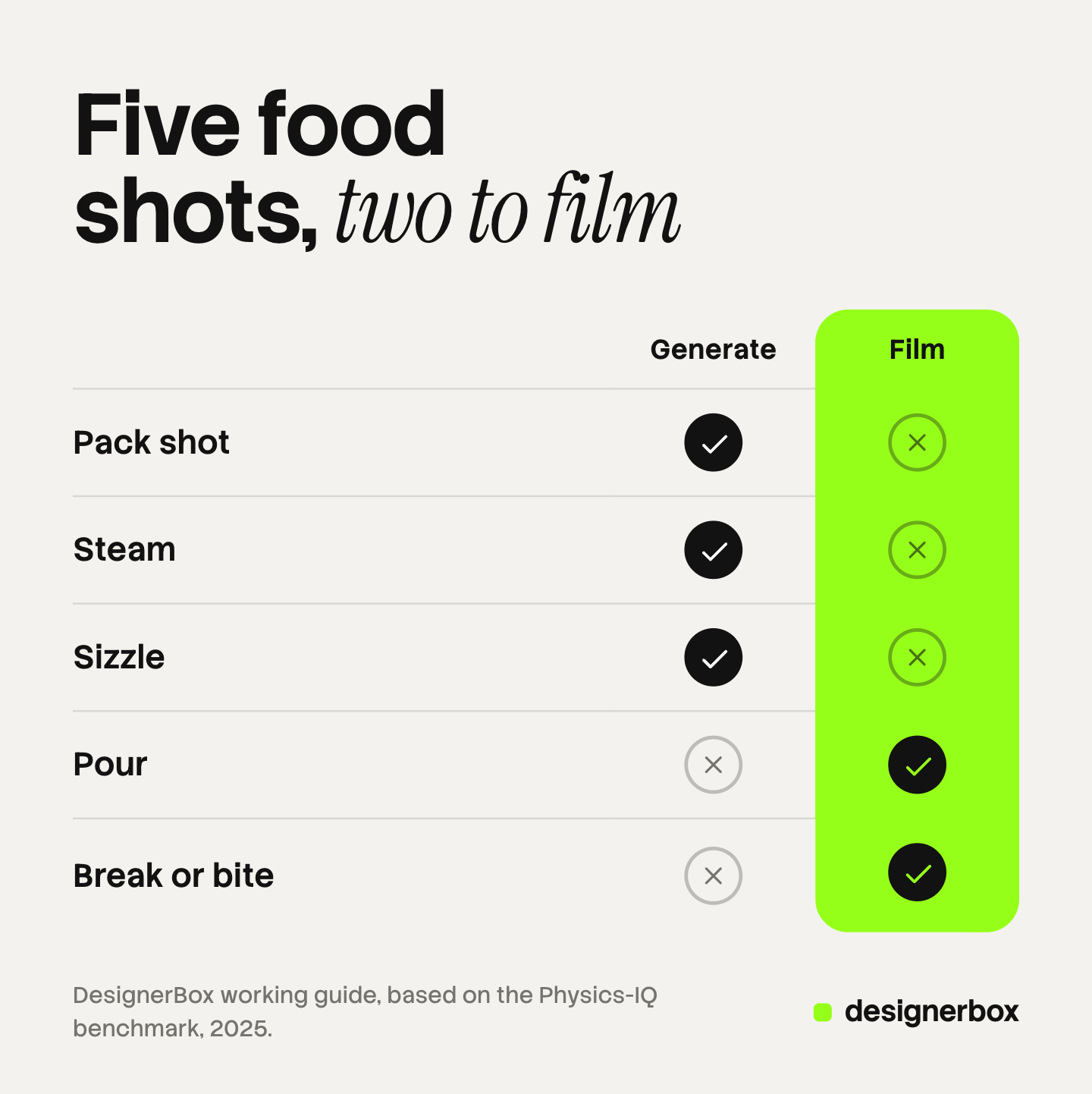
AI video can make a food shot well when everything in the finished clip is already visible in the photo it starts from. It struggles when the food has to change: a liquid that flows, a product that breaks open, a hand that grips. So the pack shot, the steam and the sizzle are the safer shots. The pour and the bite are the ones to film.
The method is called image-to-video. You give the model a real photo of the product as the first frame, and the prompt describes the motion. A slow camera move toward a still jar is an easy prediction. Sauce that falls and spreads on a plate is a hard one.
Research points the same way. A 2025 benchmark from Google DeepMind, Physics-IQ, filmed 396 real videos of 66 physical scenarios and asked video models to continue them. Two real takes of the same scene score 100%. The best model in the test scored 29.5% (arxiv.org, October 2026). The authors write that “visual realism does not imply physical understanding”. One model made a plausible clip of red liquid poured on a rubber duck. The models failed at cutting a tangerine with a knife.
The test used models older than the ones sold today, so read the number as direction. The table below is a working guide built from that principle. It is not a test result.
| Shot | From one product photo | What to do |
|---|---|---|
| Pack shot | Works well. The product stays still | Generate it. Compare the label with the photo |
| Steam | Works well. Steam is added over a still product | Generate it for food that is served hot |
| Sizzle | Works with a check | Generate it. Check the color of the cooked food |
| Pour | Risky. The amount and color of the product change | Film it when the liquid is the product |
| Break or bite | Risky. The model invents the inside, and a hand | Film it |
Three failures are specific to food and drink.
Label text. Video models can redraw letters between frames. ByteDance wrote in its Seedance 2.0 launch post that “there is still room for optimization regarding multi-subject consistency, text rendering accuracy, and complex editing effects” (seed.bytedance.com, October 2026). Keep the pack shot short, and check the label in the first, middle and last frame. Our guide to bottle product photography explains why a drink label is a regulated surface.
Fill level and amount. A model may add liquid to a glass or pieces to a bowl during a clip. The clip then shows more product than the pack holds, which is the legal problem in the next section.
Hands and mouths. A hand that grips and tears food is hard for a video model. The reasons are in our article on why AI video hands and faces break.
Sound is easier. Google says Veo 3.1 makes video “with natively generated audio”, and its guide tells you to describe sounds in the prompt (ai.google.dev, October 2026). So a sizzle clip can arrive with its sizzle.
The rule that the food must be the real product
An ad may style food. It may not show the buyer a product they will not get. US and UK regulators both apply that test to pictures as well as words, and it applies to an AI clip in the same way as to a filmed one. This section is general information, not legal advice.
The soup and the marbles. In 1970 the FTC issued a consent order against a soup company and its advertising agency. The complaint said the advertisers had placed “clear glass marbles” in the bowl, which stopped the solid ingredients from sinking and gave the soup “the appearance of containing more solid ingredients” than it contained (ftc.gov, October 2026). The soup was real. The amount of vegetables the viewer saw was not.
The prop and the proof. In 1965 the US Supreme Court decided FTC v. Colgate-Palmolive. A shaving cream commercial claimed to shave sandpaper, and the “sandpaper” was plexiglass with sand on it. The Court said the deception was the false proof, “and not the mere use of a prop” (law.cornell.edu, October 2026). It gave a food example. Mashed potato that looks like ice cream is a prop, because it “is not being used for additional proof of the product claim”.
The UK position. The CAP Executive’s advice on misleading advertising, dated 12 March 2026, says: “Images which give an inaccurate impression about the product which consumers will receive, for example by exaggerating the quality or size of the product, or suggesting that the product comes with extras when it does not, are likely to mislead” (asa.org.uk, October 2026).
Apply those three sources to the five shots, and the result is a working test. It does not replace legal review.
- Pack shot. The label, the pack size and the color must match the product on sale.
- Pour. The liquid must look like the real product, and the amount must not exceed one serving.
- Break or bite. The inside must be the real inside. A filling the model invented is a claim about your product.
- Steam and sizzle. Use them only for products that are served that way.
This is why the pour and the bite are the shots to film. In those two, the picture works as proof of what the product is.
AI labels on a food commercial
A generated food shot may need an AI label, and each platform handles it in its own way.
- TikTok. TikTok allows AI-generated ad content on one condition: “Apply the AIGC label, or by adding a clear disclaimer, caption, watermark, or sticker of your own.” It rejects or restricts an ad with undisclosed AI content (ads.tiktok.com, October 2026).
- Meta. Meta says: “We will automatically apply an AI info label when we detect your ad was created or edited by third-party generative AI tools.” It uses signals such as C2PA metadata (facebook.com, October 2026).
- YouTube. For videos uploaded to a channel, YouTube says “we require creators to disclose when they use AI to meaningfully alter or generate photorealistic content” (support.google.com, October 2026).
A label does not fix a misleading picture. The real-product rule applies first.
How to plan a food commercial shot by shot
Plan the ad as a list of clips, and decide for each clip whether you film it or generate it.
- Take one honest photo of each product. Use the real pack and the real food, served as the instructions say.
- Write the shot list. Three to five shots fit a 15-second ad: a motion shot to open, one or two appetite shots, then the pack shot. The full method is in how to make AI ads.
- Mark each shot. Generate the pack shot, the steam and the sizzle. Film the pour and the bite on a phone beside a window.
- Generate each clip from the photo. Describe the motion and the sound. Do not describe the product, because the photo already carries it. The four-shot build from one product photo shows this step with an example.
- Check every clip against the photo. Reject a clip that shows more or better food than the pack holds.
- Edit for each placement. Make the vertical version first. A pour framed wide does not survive a crop to 9:16.
Which shots still need a phone is covered in how to make a product video without a studio shoot.
Food commercials as a saved workflow
DesignerBox is AI creative production for brands and agencies. For a food brand, the hard part is the range: sixty pack shots that match. Anyone can make an AI picture. Making hundreds that still look like your brand is the hard part.
In DesignerBox you build a workflow once: the product photo goes in, and a video step animates a still for each shot. The workflow reads your brand rules on every run, so the light and the framing stay the same from one flavor to the next. Batch runs that workflow over a sheet of products, and you keep or discard each row. The AI video ads page shows the workflows for short video ads.
The video editor is a timeline with several tracks, animated text and audio, so you place the phone footage of your pour beside the generated pack shot. The full workflow from the first product photo to the finished ad, in one subscription. The page for ecommerce brands shows the same for a large range.
An 8-second clip costs 40 to 560 credits, depending on the model. You see the cost of a run before you press Run.
Here are the limits. DesignerBox does not film your pour or your bite, and it does not check a clip against food law for you. You download the results, or send them with a webhook or an S3 step. Every plan below Ultra is one seat. Uploading your own photos and the commercial license start on the Pro plan. AI video, virtual try-on, upscaling, the image editor and the video editor start on the Premium plan. Plans and credits are on the pricing page.
A free plan for your first run
There is a free plan, and it runs on sample products. Start from a template and see how a run works. Get started free
FAQ
What is a food commercial?
A food commercial is a short video ad that sells a food or a drink. It is built from a few short shots: a pour, steam, a break or bite, a sizzle and a pack shot. It runs on television, on social platforms and on store pages.
Can AI make a food commercial?
AI video can make some of the shots. From one real product photo, a model handles a pack shot with a slow camera move, added steam and a sizzle. A pour and a bite are harder, because the food changes shape. Many of those shots are still better filmed on a phone.
Is it legal to use fake food in a commercial?
It depends on what the fake food does in the ad. US law allows a prop that proves nothing about the product. A picture that shows more or better product than the buyer gets can be deceptive. In 1970 the FTC acted against a soup commercial that used glass marbles to lift the solid ingredients (ftc.gov, October 2026). This is general information, not legal advice.
Do I have to label an AI food video ad?
On TikTok, yes, when the video is AI-generated or heavily edited by AI. Meta adds an AI info label itself when it detects signals of third-party AI (ads.tiktok.com and facebook.com, October 2026).
How long is one AI clip for a food video?
A few seconds. Google lists 4, 6 or 8 seconds for one Veo 3.1 clip (ai.google.dev, October 2026). So a 15-second food video is three or four clips joined in an editor.
Sources
- FTC, In re Campbell Soup Co., 77 F.T.C. 664 (1970), complaint and consent order: ftc.gov, October 2026
- US Supreme Court, FTC v. Colgate-Palmolive Co., 380 U.S. 374 (1965): law.cornell.edu, October 2026
- ASA and CAP, AdviceOnline, Misleading advertising (12 March 2026): asa.org.uk, October 2026
- Motamed and others, Google DeepMind, “Do generative video models understand physical principles?” (Physics-IQ, 2025): arxiv.org, October 2026
- ByteDance Seed, official launch of Seedance 2.0, stated limits: seed.bytedance.com, October 2026
- Google, Gemini API, Veo guide: clip lengths, native audio and sound prompts: ai.google.dev, October 2026
- TikTok, ads policy on misleading and false content (updated April 2026): ads.tiktok.com, October 2026
- Meta, AI info labels on ads: facebook.com, October 2026
- YouTube Help, disclosing altered or synthetic content: support.google.com, October 2026
- DesignerBox plans and feature gating: DesignerBox pricing page (designerbox.ai/pricing), October 2026
Rules, research and model features checked against each source as of October 2026. This is general information, not legal advice. Individual results vary.


