Restaurant photography is the set of photos a restaurant needs for its menu, its delivery apps, its Google listing and its social posts. Most of it is dish photos, taken in daylight as soon as each plate is ready. The rest is the dining room, the team, the outside and the menu itself. Each delivery app asks for a different shape, so shoot wide and crop later.
Take a menu of 40 dishes. DoorDash wants each photo in landscape 16:9. Uber Eats recommends 5:4 to 6:4. Grubhub checks for a square. Google shows your photos next to the ones your guests upload. Shoot the same plate on four different days, and it looks like four different restaurants.
The photos matter for orders. Grubhub says restaurants that follow its menu advice, such as adding pictures and descriptions, get as much as 70% more orders than restaurants that do not (Grubhub for Restaurants, page from January 2023, read November 2026). That is Grubhub’s own figure about its own platform.
This guide is for a restaurant, cafe or bakery, a restaurant group, or the agency and social media manager who makes their photos. It covers the shot list, the light for each kind of dish, a phone setup in the kitchen, and the photo rules of DoorDash, Uber Eats, Grubhub and Google, all read in November 2026. Packaged food for shop shelves is a different job, covered in our guide to food product photography.
Key Takeaways
- Shoot the dishes first. Then the dining room, the team, the outside and the printed menu.
- Each app wants a different shape. DoorDash takes landscape 16:9 only, Uber Eats recommends 5:4 to 6:4, and Grubhub checks for a square.
- Shoot wide, crop later. A landscape photo of at least 1400 x 800 pixels still crops to every shape the apps and Google ask for.
- Use a real table for DoorDash. Its rules reject transparent, white and photoshopped backgrounds that look added.
- Top-down for bowls, 45 degrees for burgers. Uber Eats’ own photo guide splits the angles this way.
- The photo shows the portion you serve. DoorDash rejects an idealized version of a dish, and Google asks that a photo represent reality.
- Use your own photos only. Grubhub rejects a photo that a reverse image search can match, so a stock photo fails.
What is restaurant photography?
Restaurant photography covers four subjects: the food and drinks, the dining room, the people who work there and the outside of the building. Each photo has one job. A dish photo sells one menu item. A room photo shows the mood and the kind of evening a guest can expect. A team photo shows who cooks and serves. An exterior photo helps a guest find the door.
Restaurant food photography is the largest part of the job, because every menu item needs its own picture. If you searched for restaurant photos to download as stock, read one rule first. DoorDash rejects stock photos and images copied from websites (DoorDash Merchant Support, November 2026). Google asks you to avoid stock photos and to post media you captured at the place (Tips for posting media to Maps, November 2026).
The restaurant photography shot list
A restaurant needs one photo of each dish on the menu, plus photos of its drinks, its dining room, its team, its exterior and its printed menu. Start with the dishes people order most. Shoot the room before service, with the tables set. Shoot the front of the building from each direction guests arrive.
| Shot | What it shows | Where it goes | How many |
|---|---|---|---|
| Each dish on its own | The full portion you serve | Delivery apps, your menu page, Google | One per menu item |
| Best sellers on the table | The dish with a drink, cutlery and window light | Menu headers, social posts, Google | Your best sellers |
| Drinks | The glass or bottle, label toward the camera | Drinks menu, delivery apps, Google | One per drink you list |
| Dining room | Set tables, light and decor, before service | Google, your website, booking sites | At least three |
| Team | Cooks and servers at work | Google, your website, job posts | At least three |
| Exterior | The entrance, from each direction guests arrive | Google, your website | At least three |
| Printed menu | Each page, flat and readable | Google, your website | One photo per page |
The “at least three” counts come from Google’s tips for business photos. Google suggests at least three photos each of the exterior, the interior, the food and drinks, and the team (Google Business Profile Help, November 2026). DoorDash asks for a separate photo for each unique menu item. Its own example: a beef taco and a chicken taco each need their own photo.
How to light and angle each kind of dish
Use soft daylight from a window at the side of the plate, and turn off the flash. Shoot plates and bowls from straight above, so every ingredient shows. Shoot burgers, sandwiches and tall dishes from about 45 degrees, so the layers show. Photograph each dish as soon as it is plated, before it cools and loses its shine.
Uber Eats gives the same split in its photo guide for restaurants: top-down for plates and bowls, 45 degrees for burgers, sandwiches and taller items. It also says to cut a burger, wrap or burrito in half and stack the two halves, so the guest sees what is inside (Uber Eats Merchants, November 2026).
| Dish | Angle | Light and timing |
|---|---|---|
| Pizza, salads, bowls, flat plates | From straight above | Window light from one side |
| Burgers, sandwiches, wraps | About 45 degrees | Cut in half and stack the halves |
| Soups, ramen, hot coffee | About 45 degrees | Light from behind shows the steam |
| Fried food | About 45 degrees | Shoot it first, before the crust softens |
| Drinks in tall glasses | From the side | Turn the phone sideways for DoorDash |
Avoid two kinds of light. Uber Eats warns against fluorescent light and against bright, direct sun, which casts hard shadows. DoorDash rejects photos with harsh shadows or blown-out highlights, because poor light can make food look different from what the guest receives. A heat lamp above the pass turns food orange, so move the plate away from it before you shoot.
A garnish adds color, and Uber Eats suggests one. Its condition is clear: “be sure your photo is still a true representation of the dish.” Use only the garnish a guest gets on the plate.
How to photograph food for a restaurant with a phone
A phone is enough for restaurant food photography if the light and the plate are right. Shoot at the pass, the counter where finished plates leave the kitchen, or at the table nearest a window. Cook each dish the way you serve it, wipe the rim and turn the phone sideways.
- Cook it the way you serve it. Use the same plate, the same portion and the same garnish a guest gets.
- Wipe the rim and the table. Uber Eats rejects photos with dirty surfaces, dirty plating or used cutlery.
- Place the plate by a window. Light from one side shows texture. Turn off the flash.
- Turn the phone sideways. DoorDash asks for landscape photos, even of drinks.
- Leave space around the plate. DoorDash wants the item to fill 50 to 70% of the frame, with at least 80% of it visible.
- Take two frames. One from straight above and one from about 45 degrees.
- Keep people out of the frame. DoorDash and Uber Eats allow a hand, but no other part of a person.
- Check the photo at full size. Zoom in on the food before you plate the next dish.
For your own website and your social posts, add a warmer version of each best seller: the dish on a table with a drink and soft side light. Our guide to AI social media marketing for a small business sets out a weekly posting routine for those photos.
Menu photos for delivery apps: DoorDash, Uber Eats and Grubhub
Each delivery app asks for a different photo shape. DoorDash takes landscape 16:9 photos of at least 1400 x 800 pixels. Uber Eats recommends a ratio from 5:4 to 6:4, at least 550 pixels wide. Grubhub checks for a square of at least 200 x 200 pixels. Shoot one landscape photo with space around the plate, then crop it three ways.
| Rule | DoorDash | Uber Eats | Grubhub |
|---|---|---|---|
| Shape | Landscape 16:9 only | 5:4 to 6:4, recommended | Square, 1:1 |
| Smallest size | 1400 x 800 pixels | 550 pixels wide, 440 tall | 200 x 200 pixels |
| What it shows | One item, at least 80% visible | One item from your menu | Food only, no coupons or room photos |
| Background | A natural, neutral surface | A clean, sanitary setting | Not stated on its public page |
| People | A hand only, if it does not distract | A hand only | Not stated on its public page |
| Text and logos | None added after the photo | None, except on the food or packaging | Not stated on its public page |
| Your rights | No stock or copied photos | You must own the photo or have the rights | Rejected if a reverse image search finds a match |
Shoot to the strictest rule first. A landscape photo at DoorDash’s minimum of 1400 x 800 pixels still crops to an 800 x 800 square. That clears Grubhub’s 200 x 200 and Google’s recommended 720 x 720. A 1000 x 800 crop from the same frame gives Uber Eats its 5:4. This works only if the plate sits in the middle with space on every side, so frame it loosely.
Two DoorDash rules need care. Do not place the dish on a white background in an edit. DoorDash’s rejection page says images “can’t have creative, overly colorful, or transparent/white backgrounds,” and a photoshopped creative background is also a reason to reject. Shoot on a real table, counter or tray. DoorDash’s own Photo Editor can apply new backgrounds, but the rejection rules still apply, so a real surface is the choice that holds.
An item with no photo may not stay empty. DoorDash may add a photo from your connected Instagram business account or from Yelp. You can replace it with your own photo at any time (DoorDash menu photo glossary, November 2026).
Uber Eats wants one item per photo, no added text and no people except hands. Files can be JPG, PNG or GIF, up to 10 MB (Uber Help, November 2026). Grubhub’s system checks that each photo is a square PNG of at least 200 x 200 pixels and shows food. It also rejects a photo that a reverse Google image search can match.
Room, team and exterior photos for Google
Google suggests at least three exterior photos, three interior photos, three food and drink photos and three team photos on a Business Profile. Shoot the room before service, with the tables set and the lights on. Shoot the front from each direction guests arrive. Photograph the team at work, and ask each person first.
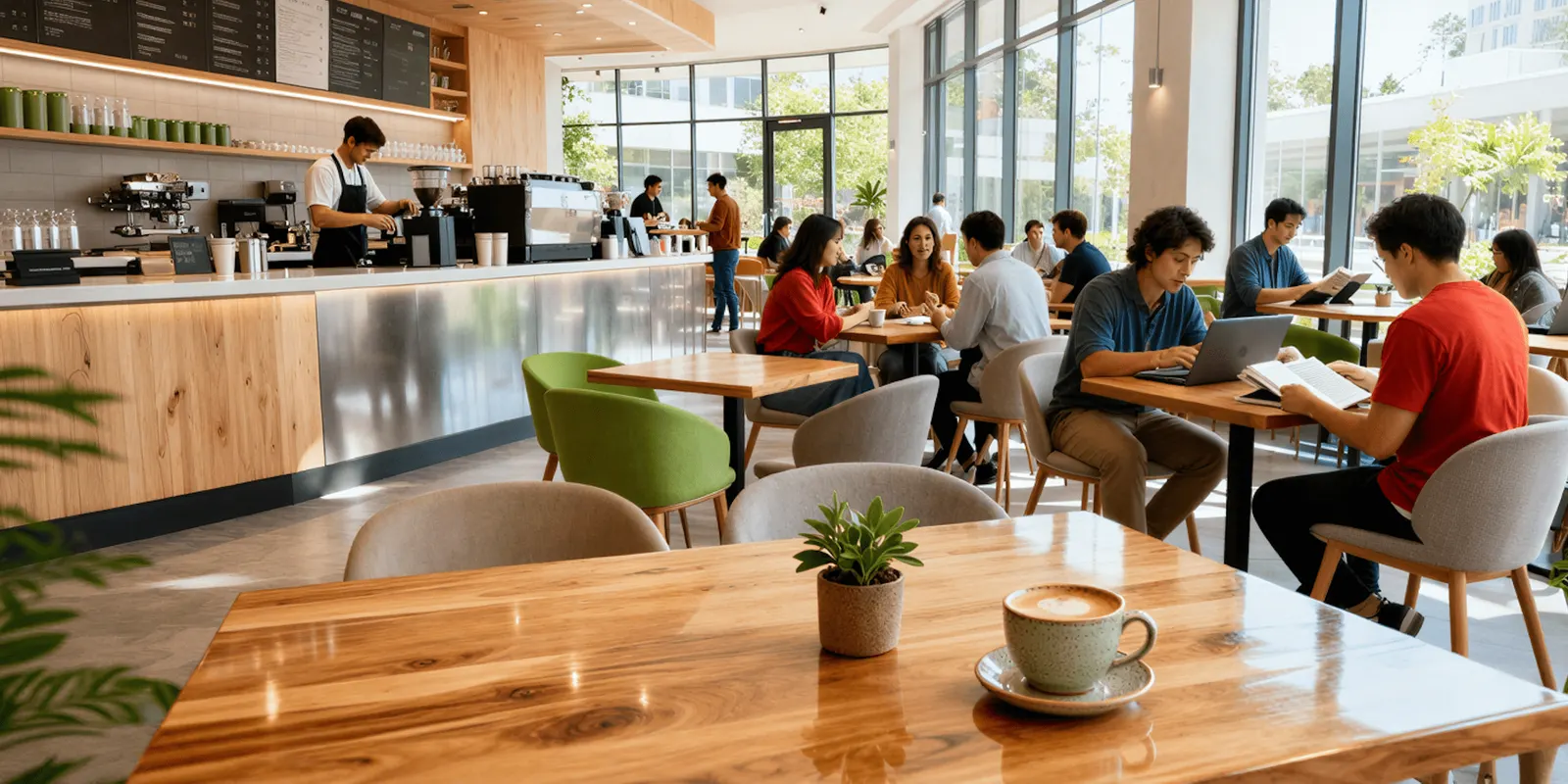
Google’s tips say exterior photos should cover each direction a customer might come from, at different times of day. Interior photos should “truthfully show what it’s like to stand inside your business as a customer.” A room set for dinner and lit the way guests see it does that. An empty room at noon with the chairs on the tables does not.
Keep guests out of the room photos. Google’s content policy treats a person’s face in a photo posted without consent as personal information (Google Maps content policy, November 2026). Shoot before service, or frame the room so no face can be recognized.
Photograph the printed menu flat, in even light, one page per photo. Google’s menu editor can turn one photo or PDF of your menu into a menu with sections, dishes and prices. Google calls this feature experimental, and the full menu must fit on one page in one photo (About the menu editor, November 2026).
Cafe, bakery and drinks photography
Cafe and bakery photography adds two jobs to the restaurant list: the counter display and the drinks. Shoot the display case at opening time, while every tray is full. Stand at an angle to the glass, so the shop lights do not reflect into the frame. Show the inside of cakes and filled pastries with one cut slice.
Bread and pastries show their texture in side light. Shoot a loaf from a low angle, so the crust and the shape show. Shoot a tray of pastries from above, so each one is a separate shape.
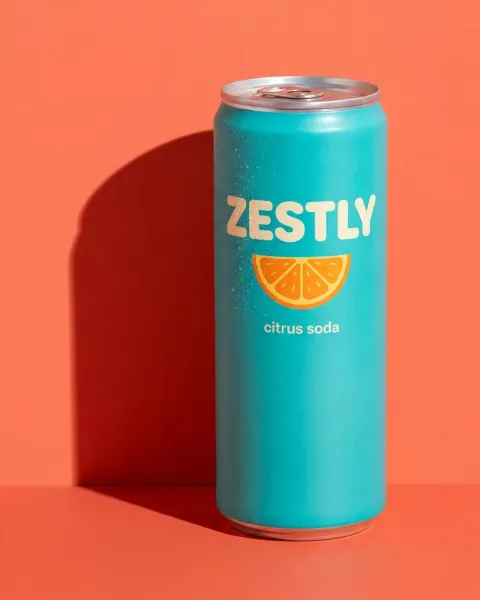
For drinks, turn the cup or the bottle so the label or the latte art faces the camera. DoorDash asks for landscape photos even of tall drinks, so shoot those sideways too. A wine or cocktail list needs one photo per drink you list. Our guide to drink photography has scene ideas for cans, bottles and pours.
What an edit may change, and what it may not
An edit may fix the light, the color and the crop of a real photo of the dish you serve. It may not make the portion bigger, add food that is not on the plate, or show a dish you do not make. DoorDash, Uber Eats and Google all ask that a photo match the real item.
| Edit | DoorDash | Google Business Profile |
|---|---|---|
| Brighter light, truer color | Yes. Its own Photo Editor does it | Yes. Google calls better light helpful |
| Crop or straighten | Yes. Its Photo Editor crops | Yes. Google lists fixing the rotation |
| New background | No. Photoshopped backgrounds are rejected | Avoid. Heavily edited photos may be removed |
| Text, border or logo added | No | Avoid |
| Bigger portion or extra garnish | No. The portion must be realistic | No. The photo should represent reality |
| A dish you do not serve, made with AI | No. Use real photos of your actual item | No. Google asks for no excessive use of AI |
Google’s photo tips ask for photos with “no significant alterations or excessive use of filters or AI.” Its media tips call minimal changes, such as fixing the rotation or improving the light, helpful. They also ask you to avoid heavily edited photos and added borders, text or collages.
AI tools can make these edits, and they can also change a dish nobody asked them to change. A model may add a garnish, change a sauce or make a portion look bigger. Compare every result with the real plate before you upload it. Our guide to AI for product photography explains what these tools do well and where they make mistakes.
Restaurant menu photos in DesignerBox
DesignerBox is AI creative production for brands and agencies. For a restaurant, the job that repeats is the menu: every dish, every season, in the same light and the same crops.
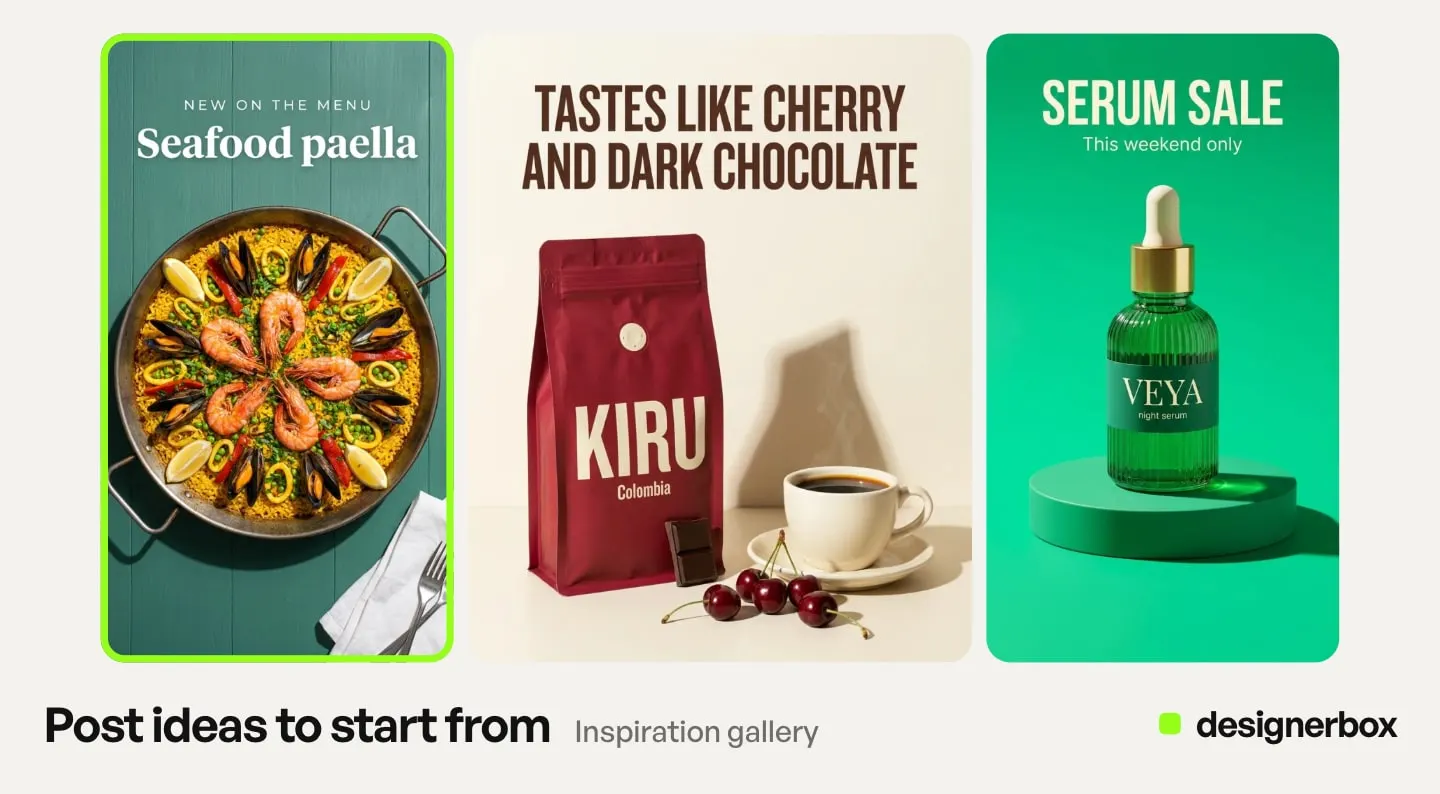
Anyone can make an AI picture. Making hundreds that still look like your brand is the hard part. A menu of 40 dishes in three crops is 120 files, and they only look like one restaurant if all 120 match.
Start from your own phone photo of each dish. The Relighting studio template changes the light and nothing else, so the shape and the color of the food stay the same. In Create, you can ask in your own words, for example “make the light warmer”, and you see the plan and the price before anything runs. The image editor crops each photo to the size each app asks for. For your own feed, it also adds your logo and the dish name.
Save your logo, colors and fonts once in the brand kit. Save the steps as a workflow, and batch runs it over the whole menu, one dish per row, up to 200 rows a sheet. The cost is shown before the run. Before anything goes live, Reviews sends the chef or the owner a page of pictures. They open the link with no account and tick the ones they want. A review costs no credits, and the link works for 30 days.
The dish photos, the image editor and your brand kit sit in one account. The DesignerBox page for restaurants shows a delivery app photo, a table photo and a close-up made from one kitchen photo. The menu photos guide walks through the steps for a whole menu.
The limits are plain. AI can still add or change a small garnish, so compare every result with the real plate. For DoorDash, keep the edits to light, color and crop. DesignerBox does not send photos to DoorDash, Uber Eats, Grubhub or Google. You download the results and upload them yourself.
Uploading your own photos and the commercial license start on the Pro plan. The image editor starts on the Premium plan. Plans and credits are on the pricing page. The free plan runs on sample products.
FAQ
What should a restaurant photograph first?
The dishes people order most, each one on its own, in daylight. Then the dining room set for service, the front of the building, the team at work and the printed menu. Google suggests at least three photos each of the exterior, the interior, the food and drinks, and the team.
What size should menu photos be for delivery apps?
DoorDash takes landscape 16:9 photos of at least 1400 x 800 pixels. Uber Eats recommends 5:4 to 6:4, at least 550 pixels wide and 440 tall. Grubhub checks for a square PNG of at least 200 x 200 pixels. Shoot one wide photo and crop it for each app.
Can I use a white background for DoorDash menu photos?
Only if the white is a real surface, such as a white tabletop, and looks natural. DoorDash rejects transparent and white backgrounds that look added, and photoshopped backgrounds. A neutral table, counter or tray is the choice that holds.
Can I take restaurant food photos with a phone?
Yes. Shoot by a window with the flash off, turn the phone sideways, wipe the rim and leave space around the plate. Check the pixel size after you crop, because DoorDash asks for at least 1400 x 800.
Can I use stock photos or AI images of food on delivery apps?
No. DoorDash asks for real photos of your actual item and rejects stock images. Grubhub rejects a photo that a reverse Google image search can match. Google asks that photos represent reality, with no excessive use of filters or AI. You may still fix the light and the crop of your own photo.
What is the best angle for food photography in a restaurant?
From straight above for plates, bowls, pizza and salads, so every ingredient shows. From about 45 degrees for burgers, sandwiches and tall dishes, so the layers show. Uber Eats gives the same advice in its photo guide for restaurants.
Sources
- DoorDash Merchant Support, common reasons for rejected menu photos: landscape 16:9 only, at least 1400 x 800 pixels, item fills 50 to 70% of the frame with 80% visible, backgrounds, no added text or borders, no people except hands, a photo per unique item, no stock or copied photos (help.doordash.com, read November 2026)
- DoorDash Merchant Support, menu photo terms glossary: landscape photos even for drinks, the Photo Editor, photos added from Instagram or Yelp (help.doordash.com, read November 2026)
- Uber Help, store submitted menu photo guidelines: 5:4 to 6:4 recommended, one item, no text, no people except hands, clean settings, JPG, PNG or GIF up to 10 MB, 550 to 10,000 pixels wide and 440 to 10,000 tall (help.uber.com, read November 2026)
- Uber Eats Merchants, restaurant menu photography guidelines: window light, no fluorescent light, top-down and 45-degree angles, cut and stack, a true representation of the dish (merchants.ubereats.com, read November 2026)
- Grubhub for Restaurants, managing your Grubhub menu: square PNG of at least 200 x 200 pixels, food only, reverse image search check, as much as 70% more orders (get.grubhub.com, published January 2023, read November 2026)
- Google Business Profile Help, tips for business-specific photos: at least three exterior, interior, food and drink, and team photos, and photos that represent reality (support.google.com, read November 2026)
- Google Maps, tips for posting media to Maps: media you captured, no stock photos, minimal changes such as better light, no added borders or text (support.google.com, read November 2026)
- Google Maps, prohibited and restricted content: a face in a photo posted without consent is personal information (support.google.com, read November 2026)
- Google Business Profile Help, about the menu editor: a menu from one photo or PDF, experimental (support.google.com, read November 2026)
- DesignerBox restaurants page, Relighting studio template, batch, reviews and pricing pages (designerbox.ai/for/restaurants, designerbox.ai/templates/relighting-studio, designerbox.ai/product/batch, designerbox.ai/product/reviews, designerbox.ai/pricing), November 2026
Delivery app and Google photo rules verified on each platform’s help pages as of November 2026. Rules change, so check each merchant portal before you upload. The 120-file figure is example arithmetic. Individual results vary.