
Ad versioning is the work of making new versions of an approved ad. Each version changes one layer of the master ad and keeps the rest. The seven layers are hook, product, person, setting, offer, language and format. The layer you change matters more than the number of versions, because ad platforms group ads that look alike and treat them as one creative.
Take an agency or a performance team with one winning ad for a client. The client asks for 100 ad variations by Friday. The team changes the headline color, the button text and the crop, and it delivers 100 files. The ad platform sees a small number of creatives, because most of those files look the same.
Key Takeaways
-
A version changes one layer. A new concept changes the idea. A resize changes only the frame.
-
Platforms group ads that look alike. Meta says ads that share key visual and thematic attributes are “seen as variations of the same creative”.
-
TikTok measures scene similarity. Smart Creative first delivers “the most differentiated videos as assessed by scene similarity”.
-
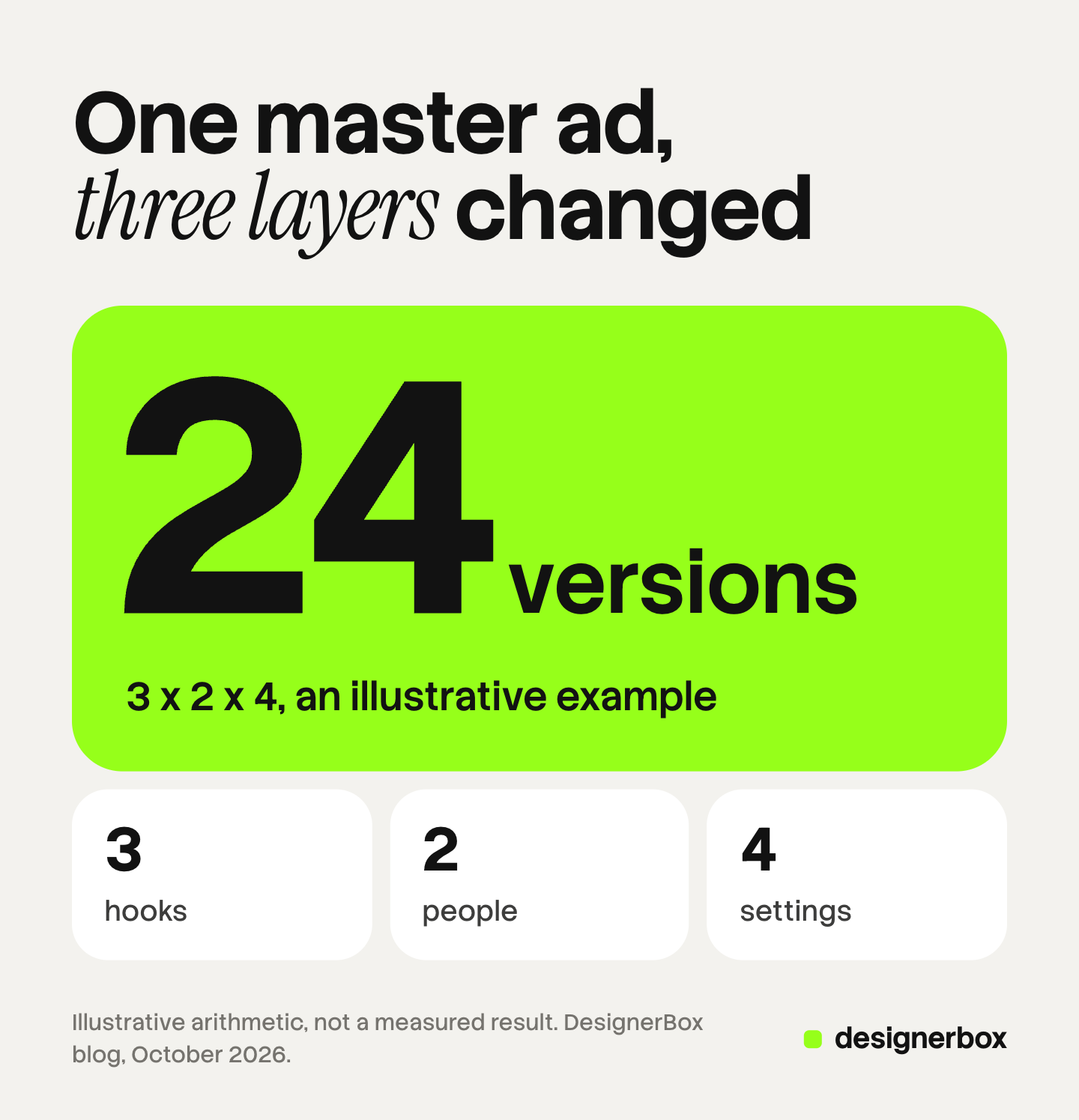
The count is arithmetic. In an illustrative example, 3 hooks, 2 people and 4 settings give 24 versions of one master ad.
-
Every version needs a name and a check. The check covers product, text, lip sync and AI labels.
What is ad versioning?
Ad versioning is the work of producing several versions of one approved ad, where each version changes a defined part and keeps the rest. The approved ad is the master. The parts are layers. Creative versioning is the same practice under a wider name, and it also covers emails, banners and landing pages.
The term has a second meaning. Google Ads keeps a version history of an ad that you edit, with the dates and the results of each saved version (support.google.com, October 2026). This article is about creative versions, which are new ads built from one master.
Versioning starts after a test has a winner. The ad creative testing guide explains how to find that winner with a split you can read.
Ad versioning, a new concept and a resize
Three kinds of work produce a new ad file, and teams often give all three the same name. The table separates them.
| Work | What changes | What stays | What the result tells you |
|---|---|---|---|
| New concept | The idea, the story and the message | The brand and the product | Whether a different argument wins |
| Version | One layer of an approved ad | The idea and every other layer | Whether that layer matters |
| Resize | The frame and the crop | Everything on screen | Nothing new. The ad now fits a placement |
The three are easy to mix in a count. A set of 100 ad creative variations can hold 4 versions in 25 sizes. That set answers 4 questions. The monthly creative volume guide covers how many new creatives each spend tier launches.
The seven layers of a master ad
A master ad has seven layers that you can change one at a time. Write them next to the approved ad before anyone makes a version.
| Layer | A version changes | Example |
|---|---|---|
| Hook | The opening scene or line | Problem first, then result first |
| Product | The product, the color or the bundle | The serum, then the gift set |
| Person | The presenter or the model | A runner, then a new parent |
| Setting | The location and the light | A bathroom shelf, then a gym bag |
| Offer | The offer text and the button | Free delivery, then a bundle saving |
| Language | The words on screen and the voice | English, then German |
| Format | The ratio, the length and the placement | 9:16 video, then a 1:1 still |
The count of versions is a multiplication of the layers you change. Here is an illustrative example, with numbers chosen for the arithmetic. You change three layers of one master ad: 3 hooks, 2 people and 4 settings. That gives 3 x 2 x 4 = 24 versions. Add 3 formats and you have 72 files, and those 72 files are still 24 versions.
Change one layer at a time when you want to learn something. If a version changes the hook and the person together, you cannot say which change moved the result.
Which layers does an ad platform read as different?
Ad platforms read a version as a new creative when it looks and feels different, and they group versions that look alike. The layers that change the picture are person, setting, product and the opening scene. The layers that change only text or the frame are offer, language and format.
Meta states this in its creative guidance from December 2025. Its ads system “analyzes creatives and groups together ads that share key visual and thematic attributes”. When several ads look or feel alike, “these are seen as variations of the same creative”, and learning and delivery are shared at the creative level (facebook.com, October 2026).
Meta also gives an example. Creative iteration “might produce two ads with identical visuals, but different text CTAs”. Creative diversification produces two distinct pieces of creative. Meta asks advertisers for ads that are “truly different in look, feel, storyline, and message”.
TikTok uses a similar signal. Its Smart Creative feature first delivers “the most differentiated videos as assessed by scene similarity”. It watches them for 3 to 5 days, with no more than 10% of the ad group budget (ads.tiktok.com, October 2026).
Neither platform publishes a list by layer. The table below is our reading of the wording above, so check it in your own account.
| Layer you change | Likely read |
|---|---|
| Person | A different creative |
| Setting | A different creative |
| Product | A different creative when the product looks different |
| Hook | Different when the scene changes. Similar when only the text changes |
| Offer | A variation of the same creative, as in Meta’s example |
| Language | The same visual, shown to a different market |
| Format | The same creative in a new frame |
This explains the Friday problem. One hundred files that change the offer text and the crop sit in the bottom three rows. Similar ads also tire together, and the ad fatigue guide shows how to see that in the numbers.
What do ad platforms already version for you?
Meta, Google and TikTok already make versions of your ad inside the ad account. Each one combines your media, your text and its own formats. A team that makes those same combinations by hand does work the platform repeats.
| Platform feature | What it combines | Source, October 2026 |
|---|---|---|
| Meta Advantage+ creative | Uses AI to “generate and enhance ad variations” across single image, video and carousel | facebook.com |
| Meta flexible ad format, where available | Up to 10 images and videos in one ad. Delivery picks a single image, a video or a carousel | facebook.com |
| Google Performance Max | Assets in an asset group are “automatically mixed and matched” for each Google channel | support.google.com |
| TikTok Smart Creative | Combines videos or images, text and call to action into “multiple variations of ads” | ads.tiktok.com |
These features work on the text, the mix of media and the format. They do not film a new person or build a new setting for your product. Those are the layers your own versions should cover. The dynamic creative optimization guide explains how automatic assembly works.
How do you name ad versions?
Name each version with one code for each layer, in a fixed order. Then the file name tells you what changed, and a report sorted by name groups the versions by layer.

Use short codes and keep a key in one shared sheet. A workable order is client, product, concept, hook, person, setting, offer, language, format and round. The full name reads ACME-SERUM-C02-H3-P1-S2-O1-EN-9x16-R1. A sibling version with a new setting reads ACME-SERUM-C02-H3-P1-S3-O1-EN-9x16-R1. One code differs, so one layer differs.
Two rules keep the names useful:
- One name in three places. Use the same name for the file, the ad in the ad account and the row in your sheet.
- A version is a new ad. Leave the master as it is. An edit replaces the ad you wanted to compare against.
At a larger scale, a tool can hold the names, the files and the approvals in one place. The creative management platform guide explains when a team needs one.
A QA list for every ad version
A version can break in ways the master did not. An AI edit can change the product. A translation can break a line of text. Check each version against the master before it leaves the team.
- Product fidelity. Compare the product with the real item: the logo, the label text, the color and the shape.
- Text accuracy. Read every word on screen, in every language. Check the price, the offer dates and the legal line.
- Lip sync and voice. On a version with a new voice, watch the mouth with the sound on. Then check that the captions match the new language.
- Format fit. Check that the crop cuts no text and no product.
- AI labels. Check what each platform asks for on this version.
- Name and record. Check that the file name matches the layers on screen.
The label rules differ by layer. TikTok asks advertisers to label ads with images, video or audio that are completely AI-generated. The same rule covers an ad that makes the main subject say something they did not say, using AI voice-cloning. Changes to lighting or color, and removing or changing a background, are minor edits under that policy (ads.tiktok.com, October 2026). TikTok says it will reject or restrict an ad with AI content that was not disclosed.

So a setting version and a person version can have different duties on TikTok. A new background may need no label. A new AI presenter or a cloned voice does.
Meta works differently. It adds an AI info label itself when it detects that an ad was created or edited with third-party generative AI tools, and it uses methods such as C2PA to detect that. Meta notes that the feature may not be available in every region (facebook.com, October 2026). This is general information, not legal advice.
Language versions need the most care on this list. The guide to localizing ads without rebuilding covers text length and layout in each market.
Ad versions in DesignerBox
Anyone can make an AI picture. Making hundreds that still look like your brand is the hard part. Versioning is that problem in a small space: 24 versions of one ad must all look like the same brand.
DesignerBox is AI creative production for brands and agencies. It makes images, ads and video with your brand rules. You build the master ad once as a workflow, and the workflow reads the brand rules on every run. To make a version, you change the input for one layer and run it again.
Batch runs one workflow over a whole sheet. Each row is one version, with a column for the hook line, the person, the setting or the offer text. The standard is the same on row one and row two hundred. You keep or discard each row, and you re-run one row alone. The cost is shown before the run.
The full workflow from the first product photo to the finished ad, in one subscription. For video versions, that includes text to speech, a talking avatar with lip sync, and the video editor timeline with animated text and audio. For stills, Reviews sends your client a page of pictures. The client opens the link with no account, chooses the pictures and sends the choice back.
Here are the limits. DesignerBox does not dub footage you already filmed, and it does not clone a voice. It does not place ads in an ad account. You download the results, or send them with a webhook or an S3 step. An 8-second clip costs 40 to 560 credits, depending on the model. Uploading your own photos and the commercial license start on the Pro plan. AI video, virtual try-on, upscaling, the image editor and the video editor start on the Premium plan. Plans and credits are on the pricing page. Every plan below Ultra is one seat.
See how one workflow for each client brand works on DesignerBox for agencies.
FAQ
What is the difference between creative versioning and a new concept?
Creative versioning keeps the approved idea and changes one layer of it. A new concept changes the idea, the story and the message. Meta makes a similar split between creative iteration and creative diversification.
How many ad variations should one master ad have?
No fixed number is correct. Count the layers you change and multiply them. In an illustrative example, 3 hooks, 2 people and 4 settings give 24 versions. A smaller set that changes the person or the setting gives a platform more to work with than a larger set that changes only text.
Do AI ad variations need a label?
It depends on the platform and on the layer. TikTok asks for a label on ads with fully AI-generated images, video or audio, and on AI voice-cloning. Meta adds its own AI info label when it detects third-party AI tools. This is general information, not legal advice.
Should you edit the winning ad or make a new ad for each version?
Make a new ad for each version and leave the master running. Google’s help page on version history gives the same tip: to compare versions at the same time, create new ads, so the original keeps running.
Can DesignerBox make ad versions?
Yes, for images and for video made from a script, a product photo and your brand rules. You build the master as a workflow, and batch runs one row for each version. DesignerBox does not dub existing footage, and it does not place ads in an ad account.
Sources
- Meta for Business, Demystifying Creative Diversification, published 16 December 2025: facebook.com, accessed October 2026
- Meta for Business, Advantage+ creative: facebook.com, accessed October 2026
- Meta Business Help Center, About the flexible ad format: facebook.com, accessed October 2026
- Meta Business Help Center, About AI info on ads created or edited with generative AI tools: facebook.com, accessed October 2026
- Google Ads Help, Build an asset group: support.google.com, accessed October 2026
- Google Ads Help, About version history: support.google.com, accessed October 2026
- TikTok Business Help Center, About Smart Creative, last updated November 2025: ads.tiktok.com, accessed October 2026
- TikTok Advertising Policies, Misleading and false content: ads.tiktok.com, accessed October 2026
- DesignerBox batch, workflows and pricing pages (designerbox.ai/product/batch, designerbox.ai/product/workflows and designerbox.ai/pricing), October 2026: plan gates and the video credit range
Platform features and policies verified on Meta, Google and TikTok pages as of October 2026. The 24-version example is illustrative arithmetic. The table of layers and likely platform reads is our interpretation of Meta’s and TikTok’s published wording. Platform features change. Individual results vary.