Higgsfield Ads Studio is a tool that makes finished static ads from a saved brand kit and a product. You set up the brand once, from your website or by hand. You pick a product and ask for up to 20 variations in one run. Each ad is built around a different selling angle, with its own copy and design, in the same brand style.
Higgsfield announced it in a launch post, which we read on 5 October 2026. This guide explains what that post says, in plain terms. It also covers the part the launch post leaves to you: how to test 20 ads once you have them.
Our view is that the selling angle is the unit of a static ad test. So three questions matter for any angle-based AI static ad generator. How many angles can you test? How is the brand held across them? Who reviews the batch before you spend?
Key Takeaways
- Higgsfield Ads Studio makes static ads only. The launch post points to a separate Higgsfield video product for video ads.
- One run returns up to 20 static ad variations for one product, each built around a selling angle.
- The brand kit is saved once, from a website import or by hand, and later batches use it again.
- You download the ads and upload them to the ad platform yourself.
- Meta’s creative test compares up to 7 creative variants, so a person still picks which ads enter the test.
What is Higgsfield Ads Studio?
Higgsfield Ads Studio turns a website into finished static ads, with copy, visuals and the brand’s style. That is how the launch post describes it (higgsfield.ai/blog/higgsfield-ads-studio, October 2026). The product page is at higgsfield.ai/ads-studio.
The tool does three things well, according to the post. It reads a brand from a website. It saves that brand for later batches. And it returns many ads for one product in one run, each with a different argument.
That last point is the useful one for a media buyer. A batch of 20 ads with one argument is one ad in 20 layouts. A batch with several arguments is a test.
An independent write-up from Lamina, another creative tool vendor, describes the same facts (uselamina.ai, 3 October 2026). It reports the 20-variation limit, the saved brand kit and the static-only scope.
Our Higgsfield AI review covers the rest of the Higgsfield product.
How does the brand kit work?
The brand kit is the record the tool reads before it makes an ad. You make it in one of two ways. You paste your website address and review what the tool imported. Or you enter the details by hand.

The launch post lists nine fields.
| Field | What it holds |
|---|---|
| Logo | The brand mark placed on each ad |
| Color palette | The main brand color and the other colors |
| Fonts | The display typeface and the body typeface |
| Tone of voice | How the brand sounds |
| Audience | Who the ads are for |
| Aesthetics | The visual look |
| Description | What the brand sells |
| Selling points | The main reasons to buy |
| Socials | Linked social profiles |
Two fields decide the quality of the test: audience and selling points. The post says selling points are used to build the ad angles. So thin selling points give the tool little to build on.
Review an imported kit before the first run. The kit is saved for later batches, so one wrong field repeats in every batch after it.
What is a selling angle?
A selling angle is the one reason an ad gives a shopper to buy. The launch post describes it as a product benefit, a reason to buy, or a situation where someone would use the product. The copy and the design both follow that one reason.
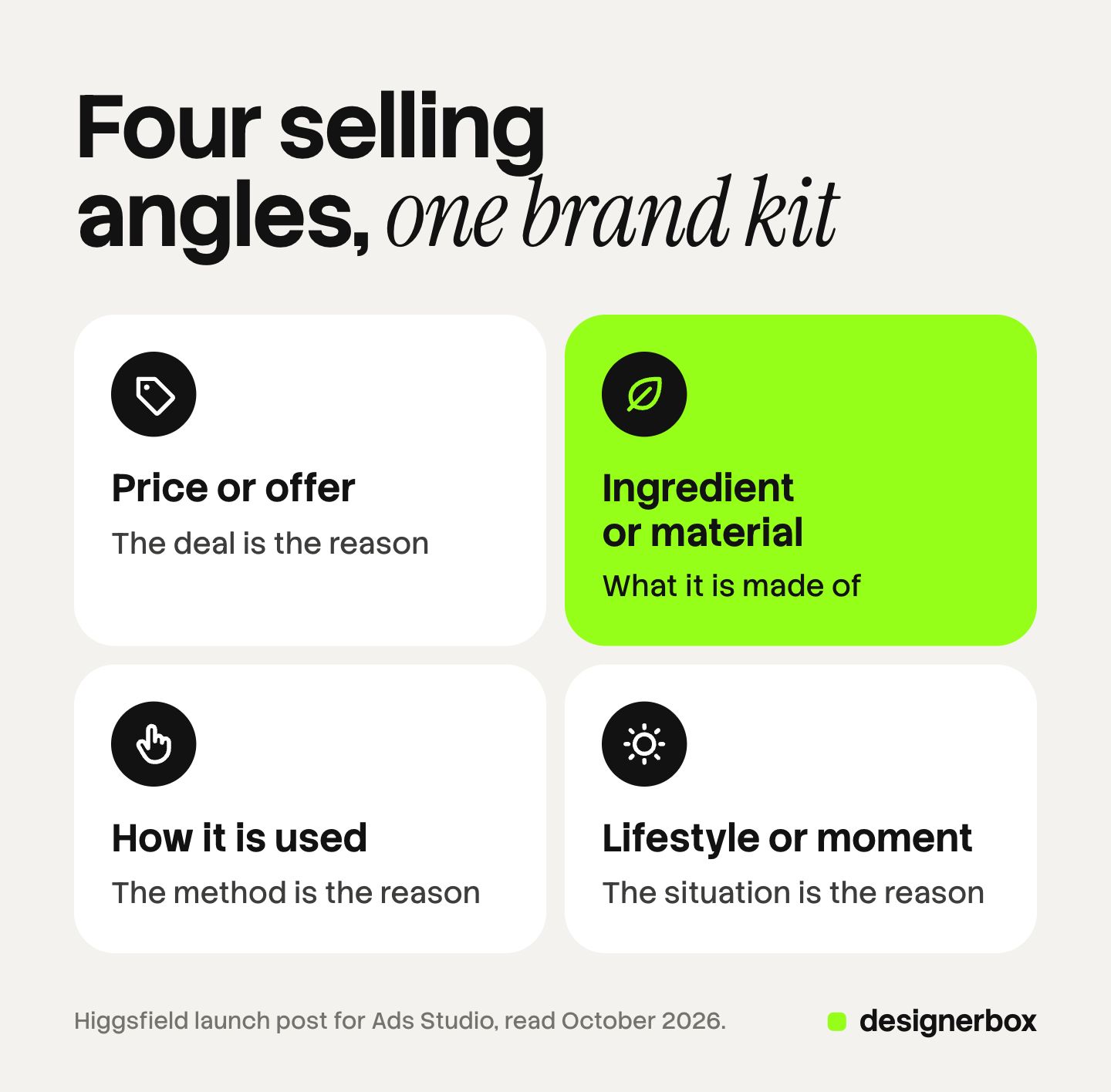
The post names four kinds of ad the tool can return for the same product. The table shows each one with an example we wrote for a refillable hand soap. The examples are ours and are not from Higgsfield.
| Angle type | What the ad argues | Our example, for a refillable hand soap |
|---|---|---|
| Price or offer | The deal is the reason to buy | ”Three refills for the cost of two bottles” |
| Ingredient or material story | What it is made of is the reason | ”Oat milk and aloe. Nothing you cannot read.” |
| How it is used | The method is the reason | ”Pour the refill in. Keep the glass bottle.” |
| Lifestyle or moment | The situation is the reason | ”The sink your guests see first” |
Each row is a different hypothesis about the shopper. That is why the angle is the unit of the test. When the offer ad wins, you learn that the deal is the reason people buy. When the refill ad wins, you learn that the method is.
A color change or a new headline font teaches you much less. Our guide to static ad examples by angle shows the same idea across more formats.
How do you make a batch?
The launch post describes six steps. Here they are in our words.
- Make the brand kit. Import it from your website and correct what is wrong, or enter it by hand.
- Add your products. Pick them from the imported catalog. Add a missing product with a product link or an upload.
- Set the number of ads. Choose up to 20 ads for each product. The total credit cost appears before the batch starts.
- Review the batch. Read the copy and check the designs. Choose the ads you want to keep.
- Ask for more through chat. Pick a product with “Mention a product”. Say how many ads you want and what they should focus on.
- Download and upload. Export the ads you chose. Then add them to a campaign on your ad platform yourself.
On cost, the launch post lists a per-ad credit cost and shows the total before a batch runs (higgsfield.ai/blog/higgsfield-ads-studio, October 2026). We do not repeat a competitor’s rates here, because they change. Read them on Higgsfield’s own pages.
What does Ads Studio not cover?
These are scope notes from the launch post, as of October 2026.
- Video. Ads Studio makes static ads. The post’s own FAQ sends video work to a separate Higgsfield video product.
- Publishing to the ad account. The last step is a download. You upload the files to the ad platform and add them to a campaign.
- Testing. The post lists A/B testing as a use case. The test itself runs on the ad platform.
- Sign-off. Step 4 is a review by you. The post does not describe a review by a client or a second person.
None of these is a fault. A tool that makes the batch and stops at the download has a clear job.
How do you test a batch of static ads?
Twenty ads is more than one test can hold. Meta’s own help pages explain why, as of October 2026.

A creative test holds up to 7 variants. Meta’s creative test compares up to 7 creative variants inside an existing campaign. Meta suggests you spend no more than 20% of the existing budget on the test ads. The results name the top ads but include no confidence level (Meta Business Help, creative testing, October 2026).
An A/B test compares two versions. Meta shows each version to a separate part of the audience, so nobody sees both. It recommends the same budget for both versions. It also advises against informal tests, such as turning ad sets on and off by hand (Meta Business Help, about A/B testing, October 2026).
Ads in one ad set do not get equal delivery. Meta shows the ad it predicts will cost least per result for each person. So each ad is not delivered the same number of times (Meta Business Help, ad delivery, October 2026).
Put those three facts next to a batch of 20. Here is a plan that fits them.
- Sort the batch by angle. Four angle types at five ads each is four groups.
- Pick the clearest ad in each group. Check the product, the offer and the logo on each one.
- Put one ad for each angle into a creative test. Four ads is under the limit of 7.
- Write the angle into each ad name. A result then reads as “offer beat lifestyle”.
- Make more variations of the winning angle.
The person in step 2 is the real limit. Someone has to check 20 ads against the product page before you spend on them. Our guide to ad creative testing covers budgets, sample sizes and how to read the result.
DesignerBox for the same job
DesignerBox is AI creative production for brands and agencies. It does the same job at a different scale: many products, one brand standard, and a review before delivery. This section is for an agency, or a brand with 20 to 500 products.
Brand rules. A brand in DesignerBox holds products, logo, colors, fonts, voice, rules and reference pictures. Workflows read the rules before every prompt. Anyone can make an AI picture. Making hundreds that still look like your brand is the hard part. Our guide to the DesignerBox Brand page explains each field, and the Brand page on the site lists what a brand record holds.
Batch. A batch runs one workflow, app or image model over many rows. A sheet holds up to 200 rows, and each row makes its own pictures. Our guide to DesignerBox Batch covers the three steps. For still ads in your brand’s look, start on the AI ad generator page.
Review. Reviews sends your client a page of pictures. The client opens the link with no account, chooses the pictures they want and sends the choice back to you. Reviews covers pictures.
Cost. The cost is shown before the run. Higgsfield shows a total before a batch too, so both tools do this.
The full workflow from the first product photo to the finished ad, in one subscription. The launch article on the new DesignerBox explains every part.
The honest limits, as of October 2026:
- The DesignerBox Brand page describes no import from a website address. You add the logo, colors, fonts, voice, rules and products yourself.
- DesignerBox does not send ads to an ad account. You download the results, or send them with a webhook or an S3 step.
- Every plan below Ultra is one seat. Shared brand records and team members are on the Ultra plan.
- Batch, templates, apps and brand rules are on every plan. Uploading your own photos and the commercial license start on the Pro plan. Plans and credits are on the pricing page.
DesignerBox fits a team that runs the same job across a catalog and several clients. See DesignerBox for agencies.
FAQ
What is Higgsfield Ads Studio?
Higgsfield Ads Studio is a tool that makes finished static ads from a saved brand kit and a product. Each ad has its own copy and design, built around one selling angle. Higgsfield announced it in a launch post that we read in October 2026.
How many ads can Higgsfield Ads Studio make in one run?
Up to 20 variations for each product in one run, according to the launch post. You can ask for more through chat after the first batch. Each extra ad uses credits.
Does Higgsfield Ads Studio make video ads?
No. The launch post says Ads Studio is for static ads. It points to a separate Higgsfield video product for video ads.
Does Ads Studio publish ads to Meta or TikTok?
The launch post describes a download as the last step. You then upload the ads to your ad platform and add them to a campaign.
What does Higgsfield Ads Studio cost?
The launch post lists a per-ad credit cost and shows the total before a batch runs. We do not print another vendor’s rates. Check Higgsfield’s own pages for the current numbers.
How many static ad variations should I test at once?
Meta’s creative test compares up to 7 creative variants. Test one ad for each selling angle first. Then make more static ad variations inside the angle that wins.
Sources
- Higgsfield, launch post for Ads Studio (higgsfield.ai/blog/higgsfield-ads-studio), read 5 October 2026: scope, brand kit fields, angle types, the six steps, the 20-variation limit, the cost shown before a batch
- Higgsfield Ads Studio product page (higgsfield.ai/ads-studio), read 5 October 2026
- Lamina blog, write-up on Higgsfield Ads Studio (uselamina.ai), 3 October 2026, read 5 October 2026
- Meta Business Help, set up a creative test in Meta Ads Manager, October 2026: up to 7 variants, the 20% budget suggestion, no confidence level
- Meta Business Help, about A/B testing, October 2026
- Meta Business Help, about ad delivery, October 2026
- DesignerBox Brand page (designerbox.ai/product/brand), October 2026
- DesignerBox Batch page (designerbox.ai/product/batch), October 2026
- The DesignerBox app, read October 2026: Brand, Batch and Reviews
Higgsfield facts come from its launch post and product page, read on 5 October 2026. We did not test the output, and this guide makes no claim about its quality. Tools change, so check each vendor’s own page before you plan a campaign.