
An AI ad agent is software that takes an advertising goal, plans the steps and does them with tools. The name covers three different jobs. A creative agent makes the ad. A media agent launches campaigns, sets bids and moves budget. A reporting agent reads results and proposes the next test. Each job needs different access to your business, and each carries a different risk.
This guide is for an agency lead or an operator who decides what to hand to an agent. It compares the three kinds, lists what Google, Meta, Amazon and TikTok ship today, and shows how to brief the agent that makes the ad.
Key Takeaways
- One name, three jobs. An AI ad agent makes the ad, runs the ad account, or reads the results.
- Access is the real difference. A creative agent needs files and brand rules. A reporting agent needs read access. A media agent needs write access to the ad account.
- The media agent carries the money risk. Meta lets an account owner block actions and set a maximum budget for a connected agent.
- All four big ad platforms document an MCP server. Google’s is read-only in its current release.
- A person still approves. Meta says ads created through its server are paused until you set them live.
- The agent does not remove disclosure duties. TikTok rejects or restricts ads with undisclosed AI-generated content.
What is an AI ad agent?
An AI ad agent is an AI model that works toward an advertising goal with tools. You give it a goal in plain language. It plans the steps, calls a tool for each step, reads what came back and continues. A tool can be an image model, an ad account or a reporting query. A generator, in contrast, returns one result for one prompt.
The terms AI ads agent, AI agent for ads and AI advertising agent all mean the same thing. The products sold under the name do very different jobs. One designs, one spends money, and one reads numbers. Our guide to AI marketing agents covers the whole marketing job. This guide stays with ads.
The three kinds of AI ad agent
The three kinds differ in what they touch. The media agent needs the most access, so it needs the tightest limits.
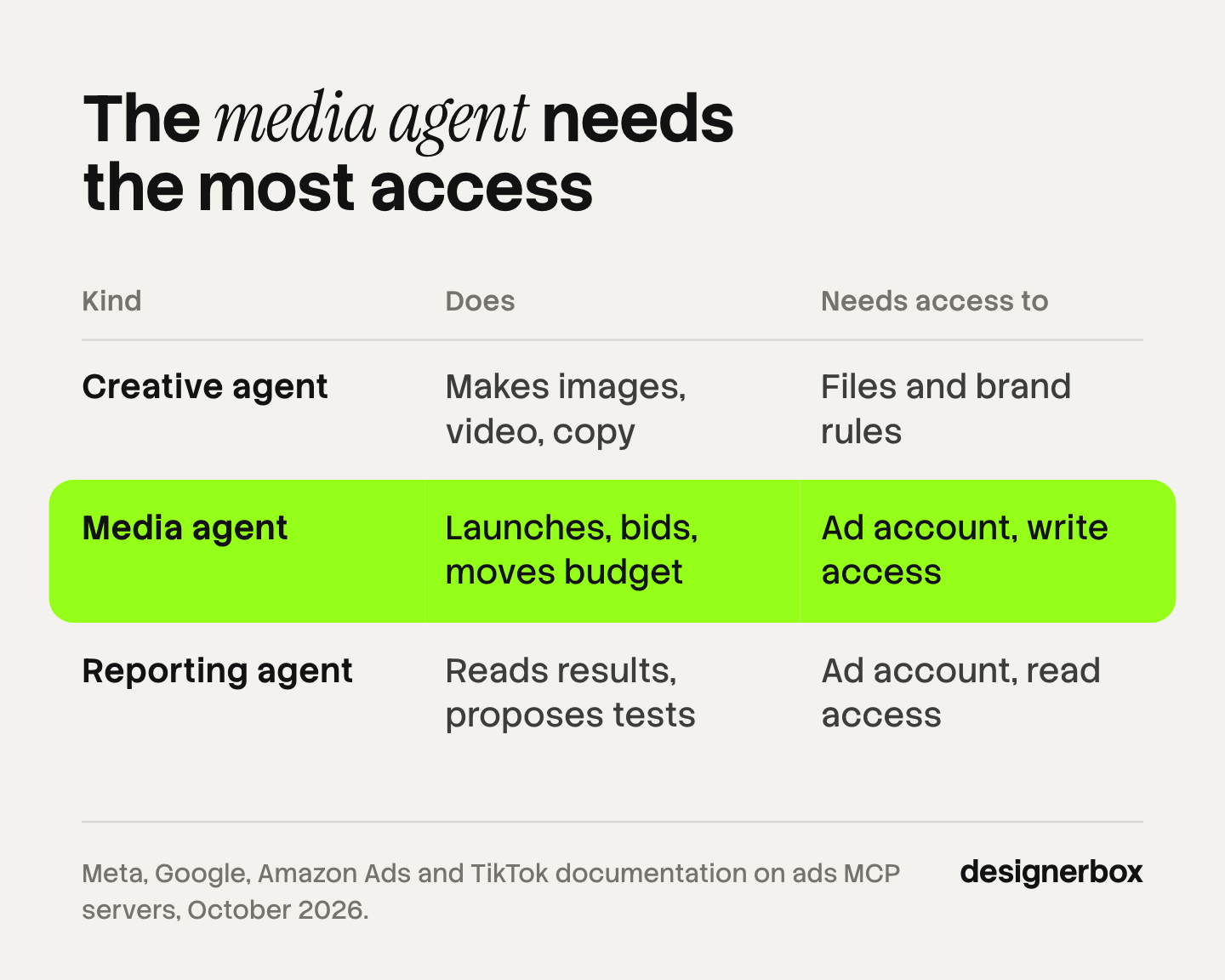
| Creative agent | Media agent | Reporting agent | |
|---|---|---|---|
| What it does | Makes images, video, copy and sizes from a brief or a product URL | Creates campaigns, sets bids, moves budget, pauses ads | Reads results, finds patterns, proposes the next test |
| Access it needs | Product files, brand rules, a place to save results | Write access to the ad account | Read access to the ad account |
| What a person approves | Each ad before it runs | Launch, budget changes, spend limits | Which proposed test to run |
| Main risk | An ad that is off brand or shows the product wrong | Money spent on the wrong thing | A wrong conclusion from thin data |
The creative agent
The creative agent makes the ad from a product, a brief and your brand rules. It never needs your ad account. Its risk is a wrong picture: a changed logo, a wrong color, a claim your brand cannot make. We cover this kind in what to hand an AI creative agent and what to keep. Claude ads shows which campaign steps an AI chat does and which need a connected tool.
The media agent
The media agent works inside the ad account. It needs write access, so a mistake costs money the same day. Give it a spend limit, a list of blocked actions and a person who sets each campaign live.
The reporting agent
The reporting agent reads. Read access is enough. Its risk is a confident answer from too little data, so ask it to show the numbers behind each proposal.
What access does each agent need?
Give each agent the smallest access that lets it do its job. Only a media agent needs write access, and that access can have limits. The platforms now document those limits themselves.

Meta. Meta’s help page says anyone with full control of a business portfolio can set rules for what a connected agent can do in each ad account. The owner allows or blocks actions such as creating campaigns or editing budgets. The owner can also block any budget above an amount they enter. The page also says all ads are paused by default until you set them live, and that actions taken for you need your authorization (Meta Business Help Center, read October 2026).
Google. Google’s developer guide lists the Google Ads MCP server as read-only in its current release. It lets an agent analyze and retrieve campaign data (Google Ads API documentation, read October 2026). An agent connected this way is a reporting agent.
What the ad platforms ship today
Each of the four big ad platforms now ships its own agents, and each documents an MCP server for outside agents. MCP, the Model Context Protocol, is an open standard that connects AI applications to external systems (modelcontextprotocol.io, read October 2026). An agent in an AI chat reaches an ad account through it. When several agents share one job, agent orchestration sets which agent does which step.
| Platform | Its own agents | MCP server for outside agents |
|---|---|---|
| Ask Advisor across its ad products. Asset Studio for creative | Read-only in the current release | |
| Meta | Meta AI business assistant in Ads Manager | Creates and edits campaigns. Reporting, catalogs, audiences |
| Amazon | Ads Agent in the ads console. A creative partner in its creative workspace | Creates, updates and deletes campaigns. Reporting, billing data |
| TikTok | Symphony Agent in Symphony Creative Studio | Campaign management, reporting, audiences, creative operations |
Google. At Google Marketing Live on May 20, 2026, Google introduced Ask Advisor. Google calls it a cross-product AI agent that connects marketing data across Google Ads, Analytics and Merchant Center. The post said Ask Advisor was in beta for English language accounts (Google blog, read October 2026). Asset Studio is the creative side. Google says it reads your marketing brief, brand guidelines, website and goals, and then generates a range of assets (Google blog, read October 2026).
Meta. Meta announced its ads AI connectors on April 29, 2026: an ads MCP server and an ads command line interface. A connected agent can pull reports, create and edit campaigns, and manage catalogs. Our explainer on the Meta ads MCP server lists its tool groups and limits. Meta’s help page lists setup resources for ChatGPT, Claude, Claude Code and Perplexity. Meta added the agent rules on July 16, 2026 (Meta for Business, read October 2026).
Amazon. Ads Agent is a chat inside the Amazon Ads console for campaign work. Amazon says its MCP server lets a connected agent create, update or delete campaigns, run reports and access billing data (Amazon Ads, February 2, 2026, read October 2026). The server is in open beta for partners with active API credentials. Amazon’s creative workspace holds a conversational creative partner. Amazon says it researches the product and audience, develops concepts as a storyboard, and produces video and display ads (Amazon Ads, read October 2026).
TikTok. Symphony Agent sits in Symphony Creative Studio. TikTok says it makes full video ads through a guided chat, from a brief to a storyboard to a finished video, with up to 3 variations at a time. Access depends on the ad spend of the linked account (TikTok Ads help, read October 2026). TikTok for Business MCP Server exposes campaign management, performance reporting, audience configuration and creative operations to outside agents (TikTok Ads help, read October 2026).
A platform’s own creative agent makes ads for that platform. A brand on three platforms still needs one look across all of them. Our guide to agentic marketing platforms covers that wider question.
Third-party AI ad agents
Independent products combine the three jobs in different ways. Sort each one by the access it asks for.
- Omneky. Its site says the platform writes, designs, launches and tunes ads across major channels. It lists a chat agent that analyzes, generates and launches from one conversation (omneky.com, October 2026). That is creative and media in one product.
- Albert. Its site describes autonomous campaign design and management across channels, inside your existing ad accounts (albert.ai, October 2026). That is a media agent.
- Madgicx. Its site describes an AI Marketer for Meta ads that audits the account, finds opportunities and tells you what to do next (madgicx.com, October 2026). That is close to a reporting agent.
Check which jobs a product covers before you connect an ad account to it.
How to brief a creative agent
A creative agent with a thin brief returns a generic ad. Give it the same six things each time.
- Brand rules. Logo files, colors, fonts and tone.
- Product facts. The real product photo, the name and the claims you can prove.
- Sizes and placements. Name each format: feed, story, vertical video, display.
- What it must not change. The product shape, the label, the logo, the legal line.
- The approval gate. Name the person who checks each ad against the real product before it runs.
- The spend limit, for a media agent. A maximum budget and a list of blocked actions.
Our step-by-step guide to making an ad covers the ad itself. To connect an image tool to an agent yourself, see how to make an AI agent creative.

Disclosure duties when an agent publishes AI-made ads
The advertiser stays responsible for the ad. An agent that publishes AI-made creative has to follow each platform’s label rule.
- TikTok. An ad with AI-generated or heavily AI-edited media needs the AIGC label or a clear disclaimer, caption, watermark or sticker. TikTok rejects or restricts an ad with undisclosed AI content (TikTok advertising policies, read October 2026).
- Meta. Meta asks advertisers to disclose AI only in ads about social issues, elections or politics. For other ads, Meta adds an AI info label itself when it detects signals of third-party AI tools (Meta Business Help Center, read October 2026).
- Google. Google says AI rules in the European Union, India and New York require labels on some ads with AI-made or AI-edited assets. It offers an AI label setting, and says the setting does not guarantee you comply with the law (Google Ads Help, read October 2026).
Put the label step in the brief. Our guide to AI disclosure in advertising goes through the rules one platform at a time. This is general information, not legal advice.
The creative step in DesignerBox
DesignerBox is AI creative production for brands and agencies. It covers the first job only: making the ad. It does not launch campaigns, set bids or publish to an ad account.
An AI chat such as Claude, ChatGPT or Cursor runs DesignerBox over MCP. DesignerBox has 68 tools over MCP. The agent in your chat calls a workflow you saved earlier. The MCP page covers the setup.
Anyone can make an AI picture. Making hundreds that still look like your brand is the hard part. You build a workflow once with your brand rules, your product and your sizes. The workflow reads the brand rules on every run.
The cost is shown before the run. Batch runs one workflow over a sheet of up to 200 rows, one product per row. You keep or discard each result and re-run one row alone. The AI ad generator page shows the static ad job.
The full workflow from the first product photo to the finished ad, in one subscription.
The limits:
- No media buying and no campaign results. A media agent or a reporting agent does those parts.
- No publishing to an ad account. You download the results, or send them with a webhook or an S3 step.
- One seat below Ultra. Team features, shared brand kits and white label are on the Ultra plan.
Uploading your own photos and the commercial license start on the Pro plan. AI video, virtual try-on, upscaling, the image editor and the video editor start on the Premium plan. Plans and credits are on the pricing page. The free plan runs on sample products.
Creative production for agencies
An agency can build one workflow per client and let the same AI chat run each one. The page for agencies covers how that works.
FAQ
What is an AI ad agent?
An AI ad agent is an AI model that works toward an advertising goal with tools. The name covers three jobs: making the ad, running the ad account, and reading the results.
Can an AI agent create ads and launch them on its own?
It can, if you give it both kinds of access. Meta, Amazon and TikTok document MCP servers that let an agent create campaigns. Meta says ads created this way are paused by default until you set them live.
Is it safe to give an AI agent access to my ad account?
Meta says connecting through its ads MCP server on its own does not put an account at risk, as long as the advertising follows its policies. For the money risk, block the actions you do not need and set a maximum budget.
How do I create ads with an AI agent?
Write the brief once: brand rules, product facts, sizes, what must not change and who approves. Connect a creative tool to your AI chat over MCP. Run the job for one product, and check the result against the real product.
Does DesignerBox launch or manage ad campaigns?
No. DesignerBox makes the creative. An AI chat such as Claude, ChatGPT or Cursor runs a saved workflow over MCP. You download the results, or send them with a webhook or an S3 step.
Sources
- Model Context Protocol, introduction: an open-source standard for connecting AI applications to external systems (modelcontextprotocol.io, read October 2026)
- Meta Business Help Center, manage ads from an AI agent with Meta ads AI connectors: what the ads MCP server does, ads paused by default, agent rules, maximum budget, supported AI clients, account safety (facebook.com, read October 2026)
- Meta for Business, introducing Meta ads AI connectors: announced April 29, 2026, open beta, MCP server and CLI, rules added July 16, 2026, Meta AI business assistant (facebook.com, read October 2026)
- Meta Business Help Center, AI info labels on ads: automatic labels for third-party AI tools, disclosure for social issue, election and political ads (facebook.com, read October 2026)
- Google Ads API documentation, Google Ads MCP server developer integration guide: read-only in the current release (developers.google.com, read October 2026)
- Google blog, meet Ask Advisor: May 20, 2026, cross-product AI agent, the Merchant Center example, beta (blog.google, read October 2026)
- Google blog, Asset Studio updates: brief, brand guidelines, website and goals as inputs (blog.google, read October 2026)
- Google Ads Help, AI label settings and disclosures: rules in the European Union, India and New York, no guarantee of compliance (support.google.com, read October 2026)
- Amazon Ads, introducing the Amazon Ads MCP Server: February 2, 2026, open beta, campaign, reporting, account and billing access, Ads Agent, the Sponsored Products campaign tool (advertising.amazon.com, read October 2026)
- Amazon Ads, agentic AI creative tool: research, storyboard, video and display ads (advertising.amazon.com, read October 2026)
- TikTok Ads help, about Symphony Agent in Symphony Creative Studio: guided workflow, up to 3 variations, access by ad spend (ads.tiktok.com, last updated August 2026, read October 2026)
- TikTok Ads help, about TikTok for Business MCP Server: campaign management, reporting, audiences, creative operations (ads.tiktok.com, last updated August 2026, read October 2026)
- TikTok advertising policies, misleading and false content: the AIGC label or a disclaimer (ads.tiktok.com, read October 2026)
- Omneky, home page (omneky.com, October 2026)
- Albert, home page (albert.ai, October 2026)
- Madgicx, home page (madgicx.com, October 2026)
- DesignerBox MCP, workflows, batch and plan gates: DesignerBox MCP page (designerbox.ai/mcp) and DesignerBox pricing (designerbox.ai/pricing), October 2026
Platform pages and company pages verified on the pages listed above in October 2026. Each company’s description of its own product comes from its own page. Platform features and rules change, so check each page before you connect an ad account.