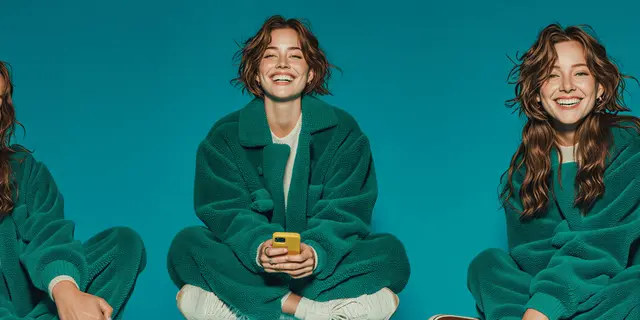
You create an AI fashion model in six steps. Pick how the first frame is made, write the casting brief, and run a batch. Fix what is wrong one line at a time. Save the best frame with a few angles, then run your garment against that set. The first frame is the casting decision. Every later image is a copy of it.
Skipping the casting step is expensive, because the copying stage has a hard limit. Google documents up to 5 character-consistency reference images for its Pro image model and up to 4 for the Flash tier (ai.google.dev, September 2026). Four or five frames of the wrong face is still the wrong face. You cannot fix a weak first frame by sending more of it.
This guide covers where frame one comes from when you have no photo of anyone and cannot use a real person. It shows how to write the brief the way the model makers document it, what to check in the first batch, and how to fix a bad frame. It ends with which route leaves you owning the face.
Key Takeaways
- The first frame is the asset. Each image after it copies that frame. Casting happens once per brand, not once per shoot.
- The anchor budget is small. Google documents 5 character-consistency images on its Pro image model, 4 on Flash (ai.google.dev, September 2026). Volume does not rescue a bad frame.
- Three routes exist: pick from parameters, describe once then throw the words away, or take a face from a vendor’s fixed set.
- Write the brief in order: shot, face, age, build, plain clothes, backdrop, light. Black Forest Labs documents that FLUX.2 pays more attention to what comes first.
- Say what you want, never what you do not want. FLUX.2 does not support negative prompts, and Google recommends describing the scene positively instead.
- A seed does not hold a face. Google’s image docs say the same seed number gives the same output images. A new outfit is a changed input, so the seed no longer holds the face.
- Owning the frame is what makes the model reusable. A face you can only reach inside one vendor’s tool leaves with the subscription.
How do you create an AI fashion model?
Generate one image of a person who does not exist, then use that image as the reference for every following generation. The first image comes from menu selections, from a written brief you use once, or from a vendor’s prebuilt set. Judge a batch, keep one frame, and build a few angles from it. After that, the description stops mattering. The file does the work.
| Step | What you do | What you keep |
|---|---|---|
| 1. Pick the route | Menu, written brief, or a vendor’s set | A decision on who will own the face |
| 2. Write the brief | Seven slots in a fixed order, plain clothes | One brief, used once |
| 3. Run a batch | Several candidates from the same brief | One frame, not three |
| 4. Fix the frame | Change one line per run | A frame with no visible faults |
| 5. Save the set | The frame plus three or four angles | The anchor set, backed up |
| 6. Dress the model | Your garment photo against the set | The first on-model result |
The step before consistency
To hold a model steady, anchor identity to a reference image. A written description regenerates a different person on each pass. The walkthrough on how to lock a model across a whole drop covers that stage.
That method does not answer the question a brand starts with. You have a garment, a shoot date, and no photograph of any person you are allowed to use. There is no reference image yet. Something has to produce the first one.
That first generation is casting. A casting director does not audition a new face for every look in a campaign, and neither should you. You choose once, then you shoot that person repeatedly.
Three routes to the first frame
| Route | What you supply | Same face tomorrow? | Who owns the face |
|---|---|---|---|
| Parametric casting | Menu selections: build, age range, look, scene | Yes, once you save the frame | You |
| Describe, then discard | One written brief, used a single time | Only after you save a frame | You |
| Vendor’s fixed set | A pick from that vendor’s catalog | Yes, inside that vendor | The vendor |
Route one: parametric casting
You pick attributes from a fixed menu instead of writing a sentence. On DesignerBox, a model creator template takes a look, gender, ethnicity, age range and scene. It builds a character from those choices.
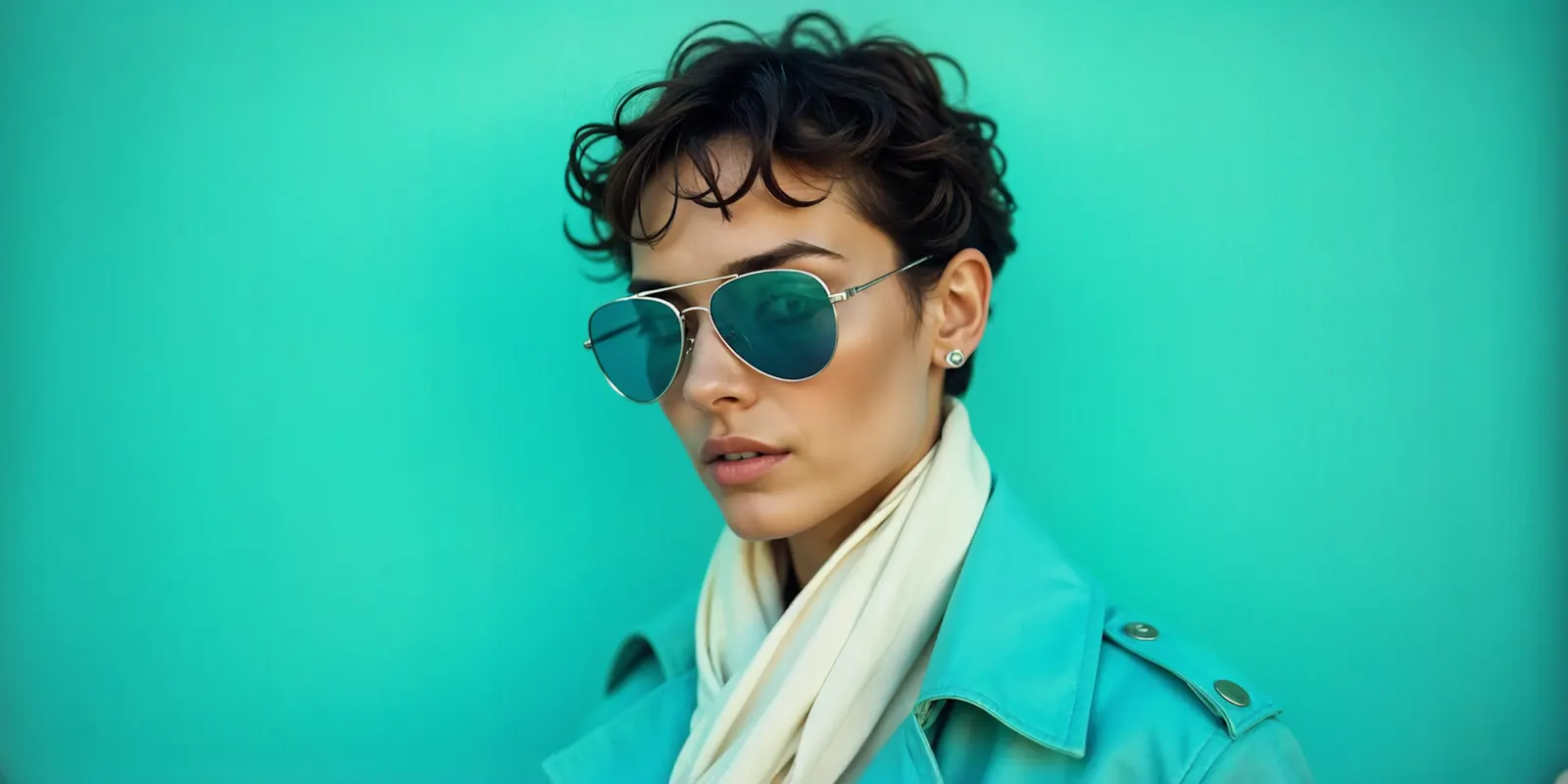
The advantage is that a menu has no ambiguity. “Late twenties” as a slider position means one thing. “A woman in her late twenties” as a sentence means thousands of things, and the model picks a different one each time. The limit is the menu itself: you get the range the menu covers.
Route two: describe once, then discard the words
Write the brief, generate a batch, pick the single strongest frame, then delete the brief from your process. The words were a casting call, not a specification.
This route reaches looks a menu does not cover. It also fails in a specific way that catches people: they keep the prompt, reuse it next month expecting the same person, and get a stranger. The prompt was never the anchor.
Route three: a vendor’s fixed set
Some tools built only for apparel supply a fixed catalog of AI-generated models rather than photographs of people (botika.com, September 2026). That does real work for a brand. A figure that matches no living person needs no talent agreement to renew. Check each vendor’s own terms for what you may do with the images, because they differ. Disclosure rules can still apply, as the section on what you owe explains.
The trade is scope. The quality can be the same. The face lives inside that vendor’s product. If you move tools, or that catalog changes, the model does not come with you.
How to write an AI fashion model prompt
Write one plain description of a person in a photo, in a fixed order: shot, face, age, build, clothes, backdrop, light. Put what matters most first. Say what you want to see, never what you do not want. Keep it between 30 and 80 words. Dress the person in plain clothes, because your garment replaces them later.
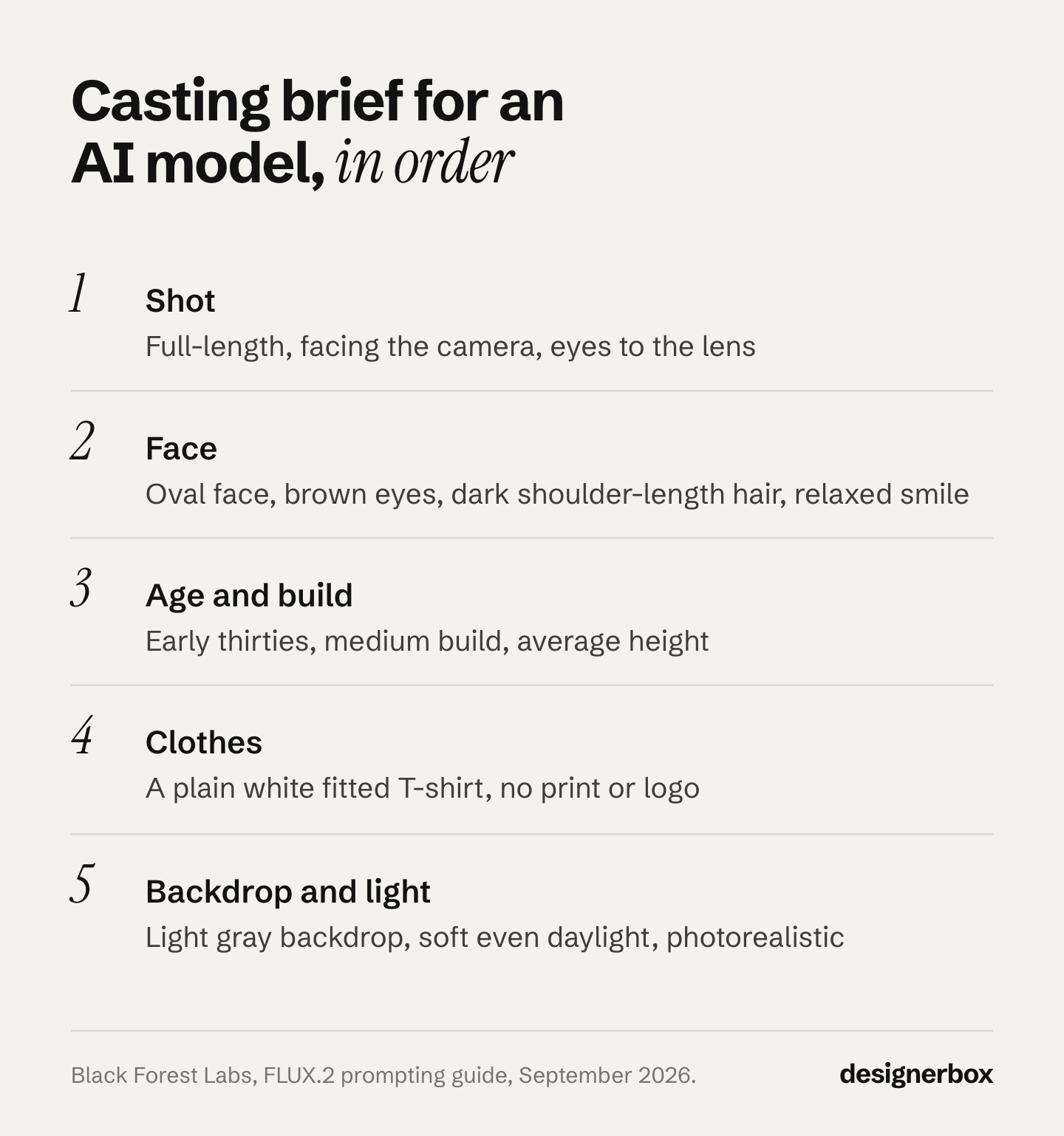
This is route two’s casting call, and the model makers document most of it. Black Forest Labs says word order matters, because “FLUX.2 pays more attention to what comes first”. It calls 30 to 80 words “usually ideal for most projects”, and it states that “FLUX.2 does not support negative prompts” (docs.bfl.ai, September 2026). Google’s prompting guide for Gemini 2.5 Flash Image gives one core rule: “Describe the scene, don’t just list keywords” (Google Developers Blog, read September 2026). OpenAI tells writers to keep a consistent order and to use the word “photorealistic” directly (OpenAI Cookbook, September 2026).
| Slot | What to write | Example |
|---|---|---|
| Shot | The framing, and where the person looks | Full-length, facing the camera, eyes to the lens |
| Face | Shape, eyes, hair, expression | Oval face, brown eyes, dark shoulder-length hair, a relaxed smile |
| Age | A decade, stated plainly | In her early thirties |
| Build | Real size words, not praise words | Medium build, average height |
| Clothes | Plain and fitted, no print or logo | A plain white fitted T-shirt and straight black trousers |
| Backdrop | One plain color | A light gray studio backdrop |
| Light | Soft, even, and the word photorealistic | Soft, even daylight from the front, photorealistic |
Put together, the brief reads like this:
A photorealistic full-length photo of a woman in her early thirties, facing the camera with her eyes to the lens. Oval face, brown eyes, dark shoulder-length hair, a relaxed smile. Medium build, average height. A plain white fitted T-shirt and straight black trousers. A light gray studio backdrop, soft even daylight from the front.
The vendors do not agree on every point. Google suggests camera language such as “85mm portrait lens”. OpenAI warns that detailed camera specs may be “interpreted loosely”. Test one camera phrase at a time and keep it only if the frame improves.
Two choices in the brief cost the most later. The first is clothing: a print or a logo in the casting frame can carry into the next images, so start plain. The second is the range of people you cast. If the brand needs more than one model, plan the roster before the first run, as covered in casting a range of AI models.
What to check in the first batch
Run several candidates from the same brief, then keep one. Check the hands, the eyes, the skin, the proportions and the hairline in every candidate, at full size. Then ask the question that decides it: could this face sit under forty garments without pulling the eye away from them?
Check each candidate against this list before you look at anything else:
- Hands: five fingers on each, and a natural grip or rest.
- Eyes: both look the same way, and at the lens if the brief asked.
- Skin: visible texture at full size. A waxy, even surface reads as AI on a product page.
- Proportions: head, neck, arm and leg length look right at full length.
- Hairline and ears: the same on both sides.
- Expression: the one the brief named. A face that looks away or looks tired is hard to fix later.
Keep one frame, not three. Three favorites become three models, and each one then needs its own anchor set. If two frames tie, choose the plainer one. On a product page the garment has to win the first look.
How to fix a bad first frame
Change one line of the brief, run again, and compare. OpenAI recommends the same method: start from a clean base prompt, then “refine with small, single-change follow-ups” (developers.openai.com, September 2026). If you change three lines at once, you do not learn which line fixed the frame.
| What you see | Why it happens | What to change |
|---|---|---|
| A new face on every run | A written description samples a new person on each pass | Save one frame and use it as the reference. Stop reusing the words |
| The same seed gives a new face after an outfit change | Google’s image docs say the same seed number gives the same output images. A new outfit is a changed input | Anchor to the saved image, never to the seed |
| The thing you banned appears anyway | FLUX.2 has no negative prompts, and Google recommends positive wording | Describe what you want: “bare wrists” instead of “no jewelry” |
| The age looks wrong | The age line is vague or sits late in the brief | State the decade and move the line up |
| Skin looks like wax | The brief names no light and no photo quality | Add “photorealistic” and name the light. Add “natural skin texture” |
| Hands warp | The pose is complex or the hands hold something | Hands relaxed at the sides for the casting frame. Complex poses come later |
A frame that needs more than two or three fixes is usually the wrong start. Go back to the brief and change a slot near the top, such as the shot or the face, rather than adding more words at the end.
Which AI model fashion route fits which brand
Pick on how long the face has to survive, not on output quality. All three routes produce publishable frames.
- One campaign, one season, no recurrence: any route works. Take the fastest.
- A face that recurs across drops: route one or two, and save the frame the moment you like it.
- A house model that outlives your current tool stack: route one or two only. Route three ties the asset to a subscription.
- A named brand character with its own following: route two, then build a full reference set around the frame you chose. Before it fronts ads, read how to test an AI character first.
The anchor budget is why casting matters
The copying stage runs on a small allowance. Google’s documentation separates reference images by job: up to 5 character-consistency images on Gemini 3 Pro Image, up to 4 on Gemini 3.1 Flash Image, with style references counted separately at up to 3 (ai.google.dev, September 2026). Black Forest Labs says FLUX.1 Kontext can “precisely preserve identity (of e.g. a reference character or object) across multiple scenes and environments” (bfl.ai, September 2026). Its own Kontext API takes up to 4 input images, and it labels images 2 to 4 “Experimental Multiref” (docs.bfl.ai, September 2026). Its FLUX.2 family takes up to 8 references through the API, and names the job outright: “fashion editorials where models stay consistent” (docs.bfl.ai, FLUX.2 overview, October 2026).
Four or five slots is enough to cover front, both three-quarter angles and a closer crop. It is not enough to average away a frame that was wrong to begin with. That asymmetry is the whole argument for treating frame one as a decision rather than a first attempt.
Where the same face has to hold across every product in a range, save the whole pass as a workflow. You set the reference frames once. The workflow reads them on every run.
How to dress your AI fashion model in your garment
Use the saved anchor set and one clean photo of the garment. Show the whole garment on a plain background in even light, sharp enough to read the print and the stitching. Then tell the model to change only the clothes. Keep the face, body, pose and hair locked, and check the seams, print and fit before you keep the result.
OpenAI’s guidance for virtual try-on says the same thing in plain terms. Lock the person, meaning “face, body shape, pose, hair, expression”. Allow changes only to the garments, with realistic draping, folds and consistent lighting (developers.openai.com, September 2026). Its general rule for edits is “change only X” and “keep everything else the same”, with the preserve list repeated on each pass.
The garment photo sets the ceiling. A flat lay, a hanger shot or a ghost mannequin photo all work, and each has its own rules. Put the garment facts in words too: fabric, color, closures and length. The wording for that step is in the prompts for clothing product photos, and the whole flat-to-model pass is in the guide on how to put clothes on a model with AI.
Check the first on-model result against the real garment, not against the brief:
- The print sits at the right scale, and any logo is spelled right.
- Collar, cuffs, pockets and closures match the photo.
- The length and fit match the size the model is meant to wear.
- The face still matches the saved frame.
If the result passes, the same pass runs on the next garment. What this replaces in money terms is set out in what a product photoshoot costs.
What you owe once the face exists
A synthetic model removes one obligation and creates another. There is no consent form to collect for a person who never existed, and there is no likeness to license. Disclosure is the separate duty. Article 50(4) of the EU AI Act requires deployers to disclose deep fakes: realistic AI images, audio or video that could pass as real. It has applied since 2 August 2026 (European Commission, September 2026). This is general information, not legal advice.
Inventing the person does not exempt you. The Commission’s guidelines treat realistic AI-generated human avatars or personas as persons, and say it is enough that the person could plausibly exist. The Commission published them on 20 July 2026 (C(2026) 5054), and they are not binding (European Commission, September 2026). A photorealistic house model is likely in scope.
One detail catches brands out. The Commission says deployers cannot rely on the machine-readable marking the tool embeds in the file. People must be able to see the label without special tools. A provenance tag inside the file does not meet your duty. The label has to be visible. How this lands per market is covered in where AI fashion models come from.
Keep the record either way. Save the first frame, the route that produced it, and the date. A provenance claim you cannot document is worth nothing at the moment somebody asks you to prove it.
First frame on DesignerBox
DesignerBox is AI creative production for brands and agencies. For a fashion range, the job is one cast face on every garment. Anyone can make an AI picture. Making hundreds that still look like your brand is the hard part. So cast once, then run the garment work against the saved frame.
- Run the model creator template, or a written brief if the menu does not reach the look.
- Save the single best frame to Assets. That file is now the model.
- Build the angles from that frame. An avatar run can start from the saved face, and it returns nine fixed poses for 25 credits. Pick three or four of them as your anchor set.
- Run garments against the set. You pick the model for each step when you build the workflow, and every run after that uses it. A template comes with its model already picked. The model list shows the models you can pick from. The cost is shown before the run.
- Save the pass as a workflow. The next drop runs the same way, and nobody types the brief again.
- Run the whole drop with batch. It runs the saved workflow over every garment in the sheet, and you review the results in one pass.
Know the plan gates before you commit a season. Uploading your own photos and the commercial license start on the Pro plan. AI video, virtual try-on, upscaling, the image editor and the video editor start on the Premium plan. Every plan below Ultra is one seat. Current plans are on the pricing page.
The garment side has its own input rules, covered in how to create fashion visuals with AI. The Dress my model app is where the two halves meet: you add one cast face and one garment photo, and the model wears the garment.
Keep both halves in one place and the face stays one file. A face rebuilt from a different source, by a different person, three months later is a different face. So cast once and run the saved pass again on the next garment. Fashion brands work this way because a drop is 40 garments. The full workflow from the first product photo to the finished ad, in one subscription. The templates, the workflows, the image editor, the brand record and the Assets library sit together.
Start from a template, add your brand and your products, and run it. See the templates.
FAQ
How do you create an AI fashion model without a real person?
Generate the first frame from parametric selections or from a written brief, then use that saved image as the reference for everything after. No photograph of a real individual enters the process at any point, so there is no likeness to license and no release form to collect.
What should an AI fashion model prompt include?
Seven slots, in this order: shot, face, age, build, clothes, backdrop and light. Keep the clothes plain, state the age as a decade, and add the word photorealistic. Black Forest Labs calls 30 to 80 words usually ideal. You can also skip the prompt: a menu-based tool builds the person from selections instead of a sentence.
Do negative prompts work for AI fashion models?
On many current image models, no. Black Forest Labs states that FLUX.2 does not support negative prompts, and Google recommends describing the scene positively instead. Write what you want to see: “bare wrists” rather than “no jewelry”, “a plain gray backdrop” rather than “no background clutter”.
How many reference images do you need to hold the same face?
Four or five. Google documents up to 5 character-consistency images on its Pro image model and up to 4 on Flash (ai.google.dev, September 2026). Four covering front, both three-quarter angles and a closer crop is a working set.
Can you reuse the same AI fashion model across seasons?
Yes, if you saved the frame. Reusing the prompt does not work, because a written description samples a different person on each pass. Version the saved frame the way you would version a logo file, and keep it somewhere the whole team reaches.
What happens if you lose the first frame?
You recast. There is no way to recover a specific generated face from the settings that produced it, which is why the file matters more than the process that made it. Back it up on the day you choose it.
Does an AI fashion model need a style reference too?
Only if the look has to match across shots as well as the face. A style reference is counted separately from character references, so it does not consume the identity budget.
Sources
- Character-consistency and reference-image limits by model tier, including up to 5 character images on Gemini 3 Pro Image and up to 4 on Gemini 3.1 Flash Image: ai.google.dev, September 2026
- FLUX.1 Kontext identity preservation across scenes and environments, and its API limit of up to 4 input images: bfl.ai and docs.bfl.ai Kontext API, September 2026
- The FLUX.2 family’s limit of up to 8 API references and the “fashion editorials where models stay consistent” use case: docs.bfl.ai/flux_2, October 2026. Its character consistency guide: docs.bfl.ai, September 2026
- FLUX.2 word order, prompt length and the statement that it does not support negative prompts: docs.bfl.ai FLUX.2 prompting guide, September 2026
- “Describe the scene, don’t just list keywords”, semantic negative prompts and camera language for photorealistic images: Google Developers Blog, published 28 August 2025, read September 2026
- Prompt order, the word photorealistic, single-change iteration, “change only X” edits and the virtual try-on lock list: OpenAI Cookbook, GPT Image prompting guide, September 2026
- The same seed number gives the same output images: Google Cloud, generate deterministic images, October 2026
- EU AI Act Article 50, the 2 August 2026 application date and the rule that machine-readable marking does not meet a deployer’s disclosure duty: European Commission FAQ on Article 50, September 2026
- The treatment of persons who “can plausibly exist” and of realistic AI-generated personas: Commission Guidelines C(2026) 5054, published 20 July 2026, non-binding, digital-strategy.ec.europa.eu, September 2026
- An apparel-only tool offering a fixed catalog of AI-generated models: botika.com, September 2026
- DesignerBox plans and feature gates: DesignerBox pricing page (designerbox.ai/pricing), September 2026
Model documentation verified from Google, Black Forest Labs and OpenAI as of September 2026, and regulatory positions from the European Commission as of the same date. The FLUX.2 overview quote and Google’s seed documentation were re-checked on 2 October 2026. This is general information, not legal advice. Confirm your obligations for your own markets and placements. Individual results vary.