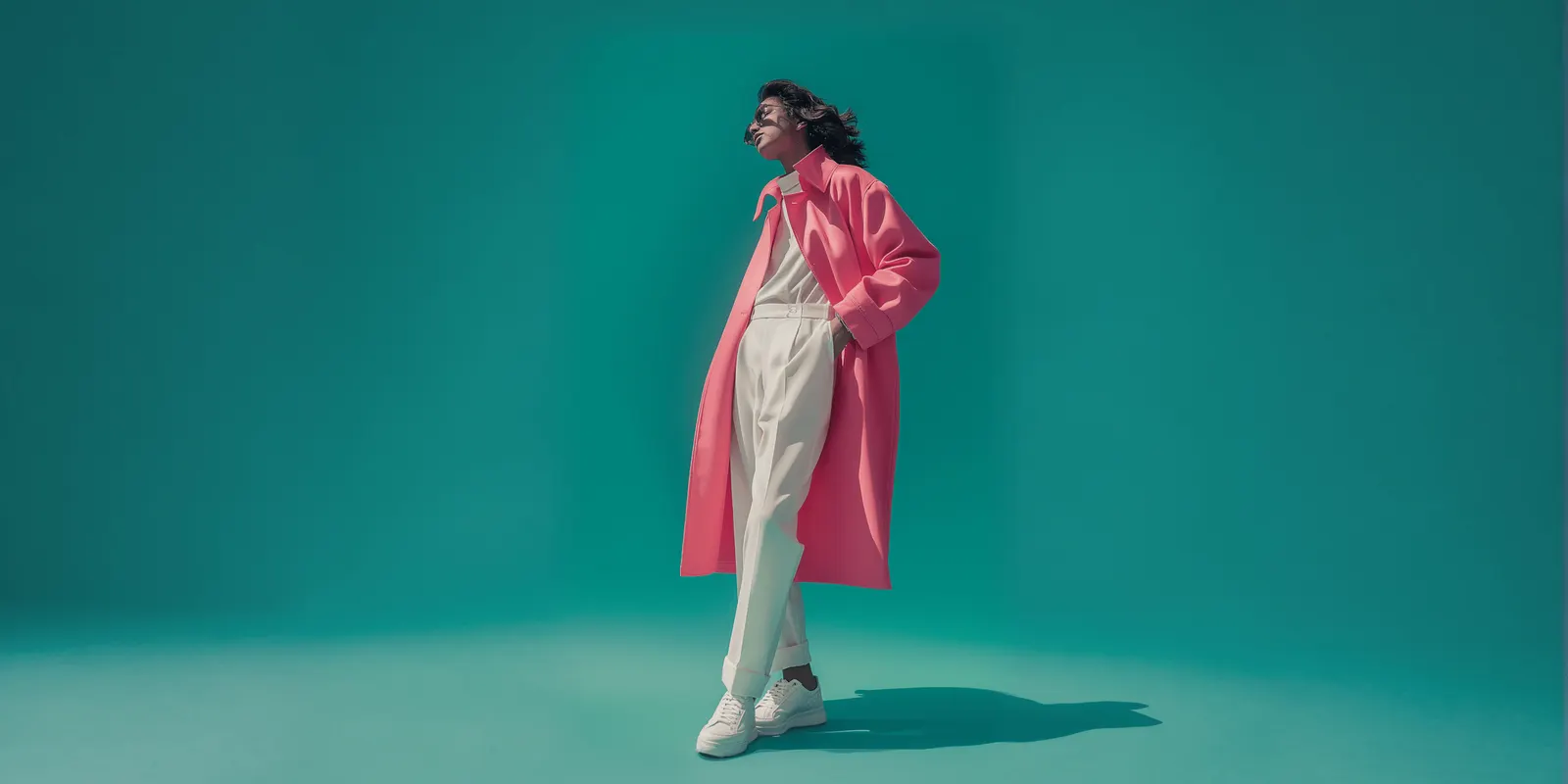
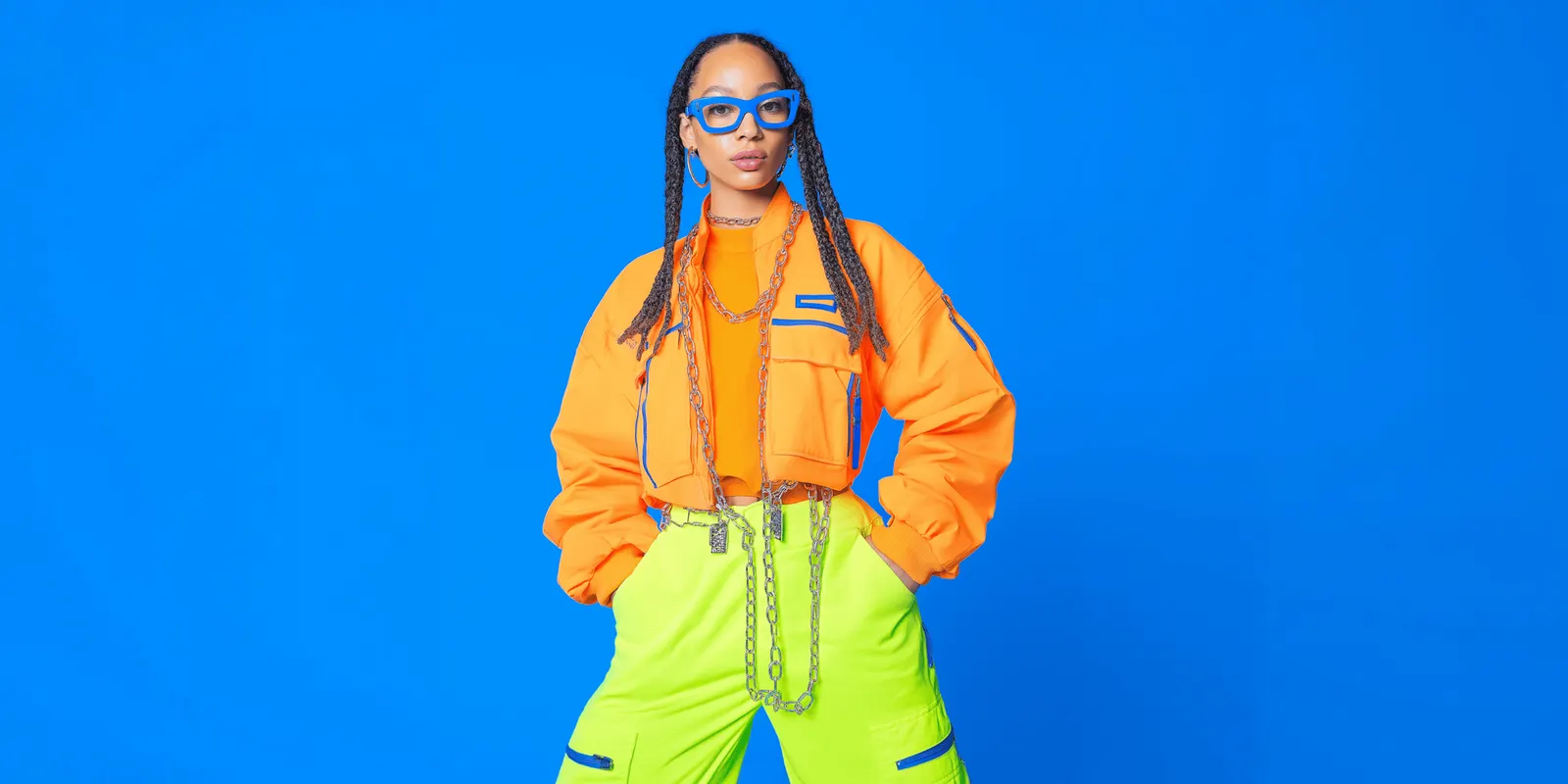
An AI outfit generator is a tool that builds a complete look and shows it as one image. A look is a top, a bottom and often shoes or a bag. There are two kinds. Wardrobe apps suggest outfits from clothes a person already owns. Brand tools put several of your products on one AI model, for complete-the-look slots, lookbooks and ads.
Most of page one for this term is the first kind: closet apps that plan what to wear tomorrow. This guide is for the second kind of reader. You sell the jacket, the trousers and the bag. You want one image that shows them worn together, on the same model you use everywhere else.
That image has a catch. Amazon bans extra items in the main image for clothing, and Google’s image requirements rule them out too. So an outfit image has a specific place in a listing, and every piece in it has to be a product you sell. This guide compares 10 brand tools from their own pages. It also shows where an outfit image may run, how many garments a model can take, and the checks before one ships. We sell DesignerBox, so read its lines as our own case.
Key Takeaways
- “AI outfit generator” means two different tools. Wardrobe apps such as Whering, Acloset and Cladwell style clothes you own. None of them says it makes product images for sellers.
- Nine brand tools say they put a full outfit on one model. Uwear, Modelia, Photoroom, FASHN, Claid, Botika, Imagine.Art, The New Black and WearView each state it on their own pages. DesignerBox’s Dress my model takes a model photo and garment photos, and its page does not state a full outfit in one image.
- An outfit image is not a main image. Google says to leave out any product that is not sold together with the main product. Amazon’s clothing guide bans “distracting accessories” in the main image.
- It belongs in the extra images, on your own product page and in ads. Keep one plain worn frame of each product as the main image.
- Every piece in the frame must match the real product. A styled look sells the other pieces too, so a wrong color on the trousers is a wrong claim about the trousers.
- Check the rights before you pay for scale. Photoroom and Modelia say free results carry no commercial rights.
What is an AI outfit generator?
An AI outfit generator is software that assembles a complete look and shows it as an image. A shopper uses one to plan what to wear from their own closet. A fashion brand uses one to show several of its products worn together on an AI model, without a styled photoshoot for every combination. The brand version starts from product photos, and the result must show each piece exactly as the product looks.
The table below sets the two kinds side by side.
Two kinds of AI outfit generator
| Wardrobe apps | Brand outfit tools | |
|---|---|---|
| Who uses it | A person getting dressed | A fashion brand, a reseller or an agency |
| What goes in | Photos of clothes the user owns | Flat lays, ghost mannequin or on-model photos of products for sale |
| What comes out | Outfit suggestions, a calendar, a packing list | An image of one model wearing several products |
| Examples | Whering, Acloset, Stylebook, Cladwell, Pureple, Style DNA, Alta, Pronti | Uwear, Modelia, Photoroom, FASHN, Claid, Botika, DesignerBox |
| The test | Does the look suit me today? | Does every piece match the product the buyer receives? |
A third group sits between the two. MyEdit and The New Black’s outfit generator put a new outfit on a photo of the user. OpenArt builds an outfit from a text prompt, and its page states no garment upload. None of the three starts from a product you sell, so none is covered as a brand tool here.
AI outfit generators for brands compared
Each row comes from the vendor’s own pages, read on 24 September 2026. “Full outfit stated” means the vendor says in its own words that several garments go on one model in one image.
| Tool | Full outfit stated | What you supply | Commercial rights stated |
|---|---|---|---|
| Uwear | Yes, “two or more of your products into one complete look” | Supplier, flat lay or ghost mannequin photos | Yes, you own the images |
| Modelia | Yes, “a top, a bottom, and an accessory” | Garment images, model settings | Paid downloads only |
| Photoroom | Yes, “a full outfit on the model” | Flat lays or on-model photos | Paid accounts only |
| FASHN | Yes, “coordinated or layered outfits” | Garment and accessory photos, a person photo or library model | Yes, per plan |
| Claid | Yes, “complementary items” | Ghost mannequin or flat lays | Yes, with rights to your inputs |
| Botika | Yes, through Looks | Flat lays, mannequin or worn photos | See the note below |
| Imagine.Art | Yes, “the top and bottom” | Garment photos, a preset or own model | Yes |
| The New Black | Yes, “complete the look” on its try-on page | Clothes, shoes, bags, accessories | Yes, on a paid plan |
| WearView | Stated on its blog, not its product pages | Flat lay, hanger, mannequin or worn photo | Yes |
| DesignerBox | Not stated on the Dress my model page | A model photo and garment photos | From the Pro plan |
Uwear
Uwear is the most explicit about outfits. Its Shop the Look page describes “a generated on-model image that pairs two or more of your products into one complete look” (uwear.ai, September 2026). Its example is 3 tops and 3 bottoms, with “all nine looks already generated”, for “complete the look” and “pairs well with” slots. Saved Outfits are “a saved set of pieces”. Its terms say you own the images for any legal commercial purpose.
Modelia
Modelia has a dedicated outfit generator: “Upload a top, a bottom, and an accessory to automatically create a complete outfit on a model” (modelia.ai, September 2026). You set the model’s body type, age, ethnicity and pose. Its terms grant commercial use for downloads from a paid plan. Watermarked free images carry no commercial rights.
Photoroom
Photoroom’s help center says “Adding more than one image lets you show a full outfit on the model” (help.photoroom.com, September 2026). It also places jewelry, eyewear and footwear on its virtual models, and you can use your own model photo. Photoroom says a free account cannot be used for commercial purposes.
FASHN
FASHN’s try-on page says you can “Combine clothing and accessories in a single image to create coordinated or layered outfits” (fashn.ai, September 2026). You upload a person photo or pick a library model, then the clothing, shoes or accessories. FASHN permits commercial use “in accordance with your subscription plan”. FASHN also documents a try-on API.
Claid
Claid’s AI model generator lets you “add complementary items for an AI-generated model to ‘wear’” (claid.ai, September 2026). It says inputs “work best with ghost mannequins and flatlays”. Its API page allows commercial use, provided you have rights to the product images and any model photos you upload.
Botika
Botika builds outfits through its Looks feature: “Once you’ve finished with an item, you can continue adding others to complete the look” (help.botika.com, September 2026). If you add front and back views for a top, it asks for both views of the bottom too. Its FAQ says accessories are not officially supported yet. The FAQ calls results free for commercial use. Its terms describe them as licensed photos, so read both before a large order.
Imagine.Art
Imagine.Art’s AI Fashion Studio lets you “select or upload the top and bottom, and choose the fabric” (imagine.art, September 2026). You pick a preset model, upload your own or describe one. It says the model stays the same across a range, and that results are yours to use commercially.
The New Black
The New Black has two pages that matter here. Its AI outfit generator is aimed at people: you upload “a clear picture of yourself standing” and get a head-to-toe look. Its virtual try-on page is the brand tool: “Put your clothes, shoes, bags and accessories on any model”, with a “complete the look” step (thenewblack.ai, September 2026). It keeps commercial rights with you on a paid plan.
WearView
WearView’s product pages describe one garment on a model, from a flat lay, hanger, ghost mannequin or worn photo, on 100+ virtual models or your own model photo (wearview.co, September 2026). Its blog says you can pair garments into a complete look. Its FAQ grants full commercial rights. Our guide to WearView alternatives compares five tools for the same on-model job.
Pic Copilot’s try-on page, by contrast, describes one apparel photo per run, typed as top, bottom or one-piece (piccopilot.com, September 2026). For a longer comparison of the same vendors on single-garment work, see AI fashion model generators compared and the best AI fashion photography tools.
Where an AI outfit image can run
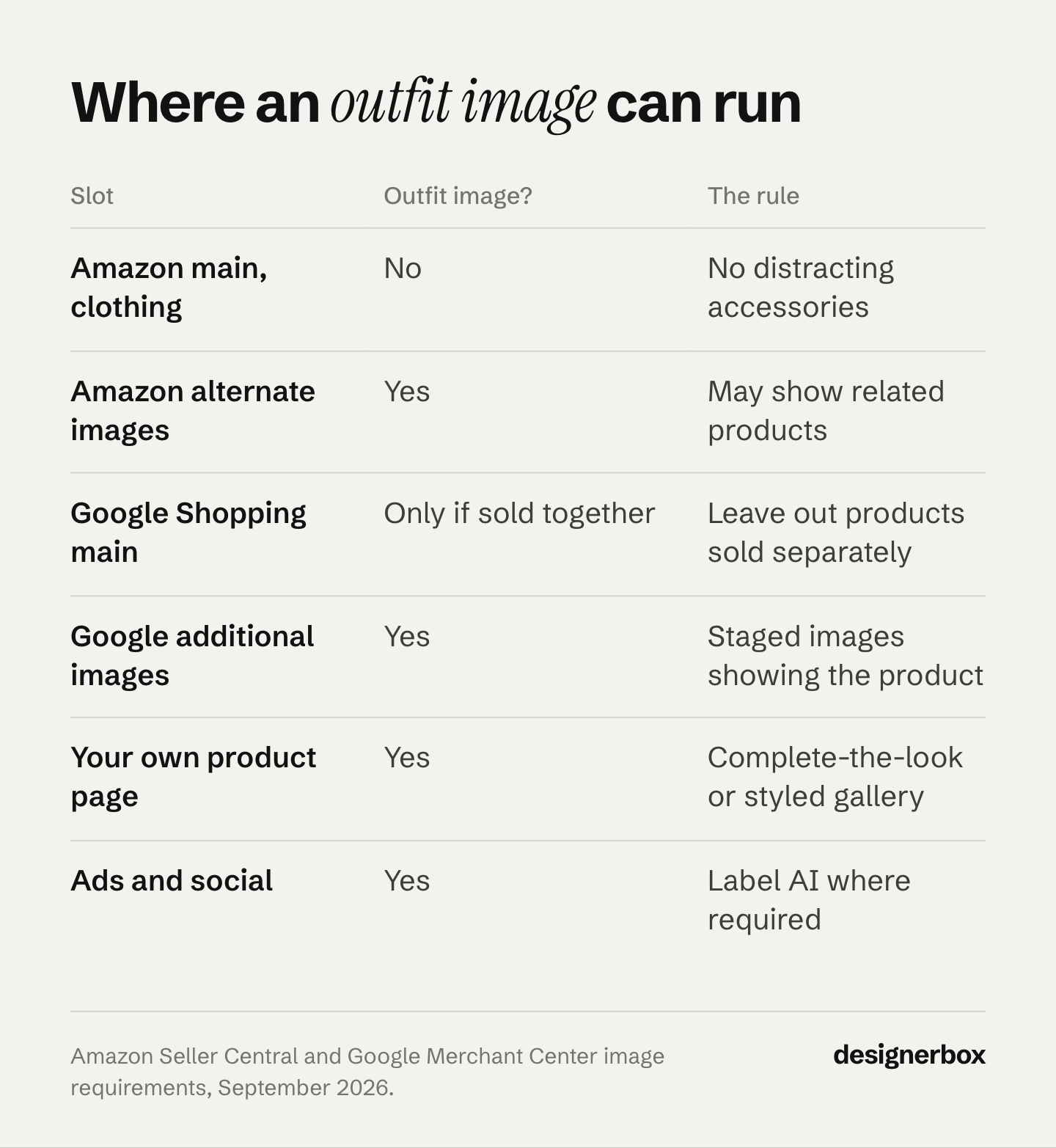
An AI outfit image can run in your extra listing images, on your own product page and in ads. It should not be the main image on Amazon or Google. Amazon bans items in the clothing main image that the buyer does not receive, and Google’s image requirements say not to include them. An outfit shows several items the buyer may not be buying. Keep one plain worn frame as the main image.
| Slot | Outfit image? | The rule |
|---|---|---|
| Amazon main image, clothing | No | ”Distracting accessories (for example, large earrings, bags, or sunglasses)” are not allowed |
| Amazon alternate images | Yes | Alternates may “show related products” |
| Google Shopping main image | Only if sold together | ”Don’t include any product that’s not sold together with the main product” |
| Google additional and lifestyle images | Yes | Lifestyle images may show “multiple products displayed as a complete set” |
| Your own product page | Yes | A complete-the-look module or a styled gallery frame |
| Ads and social | Yes | Label AI where the platform or the law asks |
The Amazon rules come from its clothing image guide and its product image guide, which also says “Don’t show accessories or any props that aren’t included with the product” (both September 2026).
The Google rules come from Merchant Center’s image requirements and its lifestyle image attribute (October 2026). Google lists the main-image rule under the requirements that prevent an image disapproval. Google also recommends showing shoes, handbags and accessories alone in the main image, and on a model in additional images (clothing and accessories best practices, October 2026). Its own example of an additional image is “The ring on a model wearing a matching outfit” (additional image link, September 2026).
Etsy asks for “original photos of the actual product buyers will receive, not renderings or stock photos”, with listed exceptions (Etsy listing image requirements, September 2026). A generated outfit on Etsy is a styled extra frame at most, next to real photos.
Why the plain frame still matters
Baymard’s apparel testing found that styling, such as a tucked, rolled or pinned garment, can hide length and fit. It recommends at least one unstyled image of the product worn on a model. The same article says styling creates chances to promote coordinating products “as part of a complete outfit” (Baymard Institute, published December 2020). Both findings point to the same set: one plain frame per product, then outfit frames that sell the other pieces.
That research also says rendered models should be a last resort. It predates current image models, so treat it as a reason to check every result at full size.
How many garments one model can take
Most brand tools run on a small number of image models, and each model publishes a limit on reference images. The limits below come from each vendor’s documentation. Treating an object slot as a garment slot is our reading, not the vendor’s wording.
| Model | Reference limit the vendor publishes |
|---|---|
| Nano Banana Pro (Gemini 3 Pro Image) | Up to 14 references, up to 6 high-fidelity object images, up to 5 character images |
| Nano Banana 2 (Gemini 3.1 Flash Image) | Up to 10 high-fidelity object images, up to 4 character images |
| GPT Image 2 | Up to 16 input images |
| Seedream 5.0 Pro | Up to 10 reference images |
| FLUX.2 | Up to 8 reference images through the API |
Sources: Google AI for Developers, OpenAI API reference, BytePlus ModelArk and Black Forest Labs, all September 2026.
A four-piece outfit plus one model photo fits inside every limit above. The limit is rarely the problem. Google’s own example of combining images uses one dress and one person. More pieces in one run means more places for a detail to drift, so check each piece on its own.
How to make an AI outfit image
- Photograph every piece the same way. Flat lay or ghost mannequin, even light, the full garment in frame, one photo per piece. For the method, see ghost mannequin photography.
- Choose the model once. Use the same saved model as your plain worn frames, so the outfit image reads as part of one set. Consistent AI fashion images covers how to hold one face.
- Write the outfit brief. Name the hero piece and how each other piece is worn. Use the table below.
- Run one look, then check it. Approve one outfit before you run the rest of the combinations.
- Run the remaining combinations with the same brief. Change only the pieces.
- Export per slot and tag the file. Amazon asks for the keyword contains-synthetic-performer in the XMP metadata of images with photorealistic AI people. Google asks you to keep the IPTC DigitalSourceType tag on AI images.
The outfit brief
| Line | What to write | Example |
|---|---|---|
| Hero piece | The product the image sells first | Pink wool coat, style 2231 |
| Supporting pieces | Every other product in the frame, by style number | White pleated trousers 2204, white sneakers 1190 |
| How it is worn | Open or closed, tucked or loose, sleeves down or rolled | Coat open, top tucked, cuffs rolled once |
| Layer order | Which piece sits over which | Coat over top, trousers over sneaker tongue |
| Model | The saved model and the pose | House model 3, standing, full length |
| Scene | Background and light | Plain studio wall, soft daylight |
Write the brief as positive instructions. Google recommends describing the scene you want, instead of listing what to leave out. Our guide to AI prompts for clothing product photos has worked prompts.
Checks before an outfit image ships
An outfit image makes a claim about every product in it. Check each piece against its own product photo, at full size.
- Color of each piece. The coat and the trousers both match their own photos, in the same light.
- Print and pattern. Scale, placement and repeat match. A tie-dye or a stripe is where drift shows first.
- Logos and labels. Spelling and position are correct on every piece.
- Hardware and trim. Zips, buttons, chains and seams are all there, in the right number.
- Length and layers. Hems fall where the real garment falls, and the layer order matches the brief.
- Nothing extra. No bag, jewelry or glasses appears that you do not sell or did not add.
If one piece fails, fix that piece before you publish the set. Change clothes in a photo with AI covers swapping a single garment without a full rerun.
AI outfit generators for your own closet
If you want an app to plan what you wear, these are the wardrobe apps that rank for the term. Each description comes from the app’s own site, read in September 2026.
- Whering puts your closet on your phone and lets you plan outfits ahead. It is free to use, on the App Store and Google Play.
- Acloset organizes clothes from a photo and picks outfits for your schedule, weather and mood.
- Stylebook is a closet app for iPhone and iPad.
- Cladwell is a closet app built around the capsule wardrobe.
- Pureple calls itself an AI outfit planner and closet organizer.
- Style DNA is an AI stylist app built around a color analysis.
- Alta and Pronti build outfits from the clothes you already own.
None of these apps says it makes product or catalog images for sellers. Our guide to AI tools for fashion brands covers the stylist apps from a brand’s side.
Outfit images in DesignerBox
Anyone can make an AI picture. Making hundreds that still look like your brand is the hard part. DesignerBox is AI creative production for brands and agencies. An outfit set is that problem on a small scale: several products, one model, the same standard on every look.
Dress my model is an app with a short form. You add your model photo and your garment photos, name the look and press Run. Three on-model photos come back at 1024 by 1536, with the same face and the same garment in every shot. Behind the form, a workflow plans the shots, writes one prompt per shot and dresses the model.
You set the brand once as a record: palette, logos, fonts and rules. The workflow reads it on every run. Three critic steps score the results of a run, and best-of-N keeps the best one. Batch runs the same workflow over every combination in a drop, and you review the results in one pass. You see the cost before each run. The full workflow from the first product photo to the finished ad, in one subscription.
The limits, stated plainly:
- Uploading your own photos and the commercial license start on the Pro plan. AI video, virtual try-on, upscaling, the image editor and the video editor start on the Premium plan.
- Team features are on the Ultra plan, and every plan below Ultra is one seat.
- Delivery is a download, or a webhook or an S3 step to your own systems.
- The Dress my model page does not say it puts several garments on one model in one image. Test a full outfit on your own pieces first.
- We publish no accuracy percentage. Run the checks above on your own garments, as with every tool here.
DesignerBox for fashion brands shows the on-model, scene and video results from one garment photo. Plans and credits are on the pricing page.
FAQ
What is the best AI outfit generator?
Two kinds of tool answer this: one for shoppers and one for brands. For planning what to wear from your own closet, Whering, Acloset and Cladwell are wardrobe apps built for it. For a brand that sells the pieces, Uwear, Modelia, Photoroom, FASHN and Claid each say they put several products on one AI model. Compare them on your own garments.
Can AI put a full outfit on a model?
Yes. Uwear, Modelia, Photoroom, FASHN, Claid, Botika and Imagine.Art all state that several garments can go on one model in one image. Nano Banana Pro takes up to 6 high-fidelity object images, so a four-piece outfit fits. Check each piece against its product photo, because more pieces give more places for a detail to drift.
Can I use an AI outfit image as my Amazon main image?
No, not for clothing. Amazon’s clothing guide bans distracting accessories such as bags, large earrings and sunglasses in the main image. Its product guide bans props not included with the product. Use a plain worn frame as the main image and the outfit image as an alternate, which may show related products.
Is there a free AI outfit generator?
Yes, for your own closet. Whering says it is free to use, and Pureple calls itself a free fashion app. For brands, check the rights: Photoroom says free accounts cannot be used commercially, and Modelia says watermarked free images carry no commercial rights. Read the terms before you publish a result.
What is the difference between an AI outfit generator and virtual try-on?
Virtual try-on usually places one garment on a model or a shopper. An outfit generator combines several pieces into one look. For brands the tools overlap: FASHN, Photoroom and The New Black offer outfits inside their try-on tools. The test is the same for both: each piece must match the product you sell.
Do I need to label AI outfit images?
Sometimes. Amazon and Google each ask for a metadata tag. Amazon wants the keyword contains-synthetic-performer on images with photorealistic AI people. Google wants you to keep the IPTC DigitalSourceType tag on AI images. Ad platforms and some laws add their own rules. Labeling AI-generated fashion images covers when a label is required.
A free plan for your first run
There is a free plan, and it runs on sample products. Start from a template and see the cost before you run it.
Sources
- Brand tool pages read 24 September 2026 (not linked): uwear.ai/use-cases/shop-the-look and uwear.ai/legal/terms; modelia.ai/outfit-generator and modelia.ai/terms; help.photoroom.com (show clothing on AI fashion models, commercial use) and photoroom.com/tools/virtual-model; fashn.ai/virtual-try-on; claid.ai/fashion/ai-model-generator and claid.ai/api-products/ai-fashion-models; help.botika.com (creating looks), botika.com/resources/faqs and botika.com/legal/terms-of-service; imagine.art/ai-fashion-studio; thenewblack.ai/ai-outfit-generator-coach-assistant-stylist and thenewblack.ai/ai-virtual-try-on-clothes; wearview.co/virtual-try-on, the WearView FAQ and wearview.co/blog/best-ai-outfit-generators; piccopilot.com/tools/tryon
- Consumer tool pages read 24 September 2026 (not linked): myedit.online AI outfit generator, openart.ai/generator/outfit, whering.co, acloset.app, stylebookapp.com, cladwell.com, pureple.com, styledna.ai, altadaily.com, pronti.com, and their App Store listings
- Amazon Seller Central: product image requirements (G1881), accessed September 2026
- Amazon Seller Central: image guidelines for clothing (G200498950), accessed September 2026
- Google Merchant Center: image requirements, accessed October 2026
- Google Merchant Center: clothing and accessories best practices, accessed October 2026
- Google Merchant Center: additional image link, accessed September 2026
- Google Merchant Center: lifestyle image link, accessed October 2026
- Etsy: listing image requirements, accessed September 2026
- Baymard Institute: apparel product images on human models, published December 2020
- Google AI for Developers: image generation with Gemini, accessed September 2026
- OpenAI API reference: create image edit, accessed September 2026
- BytePlus ModelArk: Seedream 5.0, accessed September 2026
- Black Forest Labs: FLUX.2 overview, accessed September 2026
- DesignerBox Dress my model, Batch and DesignerBox for fashion brands (designerbox.ai, September 2026)
Tool features verified from each vendor’s own pages as of September 2026. Google’s Merchant Center image, clothing and lifestyle image pages were re-checked on 2 October 2026. Features and terms change often, so check each vendor’s page before you commit to it. Individual results vary.