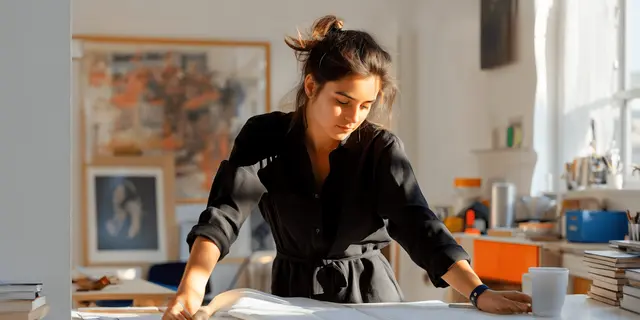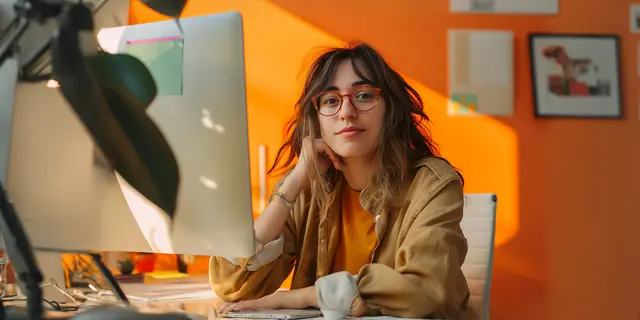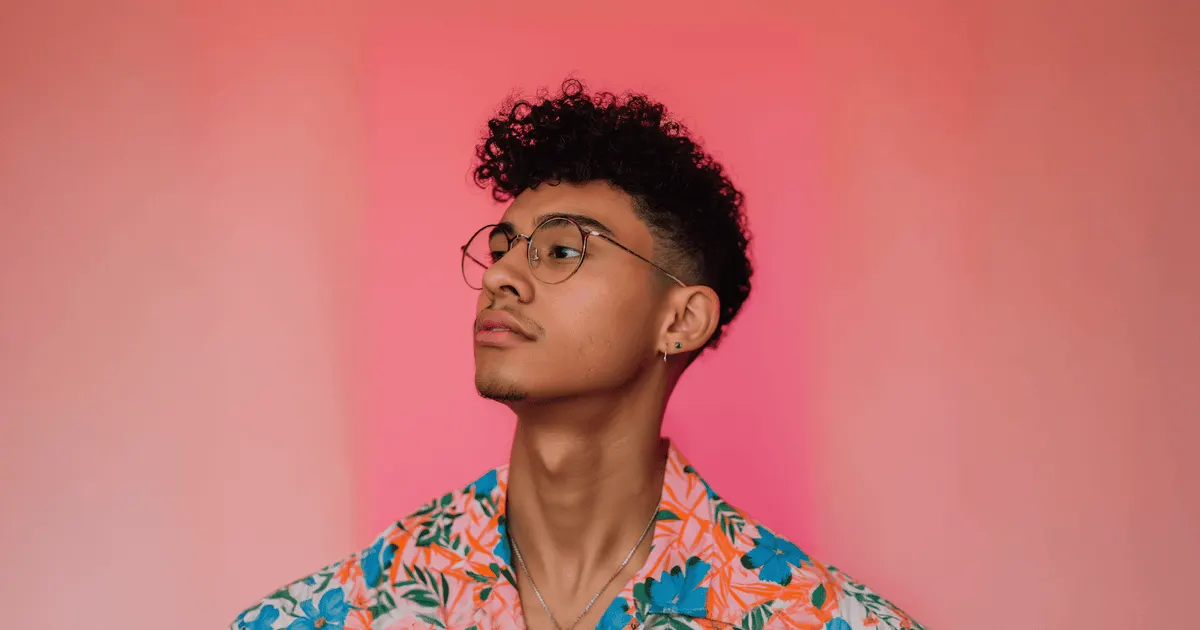
An AI character reference image is a photo you hand a model so it renders the same person every time instead of inventing a new one from your description. It works by collapsing the space the model can wander in. The strongest references are single-subject, front or three-quarter facing, evenly lit, neutral in expression, and shot against a plain background.
Sharp photos, patient iteration and tidy files all help. The thing that decides the outcome is the model. Every model accepts a different number of reference images and calls the feature something different. Seedance 2.0 restricts photos of real human faces, as Sora 2 did until OpenAI removed it from its API on 24 September 2026. A reference spec copied from one tool’s help page quietly stops working on the next model.
This covers what a reference carries, why uploading more angles is documented to make identity drift worse for people, what each model accepts according to its own docs as of September 2026, and how to build a reference that survives a campaign.
Key Takeaways
- The reference caps are published and they are not the same. Veo 3.1 takes up to three images of a single person, character or product (ai.google.dev, September 2026). Nano Banana Pro takes up to five character images, and Nano Banana 2 takes four (ai.google.dev, September 2026). Seedream 5.0 Pro takes up to ten references (docs.byteplus.com, September 2026). FLUX.2 [flex] takes up to eight through the API (docs.bfl.ai, September 2026).
- More angles is the wrong instinct for faces. ByteDance’s Seedance 2.0 prompt guide advises against multi-view character sheets for people, because the model can read different angles as different subjects and that worsens ID drift (docs.byteplus.com, September 2026).
- Two video models restrict real faces. Sora 2 rejected input images with human faces, and its character uploads blocked human likeness by default (developers.openai.com, September 2026). OpenAI removed Sora 2 and Sora 2 Pro from its API on 24 September 2026 (OpenAI API deprecations, accessed September 2026). Seedance 2.0 does not accept reference images with real human faces, apart from a few routes such as consented people who pass a face check (docs.byteplus.com, September 2026).
- Identity travels, lighting does not have to. Runway says one reference image keeps a character consistent across different lighting, locations and treatments (help.runwayml.com, September 2026).
- Wardrobe is a per-model answer. Black Forest Labs states FLUX.2 keeps a character’s face, clothing, proportions and style across generations (docs.bfl.ai, September 2026). Runway shows wardrobe varying inside a single generation and saves a result as a new reference to lock it. Do not assume either behavior.
- The vendors state the ceiling. OpenAI’s image guide says GPT Image models “may occasionally struggle to maintain visual consistency for recurring characters or brand elements across multiple generations” (developers.openai.com, September 2026).
What is an AI character reference image?
A character reference image is an input photo that conditions a generation on a specific person’s appearance, rather than on a text description of them.
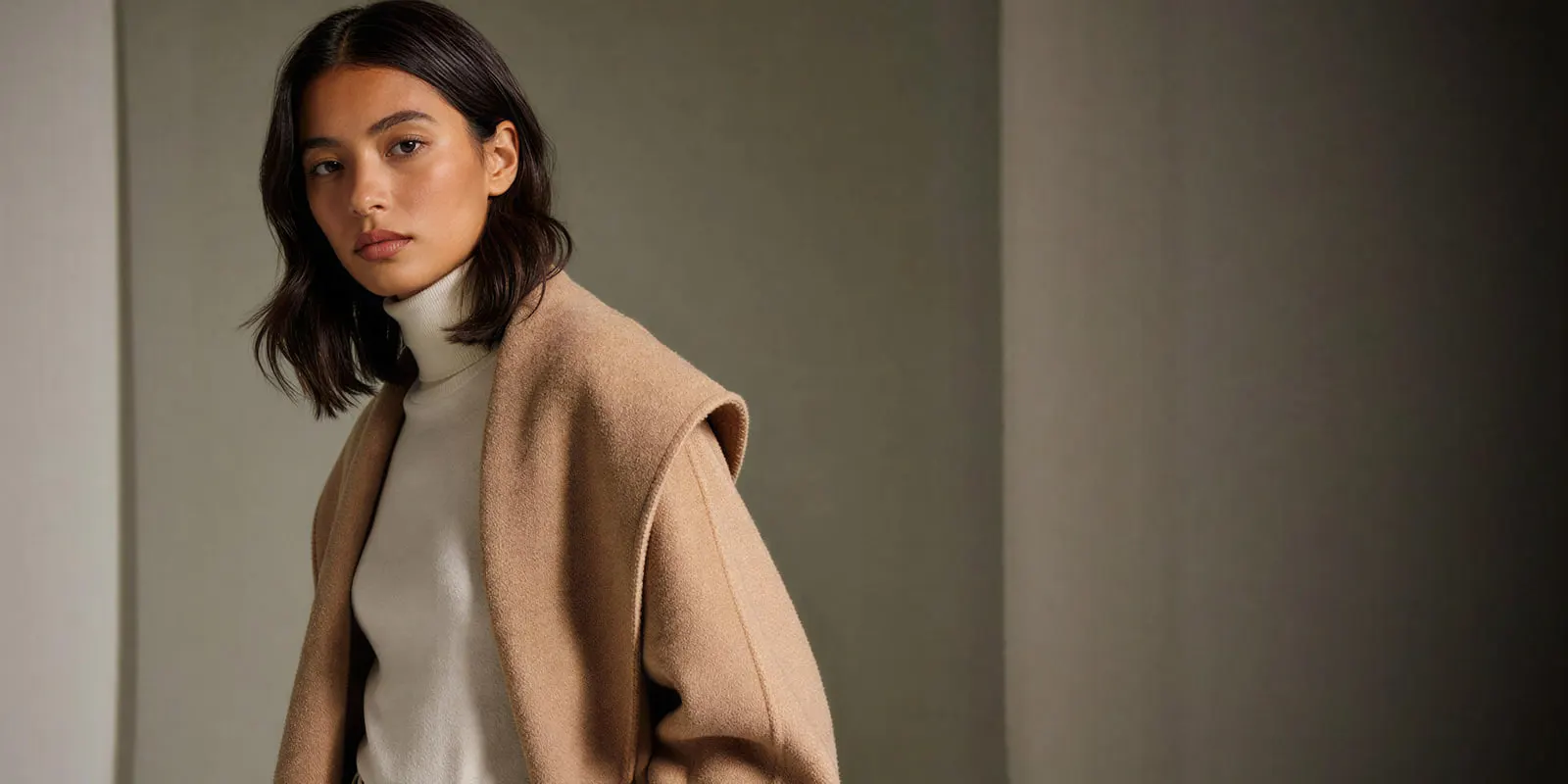
The difference matters because words are a wide net. “Dark shoulder-length hair, brown eyes, mid-thirties” describes millions of people, and the model picks a new one each run. An image narrows that to one face and holds the generation near it.
Providers give the feature different names, and the name tells you how it behaves. Google calls them reference images, or asset images. OpenAI splits it into an image reference that becomes the first frame and a separate character asset that persists across requests. Kling calls its version Elements. ByteDance calls it multimodal reference. Runway calls them references and lets you address them in a prompt with an @ tag.
Those are not synonyms for one feature. Some condition a single generation. Others create a reusable asset. Knowing which one you have changes whether your character survives past the shot you are working on.
What a character reference carries, and what it does not
A reference reliably carries identity: the face, the bone structure, the features that make someone recognizable. That is the job it was built for and the thing every vendor claims.
Lighting is where it gets useful. Runway says its image references generate consistent characters across different lighting conditions, locations and treatments from a single reference image (help.runwayml.com, September 2026). That is why the same docs ask for even, natural lighting and a neutral expression in the source. The reference works best as a blank canvas that your prompt then lights.
Wardrobe is where the vendors disagree. Black Forest Labs states that FLUX.2 keeps a character’s face, clothing, proportions and style across multiple generations (docs.bfl.ai, September 2026). Runway’s own worked example runs the other way, showing several different wardrobe variations returned inside a single generation, then saving one result as a new reference to pin the outfit down. Both are accurate about their own model.
The practical rule: specify wardrobe in the prompt every time, whatever the model claims. If it was going to hold anyway you have lost nothing. If it was not, you have caught it before the batch renders.
Camera framing is not documented by anyone as something a reference carries. Google’s Veo prompting examples still write the shot (“medium shot of the detective behind his desk”) even when reference images are supplied. Treat framing as always your job.
Why more angles can make identity drift worse
For a human face, more reference angles can make identity drift worse, according to ByteDance’s Seedance 2.0 prompt guide. For a product or a prop, several angles still help.
The guide recommends against using multi-view character images for people. Multi-view material contains the same person from different angles, and the model is prone to reading those as several different subjects, which worsens the ID drift problem the sheet was meant to solve (docs.byteplus.com, September 2026).
Its recommendation for a face is narrow: a head-only close-up, face retained, neutral expression best, with shoulders, neck and background minimized as interfering elements.
The same guide adds two things worth using whichever model you run. Do not fill the reference slots just because they exist, because too many assets make it harder for the model to judge which features take priority. And put the most precision-critical asset earliest in the prompt.
There is an honest caveat here. ByteDance’s own documentation ships a worked example that uses a multi-view reference of a woman, contradicting its written advice. Both are official. Read the guidance as a strong default rather than a law, and test your own set before you commit a campaign to it.
The broader point holds across models. The ceiling on a reference set is whether the images read as one unambiguous person, however many you send. Two clean frames that agree beat six that argue.
Which models accept a character reference, and how many
Every number below comes from the provider’s own documentation, checked in September 2026. Where a provider publishes nothing, the table says so rather than guessing.
| Model | Takes a character reference | Documented max | Provider’s name for it |
|---|---|---|---|
| Veo 3.1 | Yes | 3 images of one person, character or product | Reference images |
| Veo 3.1 Fast | Yes | 3 images of one person, character or product | Reference images |
| Veo 3.1 Lite | No | Not applicable | First and last frame only |
| Sora 2 Pro (API removal 24 September 2026) | Not for real faces | First-frame image, up to 2 non-human characters per video | Image reference, characters |
| Seedance 2.0 | Not for real faces, apart from verified routes | 9 images, 3 video clips and 3 audio clips | Multimodal reference |
| Kling 3.0 | Yes | 3 Elements per clip, each from 2 to 4 images or a video | Elements |
| Kling 2.6 | No | Not applicable | First and last frame only |
| Runway Gen-4.5 | Text and image to video only | Not applicable | First frame |
| Nano Banana Pro | Yes | 5 character images | Character images |
| Nano Banana 2 | Yes | 4 character images | Character images |
| Seedream 5.0 Pro | Yes | 10 references | Reference images |
| GPT Image 2 | Yes | 16 input images | Image inputs |
| FLUX.2 [flex] | Yes | 8 via the API | Multi-reference editing |
| FLUX.1 Kontext [pro] | Yes | 4 input images, images 2 to 4 marked experimental | Multi-reference |
Sources: Gemini API Veo guide, OpenAI video generation guide, BytePlus ModelArk video API, Kling capability map, Runway API reference, Gemini API image generation, BytePlus ModelArk image API, OpenAI Images API reference, edit method, FLUX.2 overview, FLUX.1 Kontext [pro] API. All checked September 2026.
Five things in that table will change how you plan a shoot.
Sora 2 Pro would not take a photo of a real person, and its API has closed. OpenAI’s guide stated that input images with faces of humans were rejected, and that character uploads depicting human likeness were blocked by default. Its reusable characters are non-human subjects, with up to two per video (developers.openai.com, September 2026). OpenAI closed the Sora 2 API on 24 September 2026 and has not named a replacement video model, so plan new character work on a model that stays.
Seedance 2.0 has a similar restriction with a documented path around it. Real human faces cannot be uploaded directly. The allowed routes are your own unedited Seedream 5.0 Lite or Seedance results under 30 days old, assets from ByteDance’s preset digital-character library, or real people who pass consent and a face check (docs.byteplus.com, September 2026).
Runway Gen-4.5 is a text and image to video model. Its image input is a first frame, not an identity lock, and Runway’s help page says Gen-4.5 “currently offers Text to Video and Image to Video control, with support for additional inputs coming soon”. Runway’s reference feature, with up to three references, lives on its image model (docs.dev.runwayml.com, September 2026). Runway recommends reference images between 640 by 640 pixels and 4K, and its reference-quality guidance is worth reading whichever model you end up on.
Veo 3.1 has a length side effect. Google’s Gemini API requires the 8-second duration when you use reference images, and Google Cloud notes that the Veo 3.1 preview model “only returns 8 second videos when you use subject images” (docs.cloud.google.com, September 2026). Plan the edit around that rather than discovering it mid-batch.
Two caps are easy to misread. OpenAI’s API reference allows up to 16 input images for GPT Image models in an edit request (developers.openai.com, October 2026). OpenAI also released GPT Image 2.5 on 8 September 2026, so GPT Image 2 is no longer its newest image model. What 2.5 changes is covered in the GPT Image 2 API guide. Black Forest Labs’ own Kontext API takes up to 4 input images and labels images 2 to 4 “Experimental Multiref” (docs.bfl.ai, September 2026). Platforms that host these models may set their own per-generation caps, so treat a platform limit and a model limit as different claims, and check which one a number refers to before you plan around it.
How to build a reference image that holds
Six steps. The first three do most of the work.
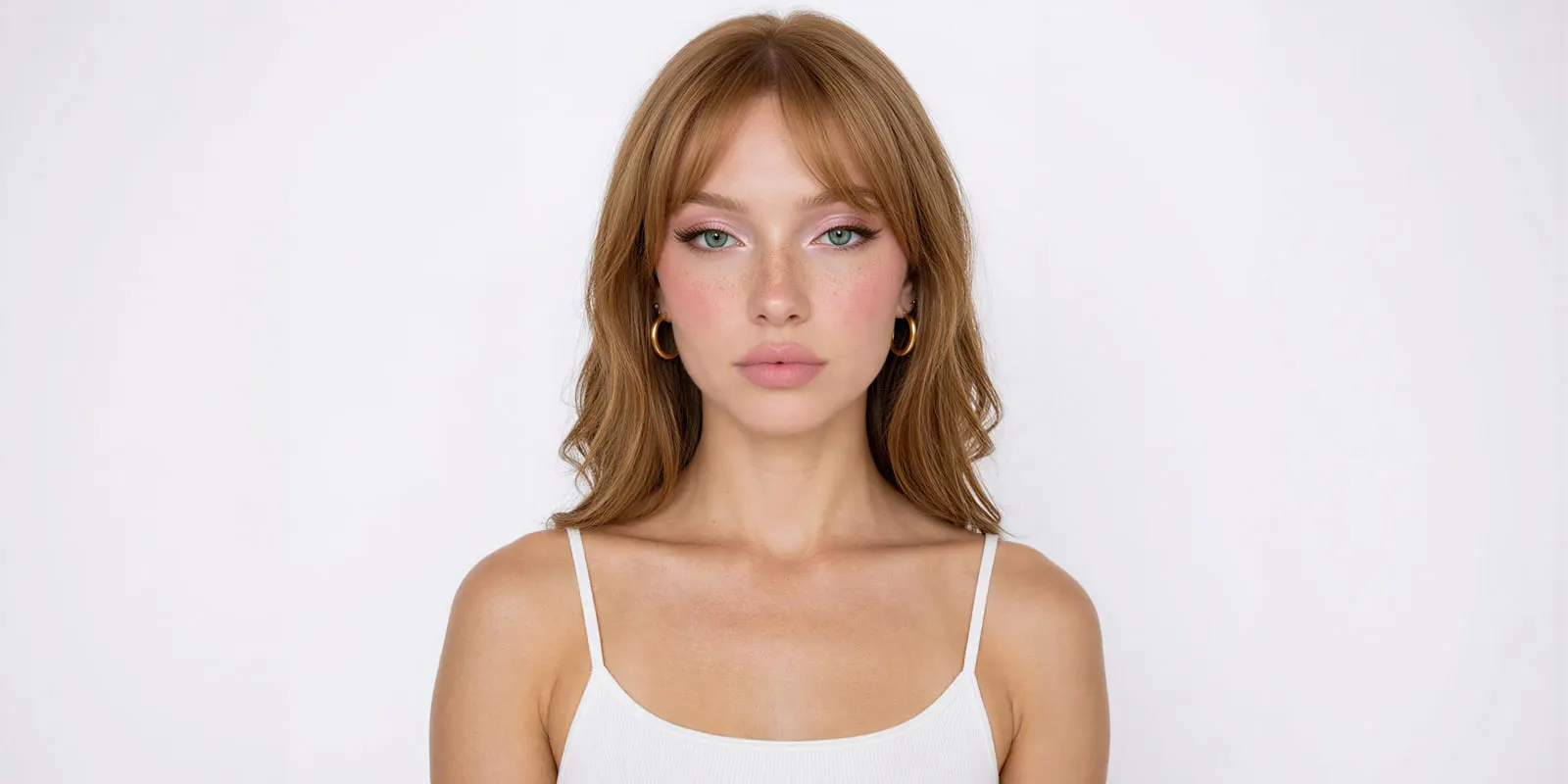
1. Pick or shoot one hero frame. Front-facing or three-quarter, sharp, evenly lit, plain background, neutral expression. Runway asks for a neutral expression and even lighting specifically so the reference behaves as a blank canvas. If your only source photo is heavily filtered, backlit or busy, make a clean reference from it rather than trying to rescue the original.
2. Crop tight on the face. ByteDance’s guidance for identity is a head-only close-up with shoulders, neck and background minimized. A full-body source spends the model’s attention on clothing and setting when you wanted it on bone structure.
3. Stop at two or three. Send the hero frame plus at most one or two that clearly agree with it. Resist filling every slot. If you do add angles, check they read as the same person before you trust them.
4. Write the identity line once and freeze it. One or two sentences covering age band, build, hair and any fixed marker such as glasses. Keep it byte-identical across every prompt. Changing one adjective moves the face, which is the same discipline that keeps an AI brand character usable past its first campaign.
5. Never contradict the reference. Asking for blonde hair over a dark-haired reference forces the model to choose, and it will not choose consistently. Vary scene, wardrobe and framing. Hold identity fixed. The same rule governs writing prompts that produce realistic AI video.
6. Promote your best result to a reference. When a generation nails the character in the wardrobe and lighting you want, save it and use it as the reference for the next shot. This is how you lock the things the original reference could not carry.
Name the file, version it, and store it where the team can find it. A reference set that lives in one person’s downloads folder is not an asset.
Where character references break
Faces hold at the center and fail at the edges. Front-facing headshots survive almost anything. Profile angles, hands, and full-body distance shots drift first, which is why shot lists built around what holds beat shot lists built around what you hoped for. The failure pattern is the same one behind hands and faces breaking in AI video.
Crowds are the other cliff. ByteDance’s prompt guide documents output stability dropping when the number of reference people passes four, and names two failure modes: ID drift, where the face changes mid-video, and the twin problem, where one person renders twice as two different people (docs.byteplus.com, September 2026). ByteDance also notes “room for optimization regarding multi-subject consistency” in Seedance 2.0 (seed.bytedance.com, September 2026).
Multi-shot sequences compound errors rather than resetting them. The mechanism researchers describe for diffusion sampling is recursive: errors in earlier steps produce iterates that drift away from the training distribution, and each step inherits the last one’s mistakes (arXiv:2302.09057). Note that this describes diffusion sampling in general, not any named commercial model, since no vendor publishes its architecture.
There is also a documented trade-off worth planning around. Recent work on subject-driven generation frames identity consistency and prompt diversity as fundamentally in tension (arXiv:2511.08061). The further you push a scene away from the reference, the more identity gives. If a shot demands an unusual pose, an extreme angle and a new location at once, expect to spend iterations on it, or split it into two shots.
The vendors say this themselves. OpenAI lists consistency as a limitation for its image models, noting they may occasionally struggle to maintain visual consistency for recurring characters or brand elements across multiple generations. Plan for several attempts on a genuinely new scene. Those attempts cost credits too, so put the AI image retry rate in the budget before the shoot.
Locations drift on the same mechanics as faces. That is treated separately in keeping locations consistent across AI shots.
One reference set in a workflow
The reference problem gets expensive when you solve it per tool. Each model has its own upload flow, its own cap, its own name for the feature, and its own asset library that does not talk to the others. Rebuild the same character in four tools and you get four versions of a person who is supposed to be one.
In DesignerBox, the reference set lives once in Assets, and a model is one step in a workflow. You pick the model for each step when you build the workflow, and every run after that uses it. When you change the model for one shot, the reference set and the identity line stay where they are. The image editor, the video editor, your brand rules, your Assets and the AI models sit in the same place. The full workflow from the first product photo to the finished ad, in one subscription.
For a brand character, a model creator template is the place to start. An avatar run returns nine fixed poses for 25 credits, and you pick the frame that works as your hero reference. The finished clips are cut together in the video editor.
Then stop rebuilding it. Anyone can make an AI picture. Making hundreds that still look like your brand is the hard part. Settle the reference, the identity line and the prompt frame on one character, and save that as a workflow. A saved workflow runs the same way on the next shot, the next campaign and the next product. Batch runs that workflow over a whole sheet of shots at once. Shot forty ships at the standard shot one set, because nobody re-decided it along the way. That is the difference between a character and a lucky generation.
There is a free plan, and it runs on sample products. Uploading your own photos and the commercial license start on the Pro plan. AI video, virtual try-on, upscaling, the image editor and the video editor start on the Premium plan. Plans and credits are on the pricing page. An 8-second clip costs 40 to 560 credits, depending on the model.
For garment work specifically, where the face has to hold while the clothing changes, the constraints differ enough to be worth reading on their own in consistent AI fashion images. And for the video side of the same problem, keeping characters consistent across AI video clips covers the drift mechanics in depth. If the character will front a creator-style account, AI influencer marketing covers how to test a character before you commit to it.
Start from a template, add your brand and your products, and run it. The cost is shown before the run. See the templates.
FAQ
How many reference images should I use for an AI character?
Two or three that clearly show the same person beat six that disagree. ByteDance advises against filling the reference limit, on the basis that too many assets make it harder for the model to judge which features take priority (docs.byteplus.com, September 2026). Start with one strong frame and add only when a specific shot fails without it.
What resolution should a character reference image be?
Runway recommends reference images between 640 by 640 pixels and 4K (docs.dev.runwayml.com, September 2026). Other vendors state their limits differently, so check the model’s own docs before you prepare a set. Above 1024 pixels on the short edge is a safe working floor.
Can I use a photo of a real person as an AI character reference?
The model decides, and two models restrict it. OpenAI stated that input images with human faces were rejected for Sora 2, and that character uploads depicting human likeness were blocked by default. OpenAI removed Sora 2 from its API on 24 September 2026. Seedance 2.0 allows real people only through a consent and face-check route. Veo 3.1 accepts reference images of adults, and Nano Banana Pro and FLUX.2 accept photos of people (provider docs, September 2026). Separately from what the model allows, using a real person’s likeness in advertising needs their consent, and New York, for example, requires it in writing. This is general information, not legal advice.
Why does my AI character look different in every generation?
Three causes stack. Sampling is random unless the model lets you pin a seed, and not every model exposes one. Your prompt may be contradicting the reference. And identity consistency trades against prompt diversity, so the further a scene sits from the reference, the more the face gives (arXiv:2511.08061).
Does a character reference image keep the clothing consistent?
Only on some models, and you should not rely on it. Black Forest Labs states FLUX.2 keeps face, clothing, proportions and style across generations. Runway shows wardrobe varying inside a single generation and pins it by saving a result as a new reference (provider docs, September 2026). Specify wardrobe in every prompt regardless.
Can I keep two characters consistent in the same shot?
Yes, with declining reliability as you add people. ByteDance documents output stability dropping past four reference people, and names the twin problem, where one person renders twice as two visibly different people. Kling 3.0 allows up to 3 Elements per clip. Test each character separately before combining them, and see putting two characters in one AI image for the blending failure modes specifically.
Should I remix a community model or upload my own reference images?
For a character your brand will use for years, upload your own. A community model or shared style gives you a look in minutes, but it brings its creator’s license and its resemblance to other work. Your own references take longer to prepare, and the character stays yours. The trade-offs for a drawn or stylized character, including LoRA training and the license checks, are in how to keep an AI mascot consistent.
Sources
- Runway, Creating with Gen-4 Image References and Creating with Gen-4.5, help.runwayml.com, accessed September 2026
- Runway developer documentation, API reference and input constraints, docs.dev.runwayml.com, accessed September 2026
- Google, Gemini API Veo guide and image generation documentation, ai.google.dev, accessed September 2026
- Google Cloud, Generate videos from reference images, docs.cloud.google.com, accessed September 2026
- OpenAI, video generation guide, image generation guide, Images API reference, edit method (accessed 2 October 2026), changelog and API deprecations, developers.openai.com, accessed September 2026
- ByteDance, Seedance 2.0 prompt guide, video generation API, real-face rules and Seedream reference limits, docs.byteplus.com, accessed September 2026
- ByteDance, Seedance 2.0 launch post, seed.bytedance.com, accessed September 2026
- Kuaishou, Kling capability map, kling.ai, accessed September 2026
- Black Forest Labs, FLUX.2 overview, character consistency guide and FLUX.1 Kontext [pro] API, docs.bfl.ai, accessed September 2026
- New York Civil Rights Law section 50, nysenate.gov, accessed September 2026
- Consistent Diffusion Models, arXiv:2302.09057
- Taming Identity Consistency and Prompt Diversity in Diffusion Models, arXiv:2511.08061
- DesignerBox plans, credits, the avatar run and the video cost range: DesignerBox pricing page (designerbox.ai/pricing), September 2026
Model reference-image specifications checked against each provider’s own documentation as of September 2026. OpenAI’s 16-image limit was re-checked on 2 October 2026. Model capabilities in this category change monthly. This is general information, not legal advice. Individual results vary.