
Build vs buy AI is the choice between writing your own system on top of a model’s API and paying for a tool that already has one. For creative production, the image model is the cheap part of either path. A single image lists from $0.014 at the API. The cost of building sits in the seven parts around that call, from the queue to the review step.
Most build vs buy guides are written for a marketplace with machine learning engineers on staff. A 10-person agency or a brand with 200 products has a different version of the question. Nobody there plans to train a model. The real plan is one developer, one API key and a script that turns product photos into listing images.
That script works in a week. This guide covers what happens in the months after, with vendor prices and shutdown dates read in October 2026. It is written for agencies and brands that make the same creative set every week.
Key Takeaways
- The model call is cheap. Image models list from $0.014 to $0.24 an image at the vendor’s API. Price is rarely the reason to build or to buy.
- You build seven parts, and the model is none of them. Brand rules, queue, storage, review, cost tracking, model changes and a form for people who do not write code.
- Models change under you. Four image and video model shutdown dates fall between 24 September and 23 October 2026 at two vendors.
- Salary is the large number. Three months of one US developer at the median wage is about $34,000 before overhead.
- Build when the image feature is your product. Buy when images are a cost you want to hold down.
- A third path exists. You can build your own workflow inside a tool you buy, with no code to maintain.
What does build vs buy AI mean for creative production?
Build means your team writes code that calls an image or video model, then writes everything else around that call. Buy means you pay for a tool where those parts already exist, and you add your brand, your products and your rules. For most brands and agencies, building never means training a model. It means building the system around someone else’s model.
There are three paths, and the third is easy to miss.
| Path | What you do | What you own | What you maintain |
|---|---|---|---|
| Build | Write code against a model API, or run an open-source tool such as ComfyUI on your own machines | The code and the full system | Everything, including model changes |
| Buy | Pay for a production tool and use its ready-made jobs | Your brand settings and your results | Nothing in the system |
| Build inside a tool you buy | Set up your own workflow in the tool, with your brand and steps | The workflow design and your results | The workflow steps, with no code |
ComfyUI is a real option on the build path. It is free and open source under the GPL-3.0 license (ComfyUI on GitHub, accessed October 2026). Free software still needs a machine to run on and a person who keeps it running.
What does the model call cost?
At list price, one image costs between about one cent and 24 cents at the model vendor’s API. That is small next to any salary, so the price of images does not decide build vs buy AI. The prices below are for the model call only, read on the vendors’ own pages.
| Model | Vendor | List price per image |
|---|---|---|
| FLUX.2 [klein] 4B | Black Forest Labs | From $0.014 |
| FLUX.2 [pro] | Black Forest Labs | From $0.03 |
| Gemini 3.1 Flash Image | $0.067 at 1K | |
| Gemini 3 Pro Image | $0.134 at 1K or 2K, $0.24 at 4K |
Sources: Black Forest Labs pricing and Gemini API pricing, both read 1 October 2026.

Both Google and OpenAI cut the price in half when you send work as a batch and wait. OpenAI’s Batch API offers a “50% cost discount compared to synchronous APIs” with a 24-hour window, and it covers image requests (OpenAI Batch guide, accessed October 2026). Google lists batch image prices at half the standard rate on the pricing page above. OpenAI prices its image models by token, and GPT Image 2 API pricing turns that into a cost per image.
So a 1,000-image catalog run on a mid-priced model lists at about $67, or about $34 as a batch. The number that matters is who builds and looks after the system that sends those 1,000 requests. For how tools turn these list prices into credits, see what an AI credit buys.
What are the seven parts around the model?
A working production system has seven parts besides the model call. A buyer gets them in the product. A builder writes each one, then keeps it working. Vendor documentation shows why each part exists.
1. Brand rules as data. A prompt in a script is not a brand system. You need the logo, palette, product references and wording rules stored once and added to every request. OpenAI’s own guide says the model “may occasionally struggle to maintain visual consistency for recurring characters or brand elements across multiple generations” (OpenAI image generation guide, accessed October 2026). Your system has to supply the same references every time.
2. A queue with retries. APIs limit how fast you can send work. Google sets limits by tier and adds that “specified rate limits are not guaranteed and actual capacity may vary” (Gemini API rate limits, accessed October 2026). Black Forest Labs allows a maximum of 24 concurrent requests on most endpoints. A 500-product run needs a queue that waits, retries and records each failure.
3. Storage. The API does not keep your files. Black Forest Labs states that “generated images expire after 10 minutes and become inaccessible” (Black Forest Labs integration guidelines, accessed October 2026). Your code must download each result, name it and file it against the right product.
4. Review. Somebody has to look at 500 results and keep or discard each one. That needs a screen that shows the source photo beside the result, and a button that runs one product again. A folder of files is not a review step.
5. Cost tracking. A script sends requests until it stops. To know the cost before a run, you count the requests, the model and the image size first. To know it after, you log every call, including the retries.
6. Model changes. Models are replaced on the vendor’s schedule. The next section has the dates.
7. A form for the team. The developer can run the script. The account manager and the merchandiser cannot. Until there is a form with a file upload and a Run button, every job waits for one person.
Two smaller duties sit beside the seven. Google states that “all generated images include a SynthID watermark” (Gemini image generation docs, accessed October 2026), so your team should know what marks its files carry. And prompts can be refused by the vendor’s content filter, so the queue needs a clear message for a refused request.
For a longer look at how steps chain together, see the guide to an AI workflow builder.
How often do the models change under you?
Often enough to plan for. Four shutdown dates for image and video models fall between 24 September and 23 October 2026 at OpenAI and Google. Each one means code that worked last month returns an error, and somebody has to move the job to a new model and test the results again.
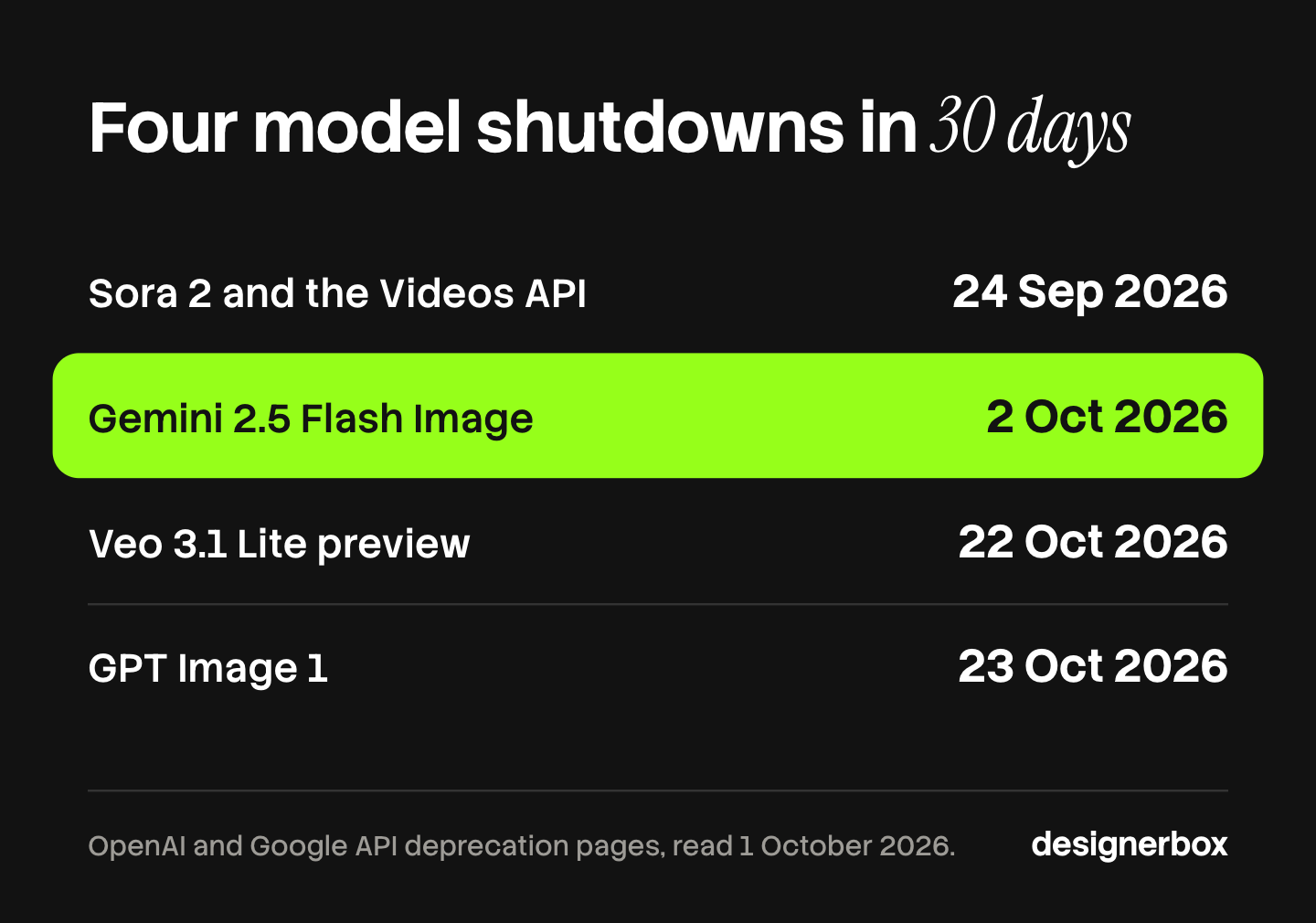
| Date | Vendor | What was shut down or is scheduled |
|---|---|---|
| 24 September 2026 | OpenAI | Sora 2, Sora 2 Pro and the Videos API were removed, with no replacement listed |
| 2 October 2026 | Gemini 2.5 Flash Image, one year after its release | |
| 22 October 2026 | Veo 3.1, Veo 3.1 Fast and Veo 3.1 Lite previews in the Gemini API | |
| 23 October 2026 | OpenAI | GPT Image 1 |
Sources: OpenAI API deprecations and Gemini API deprecations, both read 2 October 2026. Google calls the dates on its page the earliest possible shutdown dates. Its table lists all three Veo 3.1 preview models for 22 October.
The lifetimes are short. Google released Imagen 4 on 24 June 2025 and shut it down on 17 August 2026, under 14 months later. OpenAI lists a shutdown of 1 December 2026 for GPT Image 1 Mini and GPT Image 1.5.
A new model is not a drop-in swap. It reads prompts differently, handles reference images differently and has a new price. So each change is a small project: update the code, run a test set, compare results with the approved look, then switch. On the build path that work is yours. On the buy path it is the vendor’s, and your part is to check that results still match your brand after the change.
What does a build cost in people?
More than the images. The median annual wage for US software developers was $135,980 in May 2025 (US Bureau of Labor Statistics, accessed October 2026). Three months of one developer at that wage is about $34,000 in salary, before taxes, benefits and equipment.

Here is that figure as illustrative arithmetic, not a measured result. At $0.067 an image, $34,000 pays for about 507,000 images at list price. A brand with 200 products and 10 images per product needs 2,000 images. The first build costs as much as 250 full passes of that catalog at the API.
The build also does not end. Each model change, each new channel size and each new brand rule goes back to the same developer. If that person leaves, the system leaves with them unless someone documented it.
One study points the same way, with a limit. An MIT NANDA report in 2025 looked at generative AI pilots in companies. Fortune reported its finding that buying from specialized vendors and building partnerships “succeed about 67% of the time, while internal builds succeed only one-third as often” (Fortune, 18 August 2025). The report covers enterprise AI projects of every kind. It is not a study of image systems, so treat it as a direction and not as a forecast for your team.
When should you build?
Build when the image system is the thing you sell, or when you have people whose job is to keep it running. Four cases make a build the right call.
- The feature is your product. You run a marketplace or an app, and your customers use the image feature inside it. The system is part of what they pay for.
- You have engineers with time reserved for it. A named person owns the system this year and next year, with hours set aside for model changes.
- Your data rules require it. A contract or a regulator says product images cannot leave your own infrastructure. Check this one carefully. Many tools offer deletion and regional hosting, and that often meets the rule.
- The job needs a connection nobody sells. Your images must land in a system that no tool reaches, and the connection is most of the work anyway.
Volume alone is a weak reason. High volume makes the per-image price matter more, but batch pricing is open to builders and to tools alike.
When should you buy?
Buy when images are a cost of doing business and no customer pays you for the system itself. Most agencies and most brands are here. An agency is paid for approved ads and listing sets. A brand is paid for products. Neither is paid for a queue.
Three signs point to buy:
- Nobody on the team would own the system. The developer who offers to build it has a full-time job already.
- People who do not write code need to run the job. A form matters more to you than control of the code.
- You need results this month. A tool is ready the day you add your brand. A build is ready when it stops breaking.
Buying has costs too. The vendor sets the price and can change it. Your workflow lives in their product, so moving later takes work. Before you buy, read what you keep if you leave, covered in what you own in AI creative tools. Then test the tool on your own catalog: an AI proof of concept runs about 100 of your products against a pass line you write first. Larger teams with security reviews should also read the checks in enterprise AI creative tools.
Build vs buy decision table
Answer these seven questions with yes or no. They follow the seven parts and the people cost above.
| Question | Yes points to | No points to |
|---|---|---|
| Do customers pay you for the image feature itself? | Build | Buy |
| Does a named engineer own it for the next two years? | Build | Buy |
| Must images stay inside your own infrastructure by contract? | Build | Buy |
| Do people who do not write code need to run the job? | Buy | Either |
| Do you need the same brand rules on every product, checked by a person? | Buy, or build the review screen | Either |
| Do you need results inside 30 days? | Buy | Either |
| Would one departure stop the system? | Buy | Either |
Count the answers. Three or more in the build column, with the first or second among them, makes a build reasonable. Anything else is a buy, or a workflow you build inside a tool you buy.
Many teams end on a mix. They buy the production system and keep one small script for the single connection nobody sells. If you are comparing how many tools the mix needs, the six-tool AI stack guide counts them. Agencies can map the same choice onto their process with the creative agency workflow guide.
Where DesignerBox fits
DesignerBox is on the buy side, with the third path inside it. It is AI creative production for brands and agencies. Anyone can make an AI picture. Making hundreds that still look like your brand is the hard part. The seven-part list above describes that work.
Here is how the seven parts appear in the product:
- Brand rules. You set the brand once as a brand profile, with logos, fonts, palette and rules. The workflow reads it on every run.
- Queue, storage and model changes. You build a workflow from steps, and each step uses a model. DesignerBox runs the queue and stores the results in Assets.
- Review. Critic steps score the results, and best-of-N keeps the best one. With batch, you run one workflow over a sheet of products, then keep or discard per row and re-run one row.
- Cost. The cost is shown before the run.
- A form for the team. You publish a workflow as an app. A colleague completes the form and presses Run.
The full workflow from the first product photo to the finished ad, in one subscription. Stills, video and ad sizes do not need separate systems.
The limits are part of the decision. DesignerBox does not publish results to a store or an ad channel. You download the results, or send them with a webhook or an S3 step. Uploading your own photos and the commercial license start on the Pro plan. Every plan below Ultra is one seat, and team features are on the Ultra plan, so an agency should plan for Ultra. Plans are on the pricing page. Other tools also show a cost before a run and also work inside an AI chat, so compare on your own job and not on a feature list.
If you still want code in the loop, you can keep it. DesignerBox has 68 tools over MCP, so an AI chat such as Claude, ChatGPT or Cursor can run your workflows. Agencies that run one workflow per client can start at the agencies page.
A free plan for your first run
There is a free plan, and it runs on sample products. Start from a template and see the cost before you run it. Get started free
FAQ
Is it cheaper to build or buy AI image tools?
For most brands and agencies, buying is cheaper. The images cost about the same on both paths, from $0.014 to $0.24 each at list. The difference is people. Three months of one developer at the US median wage is about $34,000 in salary, and upkeep continues after launch.
What does build vs buy AI mean?
It is the choice between writing your own system on a model’s API and paying for a tool that already has one. In creative production, building rarely means training a model. It means writing the queue, storage, review and brand rules around someone else’s model.
How do you do a build vs buy analysis for creative work?
List the seven parts around the model: brand rules, queue, storage, review, cost tracking, model changes and a team form. Put a name and hours beside each part. Compare that total with a tool’s price for the same monthly volume, then add the cost of one departure.
Can a small team build its own AI image system?
Yes, a developer can connect a model API in days. The first version is the easy part. Vendors retire models on their own schedule, with four shutdown dates between 24 September and 23 October 2026 at OpenAI and Google. A small team needs a named owner for each change.
Is ComfyUI a way to build without paying for a tool?
ComfyUI is free and open source under the GPL-3.0 license. You still pay for the machines it runs on and for the person who maintains it. It suits teams with a technical owner. It does not give colleagues a form or a review screen unless you build them.
When does building make sense for an agency?
Rarely. It makes sense when the agency sells the system itself to clients, or when a client contract keeps images inside the agency’s own infrastructure. An agency paid for approved creative usually earns more from hours spent on clients than from hours spent on a queue.
Does DesignerBox have an API?
No. DesignerBox does not have a public API. It has 68 tools over MCP, so an AI chat such as Claude, ChatGPT or Cursor can run it. The cost is shown before the run. Results are downloaded, or sent with a webhook or an S3 step.
Sources
- Gemini API pricing, Google AI for Developers, updated 1 October 2026
- Gemini API deprecations, rate limits and image generation, Google AI for Developers, accessed October 2026
- OpenAI API deprecations, Batch guide and image generation guide, accessed October 2026
- Black Forest Labs pricing and integration guidelines, accessed October 2026
- ComfyUI repository and license, GitHub, accessed October 2026
- US Bureau of Labor Statistics: Software Developers, Occupational Outlook Handbook, May 2025 wage data, accessed October 2026
- Fortune: MIT report on generative AI pilots, 18 August 2025
- DesignerBox workflows, batch, MCP, agencies and pricing pages (designerbox.ai), October 2026
Vendor prices, limits and shutdown dates verified from the vendors’ own pages as of October 2026. Individual results vary.