
Faceless videos are videos with no person’s face on camera. The picture is a product in motion, hands at work, a screen recording, b-roll under a voiceover, or animation. A brand makes them in six steps: topic, script, visuals, voice, captions and edit. YouTube, TikTok and Meta all allow them. Their rules target realistic AI content with no label, and repetitive, mass-produced video.
A brand needs a weekly series that shows what it sells, in one look, with no presenter to book and no face to license. The product is the subject, so nobody has to appear.
This guide is for a brand or an agency. It covers the five formats, the six production steps, the platform rules with dated sources, and how to keep twenty episodes looking like one series.
Key Takeaways
- Faceless means no face on camera. It does not have to mean stock footage or AI.
- Five formats cover most brand series. Product in motion, hands and process, screen and text, voiceover over b-roll, and animated explainers.
- The production chain has six steps. Topic, script, visuals, voice, captions and edit. The first two decide whether the series is worth watching.
- The platforms allow faceless video. YouTube’s monetization policy targets “inauthentic content”, which it describes as mass-produced or repetitive.
- Realistic AI video needs a label. YouTube, TikTok and Meta each have a rule. Scripts, captions and plain text-to-speech narration are treated more lightly.
- A series needs fixed rules. Fix the opening, the type, the voice and the frame, and change only the topic.
What are faceless videos?
Faceless videos are videos where no person’s face appears. A voice, on-screen text, a product, a pair of hands or an animation carries the story. A “faceless channel” is a channel whose owner never appears.
For a brand, faceless content is older than the term. A recipe filmed from above is faceless. So is a software demo or a how-to with captions. Faceless marketing is the plan behind it: a series of these videos that sells a product or teaches a customer.
Faceless does not mean stock footage, because your own product can fill the frame. It does not mean AI either. AI is one way to make the visuals or the voice, and a phone on a tripod is another.
Five faceless video formats for a brand
Choose one or two formats for a series and keep them.
| Format | What is on screen | Fits | What you need |
|---|---|---|---|
| Product in motion | The product turns, pours, opens or moves | Launches, product pages, short ads | A clear product photo or a short clip |
| Hands and process | Hands make, pack, use or repair the product | How-to, behind the scenes | A phone on a mount, or an AI clip from a still |
| Screen and text | A screen recording or large text cards | Software, tips, lists | A recording and a font |
| Voiceover over b-roll | Clips of places and objects under one voice | Stories, explainers | A script, a voice and your own footage |
| Animated explainer | Drawn shapes, characters or diagrams | Ideas that a camera cannot show | A style that stays fixed |
Product in motion is the format a brand owns. The product is yours, so no other account can post the same frame. AI video generators for social media sorts the software by the kind of clip it makes, including a product clip from one photo.

Hands and process shows the work itself, so it needs little editing.
Voiceover over b-roll is where most AI faceless tools work. It is also the format closest to the platforms’ rules on repetitive content, which a later section covers. Animated explainers need one style held across every episode. Animated ads lists six animation styles and what to keep fixed in each.
How to make faceless videos: six steps
Every faceless video goes through the same chain. AI can help at each step, but the topic is your choice.
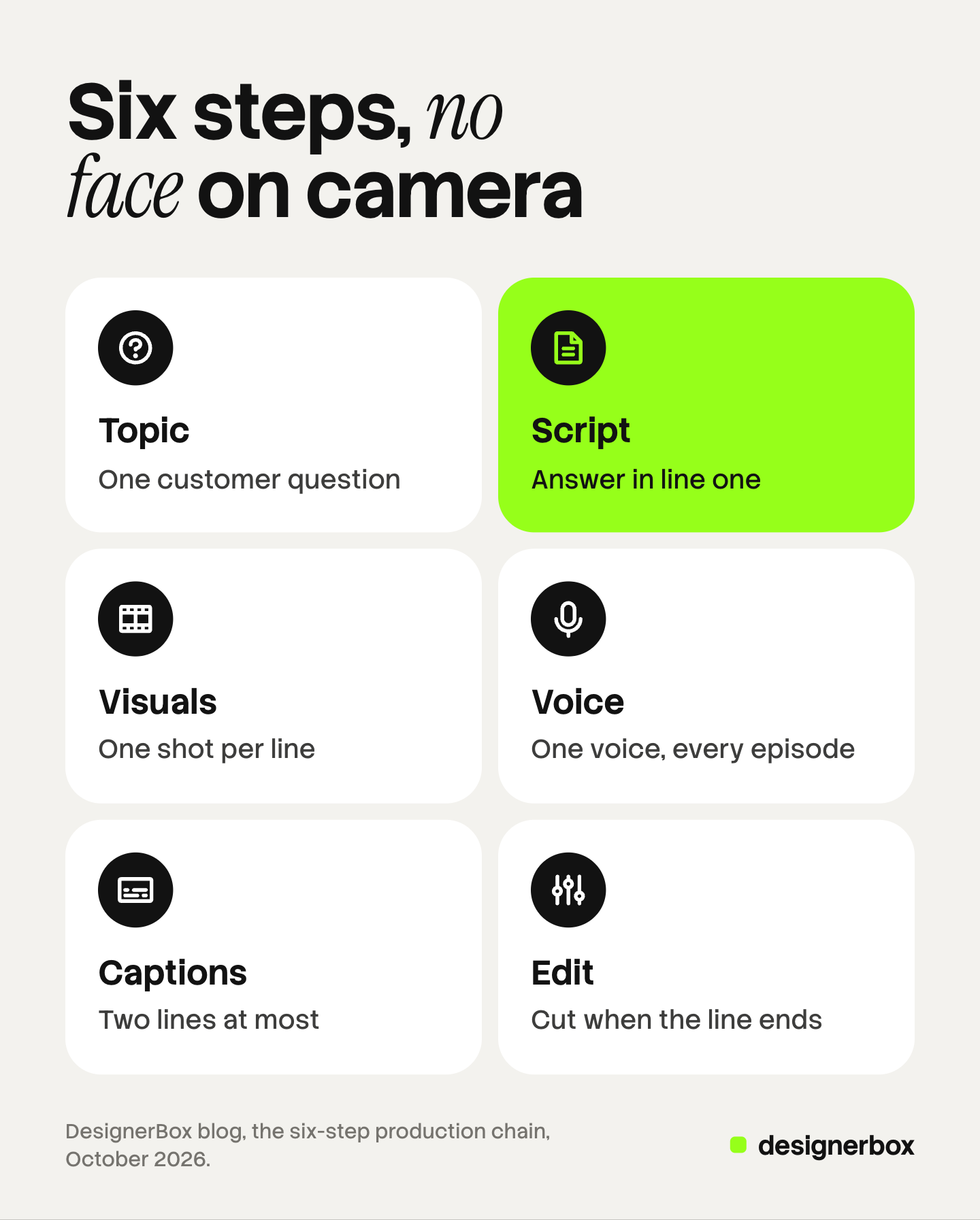
- Topic. Write one question a customer asks. One video answers one question.
- Script. Write the first line as the answer or the result. Keep sentences short enough to read aloud in one breath, and time the read before you record.
- Visuals. Match each line of the script to one shot. Use your own product, your own footage, or a clip made from your own photo. Stock clips are the last choice.
- Voice. Record a person, or use a text-to-speech voice. Keep the same voice for the whole series. AI voiceover for UGC ads compares the three places an AI voice comes from.
- Captions. Put the words on screen. A viewer with the sound off still needs the whole story. Keep each caption to two lines.
- Edit. Cut each shot when its line ends. Hold longer on any shot the viewer needs to check, such as a result or a detail.
Several products run this whole chain from one prompt. invideo AI says its faceless video maker “writes scripts, adds media, voiceover, music & SFX” (invideo.io, October 2026). Faceless.video says it makes a video draft that you edit before it goes live (faceless.video, October 2026). Higgsfield’s own guide describes separate tools for the script, the video, the voice and character consistency (higgsfield.ai, guide dated August 2026). A brand can use the same chain with its own product in the frame.
Faceless reels, Shorts and TikTok videos
Faceless reels are the same idea in a vertical frame. The first second carries the topic, so put the product or the result on screen at once. The faceless reels guide covers the Instagram formats in detail.
A cropped long video is a weak short. The short version needs its own first line and its own pace, so plan it when you write the script.
Each platform has its own details. Instagram content with AI covers the four Instagram formats and how a faceless account runs there. The AI TikTok video generator guide covers a faceless TikTok account for a brand, including TikTok’s commercial content setting. On YouTube the thumbnail does the work a face usually does, and YouTube thumbnails with AI shows how to make three per video.
What do the platforms say about AI and repetitive video?
No large platform bans faceless video. The rules cover two other things: realistic AI content with no label, and video that looks mass-produced. This section is general information, not legal advice.
| Platform | Rule | What it means for a faceless series |
|---|---|---|
| YouTube, monetization | ”Inauthentic content” cannot earn ad money | Each episode needs its own substance |
| YouTube, AI disclosure | Disclose realistic AI-made or altered content | A realistic AI scene needs the disclosure |
| TikTok | Label realistic AI-made or heavily edited content | Plain text-to-speech narration is exempt |
| Meta | A label may be required for realistic AI video or audio | The rule does not apply to images |
YouTube monetization. On 15 July 2025 YouTube renamed its “repetitious content” policy to “inauthentic content”. It said the policy includes content that is “repetitive or mass-produced”. Its examples include “Image slideshows, templated storylines, or scrolling text with minimal or no narrative, commentary, or educational value”. They also include AI content made with generic templates “giving the impression of mass production”. The same page allows tools and templates when “the final product must still demonstrate your creative vision and provide educational or entertainment value” (support.google.com, October 2026).
This policy decides whether a channel can earn ad money in the YouTube Partner Program. A brand channel that does not earn ad money is affected less. The standard is still a useful test: three episodes watched in a row should not feel interchangeable.
YouTube AI disclosure. YouTube says: “we require creators to disclose when they use AI to meaningfully alter or generate photorealistic content.” It does not ask for disclosure of an AI-assisted script, of captions, of a fully animated video, or of a clone of your own voice. YouTube can also add the label itself, for example when a file carries C2PA metadata. It says: “Disclosing AI content won’t limit a video’s audience or impact its eligibility to earn money” (support.google.com, October 2026).
TikTok. TikTok’s Community Guidelines say: “we require creators to label AI-generated or significantly edited content that shows realistic-looking scenes or people.” Unlabeled content “may be removed, restricted, or labeled by our team”. Disclosure is not needed for “generic text-to-speech (TTS) narration, when the TTS isn’t a recognizable voice of a known individual”. The guidelines also keep content out of the For You feed when it “includes unoriginal or reused material without anything new” (tiktok.com, effective 24 September 2026).
Meta. On Facebook, Instagram and Threads, Meta may require a label when a post has photorealistic video or realistic-sounding audio that was made or changed with AI. Meta’s help page adds: “This requirement does not apply to images.” Meta also adds its own AI info label when it finds signals that AI made the content (meta.com, October 2026).
In practice, a real product filmed by a real camera needs no AI label. A realistic AI scene or a realistic AI voice does. A series built from stock clips with one template is the kind of video these rules describe.
How to keep a faceless series looking like one brand
A presenter gives a channel its identity. A faceless series builds that identity from rules. Write them down before episode one.
- The opening. The same first two seconds every time: the product, the logo position, the title card.
- The type. One font, one size for captions, one place on screen.
- The color. A fixed palette for text cards and backgrounds.
- The voice. One voice, one pace, one way of ending.
- The frame. The same angle and light for the product in every episode.
Then change only the topic. The frame repeats, and the substance of each episode is new. That is also what YouTube’s policy asks for.

Check the rules every five episodes. Put the first frame of each episode in a row. If one looks like it came from another account, fix the rule it broke.
A faceless series as a saved workflow
DesignerBox is AI creative production for brands and agencies. It makes images, ads and video from a brand’s own material. A product photo is one input, and so is a brief or a script. Anyone can make an AI picture. Making hundreds that still look like your brand is the hard part.
In DesignerBox you build a workflow once with your brand and your rules. The brand profile holds the logo, the fonts, the palette and the voice, and the workflow reads it on every run. So episode twenty gets the same type, color and frame as episode one.
The steps match the chain in this guide. A video step turns a still into a clip. A text to speech step reads the script, and transcription turns a read into text for captions. The video editor is a timeline with several tracks, transitions, animated text and audio. Batch runs one workflow over a sheet of up to 200 rows, and row one and row two hundred follow the same steps. The full workflow from the first product photo to the finished ad, in one subscription.
An 8-second clip costs 40 to 560 credits, depending on the model. You see the cost of a run before you press Run.
Here are the limits. DesignerBox does not post to YouTube, TikTok or Instagram, and it does not set a platform’s AI label for you. You download the results, or send them with a webhook or an S3 step. It does not choose your topics. Every plan below Ultra is one seat. Uploading your own photos and the commercial license start on the Pro plan. AI video, virtual try-on, upscaling, the image editor and the video editor start on the Premium plan. Plans and credits are on the pricing page.
One series per client
An agency that runs faceless series for several brands builds one workflow for each brand. See DesignerBox for agencies
FAQ
What is a faceless video?
A faceless video is a video with no person’s face on camera. A product, hands, a screen recording, b-roll or animation fills the frame. A voice or on-screen text carries the story.
Does YouTube allow faceless videos?
Yes. YouTube has no rule against a video with no face. Its monetization policy excludes “inauthentic content”, which it describes as repetitive or mass-produced. Its AI rule asks creators to disclose realistic AI-made or altered content (support.google.com, October 2026).
Do faceless videos need an AI label?
Only when AI made or changed something realistic. A filmed product with a human voice needs no label. A realistic AI scene or a realistic AI voice needs one on YouTube, TikTok and Meta. TikTok exempts generic text-to-speech narration (tiktok.com, effective 24 September 2026).
What are faceless reels?
Faceless reels are vertical short videos with no face on camera, posted on Instagram or Facebook. The first second shows the product or the result with a line of text.
What is faceless marketing?
Faceless marketing is a content plan where no person represents the brand on camera. The product, the process and the brand’s look carry the series.
Can a faceless channel use an AI voice?
Yes. Keep one voice for the whole series. Check each platform’s rule first. YouTube exempts a clone of your own voice from disclosure, and TikTok exempts generic text-to-speech narration. A realistic voice that copies a known person is treated differently.
Sources
- YouTube, channel monetization policies, including the 15 July 2025 “inauthentic content” update: support.google.com, October 2026
- YouTube, disclosing use of altered or synthetic content: support.google.com, October 2026
- TikTok Community Guidelines, Integrity and Authenticity, released 25 August 2026 and effective 24 September 2026: tiktok.com, October 2026
- Meta, how to identify AI content on Meta products: meta.com, October 2026
- Vendor pages for invideo AI, Faceless.video and Higgsfield (invideo.io, faceless.video, higgsfield.ai), October 2026
- DesignerBox plans and feature gating: DesignerBox pricing page (designerbox.ai/pricing), October 2026
Platform rules and vendor features checked against each company’s own pages as of October 2026. This is general information, not legal advice. Individual results vary.