
Faceless reels are short vertical videos that show no person’s face on camera. The product, a pair of hands, a screen, text or a scene carries the video, and a voice or music carries the sound. For a brand, a faceless reel is the cheapest reel to repeat. It is also the format that platforms filter hardest when it is copied or mass-made.
This guide covers the six formats, the platform rules, the Reel specs and five steps. It ends with the cases where a face is still the better choice.
Key Takeaways
-
Faceless means no face on camera. Hands, a product, a screen, text and a voice can all appear.
-
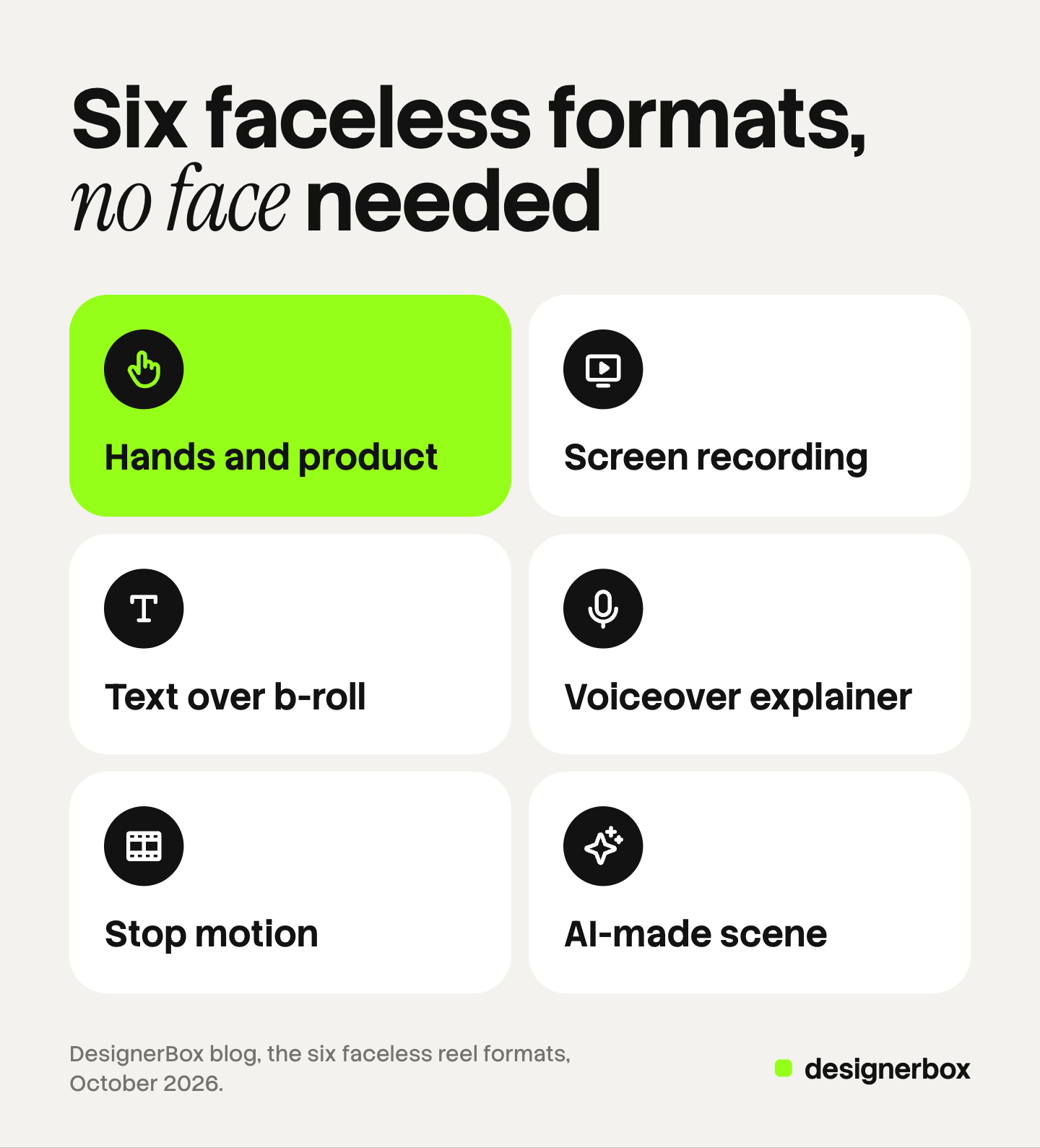
There are six formats. Hands and product, screen recording, text over b-roll, voiceover explainer, stop motion and AI-made scene.
-
Platforms filter copies. They allow faceless video. Instagram says it is less likely to recommend reposts and content with noticeable watermarks.
-
Keep a Reel under 3 minutes. Instagram says reels over 3 minutes are not recommended to new audiences.
-
YouTube names mass-made video. Since 15 July 2025, its monetization policy calls repetitive or mass-produced video inauthentic content.
-
A face still helps in some cases. In a 2014 study of Instagram photos, photos with faces were 38% more likely to get likes.
What counts as a faceless reel?
A faceless reel is a short video in which no person’s face appears. The term describes what the camera shows. It says nothing about how the video was made.
Faceless video is the wider term. It covers the same idea on any platform and at any length, including a faceless YouTube channel that posts long explainers. The faceless videos guide covers a series on several platforms. Faceless content also covers stills and carousels. Faceless UGC is a creator-style clip where the creator films hands and product and never shows a face.
Six formats cover almost every faceless reel a brand posts:
| Format | What is on screen | What you need | Main risk |
|---|---|---|---|
| Hands and product | Hands open, hold, pour or wear the product | The product, a phone, good light | Low |
| Screen recording | An app or a site in use | A screen capture and a script | Small text is hard to read on a phone |
| Text over b-roll | Short lines of text on moving footage | Your own footage | Instagram lists majority-text reels as less visible |
| Voiceover explainer | Product shots with a spoken script | Product shots and a voice | The script carries everything |
| Stop motion | Still frames played in order | Many photos from one fixed camera | It takes time to shoot |
| AI-made scene | A scene a video model made from your product photo | A sharp product photo | It may need an AI label |
What do the platforms say about faceless video?
No platform has a rule against a video without a face. Instagram, YouTube and TikTok have rules about three other things: copied content, mass-made content and realistic AI content. Faceless formats are the easiest ones to copy and to automate, so a faceless reel meets those rules more often.
Each rule below was read on the platform’s own page in October 2026. Platform rules change often. This section is general information, not legal advice.
Instagram: copies, watermarks and text-heavy reels
Instagram’s Recommendations Guidelines list content it may leave out of recommendations. One item is “unoriginal content that is largely repurposed from another source with only minor, immaterial edits” (help.instagram.com, October 2026). Recommendations are how a reel reaches people who do not follow you.
Instagram’s reach tips add three cases. Instagram says it is “less likely to recommend reposts of a reel that’s already on Instagram, content with noticeable watermarks, or accounts that regularly collect and reshare others’ content” (creators.instagram.com, October 2026). A watermark from another app counts, so export the clean file.
An older statement matters for text over b-roll. On 31 May 2023, Instagram said it aims to make some reels less visible. The list includes watermarked reels, reels that are muted or contain borders, and “reels that are majority text” (about.instagram.com, October 2026).
The guidelines page also has one line about AI people. Instagram tries not to recommend accounts that repeatedly share content that “prominently features a photorealistic AI-generated person”, unless the account has the AI-generated profile label. An AI presenter is a face, so this line applies to a talking avatar.
Meta: the AI label on posts
Meta’s help page says content with signals that AI created it “will be labeled AI content” (meta.com, October 2026). Earlier Meta pages call the same label AI info.
The page also says Meta “may require an AI label when content has photorealistic video or realistic-sounding audio that was digitally created, modified or altered, including with AI”. Two faceless formats can meet that description: an AI-made scene, and a reel with a realistic synthetic voice.
YouTube: inauthentic content and altered content
YouTube has two separate rules. The first is a monetization policy. On 15 July 2025, YouTube renamed its repetitious content policy to inauthentic content and said it covers content that is “repetitive or mass-produced” (support.google.com, October 2026). Its examples include “image slideshows, templated storylines, or scrolling text with minimal or no narrative, commentary, or educational value”.
That policy decides which channels can earn ad revenue. A faceless YouTube channel has to pass it if income is the goal. A brand channel that posts Shorts to sell its own products does not depend on that revenue.
The second rule is a disclosure. YouTube requires creators “to disclose when they use AI to meaningfully alter or generate photorealistic content” (support.google.com, October 2026). AI help with a script or a thumbnail needs no disclosure. YouTube also says that disclosing “won’t limit a video’s audience”.
TikTok: the AI-generated content label
TikTok’s current Community Guidelines took effect on 24 September 2026. TikTok requires creators “to label AI-generated or significantly edited content that shows realistic-looking scenes or people” (tiktok.com, October 2026). Unlabeled content “may be removed, restricted, or labeled”.
The same page covers copies. Content is not eligible for the For You feed “if it includes unoriginal or reused material without anything new”.
For a brand, the rules give three checks. Every shot is yours. Each reel says one new thing. A realistic AI scene or voice carries the platform’s label. Paid ads have separate rules.
What are the specs for an Instagram Reel?
An Instagram Reel can have an aspect ratio between 1.91:1 and 9:16, and a full-screen vertical Reel uses 9:16. Instagram’s help pages give these values (reel size and recording a reel, October 2026):
| Spec | What Instagram says |
|---|---|
| Aspect ratio | Between 1.91:1 and 9:16 |
| Frame rate | At least 30 frames per second |
| Resolution | At least 720 pixels |
| Length | Up to 20 minutes |
| Length for new audiences | Reels over 3 minutes are not recommended to new audiences |
| Cover photo | 420 by 654 pixels |
Safe zones matter for a faceless reel, because text often carries the message. Meta’s guidance for Reels ads says to keep the top, bottom and sides of a 9:16 frame free of key elements, text and logos (facebook.com/business/help, October 2026). Meta’s page gives no pixel values, so check your text in the app preview before you post.
How to make a faceless reel from product photos
You make a faceless reel in five steps. They work with a phone, and with AI video made from your product photos.
- Choose one message and one format. Write the single thing the reel says, such as “this bottle fits a car cup holder”.
- Collect three to five shots of your own product. Film them, or make them from a sharp product photo with an image-to-video model. Open on the product in use. The seven video hook patterns cover the first two seconds.
- Write one short line for each shot. Each line is a full thought of eight words or fewer. Read the lines alone, with no video. They must still tell the story, because many viewers watch with the sound off.
- Add the voice and the captions. Record the script or use text to speech. Place captions inside the safe zone, and keep the reel’s sound on.
- Check it before you post. No watermark from another app. No borders. Text covers less than half the frame. A realistic AI scene or voice has its label.
Step two takes the most time when you have many products. The fast way to make AI videos explains what slows a video run.

Which voice should a faceless reel use?
A faceless reel has three voice options: your own recording, text to speech, or music with captions and no voice. A recording of a real team member needs no label. Text to speech is faster to repeat, and the same voice works on every product.
YouTube lists “cloning one’s own voice to create voice overs or dubs” among the uses that need no disclosure. Meta says realistic-sounding audio that was digitally created may need an AI label.
Another person’s voice needs their permission. In New York, Civil Rights Law 50 requires written consent before you use a living person’s name, picture or voice in advertising (nysenate.gov, September 2026).
When is a face still the better choice?
A face is the better choice when trust in a person is the message. A founder’s story and a customer’s result depend on who is speaking. Makeup, glasses and jewelry also need a person in the frame.

The public evidence is thin, and it is old. Researchers at Georgia Tech and Yahoo Labs studied 1.1 million Instagram photos in 2014. Photos with faces were 38% more likely to get likes and 32% more likely to get comments (news.gatech.edu, October 2026). That study covers photos, and Reels did not exist yet.
We found no public platform data that compares reels with a face against reels without one, as of October 2026. Test it on your own account: post both kinds for a month and compare reach and saves.
A brand has three middle options:
- Faceless UGC. A creator films hands and product. The UGC ads guide covers the formats.
- A talking avatar. An AI presenter speaks your script. It counts as a face, so Instagram’s AI profile label applies. The AI lip sync guide explains when lip sync needs its own tool.
- A real team member. One person films a short opening, and faceless shots carry the rest.
YouTube has the same choice for thumbnails, and the guide to YouTube thumbnails in batches covers it. For a full month of posts, the Instagram content guide covers carousels, stills and Reels together.
Faceless reels for a product range in DesignerBox
DesignerBox is AI creative production for brands and agencies. It makes images, ads and video with your brand rules. For a faceless reel, it covers the product shots, the voice and the edit.
Anyone can make an AI picture. Making hundreds that still look like your brand is the hard part. Sixty reels that share one look, one voice and one caption style are the real job for a brand or an agency.
You save your brand once: logos, fonts, colors and rules. You build the reel job once as a workflow. The steps turn a product photo into moving shots and add a text-to-speech voice. The workflow reads your brand rules on every run. A saved workflow runs the same way on the next product, and batch runs it over the whole sheet at once. The standard is the same on row one and row two hundred.
Each run starts from a different product photo, so each reel shows a different product. You still write a new message for each reel.
The video editor is a timeline with several tracks, animated text, audio and transitions. You cut the shots and place the captions there. The cost is shown before each run. An 8-second clip costs 40 to 560 credits, depending on the model.
The full workflow from the first product photo to the finished ad, in one subscription. Reels, feed posts and carousels for social creatives come from the same brand and the same product photos.
Here are the limits. DesignerBox does not post to Instagram, TikTok or YouTube. You download the results, or send them with a webhook or an S3 step. It does not clone a voice, and it does not dub existing footage. You set a platform’s AI label yourself when you upload. Uploading your own photos and the commercial license start on the Pro plan. AI video, virtual try-on, upscaling, the image editor and the video editor start on the Premium plan. Plans and credits are on the pricing page. There is a free plan, and it runs on sample products.
Start with one product and one message. Get started free.
FAQ
What are faceless reels?
Faceless reels are short vertical videos that show no person’s face. The video shows a product, hands, a screen, text or a scene.
Are faceless reels allowed on Instagram?
Yes. Instagram has no rule against a reel without a face. Its guidelines limit recommendations for copied content, reposts and content with noticeable watermarks.
How long should a faceless reel be?
Instagram lets you record up to 20 minutes, and it says reels over 3 minutes are not recommended to new audiences. Choose the length that fits one message.
Can a faceless YouTube channel earn money?
It can, if it passes YouTube’s monetization policies. Since 15 July 2025, the inauthentic content policy has excluded repetitive or mass-produced videos.
Do faceless reels need an AI label?
Only when AI made or changed something realistic. Meta may require a label for photorealistic video or realistic-sounding audio that was digitally created. TikTok requires a label on AI-generated content that shows realistic scenes or people.
Can DesignerBox make faceless reels?
Yes. A workflow turns a product photo into moving shots, adds a text-to-speech voice and reads your brand rules on every run. You see the cost before each run. AI video and the video editor start on the Premium plan, and you post the finished reel yourself.
Sources
- Instagram Help Center, Recommendations on Instagram: help.instagram.com, accessed October 2026
- Instagram for Creators, Tips for improving your reach: creators.instagram.com, accessed October 2026
- Instagram, Instagram ranking explained, 31 May 2023: about.instagram.com, accessed October 2026
- Instagram Help Center, Reel size and aspect ratios on Instagram: help.instagram.com, accessed October 2026
- Instagram Help Center, Record a reel on Instagram: help.instagram.com, accessed October 2026
- Meta Business Help Center, About text overlays and the safe zone for ads in Stories and Reels: facebook.com/business/help, accessed October 2026
- Meta Help Center, how AI content is identified and labeled on Meta products: meta.com, accessed October 2026
- YouTube Help, YouTube channel monetization policies, update of 15 July 2025: support.google.com, accessed October 2026
- YouTube Help, Disclosing use of altered or synthetic content: support.google.com, accessed October 2026
- TikTok Community Guidelines, Integrity and Authenticity, effective 24 September 2026: tiktok.com, accessed October 2026
- New York Civil Rights Law, section 50: nysenate.gov, accessed September 2026
- Georgia Tech News, Face It: Instagram Pictures With Faces Are More Popular, 20 March 2014 (Bakhshi, Shamma and Gilbert, CHI 2014): news.gatech.edu, accessed October 2026
- DesignerBox video editor and DesignerBox pricing (designerbox.ai/product/video-editor and designerbox.ai/pricing), October 2026: plan gates
Platform rules read on each platform’s own pages as of October 2026. Individual results vary.