





An AI TikTok video generator is software that makes or edits short vertical video for TikTok from a photo, a script, a prompt or a longer video. For a brand account it makes four kinds of clip: a product clip from a photo, a presenter clip, a cut-down of a long video, and an effect clip. The right choice depends on which kind you post most.
A search for this term returns product pages, and each one shows its own tool. This guide covers the questions that come first: the kinds of video, what TikTok asks you to label, what TikTok accepts, and six checks before you choose.
It is written for a brand that sells products, or for the agency that runs the brand’s TikTok account. It covers organic posts. Paid ads follow other rules.
Key Takeaways
- Four kinds of clip. A product clip, a presenter clip, a cut-down and an effect clip each start from a different input.
- TikTok has two labels. One is for realistic AI content. The other is for commercial content, and a brand’s own product post needs it.
- TikTok can add the AI label itself. It does so when a file carries C2PA Content Credentials, and you cannot remove that label.
- The AI label does not reduce reach. TikTok says the setting does not affect distribution when the video follows its rules.
- Long files are accepted. TikTok accepts uploads of up to 60 minutes, so length is your choice.
- Check six things before you choose. The input, the shape, the label, the rights, the repeat look and the cost.
What is an AI TikTok video generator?
An AI TikTok video generator is any product that returns a video ready for the TikTok feed with AI doing most of the work. The name covers very different products. Some make new footage from a photo or a text prompt. Others cut and caption footage you already have.
Two examples show the range. Canva says its generator takes “a text prompt that describes your ideal video”, or your own uploaded clips (canva.com, October 2026). CapCut says you “input your script” and the product turns it into a video. It also turns one long video into more than ten short clips (capcut.com, October 2026).
TikTok has its own AI features too. AI Alive turns one photo into a short video inside the TikTok Story Camera. TikTok says each AI Alive story gets an AI-generated label and C2PA metadata (TikTok Newsroom, May 2025, read October 2026).
So “TikTok AI video generator” is one search for several jobs. Name the job first. For the same question across Reels, Shorts and LinkedIn, see the guide to an AI video generator for social media.
Four kinds of AI TikTok videos for a brand account
Each kind starts from a different input. The input decides which product fits.
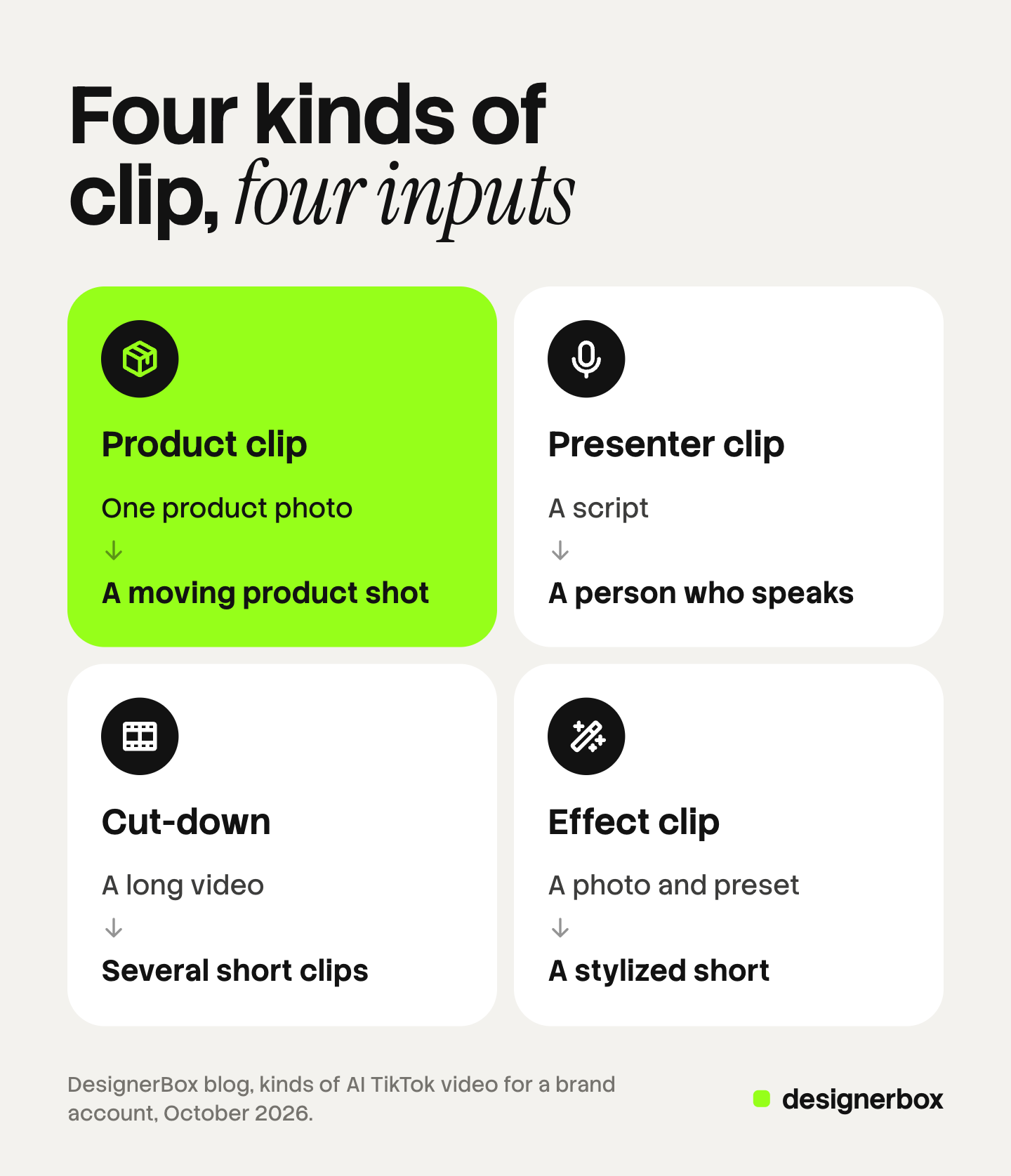
| Kind of clip | You start from | You get |
|---|---|---|
| Product clip | One product photo | A moving product shot |
| Presenter clip | A script | A person who speaks |
| Cut-down | A long video | Several short clips |
| Effect clip | A photo and a preset | A stylized short |
Product clip. You add one product photo. The model adds motion: a slow turn, a pour, a hand that lifts the item. The photo carries the real label, color and shape, so this kind suits a brand that sells physical products. Compare every clip with the photo before you post it.
Presenter clip. You type a script and an avatar says it. CapCut lists AI avatars and AI voices on its generator page (capcut.com, October 2026). This kind fits a product explainer or a weekly update. It also has the strictest label rule, which the next sections cover.
Cut-down. You add one long recording and get several short clips. Canva describes a Highlights feature that “identifies key moments in your video and generates concise clips from it” (canva.com, October 2026). A cut-down of footage you filmed is the lowest risk kind, because the people and the product in it are real.
Effect clip. You apply a preset to a photo or a clip. Higgsfield’s guide to TikTok content describes a character builder, a large set of one-click presets, and a feature that cuts a video of up to 2 minutes into shorts (higgsfield.ai, October 2026). Effect clips suit a launch or a seasonal post. They are hard to repeat as a weekly format. What an effect does to a product is covered in the guide to AI video effects.
Most brand accounts need the first and the third kind every week. The other two are for special posts.
Does a faceless TikTok account work for a brand?
A faceless TikTok account posts video with no person on camera. For a brand this is the normal case. The product is the subject.
Three formats cover it. The first is a product clip from a photo. The second is filmed hands with the product and a voice track. The third is a cut-down of longer product footage with captions. Canva lists a faceless video feature next to its TikTok generator (canva.com, October 2026), so the format is common enough to have its own product pages. Faceless videos for brands adds two more formats and the six production steps.
Two rules still apply to a faceless post. A realistic AI scene or a realistic AI voice falls under TikTok’s AI label rule. A post that shows your product falls under the commercial content rule. Both are explained below.
A faceless account also has a limit. TikTok bars content that includes “unoriginal or reused material without anything new” from the For You feed (TikTok Community Guidelines, October 2026). Stock clips with a generated voice are close to that line. Your own product in your own scene is not.
What does TikTok ask you to label?
TikTok has one rule with two strengths. Read both sentences, because they ask for different things.

TikTok Support says: “we encourage creators to label content that has been either completely generated or significantly edited by AI”. The same page says: “We also require creators to label all AI-generated content that contains realistic images, audio, and video” (TikTok Support, October 2026).
The Community Guidelines state the required part this way: “we require creators to label AI-generated or significantly edited content that shows realistic-looking scenes or people”. They add that unlabeled content “may be removed, restricted, or labeled by our team, depending on the harm it could cause” (TikTok Community Guidelines, effective 24 September 2026).
TikTok counts an edit as significant when AI changes real footage “beyond minor corrections or enhancements”. It gives three examples:
- The main subject does something they did not do.
- The main subject says something they did not say, such as AI-generated speech.
- The main subject looks so different that you cannot recognize them, such as an AI face swap.
Now apply that to the four kinds of clip.
| Kind of clip | Our reading of TikTok’s rule |
|---|---|
| Product clip from a photo, realistic | Label it. It is AI-generated video of a realistic scene |
| Presenter clip with an avatar | Label it. It shows a realistic person and AI speech |
| Cut-down of filmed footage | No AI label for the cut, the crop or the captions |
| Effect clip with a TikTok AI effect | TikTok says it labels these itself |
This table is our reading, and TikTok decides each case. TikTok’s definition of AI-generated content covers images, video and audio. It does not name text. So a script or a caption that AI helped to write is outside the definition.
The label itself is a setting. You turn on “AI-generated content” under “More options” before you post, and the label reads “creator labeled as AI-generated”. TikTok also accepts text, a hashtag sticker or a note in the description. Do not label real footage as AI. TikTok says that breaks its Terms of Service.
Some AI content is not allowed even with a label. TikTok names fake authoritative sources, a public figure shown “making an endorsement, or being endorsed”, the likeness of anyone under 18, and the likeness of an adult private figure used without permission.
This section is general information, not legal advice. The wider rules for ads are in the guide to AI disclosure in advertising.
How TikTok finds AI video without your label
TikTok does not depend on your setting alone. It says it “may automatically apply the ‘AI-generated’ label” when a creator uses TikTok AI effects or uploads content “that has Content Credentials attached”. Content Credentials are metadata from the Coalition for Content Provenance and Authenticity, C2PA. TikTok adds: “you won’t be able to remove the label from your post” (TikTok Support, October 2026).
Metadata is one of three methods. TikTok says it has labeled over 3 billion videos as AI-generated with Content Credentials, creator labels and its own invisible watermark (TikTok Newsroom, July 2026). TikTok says it adds that watermark to content made with its own AI features and to uploads that carry Content Credentials (TikTok Newsroom, November 2025).
So the label comes from you or from TikTok. If you set it, you know it is there before the post goes live.
The label does not cost reach. TikTok says: “Turning on the AI-generated content setting won’t affect the distribution of your video as long as it doesn’t violate our Community Guidelines.”
The second label: commercial content
This label has nothing to do with AI, and it applies to almost every post on a brand account.
TikTok’s Community Guidelines say you must disclose commercial content with the content disclosure setting. Disclosure is required when you are “promoting your own business, product, or service” (TikTok Community Guidelines, October 2026). You turn on “Disclose commercial content” and choose “Your brand”. An agency that posts for a client on the client’s account uses the same option.
TikTok’s help page says it treats a video as commercial when it shows marketing intent. The signs it lists include a brand name as a hashtag or tag, a visible logo, a product demo, and a call to action such as “buy now” (TikTok Business Help Center, last updated April 2026).
The cost of skipping it is higher than for the AI label. The help page says an undisclosed commercial video “may not be eligible for distribution in the For You feed”. The Community Guidelines say repeated failure can lead to a temporary posting restriction or an account ban.
The two labels answer different questions. One says how the video was made. The other says why it was posted. An AI product clip on a brand account needs both.
Can viewers turn AI content down?
TikTok is testing this. In November 2025 it announced an AI-generated content control inside “Manage topics”, so people can “choose how much AIGC they want to see in their For You feeds”. TikTok said the control is meant to adjust the mix “rather than removing or replacing content in feeds entirely” (TikTok Newsroom, November 2025). Its July 2026 post still describes the feature as a test.
TikTok has not published how many people use the control. So nobody outside TikTok can tell you what it does to reach. The safe plan is a mixed account: AI clips next to filmed posts. The AI TikTok content pipeline guide covers that mix at 13 posts a month.
What TikTok accepts for an organic video
TikTok’s limits for an organic post are wide. The numbers come from its own pages.
| Limit | What TikTok says |
|---|---|
| Recorded in the app | Up to 10 minutes |
| Uploaded | Up to 60 minutes |
| TikTok Studio on desktop | Up to 60 minutes, 720p or higher, up to 10 GB |
The first two rows are from TikTok Support (support.tiktok.com, October 2026). The third is from TikTok’s Creator Academy, which says TikTok Studio on desktop accepts landscape or vertical video (TikTok Creator Academy, October 2026).
These limits are far above what most video models return in one clip. So the file is rarely the problem. Make the clip vertical, because the feed is vertical, and keep text away from the edges where TikTok places its buttons.
Ads have their own table of sizes, bitrates and file types. That table is in how to create TikTok video ads with AI. A product video inside a TikTok Shop listing has a much smaller file cap, which the guide to TikTok Shop product videos explains.
Six checks before you pick an AI TikTok generator
Run these checks on any AI TikTok generator. Each one is a question you can answer from the vendor’s own page or from one test clip.
- The input. Does it start from your product photo? A text prompt alone knows nothing about your real product.
- The shape. Does it return vertical video at the length you need, without a watermark you have to crop?
- The label. Does it write Content Credentials into the file? If it does, expect TikTok to add the AI label for you.
- The rights. Do the vendor’s terms allow commercial use on your plan? Read the terms page, not the feature page.
- The repeat look. Can you save the settings, so the clip for product 30 matches the clip for product 1?
- The cost. Can you see what a clip costs before you make it?
Then test the opening. A clip that starts slowly loses the viewer, whatever made it. The guide to video hooks lists seven patterns and a way to test them.

Limits of AI video on TikTok
AI video has four limits that a brand account meets early.
- Product detail. A model can bend a logo or change a color. Somebody has to compare each clip with the photo.
- Clip length. Most video models return a few seconds per clip. A longer video is several clips joined on a timeline.
- People. A realistic AI presenter needs a label every time, and a real person’s likeness needs that person’s permission.
- Reach. No generator controls what the For You feed recommends. A product page that promises views is making a promise it cannot keep.
AI also does not replace filmed posts. Founder clips, customer video and packing footage are real, need no AI label, and give the account a mix.
One brand standard for every TikTok clip
DesignerBox is AI creative production for brands and agencies. Anyone can make an AI picture. Making hundreds that still look like your brand is the hard part.
In DesignerBox you build a workflow once with your brand, your products and your rules. You set the brand once, and the workflow reads it on every run. A product clip for the next product gets the same light, framing and text style. The AI video ads page shows the video workflows, and the brand page shows what a brand holds.
Batch runs one workflow over a sheet of products, and you keep or discard each result. The video editor is a timeline with several tracks, transitions, animated text and audio, so short clips become one TikTok video. The full workflow from the first product photo to the finished ad, in one subscription.
An 8-second clip costs 40 to 560 credits, depending on the model. You see the cost of a run before you press Run. DesignerBox also has 68 tools over MCP, so an AI chat such as Claude, ChatGPT or Cursor can run the same workflows.
Here are the limits. DesignerBox does not post to TikTok, and it does not set TikTok’s labels for you. You download the results, or send them with a webhook or an S3 step. Every plan below Ultra is one seat. Uploading your own photos and the commercial license start on the Pro plan. AI video, virtual try-on, upscaling, the image editor and the video editor start on the Premium plan. Plans and credits are on the pricing page.
A free plan for your first run
There is a free plan, and it runs on sample products. It cannot make video, so use it to see how a template and a workflow work. Get started free
FAQ
What is the best AI TikTok video generator for a brand?
The best one is the product built for the kind of clip you post most. A brand that sells physical products should start with a generator that takes a product photo as input. Then run the six checks: input, shape, label, rights, repeat look and cost.
Does TikTok allow AI-generated videos?
Yes. TikTok says it welcomes creativity from generative AI. It requires a label on AI-generated or significantly edited content that shows realistic scenes or people. It does not allow some AI content even with a label, such as a public figure shown making an endorsement (TikTok Support, October 2026).
Do AI TikTok videos get less reach?
TikTok says the AI-generated content setting does not affect distribution when the video follows its Community Guidelines. TikTok is also testing a control that lets viewers choose how much AI content they see. It has not published how many people use that control.
Can TikTok tell that a video was made with AI?
Often, yes. TikTok reads C2PA Content Credentials, and it may add an “AI-generated” label to a file that carries them. It also uses its own detection and an invisible watermark. You cannot remove a label that TikTok adds.
Does a brand have to label its own product videos as commercial?
Yes. TikTok’s Community Guidelines require the content disclosure setting when you promote your own business, product or service. You choose “Your brand”. TikTok’s help page says an undisclosed commercial video may lose its place in the For You feed.
How long can a TikTok video be?
TikTok Support says a video recorded in the app can be up to 10 minutes long, and an uploaded video can be up to 60 minutes long. Most AI clips are far shorter, so the limit rarely matters for AI TikTok videos.
Can DesignerBox make TikTok videos?
DesignerBox makes vertical product clips and joins them on a video timeline. It does not post to TikTok. You download the results and post them yourself. AI video starts on the Premium plan, and the cost is shown before the run.
Sources
- TikTok Support, About AI-generated content (the encouraged and required labels, the creator label, the auto label, Content Credentials, banned AI content, distribution): tiktok.com, October 2026
- TikTok Community Guidelines, Integrity and Authenticity (released 25 August 2026, effective 24 September 2026): tiktok.com, October 2026
- TikTok Community Guidelines, Regulated Goods, Services, and Commercial Activities (commercial disclosure): tiktok.com, October 2026
- TikTok Business Help Center, About the Commercial Content Disclosure setting for creators (last updated April 2026): ads.tiktok.com, October 2026
- TikTok Business Help Center, How to turn on the Commercial Content Disclosure setting: ads.tiktok.com, October 2026
- TikTok Newsroom, Helping people spot and understand AI-generated content on TikTok, 10 July 2026: newsroom.tiktok.com, October 2026
- TikTok Newsroom, More ways to spot, shape and understand AI-generated content, November 2025: newsroom.tiktok.com, October 2026
- TikTok Newsroom, Introducing AI Alive, 13 May 2025: newsroom.tiktok.com, October 2026
- TikTok Support, Camera tools (video length): support.tiktok.com, October 2026
- TikTok Creator Academy, TikTok Studio desktop uploads: tiktok.com, October 2026
- Vendor pages for Canva, CapCut and Higgsfield (canva.com/features/ai-tiktok-generator, capcut.com/create/ai-tiktok-video-generator, higgsfield.ai/blog/ai-content-for-tiktok-2026), October 2026
- DesignerBox plans and feature gating: DesignerBox pricing page (designerbox.ai/pricing), October 2026
TikTok rules checked against TikTok Support, the Community Guidelines, the TikTok Business Help Center and TikTok Newsroom as of October 2026. Vendor features checked against each vendor’s own page. Individual results vary.


