
The closest Riverflow AI alternatives are Photoroom and Claid for product photos and bulk edits, Flair for staged product scenes, AdCreative.ai for ad sets, Google Pomelli for a free start, Adobe Firefly Creative Production for bulk edits inside an Adobe contract, and DesignerBox for saved workflows that run across a product sheet. Riverflow itself is an AI creative platform for product brands, built by Sourceful (riverflow.ai, October 2026).
The name covers two things, and that confuses most searches. Riverflow is a platform with seats, brand profiles and a review step. Riverflow is also a family of image models that developers call over an API. An alternative to one is not an alternative to the other.
A note on bias. DesignerBox makes AI creative production software, so it is one of the tools on this list. This guide says where Riverflow and the other tools are the better choice. It prints no vendor prices. Each vendor lists its plans on its own pricing page, named below with the date so you can check it.
Key Takeaways
- Riverflow is two products under one name. The platform is for brand teams. The Riverflow 2.5 model is for developers, through Sourceful’s API and partner hosts.
- Pick by job. Riverflow covers six jobs: product photoshoots, static ads, short video, batch edits, an agent and MCP. Few alternatives cover all six.
- Batch with review is the dividing line. Riverflow, Photoroom, Adobe Firefly Creative Production and DesignerBox all state a bulk job on their own pages. The review step differs in each.
- MCP is no longer rare. Riverflow, Photoroom and DesignerBox each run inside an AI chat over MCP.
- Riverflow lists no free plan. Its pricing page shows paid plans and a sales contact. Pomelli, Flair, Photoroom and DesignerBox each offer a free way to start.
- The model has its own alternatives. For API work, Google’s Nano Banana Pro and OpenAI’s GPT Image models are the usual comparison.
What is Riverflow AI?
Riverflow is an AI platform for visual production, built by Sourceful, a company based in Manchester, UK. Its about page says it “helps ecommerce teams create, review and edit visual content using their products and brand references” (riverflow.ai/about, October 2026). You import products and brand rules, then make photoshoots, ads and video from them.
Sourceful started with AI for packaging design. Its research page lists a packaging model family called Spring 3.5 from March 2025. Riverflow 1 followed on 14 October 2025, Riverflow 2.0 on 2 February 2026 and Riverflow 2.5 on 5 June 2026. Riverflow Batch launched on 7 May 2026, and an agent called SuperAgent entered beta on 23 September 2026 (riverflow.ai/research, October 2026).
So a review of Riverflow from early 2026 describes a model. The product in October 2026 is a platform with a model inside it.
What does Riverflow do?
Riverflow’s homepage lists the work in plain terms (riverflow.ai, October 2026). Six jobs matter when you look for an alternative.
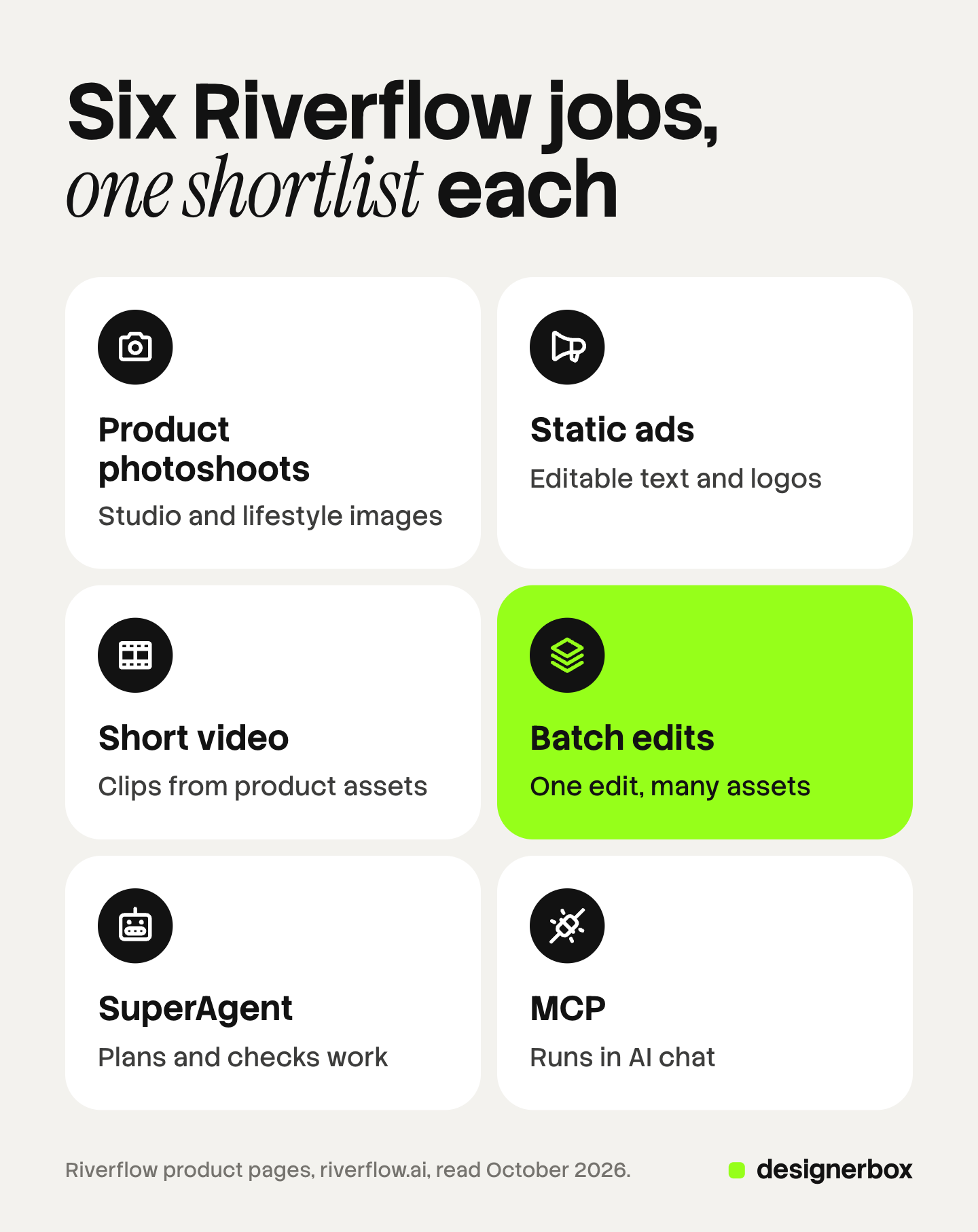
- Product photoshoots. Studio, lifestyle, hero and campaign visuals, made from your product references.
- Static ads. Paid social ads and product page graphics. Text, logos and calls to action stay editable as layers.
- Short video. Clips made from product assets and scenes.
- Batch edits. One edit applied across a set of assets, such as a resize, a recolor or a translation.
- SuperAgent. You give a goal. The agent plans the work, makes it and checks it.
- MCP. Riverflow runs inside Claude, ChatGPT, Codex and Langdock. Its MCP page says this is available on paid plans (riverflow.ai/mcp, October 2026).
Under all six sits the setup. Riverflow imports products from your site, a feed or existing assets, and it reads logos, colors and fonts from your brand. One workspace can hold several brands.
Write down which of the six you use every week. That list is your shortlist filter.
How does Riverflow Batch work?
Batch is the job where Riverflow says the most about its method, so it is the fairest place to compare. The Riverflow Batch guide covers it in full. Riverflow describes Batch as a way to apply one action across large sets of assets in parallel. Each result can be assessed by an independent AI judge, which returns a recommendation, a score and a short assessment (riverflow.ai/research, October 2026).
The review screen has a before and after slider. A reviewer approves, rejects or retries each result. Approved, rejected or all reviewed results then export as a zipped folder.
Riverflow’s own launch post makes the point well: the biggest cost in AI creative production is the human time around the model, such as waiting, checking and retrying (riverflow.ai/research, October 2026). That is the right test for every tool below. Ask what happens after the hundredth image is made. Bulk image editing covers that question for any tool.
The 7 best Riverflow AI alternatives in 2026
The order runs from the tools closest to Riverflow’s product photo job to the tools furthest from it. Every fact comes from the vendor’s own page. For a wider ranking of tools for product photos, see best AI product photography tools for ecommerce.

1. Photoroom
Photoroom calls itself an AI photo editor and listing studio for product photography. It covers background removal, AI product photos and AI fashion models. A brand kit holds colors, logos and layouts. Its batch feature runs AI edits across thousands of images in one pass, in the web app or over an API. It also lists a custom MCP connector for Claude and a product-shot-to-video feature (photoroom.com, October 2026). There is a free way to start.
A layered ad editor with an agent is outside what its homepage describes.
Best for sellers and marketplaces that need clean, consistent listing images at volume. Photoroom alternatives compares the tools next to it.
2. Claid
Claid does product photography only, and says so. It places products into lifestyle scenes, turns a garment into on-model shots, turns still images into video clips and upscales to 4K. Its API edits images to marketplace requirements and replicates brand backgrounds across a catalog. Claid offers a free trial (claid.ai, October 2026).
Ad layouts and a campaign agent are outside its scope.
Best for marketplaces and catalog teams that want image processing inside their own pipeline. Our Claid review goes deeper.
3. Flair
Flair describes itself as the AI design tool for product photoshoots. You stage a scene on a canvas with drag and drop props, then AI renders it. It fits clothing and jewelry onto AI models, builds custom AI human models for a brand, makes product videos and offers API access. Teams work on the same canvas in real time, and you can try it for free (flair.ai, October 2026).
Best for small teams that want hands-on art direction of each scene. Flair alternatives covers its neighbors.
4. AdCreative.ai
AdCreative.ai starts from the ad. It makes ad banners, ad texts, product photoshoots and video ads. It pulls in a logo, colors and fonts for the brand, scores creatives before launch, and shows competitor ads. Its paid plans include ad platform integrations, and there is a 7-day free trial (adcreative.ai, October 2026).
Catalog-wide batch edits with a review queue are not what its homepage describes.
Best for performance marketers who need many ad variants for one offer. AdCreative.ai alternatives compares the ad generators.
5. Google Pomelli
Pomelli is an experiment from Google Labs. It builds a brand profile, then makes social campaigns and product photos from it. Its Photoshoot feature takes one product per image and up to 6 templates per run. Google says you can currently use Pomelli at no charge, with a usage cap (Google Labs Help, October 2026; Create Photoshoots in Pomelli, October 2026).
It is an early experiment, so features and caps can change. Seats, a catalog import at scale and an API are not part of what Google documents.
Best for a small business that wants on-brand social posts and a few product images at no cost. Our Pomelli guide lists its limits.
6. Adobe Firefly Creative Production
Firefly Creative Production is Adobe’s bulk tool. Its bulk actions are preset workflows that scale one image or video to thousands. They remove or replace backgrounds, crop to marketing sizes, resize with Generative Expand and color grade many images at once. Your organization needs a Firefly Services or Firefly Creative Production entitlement to use it (helpx.adobe.com, October 2026).
It edits assets you already have. A brand agent that plans a campaign is a different Adobe product.
Best for enterprises already under an Adobe contract that need bulk edits with no code. Adobe Firefly alternatives covers the wider Firefly family.
7. DesignerBox
DesignerBox is AI creative production for brands and agencies. Its shape is different from Riverflow’s. Riverflow gives you an agent and a set of built-in workflows. DesignerBox gives you a workflow that you build once, save, and hand to a colleague as an app with a form.
It has no agent that plans the work for you, and its plans below Ultra hold one seat. The fit and the limits are in their own section below.
Best for brands and agencies that repeat the same set of images, ads and video for every new product.
Riverflow alternatives compared
Every cell is the vendor’s own published fact, read on the date in the Sources. Each vendor lists its current prices on its own pricing page.
| Tool | Main job | Bulk or batch job | Free way to start | Runs in an AI chat |
|---|---|---|---|---|
| Riverflow | Photoshoots, ads and video from a catalog | Yes, with an AI judge | Not listed | Yes, MCP on paid plans |
| Photoroom | Listing images and edits | Yes | Yes | Yes, Claude connector |
| Claid | Product photo processing | Yes, over an API | Free trial | Not checked |
| Flair | Staged product scenes | Not checked | Yes | Not checked |
| AdCreative.ai | Ad sets and scoring | Not checked | 7-day trial | Not checked |
| Google Pomelli | Social campaigns and photoshoots | No, 6 templates per run | Yes, with a cap | Not checked |
| Adobe Firefly Creative Production | Bulk edits of existing assets | Yes | Not checked | Not checked |
| DesignerBox | Saved workflows, apps and batch | Yes, 200 rows a sheet | Yes, on sample products | Yes, 74 MCP tools |
“Not checked” means this guide did not confirm the fact on the vendor’s own page. Ask the vendor before you rely on it.
What are the alternatives to the Riverflow model?
This section is for developers. Riverflow 2.5 is, in Sourceful’s words, “a reasoning image generation and editing model with controls for product references, judging and typography” (riverflow.ai, Riverflow 2.5 model page, October 2026). Sourceful offers it through its own API and through partner hosts such as Runware and OpenRouter. OpenRouter lists seven Sourceful models, with Riverflow V2.5 Pro and V2.5 Fast added in June 2026 (openrouter.ai/sourceful, October 2026).
Two vendor models are the usual comparison for product images.
- Nano Banana Pro. Google’s Gemini 3 Pro Image mixes up to 14 reference images in one request, including up to 6 high-fidelity object images, and returns 1K, 2K or 4K (Google AI for Developers, October 2026).
- GPT Image 2 and GPT Image 2.5. OpenAI released GPT Image 2 on 21 April 2026 and two GPT Image 2.5 models on 8 September 2026. Its guide tells new integrations to use a GPT Image 2.5 model, and it lists text placement among the known limits of GPT Image models (OpenAI image generation guide, October 2026).
No public test settles which model keeps a label most faithfully on your product. Sourceful publishes its own benchmark, Hype-Edit-1, and it is vendor-run. Test three of your hardest products on each model before you choose. Nano Banana 2 against Nano Banana Pro and the GPT Image 2 API guide cover the two vendor models.
How to pick a Riverflow alternative
Start from the job list you wrote earlier.
- Decide platform or model. A brand team needs a platform. A developer who builds a product needs a model and an API.
- Count seats. Riverflow’s plans include several full seats and unlimited viewer seats. Many tools on this list sell one seat on the lower plans. Read the seat rule on each pricing page.
- Check the free start. Riverflow’s pricing page lists paid plans only (riverflow.ai/pricing, October 2026). If you need to test before a budget exists, start with a tool that has a free plan or a trial.
- Ask who repeats the job. An agent suits a person who briefs new work each time. A saved workflow suits a team that repeats one job for every product.
- Test the review step. Run 20 real products, then count how long the review takes. That number matters more than the speed of the first image.
- Use your hardest product. Small label text, a reflective bottle or a fine print pattern. A demo product proves little.
For the brand side of this choice, brand consistency in AI explains what a brand record has to hold, and MCP for marketing covers the AI chat route.

DesignerBox fit and limits
Anyone can make an AI picture. Making hundreds that still look like your brand is the hard part. DesignerBox fits when the same set of images, ads and video repeats for every new product, and a colleague has to run it without learning the setup.
You set the brand once: logos, fonts, palette, products and rules. The workflow reads that brand record on every run. You build a workflow once, or start from a template. You publish it as an app, which is a workflow with a form. Batch runs one workflow, one app or one image model over a sheet of up to 200 rows, so row one and row two hundred get the same standard. Three critic steps score the results, and best-of-N keeps the best one. You keep or discard per row. Reviews sends your client a page of pictures, and the client chooses with no account. You see the cost before each run. The full workflow from the first product photo to the finished ad, in one subscription.
Riverflow is the better choice in four cases. You want an agent that plans the work from a goal: DesignerBox has none. You want text and logos as editable layers on a finished ad. You need several seats on an entry plan: every DesignerBox plan below Ultra is one seat, and team features are on the Ultra plan. Or you need an API: DesignerBox does not have a public API. It has 74 tools over MCP, so an AI chat such as Claude, ChatGPT or Cursor can run it.
Two more limits. DesignerBox does not publish to a store or an ad account. You download the results, or send them with a webhook or an S3 step. And showing the cost before a run is not unique to DesignerBox, so compare that step in each trial.
Uploading your own photos and the commercial license start on the Pro plan. AI video, virtual try-on, upscaling, the image editor and the video editor start on the Premium plan. There is a free plan, and it runs on sample products. Plans are on the pricing page, and the compare page sets DesignerBox next to other tools.
The first job is one product set, built once. Start from a template, add your brand and your products, and run it. See the templates.
FAQ
What is Riverflow AI?
Riverflow is an AI creative platform for product brands, built by Sourceful in Manchester, UK. It makes product photoshoots, static ads and short video from your catalog and brand rules. The same name covers a family of image models, the latest being Riverflow 2.5 (riverflow.ai, October 2026).
Who makes Riverflow?
Sourceful Ltd operates Riverflow. Sourceful began with AI for packaging design, and its about page lists Index Ventures, Eka, Coatue and Venrex among its backers (riverflow.ai/about, October 2026).
Is there a free Riverflow alternative?
Google Pomelli is free with a usage cap as of October 2026, and Google calls it an early experiment. Flair and Photoroom each offer a free way to start. DesignerBox has a free plan that runs on sample products. Check each vendor’s page for what the free tier includes.
Is Riverflow free?
Riverflow’s pricing page lists paid plans and an enterprise contact, with no free plan shown (riverflow.ai/pricing, October 2026). Some hosts list Riverflow models separately for developers, on their own terms.
Which Riverflow alternative works in Claude or ChatGPT?
Photoroom lists a custom MCP connector for Claude (photoroom.com, October 2026). DesignerBox has 74 tools over MCP, so an AI chat such as Claude, ChatGPT or Cursor can run it. Riverflow itself connects to Claude, ChatGPT, Codex and Langdock on paid plans.
Which Riverflow alternative is best for batch edits?
Photoroom and Claid run bulk edits over an API, and Adobe Firefly Creative Production runs preset bulk actions for Adobe customers. DesignerBox Batch runs a saved workflow over a sheet of up to 200 rows, with a keep or discard choice per row. Pick by where your assets live.
Is Riverflow an image model or a platform?
Both. The platform at riverflow.ai is for brand teams. The Riverflow 2.5 model is available to developers through Sourceful’s API and through hosts such as Runware and OpenRouter (riverflow.ai, Riverflow 2.5 model page, October 2026).
Sources
Competitor pages are cited by domain and date, not linked.
- Riverflow jobs, catalog and brand setup, layers, SuperAgent and channels: (riverflow.ai, October 2026)
- Sourceful, Manchester, investors and the about statement: (riverflow.ai/about, October 2026)
- Release dates for Spring 3.5, Riverflow 1, 2.0 and 2.5, Riverflow Batch, SuperAgent and the Hype-Edit-1 benchmark; the Batch judge, review tools and zipped export: (riverflow.ai/research, October 2026)
- Riverflow MCP clients and paid-plan availability: (riverflow.ai/mcp, October 2026)
- Riverflow plans, seats and the absence of a listed free plan: (riverflow.ai/pricing, October 2026)
- Riverflow 2.5 description and distribution partners: (riverflow.ai, Riverflow 2.5 model page, October 2026)
- Sourceful models listed on OpenRouter: (openrouter.ai/sourceful, October 2026)
- Photoroom product photography, batch, brand kit, API, MCP connector and video: (photoroom.com, October 2026)
- Claid scenes, on-model shots, video, 4K, API and free trial: (claid.ai, October 2026)
- Flair canvas, AI models, video, API, real-time teamwork and free start: (flair.ai, October 2026)
- AdCreative.ai ad generation, photoshoots, scoring, competitor ads, integrations and trial: (adcreative.ai, October 2026)
- Pomelli price, usage cap and experiment status: Google Labs Help, Get started with Pomelli, October 2026
- Pomelli Photoshoot inputs and the 6-template limit: Google Labs Help, Create Photoshoots in Pomelli, October 2026
- Adobe Firefly Creative Production bulk actions and entitlement: (helpx.adobe.com, Bulk Actions Overview, October 2026)
- Nano Banana Pro reference images and sizes: Google AI for Developers, image generation, October 2026
- GPT Image 2 and GPT Image 2.5 release dates and guidance: OpenAI image generation guide, October 2026
- DesignerBox plan gates, batch, Reviews and MCP tools: (DesignerBox pricing and product pages, October 2026)
Vendor facts verified from each vendor’s own pages as of October 2026. Individual results vary.