
UGC video examples fall into 12 formats, from the customer testimonial to the product demo. Each format has a fixed order of beats: a first line, a middle that shows the product, and one thing the viewer can check. Six formats claim a personal experience, so a real person has to film them. The other six show the product only, and a brand can make them from a product photo.
A format name is hard to brief. “Make an unboxing” does not tell a creator what happens in the first three seconds or what the camera has to show.
This guide writes each of the 12 examples as a beat sheet, then sorts them by who has to be on camera. The sample lines use an illustrative product, a steel water bottle, and we wrote them for this guide.
Key Takeaways
- A UGC video example is a format with a fixed order of beats. This guide covers 12 formats.
- A beat sheet has three parts. What happens in which seconds, the first line, and what the viewer can check.
- Six formats claim a personal experience. The FTC rule on reviews and testimonials bans a testimonial that misrepresents that the person exists or used the product.
- Six formats show the product only. They claim no experience, so a brand can make them from a product photo.
- Each group has its own label. A paid creator needs a clear disclosure. A generated video in a TikTok ad needs an AI label.
What is a UGC video example?
A UGC video example is a short vertical video in the look of user-generated content: one person, a real room and a phone camera. Brands use the examples as formats to brief. The same 12 formats appear in ads and in organic posts, because each one answers a different question a buyer has.

A format becomes useful when you write it as a beat sheet. A beat sheet has three parts:
- The beats. What the viewer sees in each part of the video.
- The first line. The words spoken or shown in the first three seconds.
- The check. The one thing the viewer can verify with their own eyes.
The timings below are our starting point for a video of 20 to 30 seconds, and no platform sets them. Our guide to writing a UGC script covers word counts and the brief.
UGC video examples a real person has to film
These six examples claim a personal experience. The person on screen says, or shows, that they used the product. That person has to exist and has to have used it.
1. Customer testimonial
- 0 to 3 seconds: The customer faces the camera at home, product in hand.
- 3 to 20 seconds: What they needed, what they bought and what changed.
- 20 to 25 seconds: The product once more, and who it suits.
- First line: “I have carried this bottle to work for three months.”
- The check: Signs of use on the product.
2. Product review
- 0 to 3 seconds: The product on a table, the reviewer’s hand on it.
- 3 to 18 seconds: Two things they like and one they would change.
- 18 to 25 seconds: A verdict, and the buyer it fits.
- First line: “Two things I like about this bottle, and one I do not.”
- The check: The weak point. A review with no criticism reads as an ad.
3. Unboxing and first reaction
- 0 to 3 seconds: A sealed parcel and hands that open it.
- 3 to 15 seconds: Each item comes out in order, with a live reaction.
- 15 to 25 seconds: The first use.
- First line: “This arrived an hour ago and I have not opened it yet.”
- The check: The real packaging, opened in one continuous shot.
4. Before and after result
- 0 to 3 seconds: The before state, with a date on screen.
- 3 to 15 seconds: How the person used the product, and for how long.
- 15 to 25 seconds: The after state, in the same light and angle.
- First line: “This is my desk on Monday. This is my desk on Friday.”
- The check: The same framing in both shots.
5. “I tried three” comparison
- 0 to 3 seconds: Three products in one frame.
- 3 to 20 seconds: The same test on each one.
- 20 to 28 seconds: The pick, and the reason.
- First line: “I filled three bottles with ice at 8 this morning.”
- The check: One test, in one shot, for all three products.
6. Creator-handle ad
- 0 to 3 seconds: The creator speaks in their usual style, on their own account.
- 3 to 20 seconds: Any example above, in the creator’s own words.
- 20 to 25 seconds: One ask, with the paid partnership label visible.
- First line: The creator writes it.
- The check: The creator’s name and profile on the ad.
UGC video examples a brand can make from a product photo
These six examples show what the product is and does. Nobody claims an experience, so nobody has to have one. Every line still has to be true.
7. Product demo
- 0 to 3 seconds: The product does its main job, with no introduction.
- 3 to 15 seconds: The same action from a second angle, then a close view.
- 15 to 22 seconds: The product in its place: on a desk or in a bag.
- First line: “The lid locks with one turn.”
- The check: The action itself, shown without a cut.
8. How-to
- 0 to 3 seconds: The finished result first.
- 3 to 20 seconds: Three numbered steps, one per shot, with text on screen.
- 20 to 25 seconds: The result again.
- First line: “Three steps to clean the lid.”
- The check: Each step is visible, so the viewer can repeat it.
9. Product in use, with a voiceover
- 0 to 3 seconds: Hands and the product in a real setting. No face.
- 3 to 18 seconds: Four or five short clips of use. The voice states facts.
- 18 to 24 seconds: The product alone, then the ask.
- First line: “It holds 750 milliliters and fits a car cup holder.”
- The check: The facts in the voiceover match the product page.
10. What is in the box
- 0 to 3 seconds: Everything from the box, laid out on a table.
- 3 to 15 seconds: The camera moves from item to item, with a label on each.
- 15 to 20 seconds: The full set in one frame.
- First line: “This is everything you get.”
- The check: A count of items the buyer can compare with the parcel.
It lists the contents and shows no first reaction, so it claims no experience.
11. Problem and solution skit
- 0 to 3 seconds: The problem, acted in one shot.
- 3 to 12 seconds: The product enters and the problem stops.
- 12 to 20 seconds: The product fact that explains why.
- First line: “A wet laptop bag, again.”
- The check: The product fact. The skit states no personal result.
12. Question and answer
- 0 to 3 seconds: A real buyer question as text on screen.
- 3 to 15 seconds: The answer, shown on the product.
- 15 to 20 seconds: One more question for the next video.
- First line: “Does it fit in a dishwasher?”
- The check: The answer happens on screen. The bottle goes in the rack.
For more first lines, our guide to video hooks lists seven patterns for product ads.
Who has to be on camera, by example type
The sort follows one question. Does the video claim that a person used the product? If it does, a real person who used it has to be on camera. If it does not, the brand can make the video from footage or from a product photo. This section is general information, not legal advice.
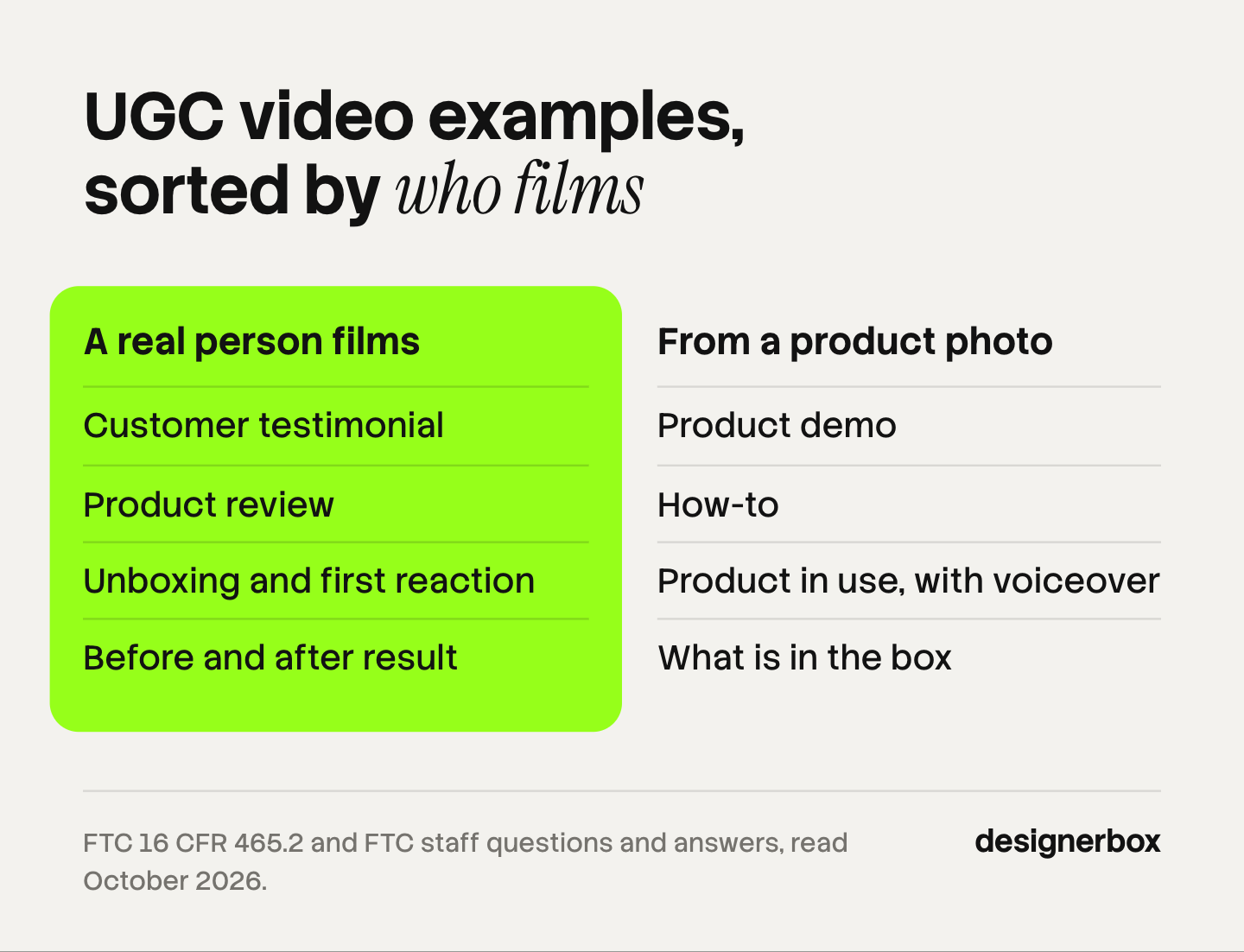
| # | Example | Claims a personal experience? | Who makes it |
|---|---|---|---|
| 1 | Customer testimonial | Yes | A real customer |
| 2 | Product review | Yes | A real customer or creator |
| 3 | Unboxing and first reaction | Yes | A person who opens the real parcel |
| 4 | Before and after result | Yes | A person who had the result |
| 5 | ”I tried three” comparison | Yes | A person who ran the test |
| 6 | Creator-handle ad | Either | The creator who owns the account |
| 7 | Product demo | No | The brand, from a product photo |
| 8 | How-to | No | The brand, from a product photo |
| 9 | Product in use, with a voiceover | No | The brand, from a product photo |
| 10 | What is in the box | No | The brand, from a product photo |
| 11 | Problem and solution skit | No, if it states no result | The brand, from a product photo |
| 12 | Question and answer | No | The brand, from a product photo |
The first group follows the FTC rule on consumer reviews and testimonials, which took effect on October 21, 2024. A business must not write, create or sell a consumer testimonial that materially misrepresents that the person exists, that they used the product, or what their experience was (law.cornell.edu, 16 CFR 465.2, October 2026).
The second group is allowed under the same rule. FTC staff write: “The rule has no blanket prohibition on the use of AI-generated avatars in marketing” (ftc.gov, October 2026). An avatar breaks the rule only when the testimonial it gives is fake or false. So a generated presenter can show how a lid locks. It cannot say “I have used this for a month”.
A real creator does not pass the test by being real. The FTC tells creators: “You can’t talk about your experience with a product you haven’t tried” (ftc.gov, October 2026). Ship the product before the shoot. Our guide to UGC style video applies three tests to each planned ad.
Example 4 has two more rules. The FTC’s Endorsement Guides say a consumer’s result is likely to be read as what buyers will generally achieve. If the brand cannot prove that, the ad should clearly state the generally expected result (law.cornell.edu, 16 CFR 255.2(b), October 2026). TikTok’s ads policy does not allow before-and-after comparisons that may give viewers a false impression of a product’s result (ads.tiktok.com, last updated April 2026, read October 2026).
Label and disclosure rules for each group
Each group carries its own label. Filmed examples need a disclosure of the paid relationship. Generated examples need an AI label in some places.
Filmed by a paid creator. The FTC’s Endorsement Guides say a connection between the endorser and the seller that the audience does not expect “must be disclosed clearly and conspicuously”. Payment and free products both count (law.cornell.edu, 16 CFR 255.5, October 2026). The FTC also tells brands: “Your company is ultimately responsible for what others do on your behalf” (ftc.gov, October 2026).
Branded content on Meta and TikTok. Meta says branded content includes posts where products “are gifted for free”. Creators must tag the business partner, and people then see a “Paid partnership with” label above the post (facebook.com, October 2026). TikTok defines branded content as content that “promotes or reviews a third-party brand or its products or services in exchange for payment or any other incentive” (tiktok.com, policy effective 31 August 2026, read October 2026).
Generated video in ads. TikTok allows AI-generated media in ads if you apply the AIGC label or add “a clear disclaimer, caption, watermark, or sticker of your own”. Undisclosed AI content means the ad “will be rejected or restricted” (TikTok ads policy, read October 2026). Meta labels ads itself. It applies an “AI info” label when it detects third-party AI, and the label is in the three-dot menu under About this ad (facebook.com, October 2026).
Some US states and the EU add rules for realistic generated people. AI UGC ads covers those rules and the FTC penalty.
Where an AI UGC generator fits
An AI UGC generator is software that makes creator-style video from a script and a product photo. It fits examples 7 to 12. It does not fit examples 1 to 6, because a generated presenter has no experience to report.

This guide does not rank the generators. Our comparison of AI UGC video generators covers ten of them, and UGC platforms covers the marketplaces where you hire real creators.
Creator-style video from a product photo
DesignerBox is AI creative production for brands and agencies. For a brand with 20 to 500 products, examples 7 to 12 are the work that repeats: six formats for every product. Anyone can make an AI picture. Making hundreds that still look like your brand is the hard part.
In DesignerBox you build a workflow once, with the brand’s rules, the script rules and the product photo. A saved workflow runs the same way on the next product. Batch runs it over a sheet of products, so row one and row two hundred follow the same rules. The AI UGC page shows creator-style vertical clips made from a product photo and a short brief. The full workflow from the first product photo to the finished ad, in one subscription.
An 8-second clip costs 40 to 560 credits, depending on the model. The cost is shown before the run.
The limits are these. DesignerBox makes examples 7 to 12 only. It cannot film a customer, and a generated presenter cannot claim an experience. It does not send ads into TikTok or Meta: you download the results, or send them with a webhook or an S3 step. Every plan below Ultra is one seat. Uploading your own photos and the commercial license start on the Pro plan. AI video, virtual try-on, upscaling, the image editor and the video editor start on the Premium plan. Plans and credits are on the pricing page.
A free plan for your first run
There is a free plan, and it runs on sample products. Start from a template and look at the result before you choose a plan. Get started free
FAQ
What are examples of UGC videos?
Common UGC video examples are the customer testimonial, the product review, the unboxing, the before and after, the product demo, the how-to and the question and answer video. This guide lists 12. Six claim a personal experience and six show the product only.
What is the difference between UGC examples and UGC content examples?
They mean the same thing. UGC is short for user-generated content, so “UGC content” repeats the word. Both searches look for formats that a customer or creator films, such as reviews, unboxings and demos.
Which UGC video examples can a brand make with AI?
The ones that claim no personal experience: the product demo, the how-to, the product in use with a voiceover, the contents of the box, the problem and solution skit and the question and answer video. Every product fact in them still has to be true.
Do UGC videos need a disclosure?
A creator who was paid, or who received a free product, needs a clear disclosure under the FTC’s Endorsement Guides. Meta shows a “Paid partnership with” label on branded content. A generated video in a TikTok ad needs the AIGC label or your own clear disclaimer (law.cornell.edu, facebook.com and ads.tiktok.com, October 2026).
What does a generated UGC video cost in DesignerBox?
An 8-second clip costs 40 to 560 credits, depending on the model. You see the cost before the run. AI video starts on the Premium plan (DesignerBox pricing, October 2026).
Sources
- 16 CFR 465.2, Fake or false consumer reviews, consumer testimonials, or celebrity testimonials, via Cornell LII: law.cornell.edu, October 2026
- 16 CFR 255.2, Consumer endorsements, via Cornell LII: law.cornell.edu, October 2026
- 16 CFR 255.5, Disclosure of material connections, via Cornell LII: law.cornell.edu, October 2026
- FTC, Consumer Reviews and Testimonials Rule: Questions and Answers: ftc.gov, October 2026
- FTC, Disclosures 101 for Social Media Influencers: ftc.gov, October 2026
- FTC, Endorsement Guides: What People Are Asking: ftc.gov, October 2026
- TikTok Advertising Policies, Misleading and false content, last updated April 2026: ads.tiktok.com, October 2026
- TikTok, Branded Content Policy, effective 31 August 2026: tiktok.com, October 2026
- Meta Business Help Center, About branded content on Facebook, Instagram and Threads: facebook.com, October 2026
- Meta Business Help Center, About AI info on ads created or edited with generative AI tools: facebook.com, October 2026
- DesignerBox plan gates and the video credit range: DesignerBox pricing page (designerbox.ai/pricing), October 2026
FTC rules and platform policies checked against primary sources as of October 2026. The beat sheets and sample lines are illustrative. This is general information, not legal advice. Individual results vary.