For closet resellers and secondhand sellers

Forty listings a week. One bedroom wall.

Resale is volume work. The item is real, the photo is a phone shot against a door, and the listing competes against a thousand identical ones. Fix the light, clean the background and show the piece on a body, from the photograph you already took.

Start free

DesignerBox is an independent product and is not affiliated with, endorsed by or partnered with Poshmark. The name is used here only to describe the kind of seller this page is written for. Resale listings sell one specific item in one specific condition, so every image must show that item as it actually is: never edit out wear, marks, alterations or missing parts.

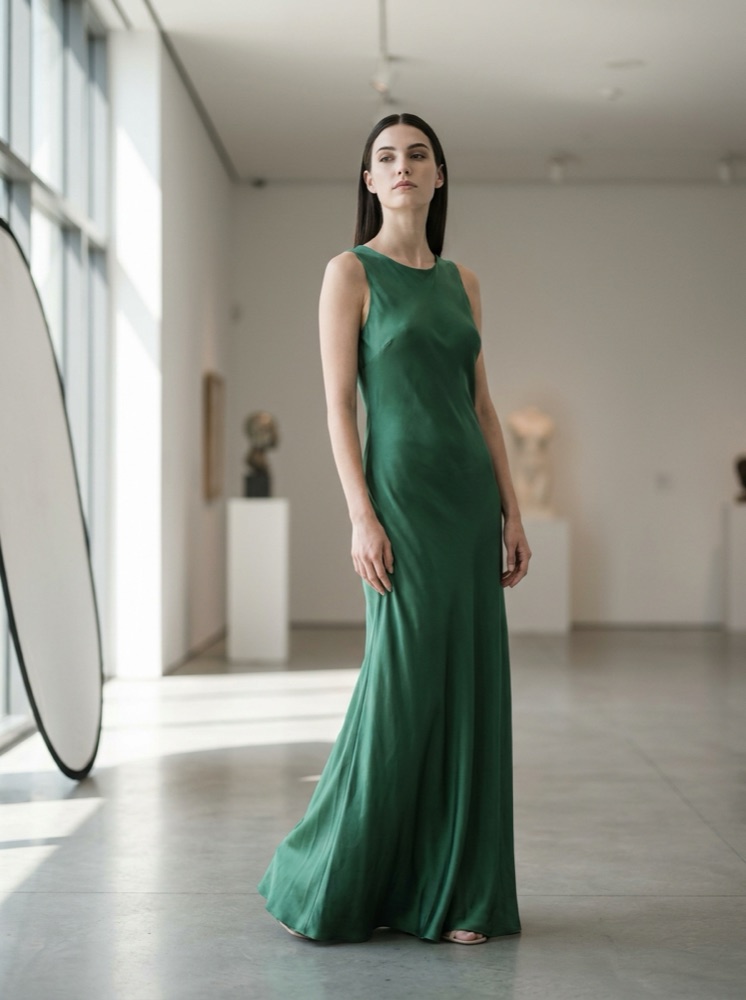
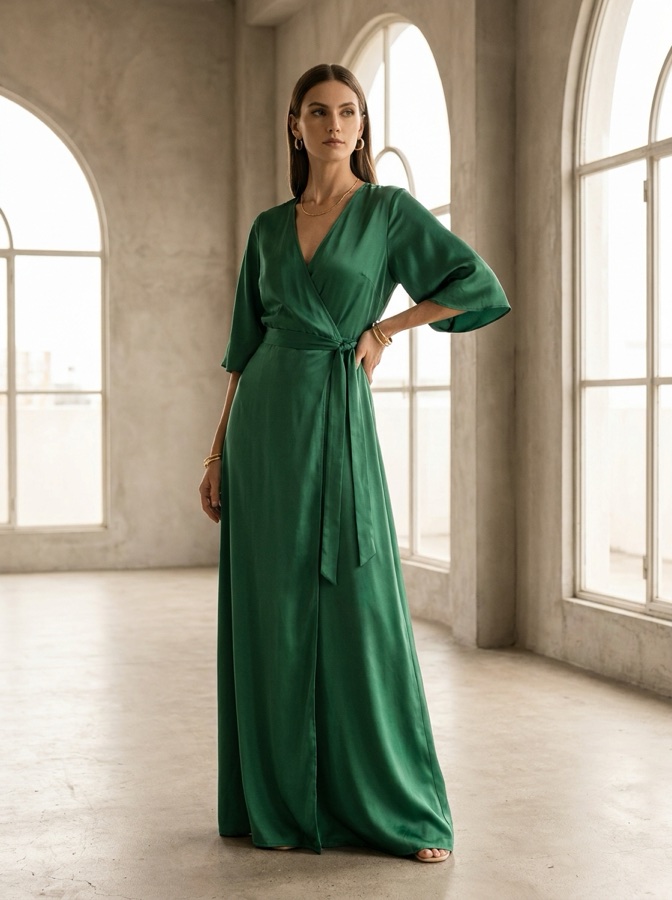
On-model clothing image generated with Nano Banana ProNano Banana Pro
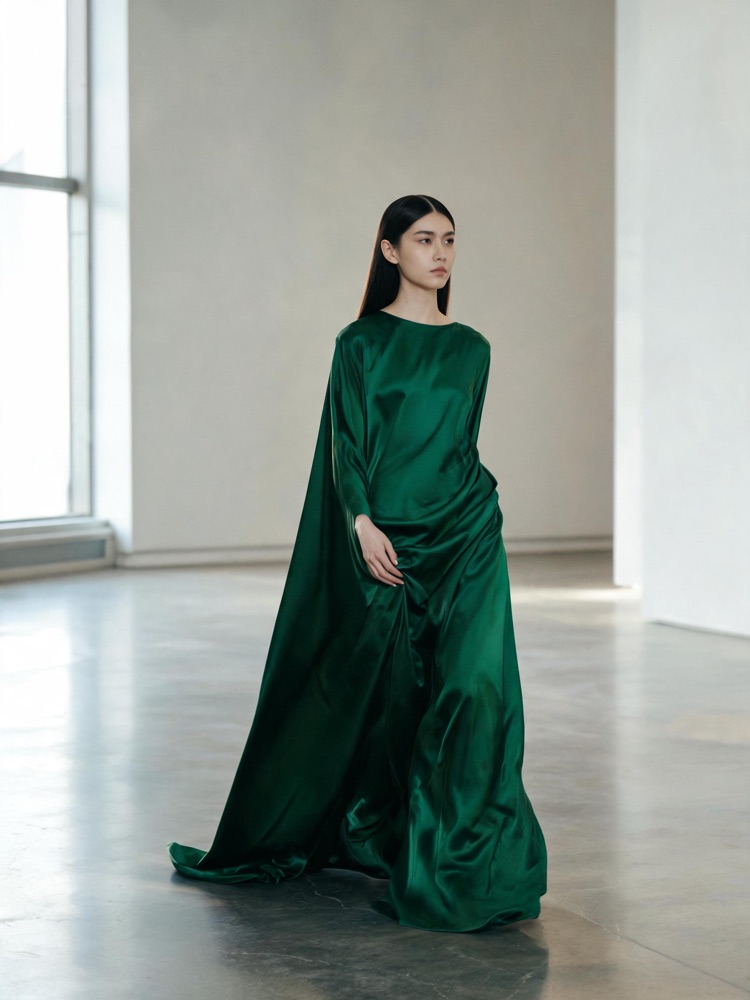
On-model clothing image generated with Seedream 5Seedream 5
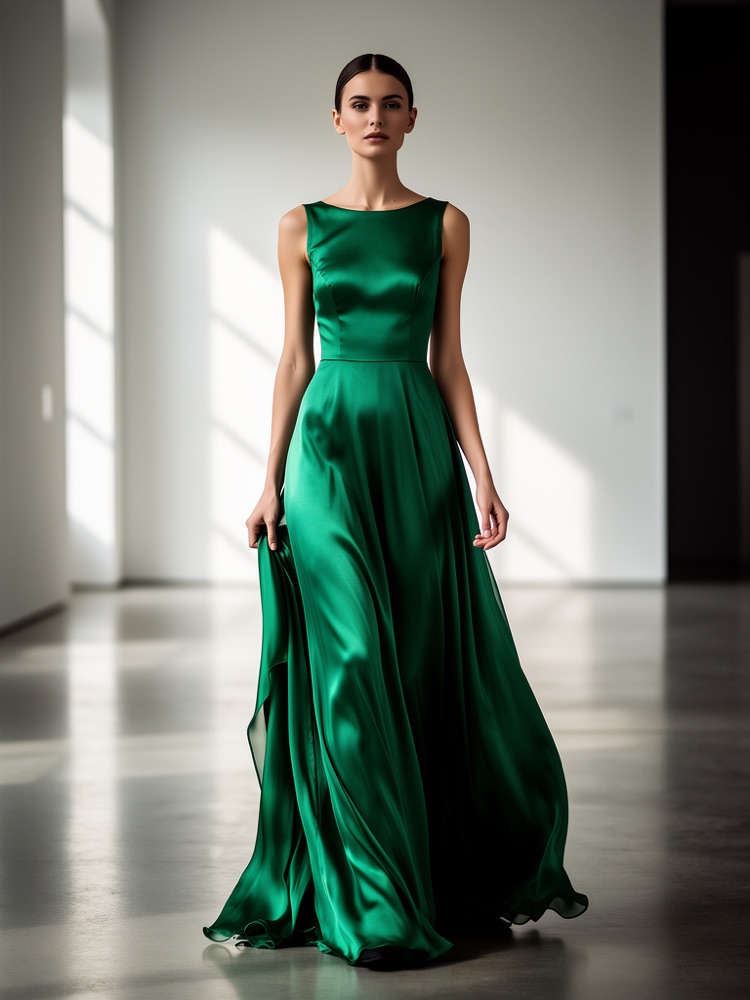
On-model clothing image generated with FLUX 2 FlexFLUX 2 Flex
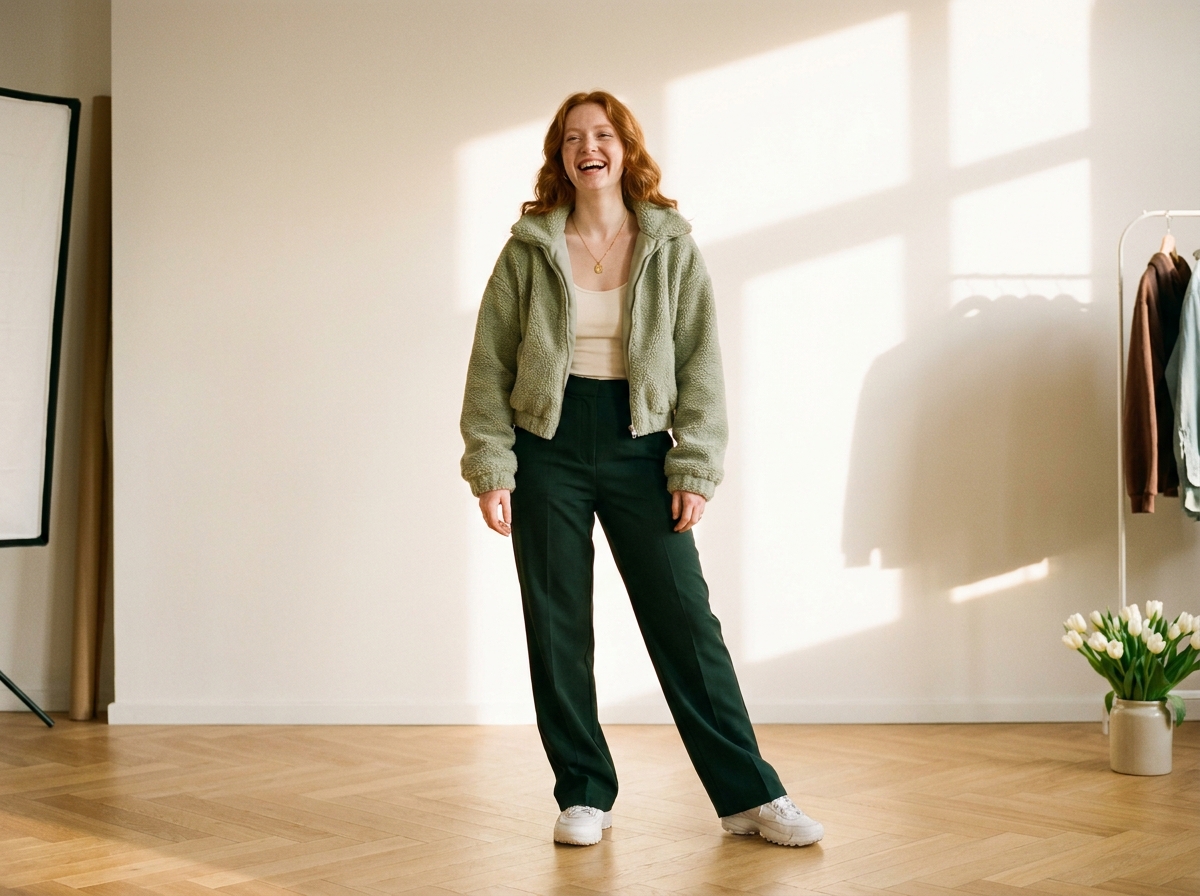
Styled clothing look made with DesignerBoxStyled look

This page is for resellers listing secondhand clothing at volume, where each item is one of one and the photograph is taken at home in a hurry. The economics are unforgiving. Forty listings a week means minutes per item, and the cover shot decides whether a piece is seen at all in a feed of near-identical listings. DesignerBox works from the phone photograph of the actual garment. Correct the light, clean up the background, produce a flat lay and an on-model view, and keep every listing looking like it came from the same closet.

What resellers use it for

Four jobs, all of them constrained by minutes per item.

Fix the bedroom lighting

Almost every resale photo is taken indoors under a ceiling bulb, which yellows white shirts and greys everything else. Relight the frame you already have so the colour a buyer sees is the colour that arrives, which is also the single most common source of resale disputes.

Clean up the background

A door, a radiator and a laundry basket in shot make a real item look like a chore rather than a find. Cut the piece out onto a plain ground so the cover shot competes on the garment instead of on the room behind it.

Show it on a body

A garment on a hanger tells a buyer nothing about how it falls, and self-modelling forty items a week is not realistic. Produce an on-model view from the flat photograph, so drape and proportion are visible on items you will never wear yourself.

Keep the closet consistent

A closet page where every listing shares a background and a crop reads as a proper shop, and one where they do not reads as a clear-out. Run every item through the same treatment so the grid holds together as it grows.

See it on a real item

Four tools, each aimed at a step that has to take under a minute.

Flat Lay Studio - Before
Before
Flat Lay Studio - After
After
Flat Lay Studio

Flat Lay Studio

The fastest honest photograph of a garment is flat on the floor, and it is also the worst lit. Flat Lay Studio returns it square, evenly exposed and cropped for a listing grid, which is exactly the shot a high-volume closet needs to make repeatable.

Open the tool
Virtual Try-On
Virtual Try-On

Virtual Try-On

Buyers ask how something fits and a hanger cannot answer. Start from the garment you are actually selling and produce the on-model view, so the drape and the length are visible without you modelling every piece yourself.

Open the tool
Background Remover - Before
Before
Background Remover - After
After
Background Remover

Background Remover

The cover shot is the whole battle in a resale feed. Background Remover takes the door, the floor and the clutter out and puts the piece on a clean ground, which is the difference between a listing that gets opened and one that scrolls past.

Open the tool
Spotlight Relight - Before
Before
Spotlight Relight - After
After
Spotlight Relight

Spotlight Relight

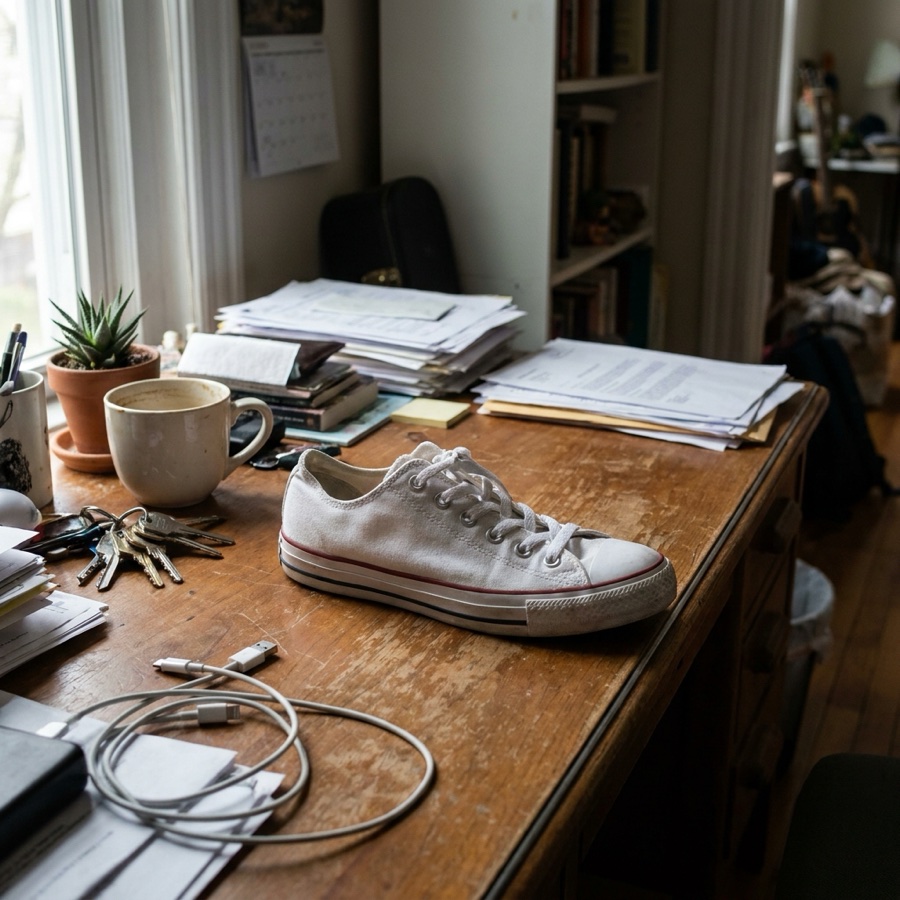
Colour accuracy is not cosmetic in resale, it is the thing buyers complain about. Spotlight Relight corrects the cast from indoor bulbs so a navy piece does not photograph black and a cream one does not photograph yellow.

Open the tool

Each before and after above demonstrates the tool named on the card, using that app's own sample image, so the subject you see may not be from this industry. Run the same tool on your own photos to see it on your work.

From haul to listed

Four steps built around minutes per item, not hours.

1
Photograph the item honestly
Lay the piece flat, get the whole garment in frame, and take a separate close shot of any flaw, mark or alteration. The flaw shot is not optional and it never gets edited. It is what keeps the listing accurate and the case history clean.
2
Fix light and background
Correct the colour cast and cut the background. This is the step that makes a bedroom photograph look deliberate, and it is the one that repeats identically on every item you list.
3
Add the flat lay and the on-model view
Produce the square flat lay for the grid and the on-model view for the fit question, then keep the untouched flaw photographs in the gallery alongside them.
4
Save it and run the pile
Save the sequence as a workflow and send the rest of the haul through it. That is what turns forty listings from a weekend into an evening.

Where the images go

Resale runs across several apps at once, all wanting the same item differently.

The listing feed

The cover shot is competing at thumbnail size against near-identical items, so it has to read instantly: the garment filling the frame, plain ground, true colour. The rest of the gallery then does the honest work, showing the flaws, the label, the measurements and the fit.

Cross-listing to other apps

Most resellers list the same item across several marketplaces, and each one crops differently. Producing a square version and a portrait version from the same source means cross-listing is a copy and paste rather than a re-shoot, and the item looks the same wherever a buyer finds it.

Social and live selling

Resale increasingly happens through social and live shows, which need a constant supply of images at 1080 by 1350 for feed and 1080 by 1920 for stories. Build them from listing photographs you already took rather than treating social as a second photo session.

Your closet page

Regular buyers follow a closet rather than an item, and a consistent grid is what makes someone follow. Holding the same background, crop and light across every listing is the cheapest way to look like a shop instead of a wardrobe clear-out.

The same treatment on every item in the pile

Resale profitability comes down to time per listing. Anything that takes five minutes per item costs a full day a week at volume, so the only version of image editing that survives is one that is saved and reapplied without thinking. A workflow does that: the same colour correction, the same background, the same square crop, the same on-model view, run over a pile of items in one sitting. There is a limit worth stating plainly. The treatment applies to presentation, never to condition. Wear, bobbling, marks, alterations and missing buttons stay visible and get their own untouched close-up in the gallery, because a resale buyer is paying for one specific object in one specific state. Editing that is not polish, it is a misdescription, and it comes back as a case rather than a compliment.

Every model, one subscription

Secondhand stock is unpredictable by definition, so the material changes with every haul: a wool coat, a satin slip, a printed tee, a leather bag. No single image model handles all of them best. DesignerBox carries them in one workspace on one subscription rather than a licence each: Nano Banana Pro and Nano Banana 2 from Google, GPT Image 2 from OpenAI, Seedream 5 from ByteDance, and FLUX 2 Flex, FLUX Pro 1.1 and Kontext Multi from Black Forest Labs. Video runs on Veo 3.1 and Veo 3.1 Fast, Sora 2 Pro, Seedance 2.0, Kling 2.6 Pro and Runway Gen-4.5. Keep one default for speed, and switch only when a fabric fights you.

Reseller questions

What high-volume closet sellers ask before they use this.

Is editing resale photos against the rules?
Correcting light and cleaning up a background is normal on every marketplace. What is not allowed anywhere is hiding the condition of the item. Marks, wear, stains, alterations and missing parts have to be visible and described. Keep the untouched flaw photographs in the gallery next to the tidy cover shot and you are on the right side of both the platform rules and consumer law.
Can I use an on-model image if I never wore the item?
It is acceptable as a fit reference when it shows your actual garment and the listing does not imply it is a photograph of you wearing it. Two things keep it honest: start from the real item so the cut and colour are true, and state the measurements in the description. Some platforms also ask for AI-assisted imagery to be labelled, so check the policy where you sell.
Will it change the colour of the item?
It should correct the colour, not change it. The most common resale complaint is that a piece arrived a different shade from the photograph, and that is usually caused by indoor bulbs rather than by editing. Check the corrected image against the garment in daylight before you list, because the buyer will.
How fast is this per item at volume?
The photography is unchanged and stays the slow part. Once a workflow is saved, the editing is a batch operation over a pile rather than a decision per item. Resellers who list forty pieces a week generally set the treatment once and never open it again.
Does it help with cross-listing?
Yes, mainly because different apps crop differently. Producing a square and a portrait version from one source means the same item looks correct wherever it is listed, and you are not re-photographing a piece that is already boxed and ready to ship.
How much does it cost to start?
Nothing to try. The free tier carries 112 credits a month, enough to run a small haul through and see whether it fits your pace. Paid plans run $15 a month for 500 credits, $35 for 1,000, $75 for 2,500 and $200 for 8,000. Most resellers size their plan on listings per month.

Run one haul through it

Take the pile you photographed last night, fix the light and the background, and see how the closet grid looks. The free tier covers it.

Start free