These AI video prompt examples are written for product ads, one shot at a time. Each prompt names the camera, the subject, the action, the setting and the style, which is the five-part formula Google publishes for Veo 3.1. They are sorted by the job a shot does in an ad: the opening, the product hero, the product in use, the detail, the presenter and the end card.
Prompt lists are often sorted by industry: one for food, one for real estate, one for fitness. That looks helpful and is not, because a prompt describes a shot, and an ad is several shots. A coffee brand and a shoe brand both need an opening shot and a hero shot. They need the same structure with different nouns.
This guide gives the structure first, then 24 prompts in six groups, then the rules for image-to-video and for sound. The prompts are illustrations to copy and change, and no test results stand behind them. This guide is written for marketers at brands and agencies who make product video ads.
Key Takeaways
- One prompt makes one shot. Video models make clips of a few seconds, so write a prompt per shot and join the clips in an editor.
- Google’s formula has five parts. Cinematography, subject, action, context, and style and ambiance.
- Sort prompts by the shot’s job. Opening, hero, in use, detail, presenter, end card. The industry changes the nouns, not the structure.
- With a product photo, prompt the motion. The photo already shows the product. The prompt says what moves and how the camera moves.
- Put speech in quotes. Veo 3.1 takes dialogue in quotes and sound effects in plain words.
- A presenter prompt can describe, not review. A generated person who claims a personal experience is a false testimonial.
What makes an AI video prompt work?
An AI video prompt works when it describes one shot the way a director would brief a camera operator. It says where the camera is, who or what is in the frame, what happens, where it happens and how it should look. A prompt that reads like a wish, such as “a cool ad for my shoes”, leaves all five choices to the model.
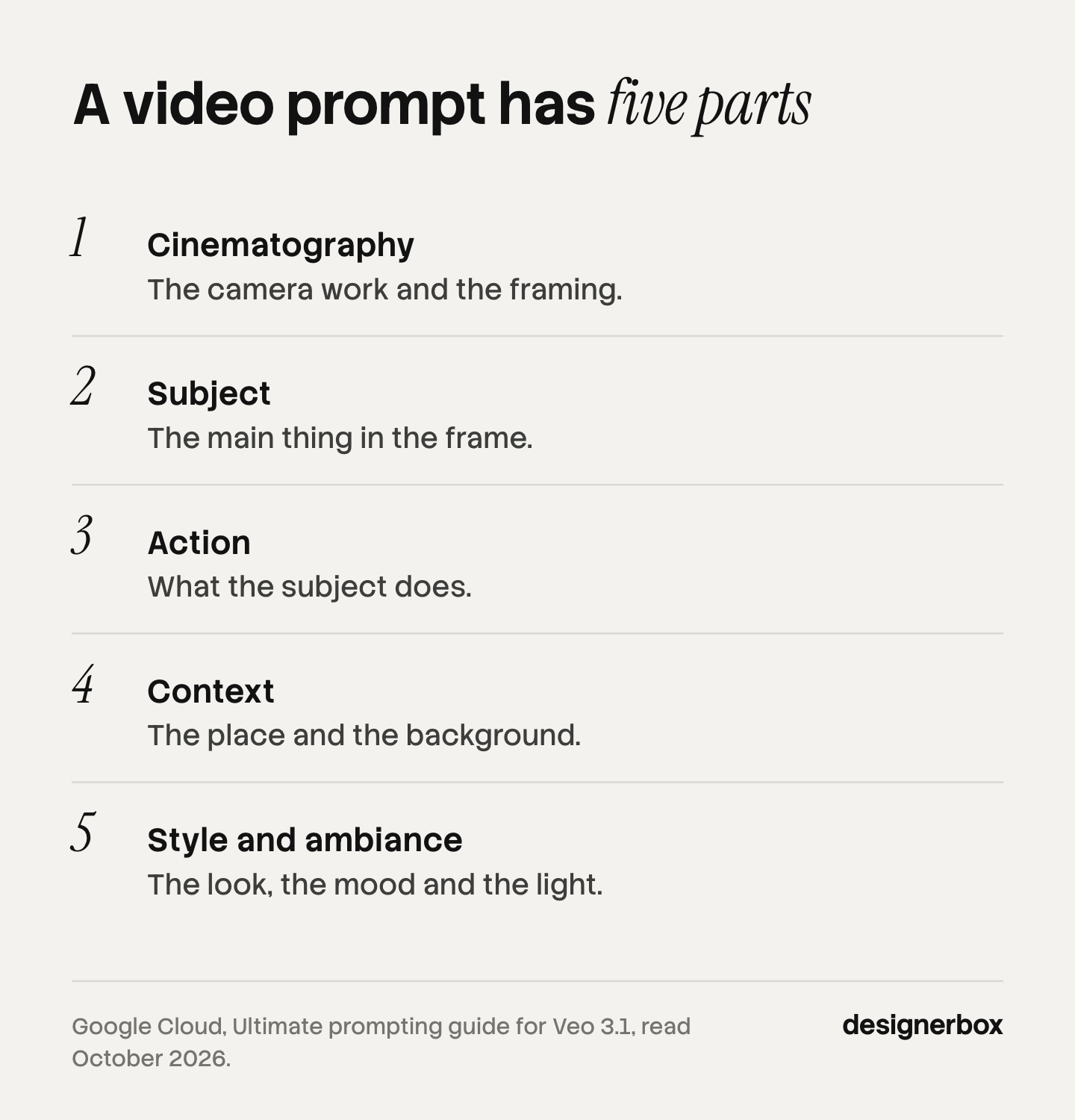
Google’s prompting guide for Veo 3.1 gives the formula as “[Cinematography] + [Subject] + [Action] + [Context] + [Style & Ambiance]” (Google Cloud, October 2026):
| Part | What it sets | Example words |
|---|---|---|
| Cinematography | The camera work and the framing | Close-up, slow push in, top-down, locked camera |
| Subject | The main thing in the frame | A matte green water bottle with a steel cap |
| Action | What the subject does | Turns slowly, a hand lifts it, water beads on the side |
| Context | The place and the background | On a wet stone surface, a blurred garden behind |
| Style and ambiance | The look, the mood and the light | Soft morning light, natural color, shallow focus |
The same structure works on other models. The Veo guide in the Gemini API lists near-identical elements: subject, action, style, camera positioning and motion, composition, focus and lens effects, and ambiance (Gemini API, October 2026). The AI video prompting guide compares five prompt structures, and the guide to realistic AI video prompts covers the layers that make a clip look filmed.
Where each shot sits in the finished ad is covered in how to make AI ads. Two limits shape every prompt. A clip is short: Veo 3.1 makes 4, 6 or 8 seconds. And a clip holds one action well. Two actions in one prompt usually give you half of each.
AI video prompt examples for product ads
The 24 prompts below are grouped by the job the shot does. Words in square brackets are yours to replace. Keep the order of the parts and change the nouns.
Opening shots
The opening has to show what the product is before the viewer scrolls. Each of these starts on the product or its result. More patterns are in the video hooks guide.
- The result first. “Close-up, locked camera. A [white sneaker] sits on a concrete step, perfectly clean, while muddy water runs off the step around it. Bright overcast daylight, natural color, sharp focus on the shoe.”
- The motion. “Macro shot, slow motion. [Cold brew coffee] pours into a clear glass over ice, and the dark liquid swirls into the milk. White kitchen counter, soft window light from the left, shallow focus.”
- The reveal. “Top-down shot, locked camera. Two hands open a [matte black box] on a wooden table and lift the lid away to show a [silver watch] inside. Warm lamp light, soft shadows, natural color.”
- The side by side. “Medium shot, locked camera. Two [backpacks] stand next to each other on a white table. A hand lifts the left one easily with one finger. Plain grey wall, even studio light, natural color.”
Product hero shots
The hero shot is the cleanest view of the product. Keep the camera move small so the product stays stable.
- The slow turn. “Medium close-up, locked camera. A [glass perfume bottle] turns slowly on a round stone plinth. Pale beige background, soft light from above, a gentle highlight moves across the glass. The label stays readable.”
- The push in. “Slow push in from medium shot to close-up. A [ceramic mug] stands on a linen cloth, steam rising from it. Blurred kitchen shelf behind, warm morning light, shallow focus.”
- The light sweep. “Close-up, locked camera. A [leather wallet] lies on dark slate. A band of light moves slowly across it from left to right and shows the grain. Dark background, high detail, natural color.”
- The float. “Medium shot, slow orbit to the right. A [running shoe] hangs in the air, turning slightly, against a plain sky-blue background. Clean even light, crisp shadows below, commercial product style.”
Product in use
These shots put the product in a hand or a scene. Hands and faces are where models drift most, so keep the action simple.
- The hand. “Close-up, handheld camera with slight movement. A hand picks up a [stainless steel bottle] from a gym bench and twists the cap open. Blurred gym behind, daylight from large windows, natural color.”
- The routine. “Medium shot, eye level, locked camera. A woman in a grey sweater spreads [face cream] on her cheek in front of a bathroom mirror and smiles slightly. Soft even light, clean white tiles, natural skin tones.”
- The setting. “Wide shot, slow push in. A [linen sofa] stands in a bright living room, and a dog jumps onto it and lies down. Afternoon sun through sheer curtains, warm natural color.”
- The outdoor test. “Tracking shot from the side. A runner in a [yellow rain jacket] runs along a wet forest path in light rain, and water beads on the jacket sleeve. Overcast light, natural green tones, shallow focus on the runner.”
Detail and texture
Detail shots answer the question a buyer would ask in a shop. They work best from a real photo.
- The fabric. “Macro shot, slow slide to the right. The weave of a [navy wool sweater] fills the frame, and a hand brushes across it. Soft side light, high detail, natural color.”
- The mechanism. “Extreme close-up, locked camera. A [metal zipper] on a [canvas bag] closes smoothly from left to right. Neutral background, crisp light, sharp focus on the zipper teeth.”
- The pour. “Macro shot, slow motion. [Olive oil] pours from a dark glass bottle onto a white plate and spreads slowly. Bright kitchen light, clean background, shallow focus.”
- The surface. “Close-up, slow tilt down. Water drops roll off the surface of a [waxed canvas jacket]. Grey outdoor background, overcast light, high detail.”
Presenter and voice
A presenter shot needs speech. Google’s guide says to “use quotes for specific speech”, and to describe sound effects and ambient noise in plain words. Keep the line short enough for the clip.
- The explainer. “Medium shot, eye level, phone-style vertical framing. A woman in a kitchen holds a [blender] toward the camera and says, ‘It crushes ice in ten seconds, and the jug goes in the dishwasher.’ Natural daylight, quiet room, clear voice.”
- The how-to. “Medium close-up, handheld. A man at a desk holds a [phone stand] and folds it flat while he says, ‘It folds to the size of a card.’ Home office behind, soft daylight, natural color.”
- The question. “Close-up, eye level. A woman looks into the camera and asks, ‘Does your bag fit a laptop and a pair of shoes?’ Then she lifts a [grey backpack] into the frame. Bright hallway, daylight, natural skin tones.”
- The voice over the product. “Close-up, slow push in on a [candle] burning on a shelf. A calm female voice says, ‘Forty hours of burn time, made with soy wax.’ Soft evening light. Quiet room tone, a match strike at the start.”
Each of those lines states a fact about the product. None states a personal experience. That difference is a legal one, and the section on claims below explains it.
End cards and transitions
The last shot holds the product still so the offer can sit over it. Add the text in your editor, not in the prompt, because models still misspell words.
- The set down. “Medium shot, locked camera. A hand places a [skincare bottle] in the center of a pale stone surface and moves out of the frame. Plain background with empty space above the product, soft light, natural color.”
- The line-up. “Wide shot, slow push in. Four [water bottles] in different colors stand in a row on a white shelf. Clean even light, plain wall, empty space on the right side of the frame.”
- The pull back. “Slow pull back from close-up to medium shot. A [desk lamp] turns on and lights a tidy desk. Evening room, warm light, empty wall above the lamp.”
- The match cut setup. “Close-up, locked camera. A [coffee bag] stands in the exact center of the frame on a wooden counter. Soft daylight, blurred cafe behind, natural color. The bag does not move.”
How do you write a prompt for image-to-video?
With image-to-video, you give the model a photo and a prompt. The photo carries the product, so the prompt should describe only what changes: the motion of the subject, the motion of the camera and the light. Do not describe the product again. A second description gives the model a reason to redraw it.
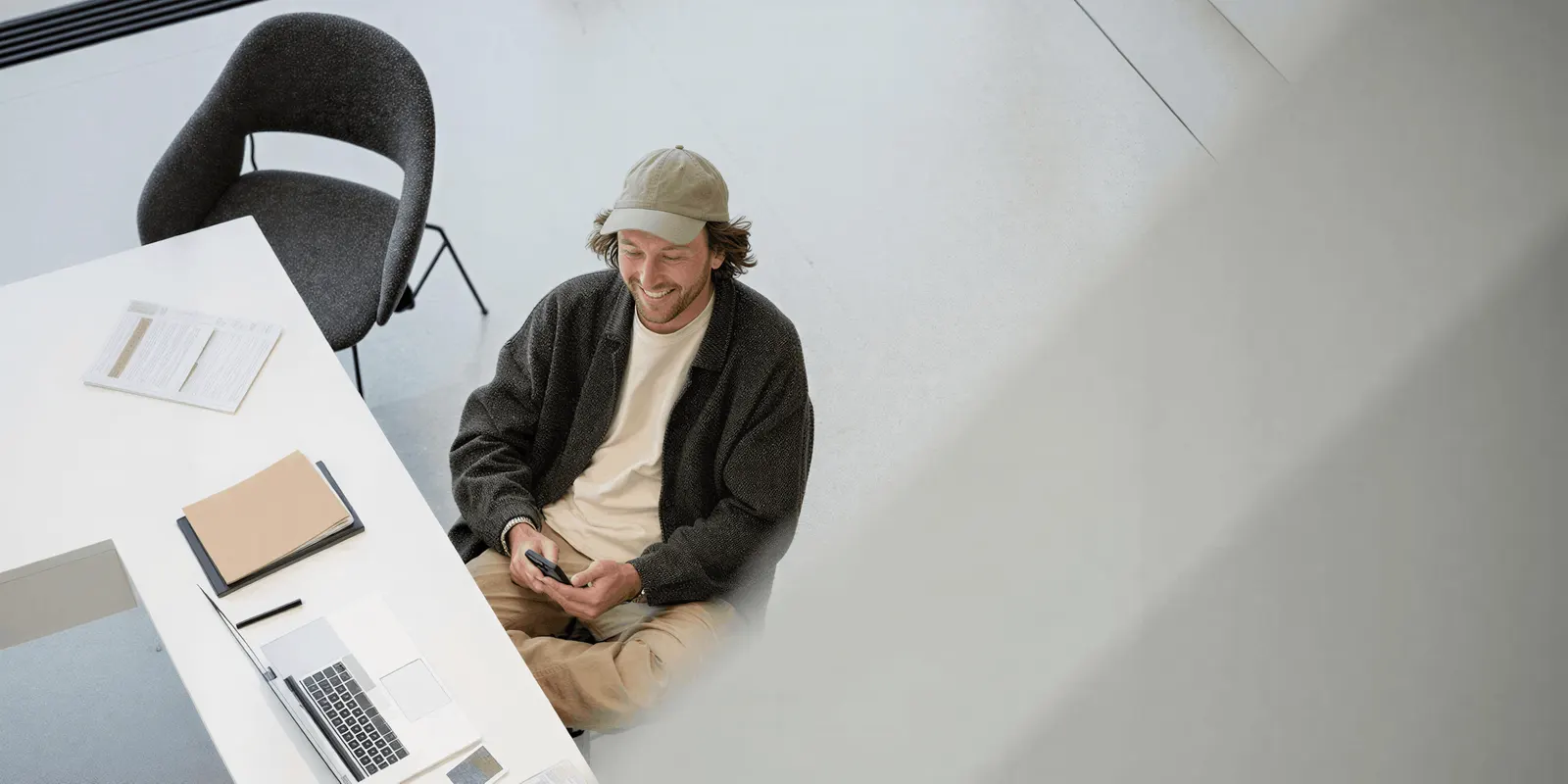
Compare two prompts for the same product photo:
| Prompt | What happens | |
|---|---|---|
| Weak | ”A green bottle with a steel cap and a white logo on a stone surface” | The model may redraw the bottle and the logo |
| Strong | ”The camera pushes in slowly. Water drops run down the side of the bottle. The light warms slightly. Nothing else moves.” | The product stays as photographed |
Three habits help:
- Say what stays still. “The label stays readable” and “nothing else moves” are useful instructions.
- Ask for one camera move. A push in, a slide or a slow orbit. Not all three.
- Use a clean photo. One product, a plain background, the angle you want at the start of the clip.
Veo 3.1 also takes up to three reference images to guide the look of a subject, and those runs are 8 seconds long (Gemini API, October 2026). The worked example of a video ad from one product photo shows four shots built this way.
Claims a prompt cannot make
A prompt can put any words in a generated person’s mouth. The law limits which words you may publish. This is general information, not legal advice.
The FTC says its rule on reviews and testimonials “has no blanket prohibition on the use of AI-generated avatars in marketing”, and that an avatar’s statement might still be considered a testimonial under the rule (FTC, October 2026). A false testimonial is prohibited. So prompt 17 is fine: the presenter states what the blender does. A prompt where she says “I have used this every morning for a year” is not, because nobody did.
Numbers follow the same logic. “Forty hours of burn time” in prompt 20 needs a test behind it. Replace every number in these examples with one you can prove, or remove it.
Platforms also ask for labels. TikTok requires the AIGC label or a clear disclaimer on ads with AI-generated media (TikTok ads policy, October 2026). The guide to AI UGC ads covers presenters in full.
How to change these prompts for your product
Change the nouns first and run the prompt as it is. Then change one part at a time, so you can see what each change did.
- Replace the brackets. Name your product with two or three visible details: the material, the color, one feature.
- Match the context to the buyer. A gym bench for a sports bottle, a desk for a work bag. The setting says who the product is for.
- Set the frame for the placement. Ask for vertical framing for TikTok and Reels. Leave empty space where the caption will sit.
- Run it more than once. Models vary between runs. Keep the take where the product is right.
- Write down what worked. A prompt that gave a clean hero shot for one product is your starting point for the next.
Step 5 is where a list of prompts turns into a system. A team that saves its working prompts with its brand’s light, colors and settings stops starting from zero each week. The same idea for stills is in the guide to AI image prompts for advertising.
Prompts saved as a workflow
Anyone can make an AI picture. Making hundreds that still look like your brand is the hard part. A prompt that works once is a lucky clip. A prompt that is saved with your brand rules and run on every product is production.
DesignerBox is AI creative production for brands and agencies. You build a workflow once with your brand, your products and your rules. Prompt help sits inside it: you write a rough brief, and the workflow turns it into a full prompt for each step. Your brand rules are a record that the workflow reads on every run, so the light and the colors stay the same from one product to the next. AI video ads turn a product photo into a short vertical clip. The cost is shown before the run.
The full workflow from the first product photo to the finished ad, in one subscription.
Here are the limits. Writing your own prompts and uploading your own photos start on the Pro plan, with the commercial license. AI video, virtual try-on, upscaling, the image editor and the video editor start on the Premium plan. An 8-second clip costs 40 to 560 credits, depending on the model. The free plan cannot make video. DesignerBox does not publish ads for you: you download the results, or send them with a webhook or an S3 step. Plans and credits are on the pricing page.
A free plan for your first run
There is a free plan, and it runs on sample products. Start from a template and see the cost before you run it. Get started free.
FAQ
What is a good AI video prompt example?
A good example describes one shot in five parts: the camera, the subject, the action, the setting and the style. For instance: “Close-up, slow push in. A ceramic mug stands on a linen cloth, steam rising. Blurred kitchen shelf behind, warm morning light, shallow focus.” It gives the model one clear action and one camera move.
How long should an AI video prompt be?
Long enough to name the five parts, which is usually two to four sentences. Short prompts leave choices to the model. Very long prompts with several actions tend to give a clip that does none of them well. Write one prompt per shot and keep one action in each.
Do the same prompts work on Veo, Kling and Seedance?
The structure carries across models: camera, subject, action, setting, style. The details differ. Veo 3.1 takes speech in quotes and makes audio with the clip. Clip lengths and reference image limits also differ by model. Check the vendor’s guide, and test the same prompt on each model you use.
How do you write a prompt for a product video from a photo?
Describe the motion, not the product. The photo already shows the product. Say how the camera moves, what moves in the scene and what stays still. For example: “The camera pushes in slowly. Steam rises. The label stays readable. Nothing else moves.”
Can you put text on screen with a prompt?
You can ask, and the result is unreliable. Video models still misspell words and change letters between frames. Leave empty space in the shot and add the text in a video editor. That also lets you change the offer without making the clip again.
Can an AI video prompt include dialogue?
Yes, on models that make audio. Google’s Veo guide says to use quotes for specific speech and to describe sound effects in plain words. Keep the line short enough for the clip length. Make sure a generated presenter states facts about the product and does not claim a personal experience.
Sources
- Google Cloud, Ultimate prompting guide for Veo 3.1: cloud.google.com, accessed October 2026
- Google, Generate videos with Veo 3.1 in the Gemini API: ai.google.dev/gemini-api/docs/veo, accessed October 2026
- FTC, Consumer Reviews and Testimonials Rule: Questions and Answers: ftc.gov, accessed October 2026
- TikTok ads policy, misleading and false content: ads.tiktok.com, accessed October 2026
- DesignerBox pricing and product pages (designerbox.ai), October 2026
Prompt structure verified from Google’s Veo 3.1 guides as of October 2026. The 24 prompts are illustrations to adapt, not test results. Individual results vary.