
Facebook ads automation is software that does parts of an ad campaign for you. It covers four separate jobs. Delivery chooses the audience, the placement and the budget split. Creative changes adjust the ad when it is shown. Rules turn ads on and off or change budgets. Creative supply makes the ads. Meta automates the first three inside Ads Manager at no extra fee. The fourth job stays with you.
This guide covers the four jobs in order. Every Meta feature here was read on Meta’s own help pages on 4 October 2026. Meta renamed several of these features in recent years, so the quotes use the names on those pages today.
Key Takeaways
- Facebook ads automation is four jobs. Delivery, creative changes at serve time, rules, and creative supply.
- Meta automates three of them for free. Advantage+ handles delivery, Advantage+ creative changes the ad, and automated rules act on your conditions.
- Rules have hard limits. An ad account holds up to 250 rules, and Meta usually checks them every 30 to 60 minutes.
- Some creative enhancements are on by default. You can turn each one off, and some switches are only in Advanced preview.
- Meta adds the AI info label itself. It covers Meta’s generative features and AI content it detects.
- Creative supply is the job Meta leaves to you. The first three jobs need many distinct ads, and you have to make them.
What is Facebook ads automation?
Facebook ads automation means that software makes decisions in a Meta ad campaign that a person used to make. It covers Meta’s own Advantage+ products, the automated rules in Ads Manager, and paid products from other companies.
“Meta ads automation” is the same subject. One Ads Manager account runs ads on Facebook, Instagram and Meta’s other apps. So an automated Facebook ad is usually an automated Instagram ad too.
The useful question is which job the software does.
The four jobs of Facebook ads automation
| Job | What it decides | Who automates it | Where |
|---|---|---|---|
| 1. Delivery | Audience, placements, budget split | Meta | Advantage+ sales campaigns, Advantage+ audience, Advantage+ placements |
| 2. Creative changes | How the ad looks for each person | Meta | Advantage+ creative, flexible ad format, Advantage+ catalog ads |
| 3. Rules | When to turn ads on or off, or change a budget | Meta, after you write the rule | Automated rules in Ads Manager |
| 4. Creative supply | Which ads exist at all | You | Your own team, a paid product, or a saved workflow |
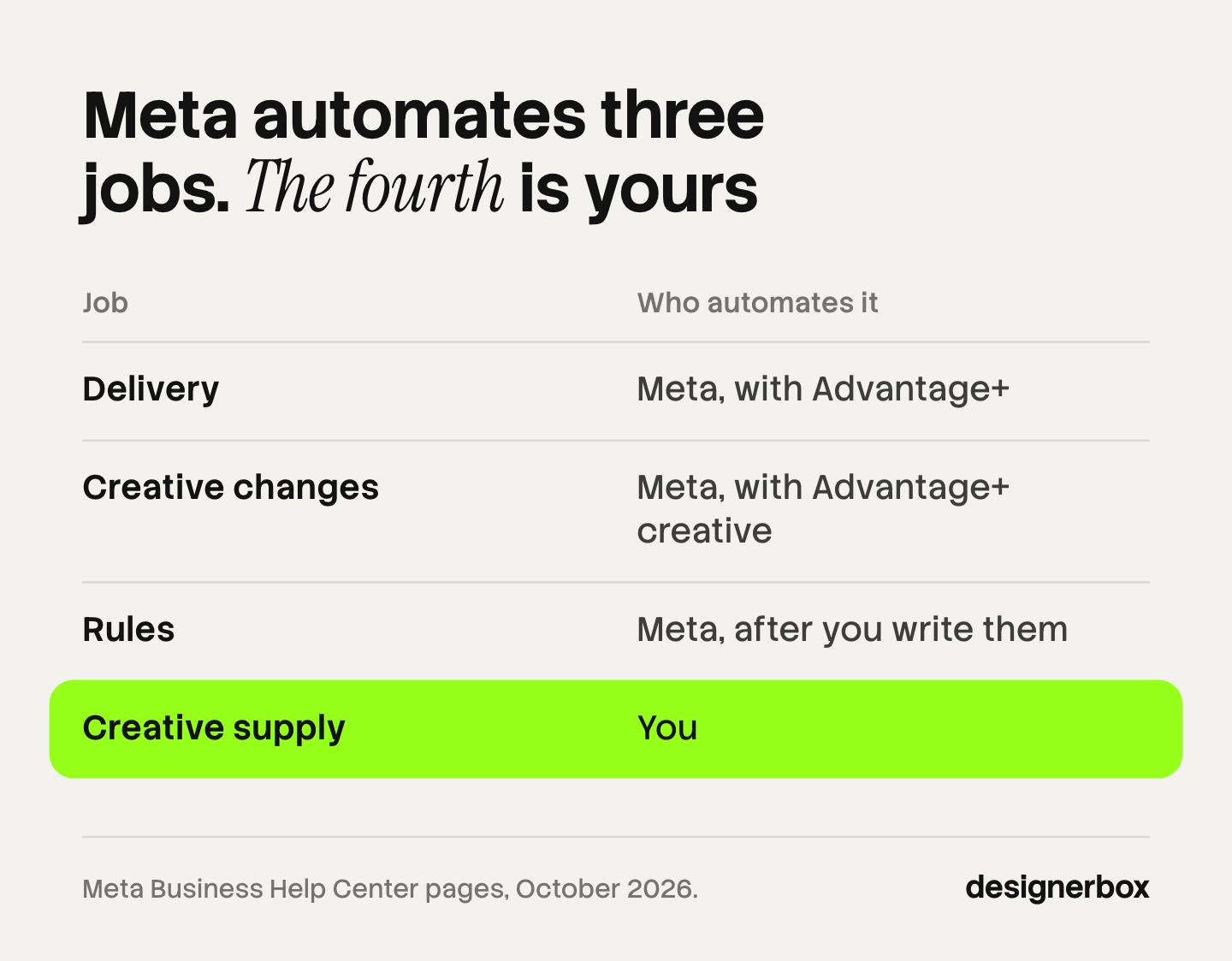
Jobs 1 to 3 work on ads that already exist. Job 4 makes them.
Job 1: delivery, which Advantage+ automates
Delivery is the media side of a campaign: who sees the ad, where, and with how much budget. Meta’s Advantage+ products cover all three.
Advantage+ sales campaigns. Meta says: “Our most advanced AI optimizations are enabled when your sales campaign uses Advantage+ audience, placement and budget.” Meta reports that advertisers who used these campaigns “saw 9% improvement in cost per conversion, on average” (facebook.com, October 2026). That is Meta’s own figure about its own product.
Advantage+ audience. This setting lets Meta’s AI find the audience. Meta recommends an A/B test with Advantage+ audience “for almost all campaign types, except retargeting campaigns” (facebook.com, October 2026).
Advantage+ placements. Meta chooses where the ad appears across its apps. Meta says that in an experiment, these ad sets delivered an 11.7% lower cost per action on average than ad sets with manual placements (facebook.com, October 2026).
On the sales campaign page, Meta’s best practice is to “provide a wide variety of diverse creative assets”. Automated delivery needs something to deliver. AI advertising tools by job compares this layer with Google Performance Max and TikTok Smart+.
Job 2: creative changes at serve time
The second job changes the ad itself when Meta shows it. You upload one ad, and different people may see different versions of it.
Meta says of Advantage+ creative: “Some enhancements may be turned on by default, but you can turn them off at any time” (facebook.com, October 2026). Each enhancement has a limit that Meta states on the same page.
| Enhancement | What it does | Limit Meta states |
|---|---|---|
| Text generation | Writes versions of your text | Up to 5 variations of primary text and headline |
| Image generation | Makes versions of your image | Only available for single image ads |
| Background generation | Makes new backgrounds for product images | Only available for Advantage+ catalog ads |
| Visual touch-ups | Crops and expands an image to fit placements | Static single-image ads |
| Video touch-ups | Crops or expands a video to 9:16 or 4:5 | Expansion covers up to the first 15 seconds |
Flexible ad format. You select up to 10 images and videos in one ad. The delivery system then decides which media or combination to show, “such as single image, video or carousel” (facebook.com, October 2026).
Advantage+ catalog ads. These ads “automatically show people the most relevant products or services from your catalog”. Meta fills the ad per person from your product feed and your pixel or app events (facebook.com, October 2026). The catalog ads guide lists the feed fields for images and video.
This job has one cost. When each person sees a different version, your report adds the versions together. Ad creative testing explains why such a test cannot name one winner. Dynamic creative optimization covers Meta’s dynamic creative, and best AI ad generator covers where Meta’s own generator stops.
Job 3: automated rules in Ads Manager
An automated rule is an instruction you write once. Meta says rules “automatically check your campaigns, ad sets and ads, and then update or notify you of any changes”. Rules apply at the ad account level, so they work on ads that anyone in your team makes (facebook.com, October 2026).

A rule has three parts.
- Conditions. These are the criteria that trigger the rule, such as spend, results, reach or hours since creation (facebook.com, October 2026).
- An action. Meta lists six: turn off, turn on, send notification only, adjust budget, adjust manual bid, and scale budget or bid (facebook.com, October 2026).
- A schedule and a time range. The schedule says when Meta checks the rule. The time range says how many days of data the condition reads.
Rules have four limits.
- Check frequency. Meta says an ad “must meet all conditions to trigger the rule, and rules are usually checked every 30 to 60 minutes” (facebook.com, October 2026). So a rule that pauses an ad at a spend limit can act after the ad has passed it.
- Rule count. “You can create up to 250 automated rules on a single ad account. This includes active rules and inactive rules.”
- Conditions. “You can only add one of each condition per rule.”
- Political ads. Automated rules cannot run on ads about social issues, elections or politics (facebook.com, October 2026).
Meta adds a plain warning: “you should still monitor the overall performance of your ads”. A rule does not know why a number moved.
Paid rules products go further. Bïrch, formerly Revealbot, lists nested conditions, one rule across several accounts, and checks as often as every 15 minutes (bir.ch, October 2026). An agency with many client accounts may need that.
Job 4: creative supply, which Meta does not automate
Creative supply is the job of making enough distinct ads. Meta’s generators write up to five text versions, expand an image, or change a background on a catalog ad. They work on one ad inside one ad account.
They do not decide what the ad says. They do not make the product photo, the offer, or the second and third concept.
Three kinds of product sit in this job.
- Creative products make images, videos and text for ads. What is creative automation explains the three levels these products work at.
- Feed products prepare the product data that catalog ads read. Feedonomics describes its work as product data feed management for more than 2,000 destinations across ad channels and marketplaces (feedonomics.com, October 2026).
- Saved workflows run the same steps on every product. The DesignerBox section below covers this one.
Start with a count. Multiply your products by the concepts you test and by the placement sizes. That is the number of files job 4 has to deliver.
Lead routing from lead ads to a CRM
Lead routing is a smaller fifth job, and it applies only to lead ads. When a person completes an instant form, the lead has to reach your sales team.
Meta describes three kinds of CRM integration. A direct integration connects the CRM with Meta Business Suite. A third-party integration uses a connector, and Meta names Zapier and LeadsBridge as examples. A custom integration uses Webhooks and the Graph API. Without one, you can still download the leads (facebook.com, October 2026).
Lead generation ads covers form types and what the video in a lead ad should show.
What to keep manual
Five decisions stay with a person.
- The claim. Text generation rewrites your words. Read every version before it runs. A new sentence can promise something your product does not do.
- The offer. A rule can raise a budget. It cannot tell that the discount in the ad ended yesterday.
- The brand check. Enhancements can add music, overlays and new backgrounds. Look at the previews and decide which ones fit your brand.
- The product check. A generated background or an expanded image can change how a product looks. Compare each version with the real product.
- The AI label. Know when the label appears, and tell your client before the ad goes live.
Meta’s label rule is specific. “We will automatically apply an AI info label when you use features such as Background Generation, Image Generation, or Add Animation to create or significantly edit an image or video.” Meta also applies the label when it detects that other generative AI software made or edited the ad. It uses “industry-standard detection methods, such as C2PA” for that (facebook.com, October 2026).

You see a message during ad creation when a label will appear. In some regions an advertiser can also disclose AI use directly. Meta lists the European Region, California, New York, India and Taiwan. This is general information, not legal advice.
How to turn off Advantage+ creative enhancements
You can turn off each enhancement before or after the ad goes live (facebook.com, October 2026).
During ad creation. In the Ad creative section, click Set up creative and continue until you reach Enhancements. Turn off the ones you do not want. Then open the Ad preview, click Expand, and open the Advantage+ creative tab in Advanced preview.
Meta notes: “Some enhancements can only be turned off in Advanced preview, and won’t be visible in the Ad creative. To review the status of all enhancements, check both sections.”
After the ad is live. In Ads Manager, click Ads, select the ad, and click Edit. Go to the Advantage+ creative section, click Edit, and change the switches. Then save and publish the change.
One screen shows everything that is on by default. Meta labels these features “On by default” and lists them under Review defaults, next to Advanced preview (facebook.com, October 2026). Check it on every new ad.
Creative supply as a saved workflow
DesignerBox is AI creative production for brands and agencies. It sits in job 4 only. It does not launch, pause or budget ads, and it does not connect to an ad account. Delivery, creative changes and rules stay in Ads Manager.
It fits a performance agency, or a brand’s performance marketer with 20 to 500 products. Anyone can make an AI picture. Making hundreds that still look like your brand is the hard part.
In DesignerBox you build a workflow once with your brand, your products and your rules. The workflow reads the brand profile on every run. So the light, the framing and the text style are the same on row one and row two hundred. Batch runs one workflow over a whole sheet of products, and you keep or discard each row.
Two steps fit Meta’s automation well. Winning-ad variations make new versions of an ad that already works. The ads resizer makes each placement size from one ad. The page for performance marketers shows how these steps fit together. The full workflow from the first product photo to the finished ad, in one subscription.
You see the cost of a run before you press Run.
Here are the limits. You download the results, or send them with a webhook or an S3 step. Then you upload them in Ads Manager yourself. Every plan below Ultra is one seat. Uploading your own photos and the commercial license start on the Pro plan. AI video, virtual try-on, upscaling, the image editor and the video editor start on the Premium plan. Plans and credits are on the pricing page.
A free plan for your first run
There is a free plan, and it runs on sample products. Start from a template and see how a run works. Get started free
FAQ
Is Facebook ads automation free?
The Meta features are part of Ads Manager and have no separate fee. That includes the Advantage+ products and automated rules. You pay for the ads as usual. Paid products from other companies add rules across accounts, feed management or creative production.
How often does Meta check automated rules?
Meta says rules are usually checked every 30 to 60 minutes, and an ad must meet all conditions to trigger a rule. An ad can therefore pass a spend limit before the rule acts. An ad account holds up to 250 rules (facebook.com, October 2026).
Can I turn off Advantage+ creative enhancements?
Yes. Meta says you can turn them off at any time. Use the Enhancements step in the Ad creative section, and also check the Advantage+ creative tab in Advanced preview. Some enhancements only appear there. The Review defaults list shows every feature that is on by default (facebook.com, October 2026).
Does Meta label automated ads as AI?
Meta applies an AI info label when you use features such as Background Generation, Image Generation or Add Animation. It also labels ads when it detects content from other generative AI software, through signals such as C2PA. You see a message during ad creation when a label will appear (facebook.com, October 2026).
Does DesignerBox run or manage Facebook ads?
No. DesignerBox makes the ad images and videos, and you upload them in Ads Manager. It does not connect to an ad account, and it does not launch, pause or budget ads. You download the results, or send them with a webhook or an S3 step.
Sources
- Meta, About Advantage+ sales campaigns: facebook.com, October 2026
- Meta, About Advantage+ audience: facebook.com, October 2026
- Meta, About Advantage+ placements, Meta’s own experiment figure: facebook.com, October 2026
- Meta, About Advantage+ creative, the list of enhancements and their limits: facebook.com, October 2026
- Meta, About the flexible ad format: facebook.com, October 2026
- Meta, About Advantage+ catalog ads: facebook.com, October 2026
- Meta, About automated rules in Meta Ads Manager: facebook.com, October 2026
- Meta, About actions for automated rules: facebook.com, October 2026
- Meta, Available conditions for automated rules: facebook.com, October 2026
- Meta, Best practices for automated rules, the check frequency: facebook.com, October 2026
- Meta, Limits to automated rules: facebook.com, October 2026
- Meta, Turn off Advantage+ creative enhancements in Meta Ads Manager: facebook.com, October 2026
- Meta, Review default-on creative features in Meta Ads Manager: facebook.com, October 2026
- Meta, About AI info on ads created or edited with generative AI tools: facebook.com, October 2026
- Meta, About CRM system integrations for lead ads: facebook.com, October 2026
- Vendor product pages for Bïrch and Feedonomics (bir.ch, feedonomics.com), October 2026
- DesignerBox plans and feature gating: DesignerBox pricing page (designerbox.ai/pricing), October 2026
Meta features and vendor features checked against each company’s own pages as of October 2026. Meta changes feature names and defaults often, so check Ads Manager before you rely on a setting. This is general information, not legal advice. Individual results vary.