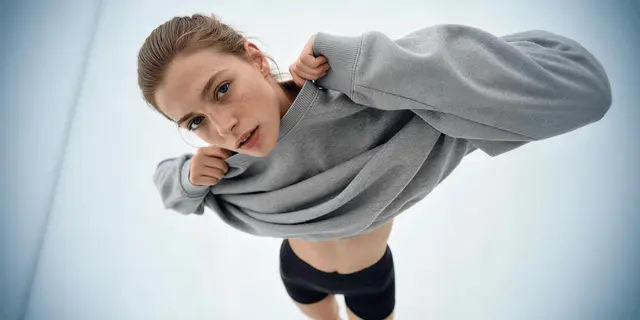
Higgsfield Soul 2.0 and Nano Banana Pro solve the same problem in two ways. Soul 2.0 is Higgsfield’s own image model for fashion and editorial pictures, and it keeps one face by training an identity from at least 20 photos. Nano Banana Pro is Google’s image model. It works from up to 14 reference images in one request, renders readable text and goes up to 4K.
A brand needs the same model in 60 pictures across a season. The first ten look right. By picture 30 the jaw is different and the campaign reads as three people.
This guide is for a brand or an agency that makes on-model images. It sets out what each vendor documents, what the only published comparison shows, and how to run your own test before you commit a campaign to either.
Key Takeaways
- Soul 2.0 keeps a face with a trained identity. Higgsfield calls it Soul ID and asks for a minimum of 20 photos.
- Nano Banana Pro keeps a face with references. Google documents up to 14 reference images in one request, with up to 5 for people.
- Nano Banana Pro goes to 4K and renders readable text. Higgsfield lists Soul 2.0 at up to 2K and says text is not a core strength.
- The published comparison comes from Higgsfield. It makes Soul 2.0, so treat its test as a vendor’s view.
- A trained face needs paperwork. You need the person’s written permission for training and for each use.
- Test with a count. Run the same brief ten times on each model and count the pictures you would publish.
What is Higgsfield Soul 2.0?
Higgsfield Soul 2.0 is an image model that Higgsfield built in-house. The company describes it as “a new foundation image model built for creative, fashion-aware, culture-native generation” (higgsfield.ai/soul-intro, October 2026). It sits in a family of three: Soul, Soul 2.0 and Soul Cinema.
Higgsfield documents four controls around the model (higgsfield.ai help center, October 2026):
- Presets. More than 20 ready-made looks at launch, such as a digital camera look or a street photography look.
- Moodboard. A saved style that you build from your own reference images.
- Soul HEX. A color palette taken from a reference image.
- Soul ID. A trained identity that keeps one face across pictures.
One detail matters for a brief. Higgsfield’s help center says that when you attach a reference image to Soul 2.0, the prompt field is not available. The reference becomes the main direction.
Our Higgsfield AI review covers the rest of the product, including who owns the results.
What is Nano Banana Pro?
Nano Banana Pro is Google’s name for Gemini 3 Pro Image. It makes and edits images from a text prompt, from reference images, or from both. Google’s documentation lists three things that matter for brand work (ai.google.dev, October 2026):
- References. You can mix up to 14 reference images in one request. Nano Banana Pro takes up to 5 images of people to keep them consistent, and up to 6 high-fidelity images of objects.
- Resolution. It makes 1K, 2K and 4K pictures.
- Text. Google describes “legible, stylized text for infographics, menus, diagrams, and marketing assets”.
It is a model, so many tools offer it. Higgsfield is one of them. Our guide to Nano Banana Pro prompts for product images shows how to brief it, and the sibling guide compares Nano Banana 2 and Nano Banana Pro.
How do the two models compare?
The table lists what each vendor documents. The Soul 2.0 column comes from Higgsfield’s pages. The Nano Banana Pro column comes from Google’s documentation, except where it says Higgsfield.
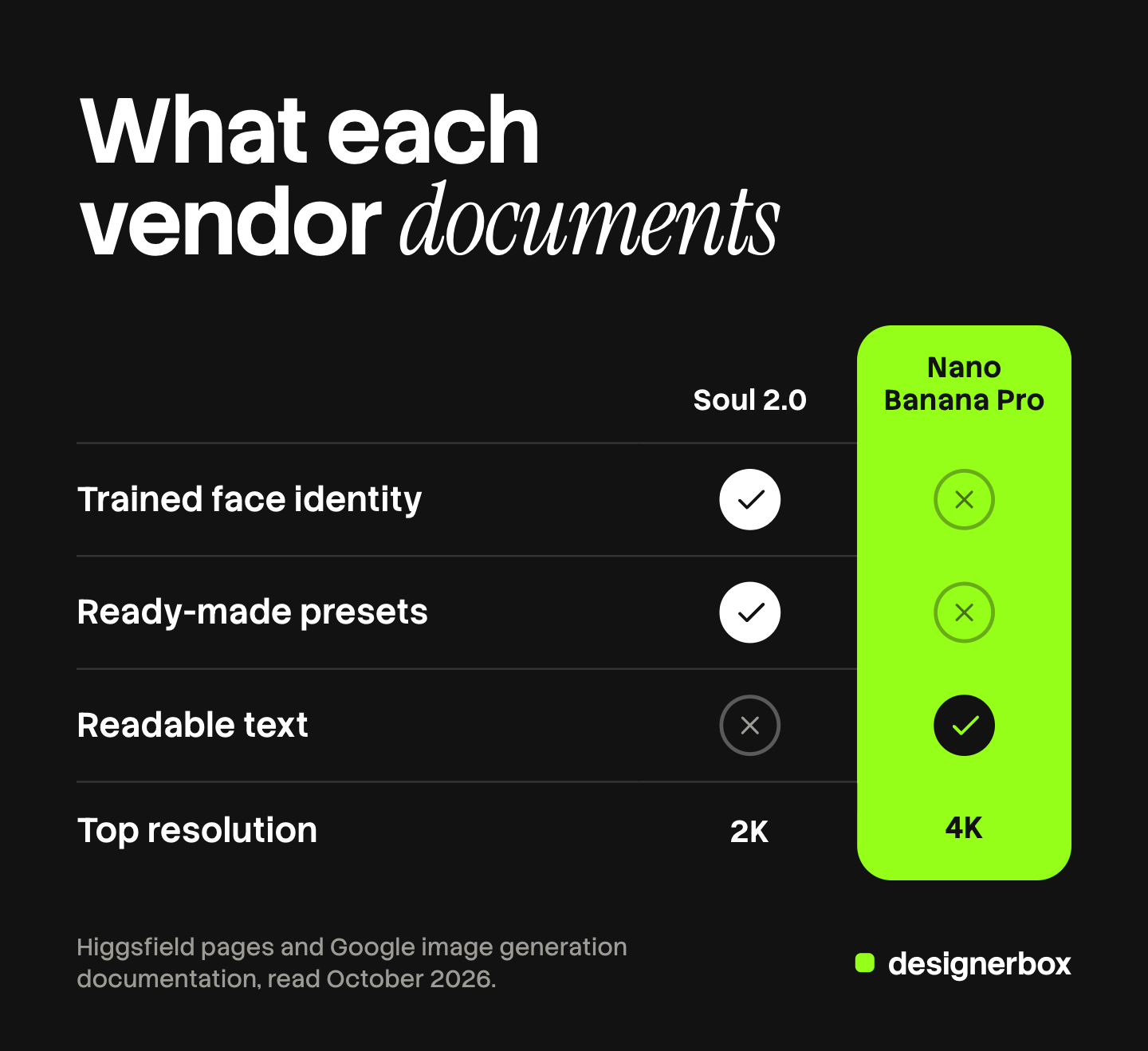
| Point | Soul 2.0 | Nano Banana Pro |
|---|---|---|
| Maker | Higgsfield | |
| Built for | Fashion and editorial pictures | General image making and editing |
| How it keeps a face | Soul ID, trained from 20 or more photos | Up to 5 reference images of people in a request |
| References in one request | Moodboard and one reference image | Up to 14 images |
| Prompt with a reference | Not available, per the help center | Yes |
| Top resolution | Up to 2K, per Higgsfield | 4K |
| Text inside the picture | ”Not a core strength”, per Higgsfield | Readable text, per Google |
| Ready-made looks | More than 20 presets | None documented |
| Where you can use it | Higgsfield | Google’s API and many tools |
Sources: higgsfield.ai/soul-intro, the Higgsfield help center and higgsfield.ai/blog/soul-2-vs-nano-banana-pro for Soul 2.0. Google’s image generation documentation for Nano Banana Pro. All read in October 2026.
Trained identity or reference images?
This is the real choice, and it applies to any pair of tools. A trained identity and a set of reference images both keep a face. They cost different things.
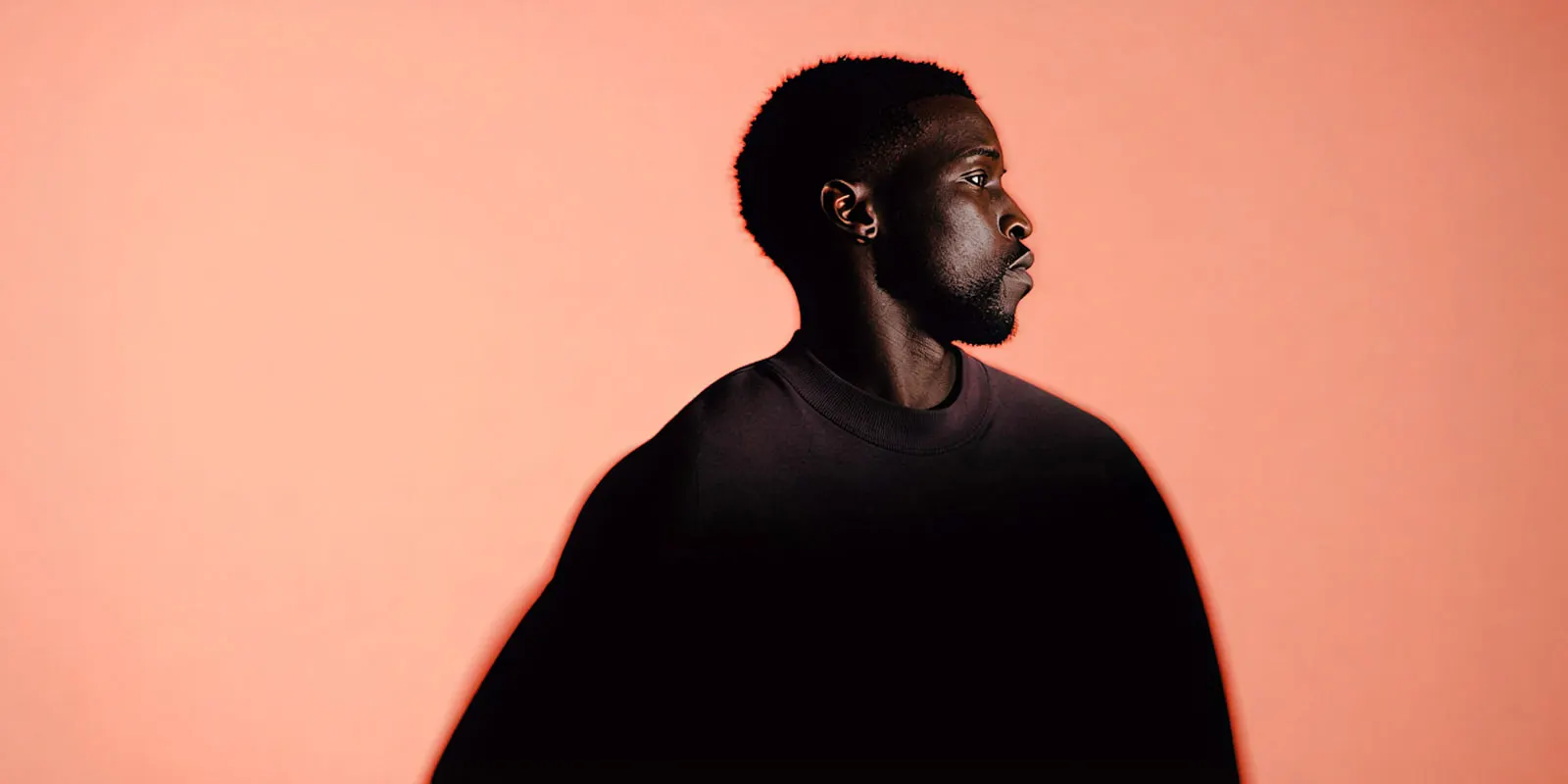
A trained identity takes setup. You collect photos of one person, train once and reuse the identity. Higgsfield’s Soul page asks for a minimum of 20 photos and says training takes about 3 minutes. Its comparison article gives a range of 20 to 80 photos. The setup pays back when one person appears in many pictures over weeks.
Reference images take no setup. You attach the pictures with each request. This fits a one-off shot, a new model every week, or a product that must appear exactly. It asks more of each prompt, because the model reads the references again every time.
Two risks belong in the plan. Higgsfield’s own article says a trained face “can end up cloned onto background people” in a crowd scene. It also says a face held only by references “drifts across many generations”. Each method has a known failure, so the review step has to look for it.
A trained face also needs paperwork. Get written permission from the person for the training and for each kind of use. Read how the tool handles uploaded photos before you upload a model’s face. This is general information, not legal advice. Our guide to consistent AI fashion images covers the methods in more depth.
What does Higgsfield’s own test show?
Higgsfield published one test: the same long prompt on both models, with the same reference. Its conclusion is that Soul 2.0 followed the prompt more closely, in the camera angle and the layout. It says Nano Banana Pro kept the person and the idea, made the layout more symmetrical and changed several details of position (higgsfield.ai/blog/soul-2-vs-nano-banana-pro, October 2026).
Read that result for what it is. It is one prompt and one picture from each model. The company that ran it makes one of the two models. We found no independent test with a published method, and we did not run one. So this guide makes no claim about which model makes the better picture.
The same article lists where Soul 2.0 falls short in Higgsfield’s view: looks outside fashion and editorial, background crowds and product mockups. That candor is useful. It tells you which briefs to test first.
Which model fits which job?
Match the model to the job, and expect to use both.
| Job | A sensible first pick | Why |
|---|---|---|
| One model’s face across a season of on-model pictures | A trained identity such as Soul ID | The setup is paid once and reused |
| A product with a label that must be readable | Nano Banana Pro | Google documents readable text and object references |
| A print-size hero image | Nano Banana Pro | 4K, against the 2K that Higgsfield lists for Soul 2.0 |
| A fast editorial look with no reference | Soul 2.0 presets | Ready-made looks built for that style |
| An edit to one part of an existing picture | Nano Banana Pro | It edits from a prompt and a reference together |
Higgsfield describes a combined route: make the person and the look with Soul 2.0, then fix text and product detail with Nano Banana Pro. A second pass doubles the places where a face or a label can change, so check both after each pass.
How to test both on your own brief
A fair test takes one afternoon. It gives you a number you can use.
- Pick one real brief. Use a shot you need this month, with your product and your model.
- Fix the inputs. Use the same reference photos and the same written brief for both models.
- Run ten pictures on each. One picture proves nothing. Ten show the spread.
- Score with a checklist. Face matches, product matches, label readable, hands correct, layout as briefed.
- Count the pictures you would publish. That count, divided by ten, is your accept rate for that brief.
- Repeat in a week. Run the same identity or references again and check that the face still matches the first set.
Keep the rejected pictures. They show each model’s typical failure on your product, and that is the list your reviewer needs.

On-model images in DesignerBox
DesignerBox is AI creative production for brands and agencies. This section is for a brand with 20 to 500 products, or for an agency that makes on-model images for several brands.
Models. Nano Banana Pro is one of the image models DesignerBox runs. Soul 2.0 is Higgsfield’s own model and is not in DesignerBox. A model is one step in a workflow, and the workflow picks the model for each step.
A fixed set of poses. An avatar run returns nine fixed poses for 25 credits. The nine pictures then work as the reference set for later runs.
Brand rules. A brand in DesignerBox holds products, reference pictures, logo, colors, fonts, voice and rules. A saved workflow reads them on every run. Anyone can make an AI picture. Making hundreds that still look like your brand is the hard part. Our guide to an AI brand character shows how a reference set is built.
Review. Critic steps score the results of a run, and best-of-N keeps the best one. A person still checks the face and the product.
The full workflow from the first product photo to the finished ad, in one subscription. For apparel, see DesignerBox for fashion brands.
The honest limits, as of October 2026:
- The route described here keeps a face with reference pictures and a fixed pose set. It is a different method from an identity trained on 20 photos of a person.
- We publish no accuracy figure for face or product matching. Run the ten-picture test above.
- Uploading your own photos and the commercial license start on the Pro plan. Virtual try-on starts on the Premium plan. Plans and credits are on the pricing page.
- The cost is shown before the run.
FAQ
What is Higgsfield Soul?
Higgsfield Soul is a family of image models made by Higgsfield for fashion and editorial pictures. It has three members: Soul, Soul 2.0 and Soul Cinema. Soul 2.0 adds presets, Moodboard, Soul HEX color control and Soul ID.
What is Higgsfield Soul ID?
Soul ID is a trained identity. You upload photos of one person, the tool trains once, and later pictures keep that face. Higgsfield’s Soul page asks for a minimum of 20 photos.
Is Soul 2.0 better than Nano Banana Pro?
It depends on the job. Higgsfield’s own test favors Soul 2.0 for following a detailed editorial prompt. Google documents 4K, readable text and up to 14 reference images for Nano Banana Pro. No independent test with a published method was available in October 2026.
Which model keeps a face more consistent?
Higgsfield says a trained Soul ID holds a face across a long series, and that a face held by references alone can change over many pictures. That is the vendor’s claim. Test it with ten pictures on your own brief, then again a week later.
Can Nano Banana Pro render text on packaging?
Google documents readable text as a feature of the model. Check every label at full size before you publish, because one wrong letter on a product is a defect.
Can I use both models on one image?
Yes. A common route makes the person and the look in one model and fixes text or product detail in the other. Check the face and the label after each pass.
Sources
- Higgsfield, Soul 2.0 page (higgsfield.ai/soul-intro), read October 2026: the model description, presets, Soul ID and the 20-photo minimum
- Higgsfield help center, “How do I use Soul to generate images?” (higgsfield.ai/creator-hub/help-center), read October 2026: the Soul family, the controls, the prompt field with a reference image
- Higgsfield blog, “Soul 2.0 vs Nano Banana Pro” (higgsfield.ai/blog/soul-2-vs-nano-banana-pro), read October 2026: the vendor’s comparison, the 2K figure, the stated limits of each model
- Google AI for Developers, image generation with Gemini, read October 2026: reference image limits, 1K to 4K, text rendering
- DesignerBox pricing page (designerbox.ai/pricing), October 2026
Model facts verified from Higgsfield’s pages and Google’s documentation as of October 2026. We did not test the output of either model, and this guide makes no claim about picture quality. Individual results vary.