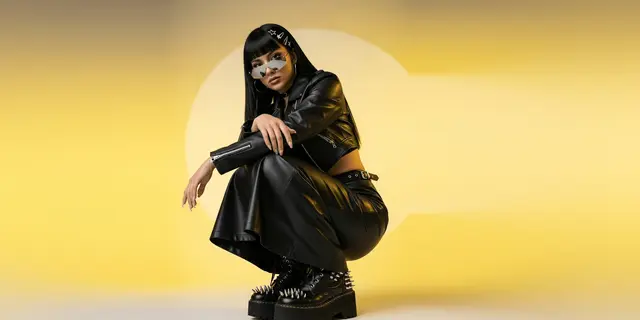
An AI brand character is a consistent AI character: a recurring face your brand owns and reuses across every asset. You build it once from a controlled reference set of the same person, lit and framed the same way, then condition every generation on that set instead of describing the face in words. The reference set is the asset. The model only renders it.
A brand character works across a whole campaign. It may need to appear in 30 paid placements in one quarter, pass a brand guardian’s review, and hold the same face in December that it held in August. That changes what you build and who has to sign for it.
This covers what an AI brand character is, why a recurring one outperforms a fresh face, how to build the reference set, what the two models with published specs will hold, the consent layer that decides whether it can ship, and what running a character costs.
Key Takeaways
- The reference set is the asset, not the model. Teams shop for a model that “holds a face” when the variable that decides consistency is the set of images you feed it and the discipline you keep around them.
- Recurring characters outperform borrowed fame. Across 308 Super Bowl ads from 2020 to 2023 tested with 46,200 US respondents, ads led by a brand character averaged 3.8 Stars for long-term growth potential against 2.7 for celebrity-led ads (System1, reported January 2024).
- Two catalog image models publish specs you can plan a character around. Nano Banana Pro documents up to 5 character-consistency images inside a 14-image reference budget (ai.google.dev, accessed September 2026). Black Forest Labs’ Kontext API takes up to 4 input images and labels images 2 to 4 “Experimental Multiref” (docs.bfl.ai, accessed September 2026).
- A real person’s face needs a signed release that names AI generation. A standard model release from a photoshoot usually covers the photographs taken that day, not a synthetic character built from them.
- The character breaks at the edges first. Hands, profile angles, and full-body distance shots drift before the front-facing headshot does. Plan the shot list around what holds.
- A character’s running cost is mostly the model you pick. The reference set is one avatar run, and the campaign stills cost what the chosen model costs.
What is an AI brand character?
An AI brand character is a single recognizable person, generated rather than photographed, that recurs across a brand’s creative. It appears in paid social, on the site, in email, and in video, wearing different clothes in different places, and reads as the same individual every time.
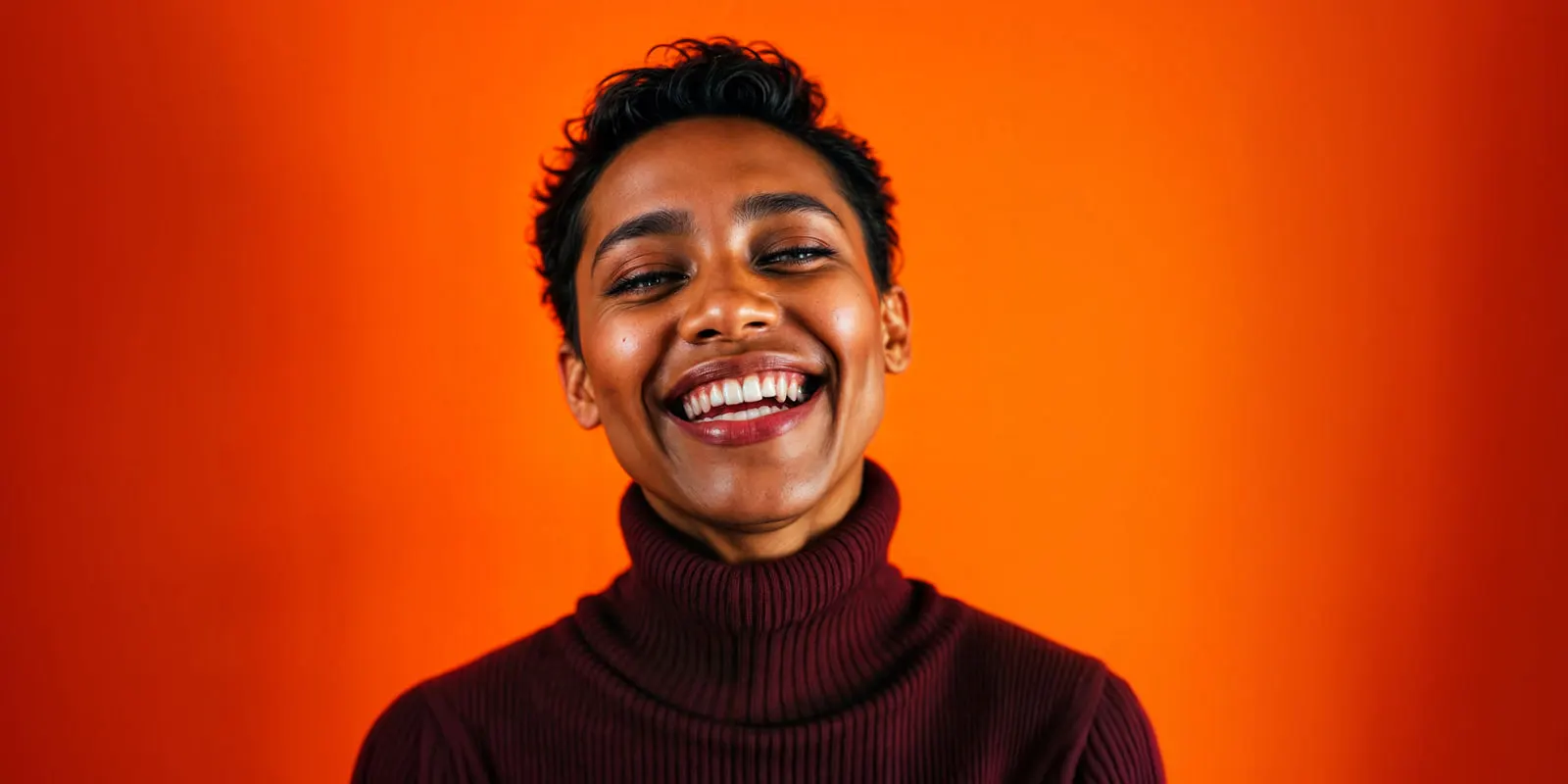
The category has three shapes. A fictional spokesperson invented from scratch. A real person licensed for synthetic use, usually a founder, employee, or contracted model. A house model used for on-model product imagery, where the face matters less than the fact that it never changes. The guide to the three kinds of AI spokesperson covers the consent and label rules for each.
All three depend on the same mechanic. You hand the model the same evidence every time and limit how far it may deviate.
Why a recurring character outperforms a new face every time
A recurring brand character outperforms a new face because the audience recognizes it more with every repeat. That effect has a measured size.
System1 tested 308 Super Bowl ads that aired between 2020 and 2023 with 46,200 US respondents. Ads led by a brand character or branded situation averaged 3.8 Stars on its long-term growth measure. Ads led by a celebrity averaged 2.7. The split in usage ran the other way: roughly 10% of ads used a character, while 39% featured a celebrity (System1, reported by SmartBrief, January 2024).
Read that as a recognition argument rather than a creative one. A face the audience has seen forty times does work that a face they have seen once cannot, and a generated character is the cheapest way a small brand ever gets to forty. Which face to repeat is a separate question. Our guide to testing AI characters before you pick one answers it with purchase data. Which kind of tool makes the face is sorted in our comparison of AI influencer generators.
The catch is that the argument only pays if the face repeats. A character that drifts a little every generation is a new stranger each month, and it earns none of the recognition it was built for. This is the same failure that shows up when keeping a character consistent across video clips, and it has the same root cause.
A consistent AI character starts with the reference set, not the model
A consistent AI character comes from a fixed reference set, not from a better model. Teams treat character consistency as a capability they shop for, and switch models when a face drifts. The face drifts because the input changed, not because the model forgot.
Every image model conditions on what you give it. Describe a face in words and you get a fresh interpretation each run, because “brown eyes, sharp jaw, shoulder-length dark hair” describes several million people. Hand it the same five images and the space it can wander in collapses.
So the thing you build and version and back up is the reference set. Treat it the way you treat a logo file, and write its rules into your brand guidelines next to the logo and color rules. Producing the very first frame that the set is built around is a separate step, and it is walked through in how to create an AI fashion model.
A reference set that works has five properties:
- Same person, several angles. Front, three-quarter left, three-quarter right, and one at conversational distance. Profile only if your shot list needs profile.
- Neutral, repeatable lighting. Soft and even. Hard directional light bakes a shadow pattern into the identity, and every later shot inherits it.
- Plain background. A single flat color backdrop. Busy environments pull detail the model tries to preserve.
- Neutral expression on at least half the set. Big smiles distort the mouth and jaw, which is where identity lives.
- Resolution above 1024px on the short edge. Low-resolution references produce soft faces that no amount of upscaling recovers.
Name the set, freeze it, and reuse it. When you need a variant, add to the set rather than replacing it, and keep the original. The per-model caps and the shooting spec for each frame are covered in how to build an AI character reference image.
How to build an AI brand character from one photo set
You build an AI brand character from one photo set in five steps, in this order.
1. Decide whose face this is. Invented, licensed, or a house model. The answer determines the paperwork, not the workflow, and it is far cheaper to answer now than after 200 assets exist.
2. Shoot or generate the reference set. If you have a real person, a short session against a plain backdrop gives you everything. If the character is invented, generate a first pass, pick the single strongest frame, then generate the remaining angles conditioned on that frame. In DesignerBox, an avatar run returns nine fixed poses for 25 credits. The operating side of that set, what it costs to run across a campaign and who carries the labeling duty, is covered in the guide to AI avatars for brands.
3. Write the identity line once and never edit it. One or two sentences that stay byte-identical in every prompt: age band, build, hair, and any fixed marker like glasses. Changing a single adjective mid-campaign moves the face.
4. Generate the campaign set conditioned on the references. Vary the scene, the wardrobe, and the framing. Hold the reference images and the identity line fixed. The model you pick moves the cost of the run.
5. Save the pass as a workflow. Build it once, then run it on the next drop, the next product line, and the next client. In DesignerBox, a saved workflow runs the same way on new scenes. That stops the character quietly resetting when a different person on the team takes over the work.
There are two approach categories worth knowing about. Reference conditioning is what the steps above describe, and it works immediately with no setup. Trained identity takes a larger photo set and fits a small model to it first, which is what Higgsfield’s Soul ID does from a set of 20 or more photos (higgsfield.ai help center, September 2026). Reference conditioning is faster to start and easier to change. Training holds harder across wide variation. For a brand character that mostly needs headshots and mid-shots, reference conditioning is usually enough.
What each model will hold
Two image models in the DesignerBox catalog publish reference-image limits you can hold them to.
| Model | What the provider documents | Best used for |
|---|---|---|
| Nano Banana Pro | Up to 14 reference images total, of which up to 5 may be character-consistency images and up to 6 high-fidelity object images. Up to 3 style reference images (ai.google.dev, September 2026) | Multi-character scenes, and character plus product in one frame |
| Kontext Multi (FLUX.1 Kontext) | Preserves identity of a reference character or object “across multiple scenes and environments” (bfl.ai, September 2026). BFL’s own Kontext API takes up to 4 input images and labels images 2 to 4 “Experimental Multiref” (docs.bfl.ai, September 2026) | Moving one established character into new scenes and environments |
Two practical notes on the Nano Banana Pro numbers. The 14 is a budget, not a target: fidelity is highest well below the cap, so put the images that must survive in the first slots. And the 5-character allowance is what makes a two-person scene viable, which reference conditioning on a single model often will not deliver. Once a second character enters the frame the failure modes change entirely, and keeping two characters in one AI image covers what breaks and the shot order that fixes it.
For the other image models in the catalog, we found no published per-character count. Test rather than trust a number you read somewhere. The model list shows the full catalog.
Who signs for the face
A character built from a real person’s photographs needs that person’s signed release for AI generation. An invented character does not. This is general information, not legal advice.
If your character is built from a real person’s photographs, you need their written permission for synthetic generation specifically. A standard model release from a photoshoot typically grants use of the images captured that day. It rarely grants the right to build a persistent digital likeness that generates new images indefinitely. Get that in writing, name AI generation in the wording, and set a term and a territory the way you would for any other likeness deal.
Employees are the common trap. A founder or staff member saying yes in a meeting is not a release, and it does not survive them leaving. The deeper treatment of the likeness question sits in the guide on swapping the model in a product photo.
Disclosure is the second layer. Article 50 of the EU AI Act has applied since 2 August 2026, and fines for breaking it can reach EUR 15 million or 3% of total worldwide annual turnover, whichever is higher (digital-strategy.ec.europa.eu, accessed September 2026). The European Commission published its guidelines on those obligations on 20 July 2026, and the guidelines are not binding (digital-strategy.ec.europa.eu, accessed September 2026). They treat realistic AI-generated human avatars or personas as persons, and say it is enough that the person could plausibly exist. If your character is realistic and your creative runs in the EU, it likely counts as a deep fake even if the person never existed, so treat labeling as a requirement rather than a preference.
Instagram has a profile label called “AI-generated profile”. A profile that features an AI-generated person should turn it on. Instagram says it limits the reach of such profiles when they do not add the label (Instagram for Creators, August 2026).
An invented character avoids the release problem entirely, which is a genuine reason to invent rather than license.
Where the character breaks at campaign volume
A character that looks perfect in a test of six images will show its seams at sixty. The failures arrive in a predictable order.
- Hands go first. Fingers merge, counts go wrong, and grip on a held product reads as impossible. Frame above the wrist when the shot allows it. The distortion patterns in AI video apply to stills too.
- Profile drifts before front-on. Reference sets skew front-facing, so the model has the least evidence exactly where you asked for the hardest angle. Add real profile references if profile is in the shot list.
- Distance flattens identity. At full-body distance the face occupies too few pixels to carry identity, and the model fills in. Generate the mid-shot, then reframe, rather than generating wide and hoping.
- Age creeps. Across a long run the character trends slightly younger and more symmetrical. Compare every tenth output against the original reference set rather than against the previous output, or the drift compounds invisibly.
- Wardrobe leaks into identity. If half your references wear the same jacket, the model treats the jacket as part of the person. Vary wardrobe in the set.
Build the check into the process. Put every tenth asset side by side with reference image one, at 100%, and look at the mouth and jaw. That habit catches drift before a brand review does, when it costs less to fix.
What a character costs to run
Here are the numbers for a 40-asset quarter in DesignerBox. There is no flat per-image price, so the model you choose is the biggest line in the budget.
| Step | Credits |
|---|---|
| Reference set, an avatar run with nine fixed poses | 25 |
| 40 campaign stills | Depends on the model |
| One 8-second video clip | 40 to 560, depending on the model |
Read the stills row as one decision. The same 40 assets cost more or less depending on the model you pick. DesignerBox shows you that number before the run starts. Draft the character on a lower-cost model, then run the shots that ship again on the one that holds the face best.
Video follows the same rule, and the video row in the table shows the range. Pick a lower-cost model for paid-social cutdowns and spend more on the hero take.
Three plan gates apply. Uploading your own photos and the commercial license start on the Pro plan. AI video, virtual try-on, upscaling, the image editor and the video editor start on the Premium plan, and the free plan cannot make video. Team features, shared brand kits and white label are on the Ultra plan, and every plan below Ultra is one seat. Plans and credits are on the pricing page.
Where DesignerBox fits: the reference set, the campaign stills, the video, and the saved workflow are one job you build once and run again. You set the brand once, and the workflow reads the same locked inputs on every run, so nobody has to remember which photo to start from. The reference set, the stills, the clips, the editors and your brand record sit in one place. The full workflow from the first product photo to the finished ad, in one subscription. A video ad template is where the character moves. A model creator template is a reusable starting point for the character itself. The wider brand consistency rules cover the rest of the system it sits in.
Start from a template, add your brand and your products, and run it. See the templates.
FAQ
How many photos do I need to create an AI brand character?
For reference conditioning, four to six good images covering front, both three-quarter angles, and a conversational-distance shot are enough. Nano Banana Pro accepts up to 5 character-consistency images inside a 14-image reference budget (ai.google.dev, September 2026). Training-based approaches ask for more: Higgsfield’s Soul ID, for example, asks for 20 or more photos (higgsfield.ai help center, September 2026).
Can I create an AI brand character without using a real person?
Yes, and it removes the likeness-release problem. Generate a first pass, choose the strongest single frame, then generate the remaining angles conditioned on that frame to assemble the reference set. From there the process is identical.
Will the same character work in both images and video?
The same reference images anchor both, but video adds motion drift on top of identity drift. Expect a stills character to hold better than a video one at equal effort, and read the guide on character consistency across video clips before committing a character to a video campaign.
Do I need a signed release if the character is based on an employee?
Yes. Verbal agreement is not a release, and it does not survive that person leaving the company. The release should name AI or synthetic generation specifically, because a standard photography release usually covers only the images captured on the day.
Do I have to disclose that a brand character is AI generated?
If your creative runs in the EU and the character is realistic, plan on it. Article 50 of the EU AI Act has applied since 2 August 2026, and the Commission’s guidelines, published on 20 July 2026, say an invented person can count as a deep fake when the person could plausibly exist (digital-strategy.ec.europa.eu, September 2026). Platform-level labeling rules apply separately and vary by network, as of September 2026.
Why does my AI character look slightly different in every generation?
Almost always because the input changed. A reworded identity line, a swapped reference image, or a different model between runs will each move the face. Freeze the reference set and the identity line, then vary only the scene and the wardrobe.
Does the same method work for a drawn or cartoon character?
Yes, with two changes. A drawn character needs a model sheet with a turnaround, an expression set and named colors, because line weight, proportions and palette drift as much as the face does. It also needs a fixed style line in every prompt. The full method, and who owns a drawn character, is in the guide to building an AI mascot.
Sources
- Nano Banana Pro character-consistency allowance inside the total reference budget, and its style reference images: ai.google.dev (accessed September 2026)
- FLUX.1 Kontext identity preservation across multiple scenes and environments: bfl.ai (accessed September 2026)
- FLUX.1 Kontext input image limit through BFL’s API: docs.bfl.ai (accessed September 2026)
- Brand-character versus celebrity effectiveness across 308 Super Bowl ads tested with 46,200 US respondents: System1, as reported by SmartBrief, 29 January 2024 (accessed October 2026)
- EU AI Act Article 50 transparency obligations, application date and penalty ceiling: European Commission FAQ (accessed September 2026)
- The Commission’s Article 50 guidelines, published 20 July 2026 and not binding: European Commission (accessed September 2026)
- Instagram’s “AI-generated profile” label, announced 31 August 2026: Instagram for Creators (accessed October 2026)
- Soul ID training-set size for trained-identity approaches: (higgsfield.ai help center, September 2026)
- DesignerBox plans, the avatar run and feature gating: DesignerBox pricing page (designerbox.ai/pricing), September 2026
Model reference limits verified from ai.google.dev, bfl.ai and docs.bfl.ai, and EU AI Act Article 50 timing from digital-strategy.ec.europa.eu, as of September 2026. Effectiveness data from System1 as reported January 2024, re-checked on SmartBrief on 2 October 2026. This is general information, not legal advice. Individual results vary.