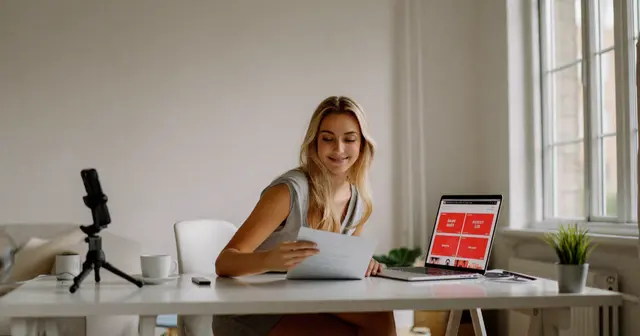
Shoppable video is a short clip that carries a shopping link, so a viewer can move from watching to buying without leaving the app. For a brand or agency that runs a creator program on LTK or Mavely, it is the asset your creators need for every product. Mavely says its links work on Instagram, TikTok, Facebook, Pinterest, YouTube, text messages and email newsletters (joinmavely.com, September 2026), so one clip can travel a long way.
The bottleneck sits with the brand. Every creator needs clips of every product, and new products arrive each week. If each creator films each product, one launch has 40 different looks.
Video does not need its own shoot. A clip can start from the product still you already approved. The same photo that feeds the product page then feeds the clip a creator posts.
This covers which clip formats carry a link, what to hand your creators, how to build clips from stills, how to keep them consistent across products, the disclosure rules, and where the approach stops working.
Key Takeaways
-
One clip, many surfaces. Mavely links run on Instagram, TikTok, Facebook, Pinterest, YouTube, text messages and email newsletters (joinmavely.com, September 2026). One vertical clip can serve most of them.
-
LTK reports that video sells. LTK said in October 2024 that shoppers purchased 2x more from video and clicked out to retailers 64% more (onbrand.shopltk.com, October 2024).
-
Start from the approved still. Image-to-video turns a product photo you already own into motion, so a clip needs no shoot.
-
Hand creators the same clip set for every product: a product motion clip with no text on screen, and one or two detail passes.
-
Keep clips short. Cost and the chance of a visible error both grow with length.
-
The brand answers for its program. The FTC tells companies they are “ultimately responsible for what others do on your behalf” (ftc.gov, September 2026). LTK asks creators to disclose commissions and free products.
-
Do not fake an experience. LTK says it does not allow AI-generated content that “deceives or misrepresents identity, experience, or engagement” (company.shopltk.com, September 2026). A generated clip of a creator using a product they never received breaks that rule.
Why shoppable video carries affiliate links better
Shoppable video carries affiliate links better than a still for three reasons, and only one is about reach.

Reach. LTK describes itself as a video-first platform. It reported that shoppers purchased 2x more from video and clicked out to retailers 64% more (onbrand.shopltk.com, October 2024). Those are LTK’s own numbers.
Fit and scale. The questions that stop a purchase are physical. How big is it, how does it move, how does the fabric fall. A still cannot answer those. A three-second clip can.
Dwell. A clip keeps the post on screen longer, and that is more time next to the link.
The volume is large. Later, which acquired Mavely, reported a $2.4 billion annual GMV run rate, more than $250 million in cumulative creator payouts and more than 180,000 Mavely creators one year after the acquisition (later.com, December 2025). For a brand, that means many creators can post the same product in the same week. Each one needs something to post.
The shoppable video formats that carry a link
Four shoppable video formats carry a link well, and a brand can supply three of them.
| Format | Length | Built from | Who makes it |
|---|---|---|---|
| Product motion | 3-6s | One still, animated | The brand |
| Detail pass | 5-8s | One still, close crop plus a move | The brand |
| Roundup reel | 15-25s | The approved stills for a collection | The brand or the creator |
| Try-on or in-use | 10-20s | The creator’s own footage | The creator |
Product motion is the workhorse. A slow push in on the product against a clean background, three to six seconds. Leave the lower third of the frame empty, so the creator can add their own text.
Detail passes answer one question each. The texture of a knit. The clasp on a bag. The finish on a compact.
Roundup reels reuse stills you already made. The eight products in a roundup image set become eight cuts of two seconds each, in the same order as the creator’s links.
Try-on and in-use clips belong to the creator. They need a real person using the real product, so leave them to the people who own and use it.
What to hand your creators
A creator who opens your folder and finds a usable clip posts sooner. A creator who finds one logo file films something else. Give each product the same set:
- One product motion clip. 3 to 6 seconds, 9:16, no text on screen.
- One or two detail passes. Each one on the feature buyers ask about most.
- The product name as the retailer lists it. The creator’s link and the clip then name the same thing.
- A file name with the product and the version. When a color changes, the old clip is easy to find and replace.
- A short note on what can change. Crop, text and music can change. Product color and product claims cannot.
Creators on LTK keep creative control. LTK’s Quick Collabs, launched on 18 March 2026, lets creators opt in to flat-fee brand campaigns and “skip time-consuming reviews and creative briefs” (onbrand.shopltk.com, March 2026). A creator can choose not to use your clips, so make them easy to use.
Clips are one part of the partner pack. Banners, copy and the FTC duties for the whole pack are in affiliate creative assets. A week of Mavely posts planned from one shoot is in Mavely creator content. For the creator’s side of the program, see how the Mavely app works and pays.
For the other tools a creator uses, CreatorFlow’s creator tools directory lists 190+ tools by job, from link-in-bio and email to scheduling and affiliate platforms. CreatorFlow is built by the same team as DesignerBox (creatorflow.so/creator-tools, October 2026).
Building clips from stills you have
The production shortcut is image-to-video: your product photo becomes the first frame, and the model generates motion from it.
1. Start from a clean still. Use the approved product photo. Background removed or replaced, product color correct. Motion makes whatever is wrong in the source easier to see, so fix it first. Getting the source photo right is the step that decides everything after it.
2. Ask for one movement. A single push in, a single orbit, a single fabric drift. Multi-part motion is where AI video breaks, and hands and faces break first. Animating a photo with AI covers the mechanics, and AI video hands and faces covers what to avoid asking for.
3. Keep it short. Three to six seconds covers most product motion. Cost grows with duration, and so does the chance of a visible error.
4. Build longer edits from short clips. Generate several short clips, then cut them together. That is cheaper and safer than generating one long take.
5. Export vertical. 9:16 fills the screen on Instagram Reels, TikTok and YouTube Shorts, so one file serves all three.
Clips that match across products
Creators bring their own variety. The product clips should not add more. When 40 creators post 12 products, a shopper should still see one brand.
Fix five things and keep them fixed for the season:
- Background. One surface or one color for the whole collection.
- Light. The same direction and color temperature on every product.
- Motion. One movement per product type, such as a slow push in for bags and a slow orbit for shoes.
- Length. The same duration for every product motion clip.
- Framing. The product at the same size in the frame, with the same empty space for text.
Write these down before the first clip. Without written settings, the clips drift from product to product, and shoppers notice.
Product clips in DesignerBox
DesignerBox is AI creative production for brands and agencies. You build a workflow once. You add the product photo, and the workflow returns the clip set. You set the brand once. The workflow reads it on every run.
A saved workflow runs the same way on the next product. Product 40 runs with the same background, light and motion settings as product one. You can publish the workflow as an app. A colleague adds a product photo to a form and presses Run. Batch runs one workflow over a whole sheet of products, so a whole drop runs in one pass.
The video editor is a real timeline, with several tracks, transitions, animated text and audio. Use it to cut the roundup reel from the product clips. You download the results, or send them with a webhook or an S3 step. Then you share them with creators the way your program already does. The product photo, the clip set, the video editor and the finished files stay in one account. The full workflow from the first product photo to the finished ad, in one subscription.
Cost of a creator clip set
In DesignerBox, an 8-second clip costs 40 to 560 credits, depending on the model. The cost is shown before the run. AI video cost explains what sets the price of a clip.
Uploading your own photos and the commercial license start on the Pro plan. AI video, virtual try-on, upscaling, the image editor and the video editor start on the Premium plan. Plans and credits are on the pricing page.
Product clips are AI video, and clips that sell products are commercial use. So a brand where one person makes the creator clips needs the Premium plan. A team that shares the work, or an agency that runs creator programs for several clients, needs more than one seat. Team features, shared brand kits and white label are on the Ultra plan, and every plan below Ultra is one seat.
Three ways to spend fewer credits:
Shorten first. A shorter clip costs less and shows fewer errors.
Pick the frame first. Choose the best still, then animate only that one.
Run a collection in one session. One set of settings, several products. Content batching covers how to plan the session.
The line you should not cross
LTK’s Community Guidelines say LTK does not allow “inauthentic activity or content, including AI-generated content that deceives or misrepresents identity, experience, or engagement” (updated 18 March 2026, accessed September 2026). Video makes that easier to break than stills do, because motion reads as evidence. This is general information, not legal advice.
Safe for a brand to supply: motion around a real product, generated backgrounds, detail passes and staged product scenes.
Not safe: a clip that shows a creator using a product they never received, a generated person presented as the creator, or footage that misrepresents how the product performs.
Disclosure. LTK tells creators: “If you receive compensation, commissions, free products, discounts, or other benefits in connection with content you post, disclose it clearly.” The FTC’s Endorsement Guides FAQ tells companies they are “ultimately responsible for what others do on your behalf” (accessed September 2026). The same FAQ says “Paid link” right next to an affiliate link should be enough, and “commissionable link” probably is not. In June 2023 the FTC also said a platform’s built-in disclosure tool “might not be an adequate disclosure” (FTC, June 2023). Ask creators to put their own clear line in the caption, next to the link.
AI labels. The creator who posts the clip also answers to each platform’s AI rules, so tell creators which clips are AI-made. As of September 2026:
- TikTok requires creators to label AI-generated or heavily edited content that shows realistic people or scenes.
- YouTube requires creators to disclose realistic content that AI made or changed in a meaningful way.
- Meta adds “AI info” to Facebook, Instagram and Threads posts when it finds signals that AI made them.
The creator-side rules in full are in AI content for LTK creators.
Where this stops working
Anything needing real hands. Applying makeup, fastening a clasp, tying laces. Generated hands remain the most visible failure in AI video. Leave those to the creator’s own footage.
Fabric on a body in motion. On-model movement is improving, and it still shows errors on close inspection. Use it for mood, and never for fit claims.
The creator’s face and voice. These are what the audience follows. A brand should never supply a generated stand-in for a creator. On LTK it can also break the rule on misrepresenting identity.
Attribution windows. Most LTK brand partners’ cookie windows run 7 to 30 days, and 7 to 14 days on average (onbrand.shopltk.com, September 2026). A sale after the window closes is not credited to the creator’s link. Send a fresh clip set each season or drop, so creators have a reason to post again.
The first job is one clip set for one product. Start from a template, add your brand and your product, and run it. See the templates.
FAQ
What is shoppable video?
Shoppable video is a short clip paired with a link that lets the viewer buy without leaving the app. On LTK and Mavely it means a Reel, TikTok, Short or LTK post whose caption or overlay carries the creator’s link to the products on screen.
What should a brand give creators for shoppable video?
One product motion clip of 3 to 6 seconds for each product, with no text on screen, and one or two detail passes. Add the product name as the retailer lists it, and a short note on what the creator may change. Keep background, light, motion and framing the same across products.
What video length works best for affiliate posts?
Three to six seconds for a single product, 15 to 25 seconds for a multi-product roundup. Short clips cost less to generate, show fewer errors, and loop, which keeps the link on screen longer.
Can a brand make creator clips without a shoot?
Product clips, yes. A still of the real product can become a clip through image-to-video. Anything that shows a person using the product should come from the creator’s own footage. LTK says it does not allow AI-generated content that misrepresents identity or experience.
What aspect ratio should the clips use?
9:16 vertical. It fills the screen on Instagram Reels, TikTok and YouTube Shorts, so one file serves all three.
Which DesignerBox plan does a brand need for product clips?
Product clips are AI video, and AI video starts on the Premium plan. The commercial license starts on the Pro plan, so it applies on Premium too. An 8-second clip costs 40 to 560 credits, depending on the model, and the cost is shown before the run.
Who is responsible for disclosure when a creator posts a brand’s clip?
Both of them. LTK asks creators to disclose commissions and free products clearly. The FTC tells companies they are “ultimately responsible for what others do on your behalf”, so a brand should tell creators how to disclose and check that they do.
Sources
- Mavely creator guide, joinmavely.com/creator-tips/definitive-mavely-creator-guide (accessed September 2026)
- LTK Community Guidelines: company.shopltk.com (updated 18 March 2026, accessed September 2026)
- LTK, “How commission is earned through your LTK links,” onbrand.shopltk.com (accessed September 2026)
- LTK, “LTK is a video-first platform and shopping app experience,” onbrand.shopltk.com (October 2024)
- LTK, “LTK Launches Quick Collabs: A Faster Way for Brands and Creators to Work Together,” onbrand.shopltk.com (March 2026)
- Later, “Later Surpasses $2.4 Billion Annual GMV Run Rate and More Than $250 Million in Cumulative Creator Payouts,” later.com (December 2025)
- FTC, “The FTC’s Endorsement Guides: What People Are Asking”: ftc.gov (accessed September 2026)
- FTC, “Federal Trade Commission Announces Updated Advertising Guides”: ftc.gov (June 2023)
- TikTok Community Guidelines, integrity and authenticity: tiktok.com (accessed September 2026)
- YouTube Help, disclosing altered or synthetic content: support.google.com (accessed September 2026)
- Meta Help, AI info on posts: meta.com (accessed September 2026)
- CreatorFlow creator tools directory, 190+ tools in eleven groups: creatorflow.so/creator-tools (accessed 2 October 2026)
- DesignerBox plan gates, the 8-second video credit range and the cost shown before each run: DesignerBox pricing page (designerbox.ai/pricing), September 2026