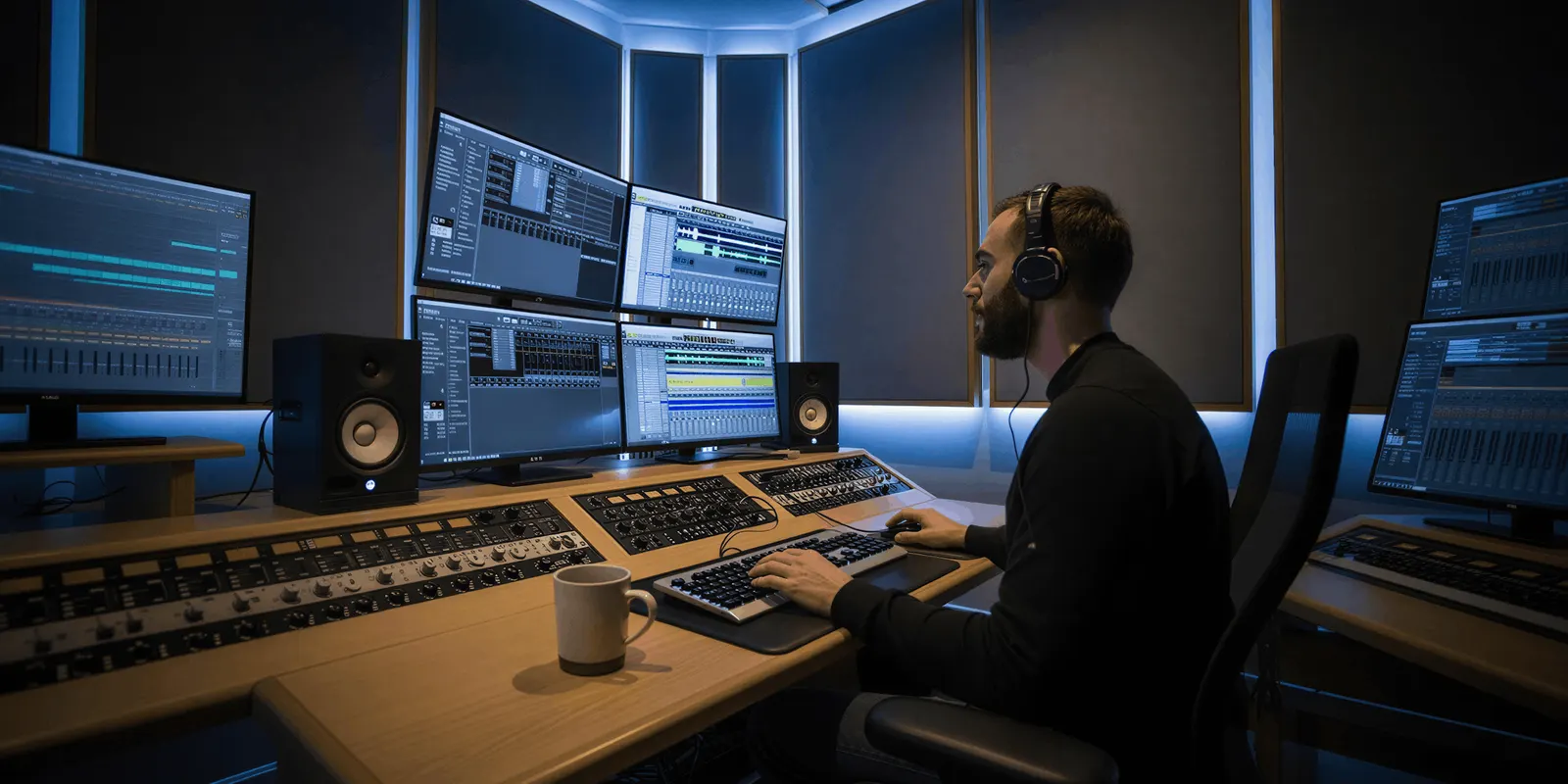
Video automation is the use of software to make many videos from one design. A template or a workflow holds the fixed parts. Data fills the parts that change, such as the product, the price or the language. It has three layers: generating footage, assembling the video and reviewing the result. Each layer bills in a different unit, so you price them one at a time.
Most guides to video automation cover one layer and call it the whole job. A rendering API guide prices the render. A video model guide prices the generated second. A team that needs 300 product videos a month pays for both, and then pays a person to check them.
This guide separates the three layers, shows the unit each one bills by, and gives a way to choose which videos to automate. Vendor facts were read on the vendors’ own pages in October 2026. It is written for agencies and brands that make the same kind of video every week.
Key Takeaways
- Video automation is three jobs. Generating footage, assembling the video and reviewing the result. Most tools do one or two of them.
- Rendering APIs assemble media you already have. You send a description of the video, and the service returns a file. Most bill by the length of the rendered video.
- Video models bill by the generated second. Google lists Veo 3.1 from $0.05 to $0.40 a second at 720p, depending on the version.
- A render is repeatable. A generation is not. The same template and data give the same video. The same prompt gives a different clip each time, so generated footage needs a look.
- Price the accepted video. Divide the cost of a run by the share of videos you keep.
- Automate the fixed formats first. A video with the same structure for every product is the best candidate. A one-time brand film is the worst.
What is video automation?
Video automation means one design produces many videos without a person editing each one. You build the design once as a template or a workflow. Then a spreadsheet, a product feed or a form supplies what changes for each video. The software fills the design, renders the file and stores it. A person sets it up and checks the results.
The term covers very different products. Some assemble clips, images and text you already own. Some generate new footage from a prompt or a product photo. Some do both in a chain. Before you compare prices, find out which of these jobs a tool does.
Video automation is one part of a wider practice. For stills, ad sizes and copy, see what creative automation is.
What are the three layers of video automation?
Every automated video passes through three layers, even when one tool hides them. The table shows what each layer needs and how it is usually billed.
| Layer | What it does | What you supply | Usual billing unit | Same input, same result? |
|---|---|---|---|---|
| Generate | Makes new footage with a video model | A prompt, a product photo or a first frame | Second of generated video | No |
| Assemble | Joins clips, images, text and audio into one file | A template and a row of data | Minute or second of rendered video | Yes |
| Review | Keeps, fixes or discards each video | A person and a checklist | Time | Not applicable |

The last column matters most. Assembly is deterministic: the same template and the same data give the same video every time. Generation is not. A video model returns a different clip on each run, and some of those clips will show the product wrong. That is why the review layer exists, and why it costs more when you generate than when you only assemble.
A team that already has footage for every product needs the assemble layer and a light review. A team with one photo per product needs all three.
How do video rendering APIs work?
A video rendering API takes a written description of a video and returns a finished file. The description is usually JSON, which is why the method is often called JSON to video. It lists the clips, the text, the timing and the size. Your code changes the values for each video and sends the request. The service renders the file on its own servers.
Shotstack is a clear example. Its documentation describes a timeline made of tracks, where tracks “are like layers” and each track holds clips with a start time and a length (shotstack.io/docs, October 2026). The same structure appears in most products in this group. Under many of them sits FFmpeg, the open-source framework that decodes, encodes and filters video (FFmpeg, accessed October 2026).
The products differ in how you build the template and in what they count when they bill you.
| Product | How you build the template | What it counts | Source |
|---|---|---|---|
| Shotstack | JSON timeline, a template editor, or integrations with Make and Zapier | Length of rendered video, counted to the second, “regardless of resolution” | shotstack.io/pricing, October 2026 |
| Creatomate | An online template editor, with bulk runs from spreadsheet rows | Pixels: width, height, frame rate and duration | creatomate.com/docs, October 2026 |
| JSON2Video | JSON, with templates and text-to-speech voices | Seconds of rendered video. A 4K video counts four times | json2video.com/pricing, October 2026 |
| Plainly | Templates made in Adobe After Effects | Seconds of exported video | plainlyvideos.com/pricing, October 2026 |
| Remotion Lambda | Video written as React code, rendered on your own AWS account | Compute time on AWS, plus a company license where one is needed | remotion.dev/docs/lambda, October 2026 |
Each of these does its job well, and they fit different teams. A developer who thinks in code may prefer Remotion. A motion designer who works in After Effects may prefer Plainly. Each vendor lists its plans on its own pricing page, so read the unit first and the rate second.
Three details on those pages change the bill more than the headline rate:
- What happens at zero. On Shotstack, a pay-as-you-go account stops rendering when the balance runs out, and a subscription keeps rendering and bills the extra at the end of the cycle (shotstack.io/pricing, October 2026). One is a hard stop. The other is a larger invoice.
- Whether unused allowance carries over. Shotstack carries unused subscription allowance forward while you stay subscribed. JSON2Video states that subscription allowance expires at the end of the monthly period (json2video.com/pricing, October 2026).
- How long the files stay. Creatomate deletes rendered files after 30 days (creatomate.com/pricing, October 2026). Plainly keeps them from 24 hours to 7 days, depending on the plan (plainlyvideos.com/pricing, October 2026). Your process needs a step that saves each file to your own storage.
One limit is shared by the whole group. A rendering API assembles media. It does not make the footage. JSON2Video says so directly: it “does not support natively AI image generation, AI video generation” (json2video.com/pricing, October 2026). Shotstack’s pricing page lists AI editing among its plan features, and generated assets draw on the same balance. If you have no footage, the render bill is the smaller part of your cost.
How do video generation APIs bill?
Video generation APIs bill by the second of video the model returns. The rate changes with the model version, the resolution and whether the clip has audio. You pay for every clip the model returns, including the ones you discard.
These are list prices for the model call only, read on the vendors’ own pages.
| Model | Vendor | List price per second |
|---|---|---|
| Veo 3.1 Lite | $0.05 at 720p, $0.08 at 1080p | |
| Veo 3.1 Fast | $0.10 at 720p, $0.12 at 1080p | |
| Veo 3.1 | $0.40 at 720p and 1080p | |
| Gen-4 Turbo | Runway | 5 credits, which is $0.05 |
| Gen-4.5 | Runway | 12 credits, which is $0.12 |
Sources: Gemini API pricing and Runway API pricing, both read 4 October 2026. Runway sells API credits at $0.01 each.
A rate on this table can have a short life. Google lists 22 October 2026 as the earliest shutdown date for the Veo 3.1 preview models in the Gemini API, and names Gemini Omni Flash as the replacement (Gemini API deprecations, October 2026). OpenAI removed Sora 2 and its Videos API on 24 September 2026 (OpenAI API deprecations, October 2026). An automated process that calls a model directly has to be moved and tested again each time this happens.
For more models and for how tools turn these rates into credits, see AI video generation cost.
What does an automated video cost?
The cost of an automated video is the cost of its three layers divided by the share of videos you keep. The formula is short:
Cost per accepted video = (generation + render + review time) ÷ acceptance rate

Here is the generation layer as illustrative arithmetic, not a measured result. A 16-second product video needs 16 seconds of generated footage. At the list prices above, that footage costs $0.80 on Veo 3.1 Lite at 720p, $1.60 on Veo 3.1 Fast at 720p and $6.40 on Veo 3.1.
Now add the acceptance rate. If you keep one video in two, the generation cost per accepted video doubles, to $1.60, $3.20 and $12.80. The acceptance rate is your own number. Measure it on 20 videos before you plan 300.
The render adds a charge by the minute or the second, at the rate on the vendor’s page. For most teams that generate footage, it is the smallest of the three lines. Review is often the largest. If a person spends two minutes on each video, 300 videos take 10 hours.
So the same job has two different budgets:
- Assemble only. You own the footage. You pay the render and a short check. The cost per video is low and steady.
- Generate and assemble. You pay the model for each second, then the render, then a real review. The acceptance rate decides the total.
If you are weighing a build on these APIs against a finished tool, the people cost is the larger number. The guide to build vs buy for AI creative production covers it.
Which videos should you automate?
Automate a video when its structure is the same for every product and only the content changes. The test is one question: would an editor make the same decisions for every video in the set? If yes, those decisions belong in a template. The video production workflow shows which of its six stages repeat for each client.
| Video | Same decisions every time? | Best path |
|---|---|---|
| Listing video with product shots, price and three benefit lines | Yes | Assemble from a template |
| One ad in five sizes | Yes | Assemble from a template |
| One ad in six languages | Mostly. Text length changes the layout | Template, with a layout check per language |
| Product clip from one photo | The structure is fixed, the footage is new | Generate, assemble, review each one |
| Customer-style clip with a presenter | Partly | Generate, review closely |
| Brand film for a launch | No | Make it by hand |
Start with the first two rows. They need no generated footage, the result is repeatable and the review is quick. The beat sheets in ecommerce product video frameworks are a good source of fixed structures. For the size rules per placement, see one ad in every platform size.
Ad platforms automate some of this themselves. In Google’s Performance Max, “auto-generated videos are a campaign-level setting that help you generate additional video assets” (Google Ads Help, accessed October 2026). You control little of the result, so most brands supply their own videos and keep the setting as a fallback.
Where do the checks go?
Put a check after each layer that can fail. A render fails in ways a script can find. A generation fails in ways only a person can see.
Checks a script can run after the render:
- The file exists, and its length matches the template.
- The size and the frame rate match the placement.
- No text field is empty, and no text runs out of its box.
- The product name and the price match the data row.
Checks a person runs after generation:
- The product has the right shape, color, logo and label.
- Hands, faces and motion look natural.
- The clip shows the product that the page sells.
Google gives the same warning about its own automated videos. Advertisers should “ensure that the products featured in the generated video assets align with the inventory on your specified landing page” (Google Ads Help, accessed October 2026). A video that shows the wrong product is worse than no video.
Review time grows with volume unless you design for it. Show the source photo beside the result. Let the reviewer keep, discard or run one video again without touching the others. When a generated clip is close, a small edit is often faster than a new run, and how to edit AI-generated video covers the common fixes.
Video automation in DesignerBox
DesignerBox is AI creative production for brands and agencies. It covers the three layers in one product. It is not a rendering API, and that difference decides whether it fits your job.
Anyone can make an AI picture. Making hundreds that still look like your brand is the hard part. The same is true of video. In DesignerBox you build a workflow once with your brand, your products and your rules. Each step uses a model, and the workflow picks the model for each step.
- Generate. A step turns a product photo into a clip. An 8-second clip costs 40 to 560 credits, depending on the model, and the cost is shown before the run.
- Assemble. The video editor is a real timeline, with several tracks, transitions, animated text and audio. The ads resizer makes the other sizes, and the ad localizer rebuilds one ad in another language and redraws the layout.
- Review. Critic steps score the results, and best-of-N keeps the best one. With batch, one workflow runs over a sheet of products. You keep or discard per row and re-run one row.
- Hand it over. You publish a workflow as an app. A colleague completes a form and presses Run.
The full workflow from the first product photo to the finished ad, in one subscription. Stills, clips and ad sizes come from the same brand profile, which the workflow reads on every run.
The limits are part of the choice:
- DesignerBox does not have a public API. It has 68 tools over MCP, so an AI chat such as Claude, ChatGPT or Cursor can run your workflows. The guide to AI video agents shows how to brief one. If you need video rendering inside your own software, a rendering API is the right product.
- DesignerBox does not publish results to a store or an ad channel. You download the results, or send them with a webhook or an S3 step.
- Uploading your own photos and the commercial license start on the Pro plan. AI video, virtual try-on, upscaling, the image editor and the video editor start on the Premium plan. Plans and credits are on the pricing page.
- Every plan below Ultra is one seat. Team features are on the Ultra plan.
- Other tools also show a cost before a run, so compare on your own job.
A free plan for your first run
There is a free plan, and it runs on sample products. It cannot make video, so use it to learn how a workflow and its cost preview work. Get started free
FAQ
What is video automation?
Video automation is the use of software to make many videos from one design. A template or a workflow holds the fixed parts, and data fills the parts that change. It has three layers: generating footage, assembling the video and reviewing the result.
What is the difference between a video editing API and a video generation API?
A video editing API, also called a rendering API, assembles media you already have into a finished file. A video generation API makes new footage with a model. The first usually bills by the length of the rendered video. The second bills by the second of generated video.
How do video rendering APIs charge?
Most count the length of the rendered video. Shotstack counts minutes to the second at any resolution. JSON2Video counts seconds, and a 4K video counts four times. Creatomate counts pixels, so resolution and frame rate change the cost. Each vendor lists its rates on its own pricing page.
How much does AI video generation cost per second?
At list price, Google’s Veo 3.1 models cost $0.05 to $0.40 a second at 720p in the Gemini API, read on 4 October 2026. Runway lists Gen-4 Turbo at $0.05 and Gen-4.5 at $0.12 a second. You pay for every clip, including the ones you discard.
Does JSON to video need a developer?
Sending JSON to an API needs someone who writes code. Several rendering products also offer a template editor, spreadsheet runs or integrations with Make and Zapier. Those paths need less code. Someone still has to build the template and look after it when a format changes. Our guide to an AI video workflow in n8n or Make covers the wait, save and review steps of that route.
Which videos are worth automating?
Videos with the same structure for every product: listing videos, one ad in many sizes and one ad in many languages. If an editor would make the same decisions each time, a template can make them. A one-time brand film is not worth automating.
Does DesignerBox have a video API?
No. DesignerBox does not have a public API. It has 68 tools over MCP, so an AI chat such as Claude, ChatGPT or Cursor can run your workflows. Results are downloaded, or sent with a webhook or an S3 step.
Sources
- Gemini API pricing and Gemini API deprecations, Google AI for Developers, read 4 October 2026
- Runway API pricing, Runway, read 4 October 2026
- OpenAI API deprecations, accessed October 2026
- About Performance Max campaigns, Google Ads Help, accessed October 2026
- About FFmpeg, accessed October 2026
- Shotstack pricing page and documentation (shotstack.io/pricing, shotstack.io/docs), read 4 October 2026
- Creatomate pricing page and credit documentation (creatomate.com/pricing, creatomate.com/docs), read 4 October 2026
- JSON2Video pricing page (json2video.com/pricing), read 4 October 2026
- Plainly pricing page (plainlyvideos.com/pricing), read 4 October 2026
- Remotion Lambda documentation (remotion.dev/docs/lambda), read 4 October 2026
- DesignerBox workflows, batch, video editor, MCP and pricing pages (designerbox.ai), October 2026
Vendor prices, billing units and shutdown dates verified from the vendors’ own pages as of October 2026. Individual results vary.