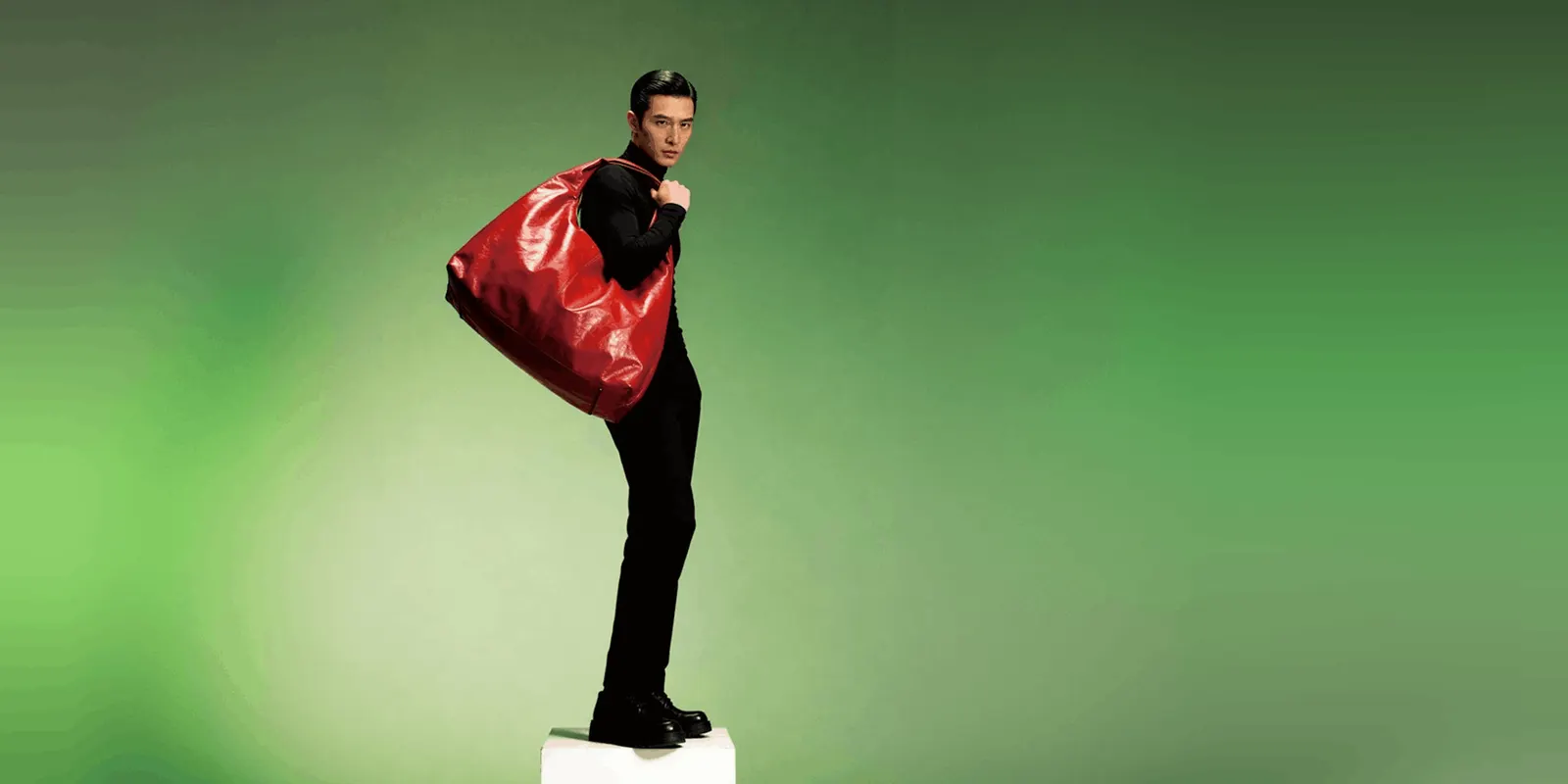
Ad visuals are the images and video frames that carry an ad: the product, the scene, the person and the layout. They come from three sources: a shoot, a stock library or AI. The largest public study found that AI visuals and human-made visuals earn the same click-through rate. So the source does not decide the result. Relevance, product accuracy and brand fit do.
Many articles say AI images beat traditional ad visuals. The data does not say that. It says an AI image wins only when a viewer cannot tell it is AI, and it loses clicks when the ad says so. A stock photo fails for a different reason: viewers ignore pictures that carry no information.
This guide is for brands and agencies that make ads every week. It covers what the research measured, which source fits which job, the image specs on Meta and Google, the label rules, and five checks before an ad visual goes live, as of October 2026.
Key Takeaways
- The source is not the lever. Across 369 million ad impressions, AI-made and human-made ads had click-through rates that could not be told apart.
- Looking like AI costs clicks. AI images beat human-made ones only when viewers did not read them as AI. In a second study, disclosing AI cut click-through by 31.5%.
- Decorative pictures are ignored. Eye-tracking research found that viewers look at photos of real products and real people, and skip filler images.
- Pick the source per job. Shoot the product once. Use AI for new scenes, sizes and variants built around that photo. Use stock rarely.
- The product never changes. AI may change the scene. The label, logo, color, shape and scale stay exactly as you ship them.
- Labels depend on the platform and the content. Meta labels ads itself when it detects AI. The EU requires a label on deep fakes.
What are ad visuals?
Ad visuals are every picture element of an ad: the product photo, the background or scene, any person, the graphic layout, and the frames of a video. The copy and the offer sit on top of them. On a feed placement the visual is what a viewer sees first, so it decides whether the copy gets read at all.
Most ad visuals fall into four kinds:
| Kind | What it shows | Common placement |
|---|---|---|
| Product visual | The product alone, on a plain or styled background | Shopping, catalog and feed ads |
| Lifestyle visual | The product in use, in a room or on a person | Feed, Stories, Reels |
| Graphic visual | A layout with a headline, an offer or a comparison | Feed and display |
| Motion visual | A short clip, often built from a still | Reels, TikTok, Stories |
For worked examples of each, see these static ad examples grouped by format.
Where ad visuals come from: a shoot, stock or AI
There are three sources, and each one has a different strength.
| Source | What you get | Its limit |
|---|---|---|
| A shoot | Your real product and real people, exactly as they are | Each new scene or format needs more shoot time |
| Stock | A finished picture today | Any other advertiser can license the same picture, and it does not show your product |
| AI | New scenes, people, sizes and variants in minutes | It can change the product, and viewers may read the picture as AI |
Most ad accounts already mix all three. The question is which source does which job. For what a shoot costs per product, see product photoshoot cost.
Do AI ad visuals outperform traditional ones?
No, not on average. The largest public study compared AI-made and human-made display ads on Taboola’s ad platform. It covered more than 369 million ad impressions and 2.5 million clicks. At the aggregate level, the two groups had click-through rates that were statistically the same (Harvard Business School AI Institute, July 2026). Taboola supplied the data, and Taboola sells the AI ad maker the study looked at.
The gain appeared in one group only. The summary states that AI images reach higher click-through “only when they do not appear to be AI-generated”. Over 45% of the AI ads passed as human-made, and those ads beat the human-made group.
A second study points the same way. NYU Stern researchers found that ads created fully with generative AI raised click-through by up to 19%. Using AI to modify a human-made ad showed no significant gain. Telling viewers the ad was made with AI cut click-through by 31.5% (NYU Stern, November 2025).
Public opinion matches. In a Gallup survey of 3,270 US adults, 49% viewed business use of AI in advertising negatively and 19% viewed it positively. 62% said it is unacceptable to create people or voices with AI in an ad (Gallup, August 2026).
So the honest reading has three parts:
- AI visuals do not lose to human-made visuals on clicks.
- AI visuals do not win by default either.
- An AI visual that looks like AI performs worse than one that does not.
These studies measured clicks on display and social ads. They did not measure sales, returns or brand trust over time. The full breakdown is in our article on AI generated ads.
What makes an ad visual work
Three things decide whether an ad visual works, whatever its source: the picture carries information, the picture fits the placement, and the picture does not look like AI.
The picture carries information. An eye-tracking study by Nielsen Norman Group found that users “pay close attention to photos and other images that contain relevant information but ignore fluffy pictures used to ‘jazz up’ web pages” (nngroup.com, reviewed August 2026). The study covered web pages, not ads. The lesson still applies: a real product or a real person holds attention, and a generic picture does not. That is the main weakness of stock.
The picture fits the placement. Each platform publishes its own image rules:
| Platform | Published guidance | Source |
|---|---|---|
| Meta feed image ads | JPG or PNG, a 4:5 ratio, 1440 x 1800 pixels, at least 600 pixels wide | Meta Ads Guide, October 2026 |
| Google responsive display ads | 1200 x 628 horizontal, 1200 x 1200 square, 900 x 1600 vertical | Google Ads Help, October 2026 |
| Google responsive display ads | No text or logo on top of the image, no blurry images, no collages, blank space under 80% of the image | Same page |
One approved visual often has to become three or more files. See one ad in every platform size for the full list, and image ad specs for five platforms for the still formats.
The picture does not look like AI. In the Taboola study, viewers linked highly aesthetic images, vivid color saturation and lower warmth with AI. They read clear images with large faces as human-made. Our guide to AI images that do not look AI generated covers the fixes.
Which source fits which job
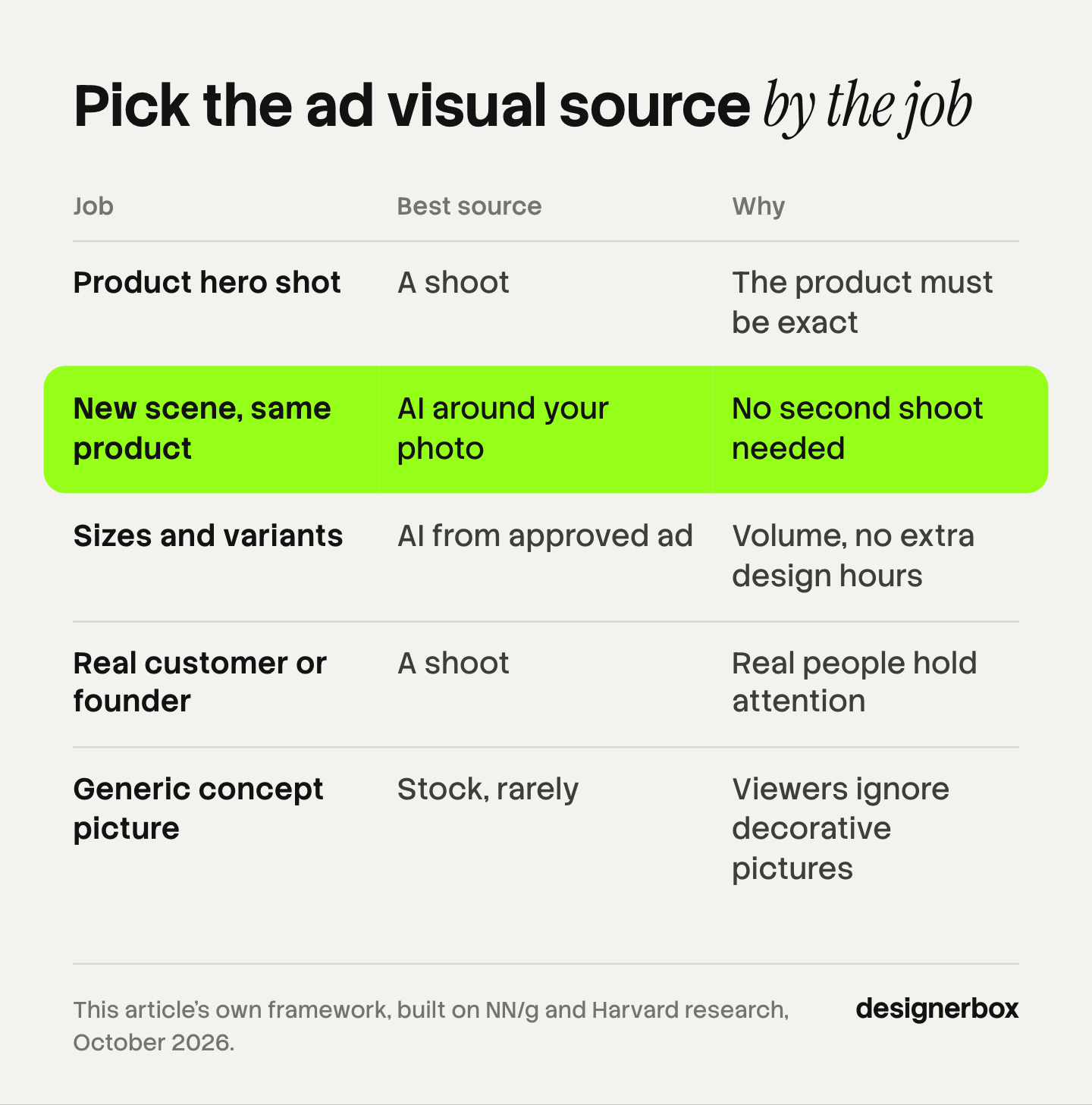
Choose the source by the job, not by habit. This table is our own framework, built on the research above.
| Job | Best source | Why |
|---|---|---|
| Product hero shot | A shoot | The product must be exact |
| New scene, same product | AI around your photo | No second shoot is needed |
| Sizes and variants | AI from an approved ad | Volume without more design hours |
| Real customer or founder | A shoot | Real people hold attention |
| Generic concept picture | Stock, rarely | Viewers ignore decorative pictures |
The pattern is simple. Anything the buyer receives comes from a camera. Anything around it can come from AI, and these AI image prompts by ad format give a starting brief for each scene. Variants matter because ads wear out: see ad fatigue for how Meta reports it, and ad creative testing for how many variants a test needs.
When a shoot or a stock photo is the right choice
AI is not the right source for every ad visual. Use a shoot when:
- The product is new and no accurate photo exists yet. AI needs a true source photo to build around.
- The ad shows a real customer, founder or employee. An AI person is not that person.
- The claim depends on a real result, such as a before and after. An AI picture of a result is not proof.
- Fit, drape or texture decides the sale, and the buyer will compare the ad with the delivered product.
Use stock when you need a generic concept picture for a low-stakes placement and no product is in the frame. Check the license terms for ad use before you publish.
Label rules for AI ad visuals
The rules below are general information, not legal advice.
Meta. Meta checks ads for signs of third-party AI, such as C2PA metadata. When it finds them, it adds an “AI info” label, in most cases in the three-dot menu under “About this ad”. Advertisers must disclose AI themselves only in ads about social issues, elections or politics (Meta Business Help Center, October 2026).
The EU. Article 50 of the EU AI Act has applied since 2 August 2026. If you publish a deep fake, you must disclose it clearly, at the latest when a person first sees it. The Commission describes a deep fake as AI-generated or manipulated content that resembles existing persons, objects, places, entities or events and would falsely appear authentic or truthful (European Commission FAQ, updated July 2026). A realistic AI person in an ad can meet that description.
Our guide to AI disclosure in advertising covers TikTok, Google and the US rules.
Five checks before an ad visual goes live
Run these on every visual, whatever its source. Compare the result with the source product photo on the same screen.
- Product. The label text, logo, color, shape and scale match the product you ship.
- Information. The picture shows the product, a use or a result. It is not decoration.
- Brand. The colors, fonts and logo placement follow your brand rules.
- Placement. The file meets the ratio and size for each placement, with no text on the image where the platform advises against it.
- Label. You know whether the platform or the law requires an AI label for this visual.
For AI visuals, the first check fails most often. Our article on AI product ads lists what AI may change and what it may not.

One standard for every ad visual
Anyone can make an AI picture. Making hundreds that still look like your brand is the hard part. DesignerBox is AI creative production for brands and agencies. You build the ad visual job once as a workflow, then run it on every new product.
- The product stays fixed. The workflow starts from your product photo and builds the scene around it. The image editor makes one edit after another, and the picture keeps its detail and resolution.
- The brand is a record. You set the logos, fonts, colors and rules once in your brand profile. The workflow reads it on every run.
- Review is built in. Critic steps score the results of a run, and best-of-N keeps the best one. You still run the five checks above.
- One workflow, many products. You publish the workflow as an app, and a colleague runs it from a form. Batch runs it over a whole sheet of products, and you review the results in one pass.
The full workflow from the first product photo to the finished ad, in one subscription. The cost is shown before each run. Uploading your own photos and the commercial license start on the Pro plan. The image editor starts on the Premium plan. Plans and credits are on the pricing page.
Here are two limits. DesignerBox does not post to your ad accounts: you download the results, or send them with a webhook or an S3 step. Every plan below Ultra is one seat, so an agency team needs Ultra. The ad side of the product is on the AI ad generator page.
A free plan for your first run
There is a free plan, and it runs on sample products. Start from a template and see the cost before you run it.
FAQ
What are ad visuals?
Ad visuals are the picture elements of an ad: the product photo, the scene, any person, the layout and the video frames. The copy and the offer sit on top of them. On a feed placement, the visual is the first thing a viewer sees.
Do AI images perform better than traditional ad visuals?
Not on average. A study of more than 369 million ad impressions found that AI-made and human-made ads had the same click-through rate. AI images did better only when viewers did not read them as AI. The study measured clicks, not sales.
Are stock photos bad for ads?
Stock photos are weak when they are generic. Eye-tracking research by Nielsen Norman Group found that viewers ignore decorative pictures and look at photos of real products and real people. A stock photo also does not show your product, and other advertisers can license the same picture.
What size should ad visuals be?
It depends on the placement. Meta recommends a 4:5 ratio at 1440 x 1800 pixels for feed image ads. Google recommends 1200 x 628, 1200 x 1200 and 900 x 1600 pixels for responsive display ads. Check each platform’s ads guide before you export.
Do AI ad visuals need a label?
Sometimes. Meta adds an “AI info” label itself when it detects third-party AI in an ad. In the EU, a deep fake must carry a clear label under Article 50 of the AI Act. This is general information, not legal advice.
When should an ad visual come from a real shoot?
Use a shoot when the product is new, when the ad shows a real customer or founder, when the claim depends on a real result, or when fit and texture decide the sale. AI works best around an accurate product photo.
How does DesignerBox handle ad visuals?
You build the ad visual job once as a workflow, with your product photo and your brand profile. Then you run it on each new product, and you see the cost before each run. You download the results, or send them with a webhook or an S3 step.
Sources
- Harvard Business School AI Institute, “Cracking AI Content Creation,” summary of Exner, Hartmann, Ding, Zhang and Netzer, “AI in Disguise,” 23 July 2026. aiinstitute.hbs.edu, accessed October 2026
- NYU Stern, “The AI Advertising Paradox,” research highlight on “The Impact of Visual Generative AI on Advertising Effectiveness” by Ghose, Lee, Todri and Adamopoulos, 6 November 2025. stern.nyu.edu, accessed October 2026
- Gallup, “Americans Aren’t Sold on Businesses Using AI in Advertising,” survey of 3,270 US adults, fielded 4 to 11 May 2026, published 19 August 2026. news.gallup.com, accessed October 2026
- Nielsen Norman Group, “Photos as Web Content,” Jakob Nielsen, 31 October 2010, last reviewed 13 August 2026. nngroup.com, accessed October 2026
- Meta Ads Guide, Facebook Feed image ad specifications. facebook.com/business, accessed October 2026
- Google Ads Help, “Best practices guide for responsive display ads.” support.google.com, accessed October 2026
- Meta Business Help Center, AI info labels on ads. facebook.com/business, accessed October 2026
- European Commission, “Transparency obligations under Article 50 of the AI Act,” FAQ, last updated 24 July 2026. digital-strategy.ec.europa.eu, accessed October 2026
- DesignerBox pricing page (designerbox.ai/pricing), October 2026
Research figures verified from the Harvard Business School AI Institute, NYU Stern, Gallup and Nielsen Norman Group pages, and platform specs from Meta and Google, as of October 2026. Individual results vary.