





Etsy’s listing video requirements allow up to two videos per listing. Each video runs up to 15 seconds, is 100MB or smaller, and plays silent, because Etsy removes the audio on upload (Etsy Help, September 2026). We found no published Etsy rule against AI video in September 2026. One rule decides whether an AI clip works: Etsy requires original photos of the actual product buyers will receive, not renderings.
Specs are the easy half of an Etsy listing video. The harder half is Etsy’s Listing Image Requirements policy, which requires original photos of the actual product buyers will receive, not renderings or stock photos, with two exceptions for mockups (Etsy, September 2026).
That single line decides whether an AI clip fits the listing. It also rules out a common way people use AI video: typing a description of a product and generating a clip of something that looks like it. Start from a photo of your real product and you stay close to that rule.
This guide covers Etsy’s real specs, what its policy does and does not allow, the three places the platform breaks a normal AI video workflow, and how to read the credit cost of a clip.
Key Takeaways
- Two videos per listing, up to 15 seconds, 100MB max. One Etsy help page gives the length as 5 to 15 seconds and another as 3 to 15. Build to 5 to 15 and you clear both (help.etsy.com, September 2026).
- Etsy deletes your audio. Videos do not play sound once uploaded. Paying extra for audio on a model that charges more for it buys a track nobody hears.
- The video must show the real item. Etsy requires original photos of the actual product. A product generated from text is not the actual product.
- Aspect ratio is 2:1 or 1:2, and the major video models do not list either ratio. Generate 16:9 or 9:16, then crop before upload.
- AI disclosure is about how the item is made. If AI was used to make the item, Etsy requires you to say so in the listing description. A real handmade item filmed or animated with AI is a different question from an AI-generated product.
- The model sets the price, and stills and video draw on the same credits. Read the run cost before you add a clip to every listing.
What are Etsy’s listing video requirements?
Etsy allows up to 20 photos and 2 videos on each listing. Videos run up to 15 seconds, cap at 100MB, and lose their audio track when published. The minimum resolution is 500px and the ideal is 1080px or better. Etsy’s help documentation gives the aspect ratio as 2:1 or 1:2 (Etsy Help, September 2026).
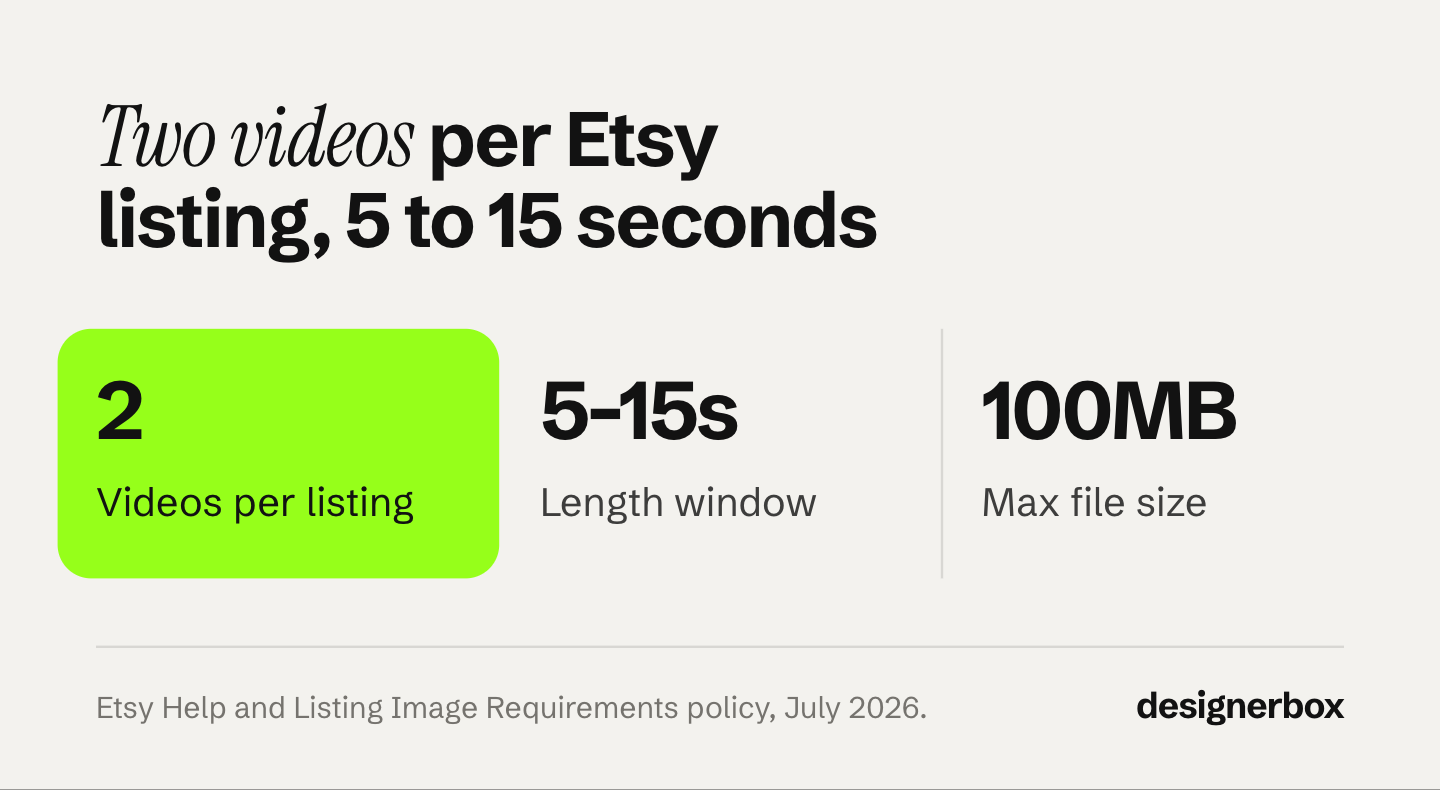
| Spec | Etsy’s requirement |
|---|---|
| Videos per listing | Up to 2 |
| Photos per listing | Up to 20 |
| Length | 5 to 15 seconds (3 to 15 on one help page) |
| Audio | Stripped on upload, always silent |
| Max file size | 100MB |
| Minimum resolution | 500px |
| Ideal resolution | 1080px or higher |
| Aspect ratio | 2:1 or 1:2 |
One inconsistency is worth knowing before you produce anything. Etsy’s help article on adding listing videos gives the length as 3 to 15 seconds. Another Etsy help page gives it as 5 to 15 seconds (Etsy Help, September 2026). Both are Etsy’s own pages and they disagree by two seconds at the bottom end. Produce at 5 seconds or longer and the conflict never touches you.
Can you use AI video on an Etsy listing?
Etsy publishes no rule against AI video that we could find in September 2026. One constraint still applies. Etsy’s image rules do not mention AI. Its Listing Image Requirements policy says: “we require sellers to use original photos of the actual product buyers will receive, not renderings or stock photos, except in the situations outlined below” (Etsy, September 2026).

Read that against how AI video usually works and the line becomes obvious. A text prompt that generates a ceramic mug produces a mug that does not exist. However good it looks, the clip shows an invented product in place of the one the buyer receives.
A photo of your actual mug, animated into a 10-second turntable, is a different object entirely. The source is your real finished item. The camera move is synthetic. The product is not.
That distinction matters most on Etsy, and it is why generating from your own product photo is the workflow worth building. Every asset traces back to a photo of a thing that exists in your studio.
What about the AI disclosure rule?
If AI was used to make the item you sell, Etsy’s Seller Policy requires you to say so in the listing description (Etsy Seller Policy, September 2026). Its Creativity Standards recognize seller-prompted AI art under the “Designed by a seller” category.
Etsy’s wording is about how the item is made. In our reading, a hand-thrown bowl does not become an AI creation because you used AI to light the photograph of it. An AI-generated digital print you sell as a download is an AI creation and needs disclosing.
Where the two overlap, disclose. Etsy’s Creativity Standards say sellers must disclose within their listing description if an item is created with the use of AI. If you are unsure which side your product sits on, the safe move costs you one line of text.
Etsy’s rules differ from other marketplaces, and the gap grows once you sell across several. For the side-by-side, see what each marketplace requires for AI product images. The same rule shapes the stills, and Etsy product photos covers what it leaves you to shoot and what it leaves you to edit.
Exceptions for personalized and print-on-demand items
Etsy’s policy names two exceptions. For personalized and customized items, computer-made mockups are allowed in the additional images to show customization options, and the first image must show a finished, customized item close to what buyers receive. For print-on-demand designs, stock photo mockups are allowed (Etsy, September 2026). Sellers of personalized invitation videos have their own checklist in the wedding invitation video guide.
The exceptions are real but narrow. They cover mockups for variants and print-on-demand designs, not a way around the actual-product rule. For the mockup side, print on demand product images covers how to keep one look across every listing.
Where Etsy breaks a normal AI video workflow
Three platform decisions make Etsy different from TikTok, Reels, or a product page you control.
Etsy deletes the audio. Etsy’s help page says a listing video “will not contain any audio once uploaded to your listing” (help.etsy.com, September 2026). Some models charge more per second with audio: Kling 2.6, for example, lists a higher API price at 1080p with audio than without (kling.ai, September 2026). On Etsy, that extra buys a track nobody hears. Where a model lets you turn audio off, turn it off and spend the difference on more clips.
The aspect ratio does not match the major models. Veo 3.1, Seedance 2.0, Kling 2.6 and Runway Gen-4.5 document ratios such as 16:9, 9:16, 1:1 and 21:9, and none of them lists 2:1 or 1:2 (vendor docs, September 2026). Etsy asks for 2:1 or 1:2, so every clip needs a crop before upload. Frame with margin around the product so the crop does not cut it in half.
Fifteen seconds is the limit. A listing video can do its job in 5 or 6 seconds. A single loop showing scale, texture, and one angle change answers the question a shopper has. Generating the full 15 seconds costs more credits for seconds a shopper may never watch.
How to make an Etsy listing video from one product photo
The workflow is short because the constraint is short. Everything starts from a photo of the real item.
- Shoot one clean still of the finished product. A phone on a windowsill is enough. This photo is your compliance anchor and the input to everything downstream.
- Clean the still first. Fix the background and the lighting before any motion. Errors in a still get multiplied across every frame of the video.
- Animate the still, do not describe the product. Feed the photo into an image-to-video model so the output is your object moving, not a lookalike generated from text. Turning a product photo into a video ad follows the same path.
- Keep the camera move small. A slow orbit, a push in, a hand entering frame to show scale. Big motion is where AI video shows its limits on textured handmade goods. The six rules for AI product video explain why the product drifts.
- Generate at 5 to 10 seconds. Cheaper than 15, and long enough for one clear idea.
- Crop to 2:1 or 1:2 and export under 100MB. Check the file size before you upload rather than after Etsy rejects it.
- Add a second video for a different angle. Etsy gives you two slots, so use the second one.
Models differ on how well they hold texture through motion, which matters more for handmade goods than for hard-edged consumer products. Seedance 2.0 takes up to 9 reference images and runs up to 15 seconds (seed.bytedance.com, September 2026), and the model list shows the other video models. The wider approach to animating a still for ecommerce applies whichever model you pick.
Cost of an Etsy listing video
In DesignerBox, video cost scales with clip length and with the model you pick. An 8-second clip costs 40 to 560 credits, depending on the model. A 5-second clip costs less than a 15-second clip on the same model. Every run shows its cost before you start it, so you can compare models on the same brief before you spend.
Uploading your own photos and the commercial license start on the Pro plan. AI video, virtual try-on, upscaling, the image editor and the video editor start on the Premium plan, so the Free, Basic and Pro plans cannot make a clip.
Stills and video draw on the same credits. Pick the model first, read the cost, then decide which listings get a clip. DesignerBox pricing shows the credits in each plan, and affordable AI video for product listings compares the same math across other marketplaces. The free AI tools inside Shopify, Google and TikTok are another route, and free platform AI tools covers where they stop. The video vendors’ own free plans come with limits, watermarks and rights terms, set out in free AI video generator plans.
Which listing videos earn the click
Etsy’s own Seller Handbook names three types of listing video that shoppers love: the product in use, the product details from several angles, and the making of the item (Etsy Seller Handbook, September 2026). The three shots below cover the details type, which suits an AI clip made from one product photo.

Scale and proportion. A hand picking up the item answers the size question a static photo leaves open. It matters most for jewelry, ceramics, and anything small.
Texture under moving light. Glaze, grain, weave, and stitch read as flat in a still. A slow light sweep across the surface shows what the buyer is paying for.
Angle change. A quarter turn covers what three separate photos would. On a 15-second budget this is the most information per second available.
Skip the lifestyle montage. A silent 8-second clip that shows the actual object clearly does more for a listing than a long sequence that hides it, and one short clip costs fewer credits than several. Shooting product video without a studio works on the same principle.
What gets an Etsy listing video removed
The failure modes are consistent and all trace back to one rule.
- Generating the product from text. The output shows an item that does not exist. It does not meet Etsy’s rule that images show the actual product.
- Adding features the real item does not have. Retouching a real photo is common. Adding a gemstone, changing a colorway, or smoothing a flaw into something the buyer will not receive misrepresents the item.
- Using stock or another seller’s footage. Etsy requires original photos of the actual product, not stock photos, and another seller’s footage is not yours to use.
- Leading a personalized listing with a mockup. The first asset has to be a finished customized item. Mockups belong in the additional slots.
- Selling an AI-created item without disclosure. Etsy ties the requirement to how the item is made.
Every one of these is avoided by the same discipline: the clip starts from a photo of the finished thing, and the AI changes how it is shown rather than what it is.
One workflow for every listing
An Etsy shop with a monthly drop needs the same set every time. Clean stills for the 20 photo slots, one or two short videos, and a matching set for the social post announcing it. Rebuilt by hand each drop, that is the same twenty decisions made again, and by the tenth listing the crop, the light and the camera move have all drifted from the first.
Build it once instead. In DesignerBox you build a workflow from the single product photo you already shot. One step cleans and reframes the stills, another animates the same source, and the results land in Assets. A saved workflow runs the same way on the next listing, so the fiftieth item gets the same crop, light and camera move as the first. The workflow reads your brand record on every run. Batch runs one workflow over a whole sheet of listings. How it works covers the four ways to run a workflow, and a product video template shows the result on one item. The page for Etsy sellers shows the listing pictures, and the handmade listing photos guide shows the steps.
The full workflow from the first product photo to the finished ad, in one subscription. The image editor, the video editor, your brand rules and your Assets sit in the same place.
Start from the templates, add one photo of your real product and run it.
FAQ
How long can an Etsy listing video be?
Etsy listing videos run up to 15 seconds. One Etsy help page gives 5 to 15 seconds and another gives 3 to 15 (help.etsy.com, September 2026). Producing at 5 seconds or longer satisfies both. The maximum file size is 100MB and the ideal resolution is 1080px or higher.
Does Etsy allow AI-generated listing videos?
We found no Etsy rule against AI video, as of September 2026. Etsy’s Listing Image Requirements do not mention AI. They require original photos of the actual product buyers will receive, not renderings or stock photos, with two exceptions for mockups (Etsy, September 2026). Animating a photo of your real product keeps you close to that rule. A product generated from a text description is not the actual product.
Can Etsy listing videos have audio?
No. Etsy says a listing video will not contain any audio once uploaded, so it always plays silent (help.etsy.com, September 2026). Paying extra for a model’s audio is wasted spend for an Etsy listing.
How many videos can you add to an Etsy listing?
Two. Etsy allows up to 20 photos and 2 videos per listing. Use the second video slot for a different angle or a scale shot.
Do I have to disclose that I used AI on my Etsy listing?
Etsy’s Seller Policy ties the disclosure to the item, not to the photography: if AI made the item you sell, say so in the listing description (Etsy Seller Policy, September 2026). It says nothing about the tools used to photograph it. An AI-generated digital download needs disclosure. A handmade item photographed with AI help is a separate question, and disclosing when unsure costs you one line of text.
What aspect ratio should an Etsy listing video be?
Etsy’s help documentation gives the video aspect ratio as 2:1 or 1:2 (help.etsy.com, September 2026). The major video models do not list 2:1 or 1:2, so plan on cropping every clip before upload. Leave margin around the product when framing so the crop does not cut into it.
What does an AI listing video cost?
The model sets the cost. In DesignerBox, an 8-second clip costs 40 to 560 credits, depending on the model, and a 5-second clip costs less than a 15-second clip on the same model. You see the cost before you press Run.
Sources
- Etsy Listing Image Requirements: original photos of the actual product, no renderings or stock photos, and the mockup exceptions: etsy.com, accessed September 2026
- Etsy Seller Policy, AI disclosure in the listing description: etsy.com, accessed September 2026
- Etsy Creativity Standards, the “Designed by a seller” category and AI disclosure: etsy.com, accessed September 2026
- Etsy Help, how to add listing videos: 2 videos, 3 to 15 seconds, no audio once uploaded, 500px minimum and 1080px ideal resolution, 2:1 or 1:2 aspect ratio and 100MB cap: help.etsy.com, accessed September 2026
- Etsy Seller Handbook, the three types of listing videos shoppers love: etsy.com, accessed September 2026
- Etsy Help, 20 photos and 2 videos of 5 to 15 seconds per listing: help.etsy.com, accessed September 2026
- Kling 2.6 API prices with and without audio: kling.ai, accessed September 2026
- Seedance 2.0 reference inputs and duration: seed.bytedance.com, accessed September 2026
- Video model aspect ratios: ai.google.dev, docs.byteplus.com, kling.ai and help.runwayml.com, accessed September 2026
- DesignerBox pricing page (designerbox.ai/pricing), September 2026: the video cost range and feature gating
Etsy listing video specifications, Listing Image Requirements, Creativity Standards and Seller Policy checked on etsy.com and help.etsy.com as of September 2026. Etsy’s own help pages give conflicting minimum video lengths and are quoted as published. This is general information about Etsy’s rules, not legal advice.


