
An AI video production studio is a small company that makes client video with AI video models and runs every job through the same pipeline. Five roles own the stages. A cost ledger records every take for each deliverable. A look kit keeps one client’s video consistent across people. One shared library holds the files, and client notes move in fixed rounds.
Picture a four-person studio with nine clients. Two people generate clips in their own accounts. A client asks why the presenter’s jacket changed between two ads. The owner cannot say what last month’s campaign cost to make.
This guide is for the owner of a studio or an agency that sells AI video. It covers the operating model: who owns what, how to cost one deliverable, how to hold a look, where files live and how revisions run. It prints no vendor plan prices.
Key Takeaways
-
An AI video production studio sells a pipeline. The models are the same for everyone. The fixed stages, owners and rules are what a client pays for.
-
Five roles cover the work. Producer, creative lead, AI artist, editor and one approver on the client side. In a small studio one person holds two roles.
-
Cost is counted per deliverable. Log every take against a job code. One 30-second ad can use 96 paid seconds of model output.
-
A look kit beats a talented individual. A character sheet, a reference pack, a style page and a prompt log let a second person match the first.
-
Every client note gets a type. A fix, a change or a new idea. Only the first two belong inside the agreed rounds.
What is an AI video production studio?
An AI video production studio is a service business that produces finished video for clients with generative AI. People write the script, direct the shots, edit the clips and manage approval. The models replace most of the shoot. The same business is also called an AI production studio, and a team that makes longer narrative work often calls itself an AI film studio.
The name covers two different things in search results. Most results are service companies that take a brief and deliver a video. A few are software products with a similar name. Runway, a model vendor, runs a production and entertainment arm of its own, which works with filmmakers, studios and musicians (Runway Studios, October 2026). This guide is about the service business.
The size of the team matters less than the way it works. A solo maker can run a prompt again until a clip looks right. A studio has a brief, a brand, a deadline and a fixed number of revisions. So the work needs rules that hold when a second and a third person join. The AI video agency guide covers seats, client separation and contract terms. This guide covers the daily operating model.
Who owns each stage in an AI video production studio?
Five roles own the stages of an AI video workflow. Each stage has one owner, one thing that goes in and one thing that comes out. The owner decides when the stage is finished.
| Stage | Owner | Goes in | Comes out |
|---|---|---|---|
| Brief and job code | Producer | Client request | A written brief, a job code and a version list |
| Script and shot plan | Creative lead | Brief | A script and a numbered shot list |
| Look kit | AI artist | Shot list, brand files | Character sheet, reference pack, style page |
| Clips | AI artist | Shot list, look kit | Selected takes, each logged |
| Edit and versions | Editor | Selected takes, audio | One master and its format versions |
| Internal review | Creative lead | Master | A cut that is ready for the client |
| Client review | Producer and the client approver | Cut | A written approval |
| Delivery and archive | Producer | Approved files | Delivered files, a closed ledger |
Three rules make the table work.
One owner for each stage. Two owners means nobody decides. In a three-person studio the producer is often the creative lead as well. That is fine if each stage still has one name beside it.
No stage starts without its input. The AI artist does not generate a clip before the shot list has numbers. This one rule removes most wasted takes. The shot list template gives the columns, and script to storyboard shows how a script becomes frames.
The producer never generates. The producer protects the deadline, the budget and the client. A producer who also makes clips stops watching all three.
The stages themselves, and the software for each one, are in the video production workflow guide. A written brief is the input to everything, so start from a creative brief template.
How do you know what one deliverable cost?
You know what one deliverable cost when every take is logged against a job code. The formula is short: accepted shots, multiplied by takes for each shot, multiplied by clip length, multiplied by the model’s rate. Then add the hours people spent. Most studios skip the log, so the number stays a guess.
A cost ledger is one sheet with one row for each take. It needs seven columns.
| Column | What to write | Example |
|---|---|---|
| Job code | Client, campaign, deliverable | ACME-FALL-30S |
| Shot | The number from the shot list | 03 |
| Model | The model and its setting | Veo 3.1, 1080p |
| Take | Which attempt this is | 2 of 3 |
| Seconds | The length of the clip | 8 |
| Status | Accepted, rejected or revision | Rejected |
| Reason | Why a take was rejected | Logo warped |
The reason column earns its place over time. After a month it shows which shot types cost the most takes, and that tells you where to improve the look kit.
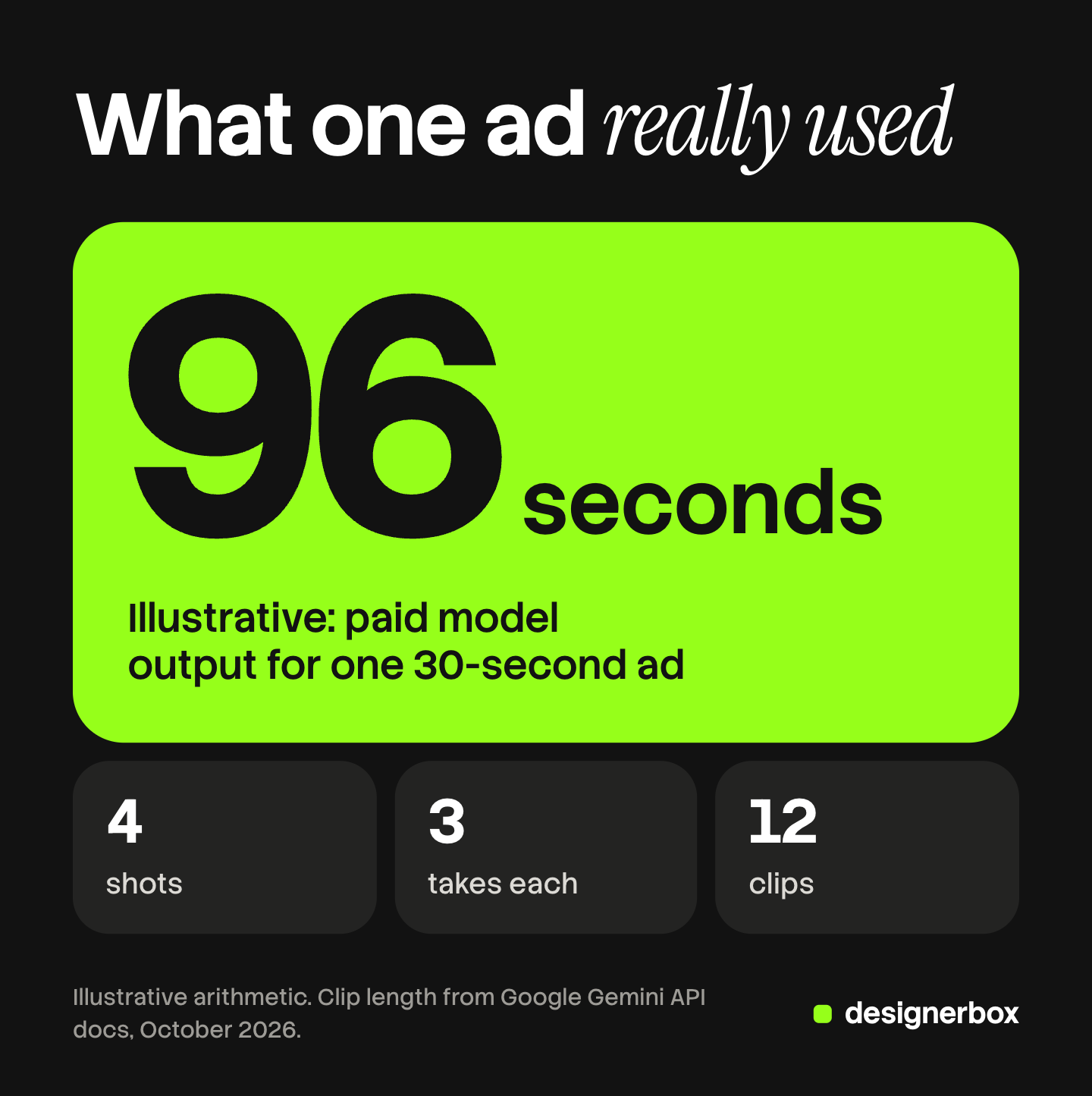
Here is an illustrative count for one 30-second ad. The ad has four 8-second shots. The studio plans three takes for each shot, the way a filmed shoot plans several takes. That is 12 clips and 96 paid seconds of model output. The three takes are an assumption. Replace it with the number from your own ledger.
Google lists Veo 3.1 at $0.40 per second at 720p or 1080p, and Veo 3.1 Fast at $0.12 per second at 1080p, with audio included (Gemini API pricing, October 2026). At those list rates, 96 seconds is $38.40 on Veo 3.1 or $11.52 on Veo 3.1 Fast. Google lists 22 October 2026 as the shutdown date for the Veo 3.1 preview models in the Gemini API and names a replacement model (Gemini API deprecations, October 2026). Check the rate again before you quote a client.
Three things in the ledger surprise new studios.
- Revision takes are a separate line. A client change after approval of the look is new work. Mark those rows “revision” so you can see what the client’s notes cost.
- People cost more than the model. In the example above the model cost is under $40. Four hours of an editor costs more. Log hours against the same job code.
- A shared balance is a total. Many platforms give a team one pool of credits. Runway’s help center says all members of a workspace share one pool (Runway Help Center, October 2026). A pool shows what the studio spent this month. It does not show what one client’s ad cost, unless you tag each run.
For per-second rates across more models, see what one shipped AI video ad costs. For what to charge once you know your cost, see agency creative pricing.
How does a studio keep a client’s look consistent across people?
A studio keeps a client’s look consistent with a look kit that every maker uses. The kit holds four files for each client. With it, a clip made by a second person on Friday matches a clip made by the first person on Monday.
- A character sheet. One page for each recurring person: front, side and three-quarter views, two expressions, and the approved wardrobe.
- A reference pack. Approved images of the product, the location and the props. Use the client’s real product photos, not a generated copy.
- A style page. One written page: light, color, lens, camera movement, pace, and what the brand never shows.
- A prompt log. The prompt, the model, the settings and the reference images for every accepted shot.
The kit is made before the first clip. A studio that builds references first spends fewer takes later, because a take rejected for “wrong jacket” never happens.
Models accept this kind of input directly. Google’s documentation says Veo 3.1 takes up to three reference images to guide a video, and that a clip must be 8 seconds long when reference images are used (Gemini API docs, October 2026). So the reference pack is a working input, not a mood board.
Two rules keep the kit honest across people.
Lock the model for each shot type. If presenter shots for a client run on one model, every maker uses that model for that client. A different model gives a different face and a different light.
Only the creative lead changes the kit. A maker who finds a better reference proposes it. The lead approves it and updates the file for everyone.
Some platforms store these references for a whole team. Higgsfield’s guide for production teams describes a trained identity for one person and shared elements for characters, locations and props that every team member reuses (higgsfield.ai blog, August 2026, read October 2026). That is a real strength for teams that stay inside one platform. A written kit matters more when your work crosses several tools, because the kit travels with the job.
For the craft detail, see how to keep characters consistent in AI video and how to keep locations consistent across AI shots.
Where do shared assets live?
Shared assets live in one library that the studio owns, with one folder for each client. They never live in a personal account. When a freelancer leaves, a personal account leaves too, and the client’s approved takes go with it.

Use the same five folders for every client.
| Folder | What it holds | Who can change it |
|---|---|---|
| 01 Brand | Logo, fonts, colors, product photos | Creative lead |
| 02 Look kit | Character sheet, reference pack, style page, prompt log | Creative lead |
| 03 Takes | Every clip, named by job code, shot and take | AI artist |
| 04 Cuts | Masters and versions, numbered | Editor |
| 05 Delivered | Approved files and the written approval | Producer |
Name every file the same way: job code, shot, take, version. “ACME-FALL-30S_S03_T2_v1” tells an editor everything without a message to a colleague.
Check two things on the platform you generate in.
Who owns team files. Kling’s user policy says all work that members create in a Team Space is a team asset, and team assets belong to the Team Owner unless a written agreement says otherwise (Kling user policy, October 2026). Make sure the Team Owner is the studio, on a company email address.
Where a finished clip is saved by default. Runway’s help center says a completed clip is saved to the maker’s private assets or a shared project, and can be moved to the workspace’s shared assets (Runway Help Center, October 2026). If the default is private, add “move to the client folder” to the maker’s checklist.
Client files must also stay apart from each other. Managing creative for multiple clients covers that separation, and brand asset management covers the library in more depth.
How are revision rounds handled?
Revision rounds are handled with a fixed number of rounds in the contract and a type for every note. Pick the number and write it into the statement of work. Two client rounds is a workable start. The number matters less than the rule that every note is sorted before anyone opens a tool.

Each client note is one of three types.
| Type | What it is | Example | What happens |
|---|---|---|---|
| Fix | The studio missed the brief or the kit | ”The logo is wrong in shot 2” | Done at no charge, outside the round count |
| Change | A new preference inside the approved idea | ”Make the ending two seconds shorter” | Uses one of the agreed rounds |
| New idea | A different script, person or setting | ”Can she be in a kitchen instead?” | A change order with its own price and date |
The producer sorts the notes, and the client sees the sorted list before work starts. Most arguments about revisions end here, because the client agrees to the types before the cost appears.
AI video adds one more decision for each change: edit or regenerate.
- Edit when the note is about length, order, text, sound or color. The editor changes the cut. No new take is needed.
- Regenerate when the note is about what is inside the frame: the product, the person, the action. A new run of the same prompt gives a different clip, so the change may alter the whole shot.
Tell the client which notes mean a new take. A client who knows that “change her jacket” means a new shot gives that note at the storyboard stage. How to edit AI-generated video covers the fixes an editor can make without a new take.
Three habits keep rounds short.
- Tie every note to a shot number and a timestamp. “Shot 3, 0:14, the cup moves” needs no guess.
- Collect one list from one approver. Five people on the client side send five opinions. One named approver sends one list.
- Log each round in the ledger. Mark the takes as revision rows. At the end of the job you know what the rounds cost.
The stages of approval, from the look to the cut to the versions, are in the AI video agency guide.
What breaks first as volume grows?
Three things break first when a studio moves from five deliverables a month to twenty.
The versions. One master becomes a file for each ratio, length and language. This is repeat work, and it is where hours go. How small agencies scale creative production shows which work repeats across clients.
The queue. Model runs take minutes, and a platform limits how many run at once. Plan the takes for several jobs in one block, and edit while they run. How to make AI videos fast covers where the minutes go.
The memory. At five jobs the owner remembers every decision. At twenty nobody does. The ledger, the look kit and the delivered folder are the studio’s memory.
Studio pipeline in DesignerBox
Anyone can make an AI picture. Making hundreds that still look like your brand is the hard part. A studio has that problem once for every client, in images, ads and video.
DesignerBox is AI creative production for brands and agencies. Several parts of the operating model above become saved settings in it.
- The look kit. You save one brand record for each client: logo, fonts, colors, voice, rules, products and reference pictures. A workflow reads that client’s brand rules on every run.
- The stages. You build a job once as a workflow, and the workflow picks the model for each step. You publish it as an app, which is a workflow with a form. A junior completes the form and presses Run.
- The versions. Batch runs one workflow over a whole sheet, with the same standard on row one and row two hundred.
- The edit. The video editor is a timeline with several tracks, transitions, animated text and audio.
- The ledger. The cost is shown before the run, so you can write it in the job’s row before you spend it. An 8-second clip costs 40 to 560 credits, depending on the model.
The full workflow from the first product photo to the finished ad, in one subscription.
Here are the limits.
- Seats. Every plan below Ultra is one seat. Team features, shared brand kits and white label are on the Ultra plan.
- Cost per client. DesignerBox shows the cost of each run. The ledger for each client is still your own sheet.
- Client review. Reviews sends your client a page of pictures. The client opens the link with no account, chooses the pictures and sends the choice back. It covers pictures, so approval of a video cut stays in your own process.
- Delivery. You download the results, or send them with a webhook or an S3 step.
Uploading your own photos and the commercial license start on the Pro plan. AI video, virtual try-on, upscaling, the image editor and the video editor start on the Premium plan. Plans and credits are on the pricing page.
See how one workflow for each client brand works on DesignerBox for agencies.
FAQ
What is an AI video production studio?
An AI video production studio is a service company that makes finished video for clients with AI video models. People write the script, direct the shots, edit the clips and manage approval. The studio runs every job through the same stages, with one owner for each stage.
How is an AI film studio different from an AI video production studio?
An AI film studio usually makes longer narrative work, such as short films, series and brand films. An AI video production studio usually makes ads, product clips and social video for clients. Both use the same models and need the same pipeline: a shot list, a look kit, a ledger and fixed review rounds.
How many people does an AI production studio need?
Three people can cover the five roles. One person is producer and creative lead, one is the AI artist and one is the editor. The fifth role, the approver, sits on the client side. The rule is one named owner for each stage.
What does one AI video deliverable cost to make?
It depends on shots, takes, clip length and the model’s rate, plus the hours people spend. As an illustration, a 30-second ad with four 8-second shots and three takes each uses 96 paid seconds of model output. A ledger with one row for each take gives your real number.
How many revision rounds should a studio offer?
Pick a number and write it into the statement of work. Two client rounds is a workable start. Sort every note first. A fix is free, a change uses a round, and a new idea is a change order with its own price and date.
Can a studio run this pipeline in DesignerBox?
Partly. A brand record, a saved workflow, batch and the video editor cover the look kit, the stages, the versions and the edit. The cost is shown before each run. AI video starts on the Premium plan, and every plan below Ultra is one seat. The per-client ledger and video approval stay in your own process.
Sources
- Google, Gemini API pricing, Veo 3.1 rates per second: ai.google.dev, accessed October 2026
- Google, Gemini API docs, Veo 3.1 reference images and clip length: ai.google.dev, accessed October 2026
- Google, Gemini API deprecations, Veo 3.1 preview models: ai.google.dev, accessed October 2026
- Runway Help Center, Introduction to workspaces: help.runwayml.com, accessed October 2026
- Runway Studios service page: runway.com, accessed October 2026
- Kling AI user policy, section 5, Team and Team Space management: kling.ai, accessed October 2026
- Higgsfield blog, guide to AI video production for client teams (higgsfield.ai/blog), published August 2026, read October 2026: features only
- DesignerBox for agencies and DesignerBox pricing (designerbox.ai/for/agencies and designerbox.ai/pricing), October 2026: plan gates and seats
Model rates, reference image limits and team policies verified on each vendor’s own pages as of October 2026. The 96-second example is illustrative arithmetic. Individual results vary.