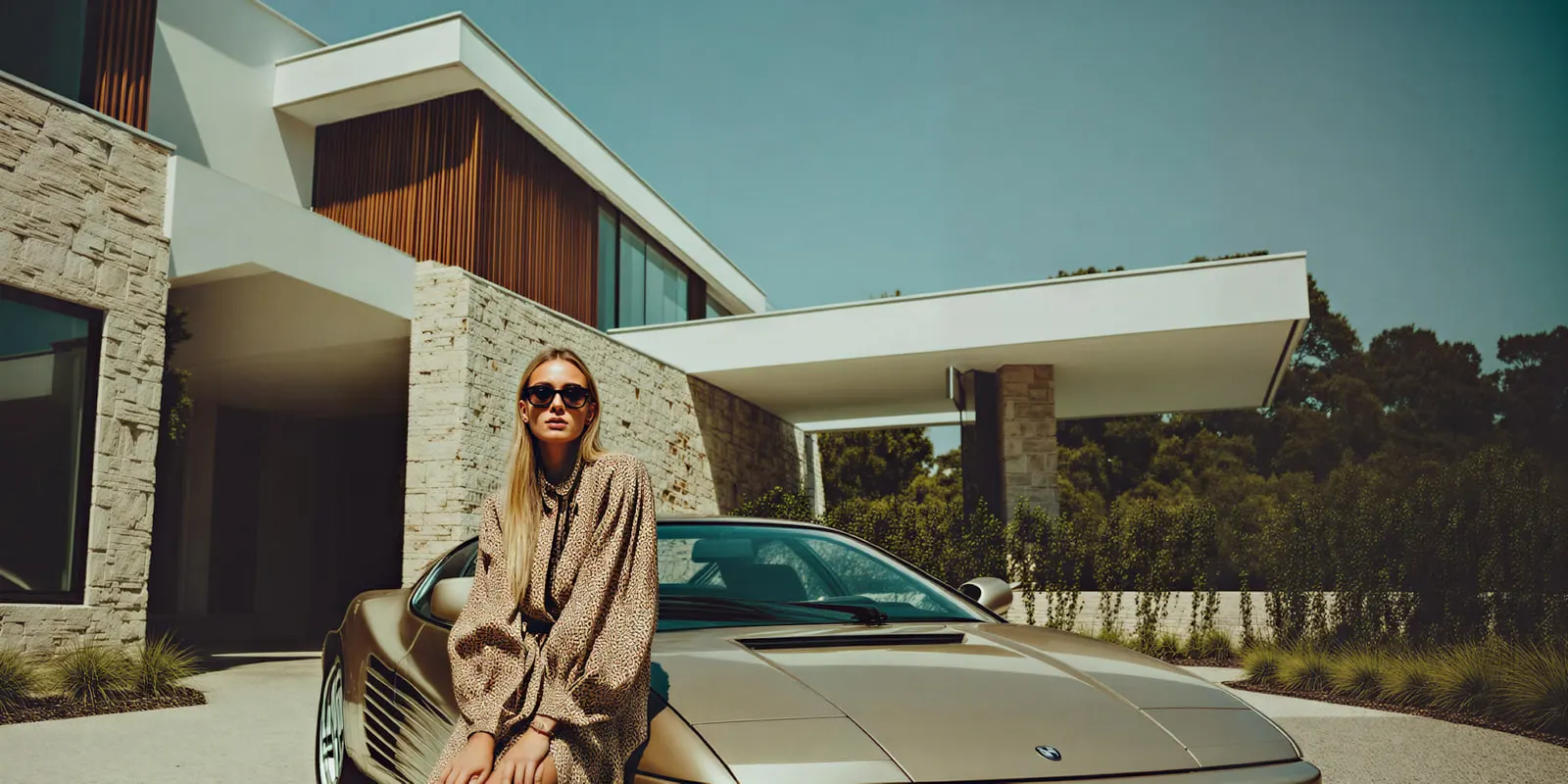
Car dealership photography is the fixed set of photos that puts each vehicle on your website, the listing sites and your vehicle ads. A working process has three parts: the same 12 shots of every vehicle, edits that change the scene and never the car, and files that pass each channel’s image rules. AI shortens the editing. It does not replace the walk around the car.
A used car that arrives on Monday earns nothing until it is listed. Days’ supply of used vehicles in the US was 44 in August 2026, and the average listing price was $27,239 (Cox Automotive, October 2026). Every day a car waits for photos is a day of that supply with no buyer looking at it.
This guide covers the shot list, the edits AI can make, the image rules Google and Meta publish, and a way to cost the delay. It is written for dealer marketing teams, and for the agencies and photo services that produce listing images for them.
Key Takeaways
- Shoot the same 12 photos of every vehicle. A fixed order makes listings comparable and makes editing a rule.
- Lead with the front three-quarter view. Google recommends a front-to-side angle of about 45 degrees for the main image.
- AI edits the scene, never the car. Background, crop and size may change. Paint, wheels, trim, mileage and damage may not.
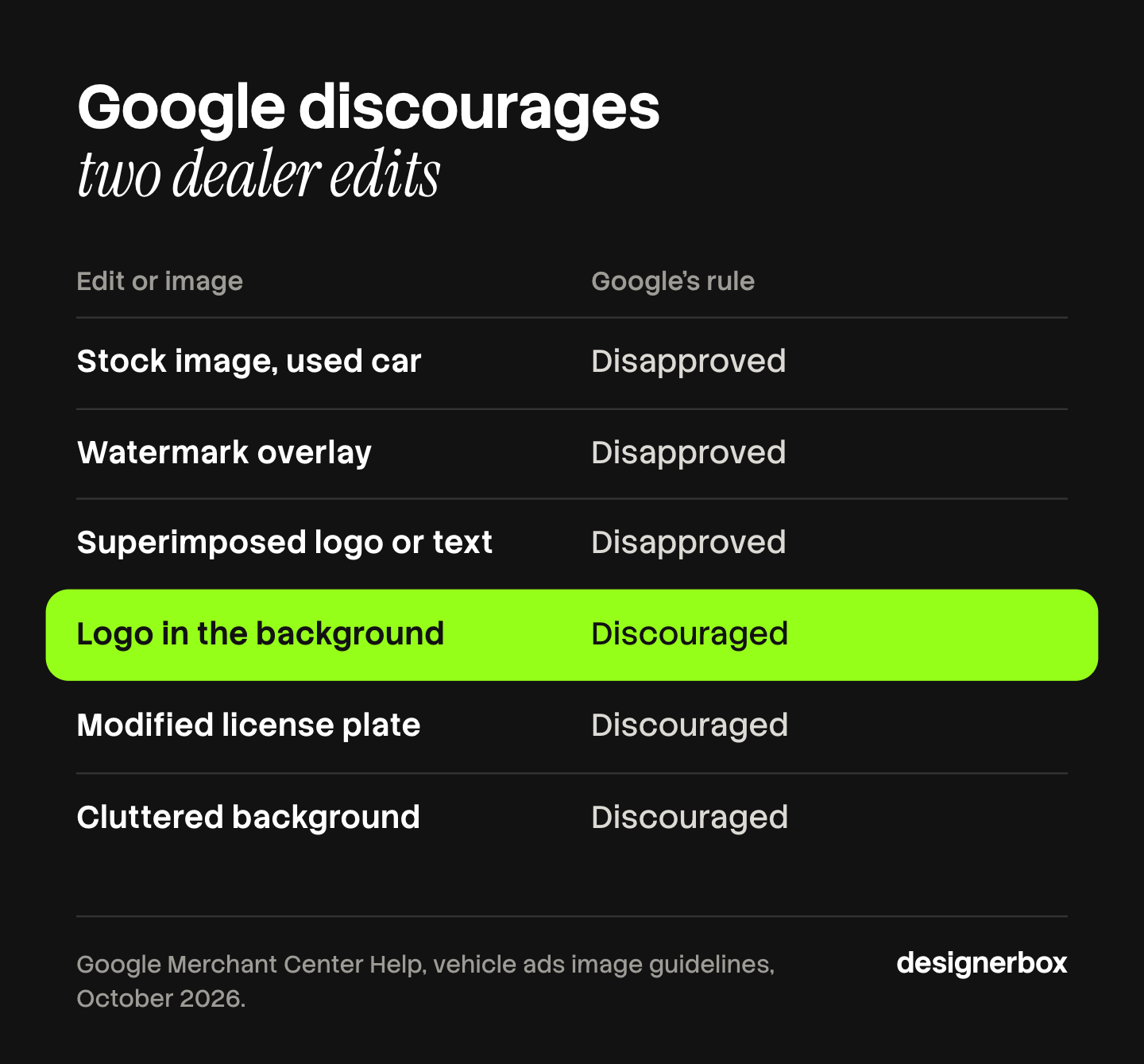
- Google prefers little staging. Its vehicle ad guidelines ask for the entire vehicle “with minimal or no product staging” and no overlaid logos, text or watermarks.
- An edited license plate is allowed and discouraged. Google lists it beside cluttered backgrounds and logos in the background.
- Cost the delay, and the photo fee second. Floorplan interest is the vehicle cost, times the yearly rate, divided by 365, for each day unlisted.
What is car dealership photography?
Car dealership photography is the repeatable process of photographing every vehicle in stock for online listings. It differs from car photography as a craft. One good picture is not the goal. The goal is the same set of pictures for every vehicle, taken and published on the day the car is ready for sale.
Photos of the real vehicle matter more than polished ones. In Autotrader data from January to March 2018, new vehicles with several custom photos had 156% more detail page views per listing than vehicles with a stock photo (Cox Automotive, October 2026). The data is eight years old and covers new vehicles on one site, so read it as a direction and not as a forecast.
The same standard on every vehicle is the second half of the job. Two people with no shared rules will frame and light the same car in two ways. A written product photography style guide fixes the angle order, the background and the crop before anyone picks up a camera.
The 12 shots every vehicle needs
A fixed list means nobody decides anything at the car. Shoot horizontal, keep the whole vehicle in the frame, and keep the order the same every time.
| # | Shot | What the buyer checks |
|---|---|---|
| 1 | Front three-quarter, driver side | The main image and the overall condition |
| 2 | Front, straight on | Grille, lights and bumper |
| 3 | Driver side profile | Body lines, doors and ride height |
| 4 | Rear three-quarter | Rear lights and the other side of the body |
| 5 | Rear, straight on | Tailgate, badges and exhaust |
| 6 | Passenger side profile | Matching panels and paint |
| 7 | Dashboard and steering wheel | Screen, controls and wear |
| 8 | Front seats | Upholstery and wear on the bolsters |
| 9 | Rear seats | Space and condition |
| 10 | Cargo area | Size and the spare or repair kit |
| 11 | Wheel and tire | Rim damage and tread |
| 12 | Odometer with the ignition on | Mileage and warning lights |
Add a close-up of every scratch, dent and chip after shot 12. Those photos protect you. A buyer who sees the damage online does not find it for the first time on your lot.
Twelve is also the number eBay Motors gives. Its seller guide says a virtual walk around the vehicle “is best done with a minimum of 12 photos”, tells sellers not to use stock photos, and asks for close-ups of any dings, dents and stains (eBay Motors, October 2026).
Google’s vehicle ad guidelines ask for the main image “taken from a front-to-side angle (at ~45 degrees)” and say a rear angle should go in the additional images (Google Merchant Center Help, October 2026). That is shot 1 in this list. Our shot list template has a sheet you can adapt for the lot.
What AI can change in a car photo
AI editing for vehicles does four jobs: it removes the background, places the car on one plain scene, adds a ground shadow and resizes the file for each channel. Each of those changes the world around the car. None of them should change the car.
| Edit | Verdict | Why |
|---|---|---|
| Replace the lot with a plain background | Fine | The vehicle is the same vehicle |
| Add a ground shadow | Fine | It places the car in the new scene |
| Crop, pad and resize | Fine | The whole vehicle must stay in the frame |
| Fix exposure and white balance | Fine, with a check | The paint color must match the real car |
| Remove dust or a receipt on a seat | Fine | Your detail team would remove it too |
| Remove a scratch, dent or stain | Never | It hides the condition of the vehicle |
| Change paint, wheels, badges or trim | Never | The buyer receives a different car |
| Change the odometer or a warning light | Never | Mileage and faults are material facts |
There is a legal floor under this table. In the United States, the Federal Trade Commission treats a representation or omission as deceptive when it is likely to mislead a reasonable consumer about something material to the purchase (FTC Policy Statement on Deception, October 2026). The condition of a used car is material. This is general information, not legal advice, and state and national rules differ.
The risk depends on how the software works. Software that cuts the vehicle out and builds only the background leaves the car’s pixels alone. Software that redraws the whole picture from a description can change a wheel design or a badge without telling you. Our guide to AI product photo accuracy lists the checks to run, and the AI background removal guide explains where cut-outs fail: wheels, mirrors, antennas and glass.
Keep every original file with the listing. If a buyer questions a photo, the source photo is your answer.
What do Google and Meta require from vehicle photos?
Both publish their image rules, and the rules are stricter than most editing advice suggests. The table shows what each one states on its own help pages in October 2026.
| Rule | Google vehicle ads | Meta automotive inventory ads |
|---|---|---|
| Size | At least 500 x 500 pixels, 1,500 x 1,500 or above recommended, 16 MB maximum | 1,080 x 1,080 for 1:1, or 1,080 x 1,350 for 4:5 |
| Shape | 4:3 recommended | 1:1 or 4:5 for carousel and single image ads |
| Logos, text and watermarks on the photo | Disapproved | Price and discount overlays are added in the ad, not in the photo |
| Stock or placeholder image | Disapproved, except stock images of a new car in the same make, model and color | Not stated on the pages read |
| Staging | ”Minimal or no product staging” | Not stated on the pages read |
| Cropped vehicle | Truncated images are disapproved | Use padding or cropping so the image is not cut off |
Sources: Google Merchant Center Help, vehicle ads image guidelines and Meta Business Help Center, best practices for automotive inventory ads, both read in October 2026.
Three points in Google’s page change how you should edit.
Plain beats staged. Google recommends “high quality, clean images with minimal background”. A plain, neutral background fits that sentence. A generated showroom with furniture, plants and a branded wall is staging, and the dealer logo on that wall falls under “logos or branding in the background”, which Google lists as allowed but discouraged.
Plate edits are discouraged. “Modification on the license plate” is on the same allowed-but-discouraged list. Google says such images “could negatively impact performance”. A physical dealer plate insert, fitted before the shoot, covers the plate with no edit to the image. Privacy rules for plates differ by country, so check the rule in your market.
AI edits may need a label. Google’s page states that “AI regulations in the European Union, India, and New York require that ads with certain AI-generated or edited assets include disclosures and/or labels”. It offers an AI label setting and says those labels do not break its overlay rules. Google also says images created with generative AI must keep the IPTC metadata that marks them (Google Merchant Center Help, October 2026). If your software generates the background, export with that metadata in place. Our guide to AI disclosure in advertising covers the rules behind that sentence.
Listing sites such as Autotrader, Cars.com and CarGurus set their own photo rules for dealers. Read each one in your dealer account before you fix a house style, because one background has to pass all of them.
What does dealership photography cost?
There are four common routes. Prices move by market, so the table compares how each one is paid for and where it slows down.
| Route | How you pay | Where it slows down |
|---|---|---|
| A lot service that visits on a schedule | Per vehicle | Cars wait for the next visit |
| A photographer on staff | Wages and equipment | One person, one queue |
| A photo booth or turntable on site | Build cost and floor space | Every car must be driven through it |
| Phone photos by your own staff, then AI editing | Staff time and software | Quality depends on the shot list being followed |
For the staff route, the US median hourly wage for photographers was $21.47 in May 2025 (US Bureau of Labor Statistics, October 2026). As an illustration, 40 minutes per vehicle at that wage is about $14 of labor. The 40 minutes is an assumption. Time one of your own cars and use that number.

The larger cost is the delay. Most dealers finance stock on a floorplan line, and interest runs every day. The arithmetic is short:
Daily interest = vehicle cost x yearly rate / 365
As an illustration, a vehicle that cost $25,000 on a line at 8% a year costs about $5.48 a day in interest. Three days of waiting for photos is about $16 for that car, before insurance and depreciation. Across 100 cars a month, the same three days is about $1,640. The 8% is an assumption, so use the rate on your own line.
The comparison to make is the fee plus the delay. A route that costs a little more per vehicle and lists the car the same day can be the cheaper one.
How to set up the workflow
The process has six steps, and the order does not change with the size of the lot.
- Write the house rules. Choose one background, one crop, one shape and one file name pattern. Decide the plate rule. Write them down once.
- Prepare the car. Wash it and clear the interior. Dust on paint and litter in a door pocket look worse in a photo than in person.
- Shoot the 12 shots in order. Close doors and windows for exterior shots. Check every photo on the phone before you walk away from the car.
- Run the scene edits as a batch. Background, shadow, crop and size are the same decision for every vehicle, so they are rules. Our guide to bulk image editing shows which edits are safe to apply to a whole set.
- Check each result against its source photo. Look at wheels, mirrors, badges and glass first. Reject any image where the car changed.
- Name and publish. Name each file with the stock number or VIN and the shot number, then look at one live listing as a buyer sees it.
To choose the software, see our list of AI car photography tools compared. Test any editing software on your five worst photos, not your five best. Harsh midday sun, a dark car on wet tarmac and a van beside a fence tell you more than a silver sedan on a clear morning. For the wider process, see our product photography workflow guide. The product photography checklist lists 30 checks from the source photo to the live listing.

One workflow for every vehicle
DesignerBox is AI creative production for brands and agencies. Anyone can make an AI picture. Making hundreds that still look like your brand is the hard part. For a dealer group, or for an agency that produces listing images for several dealers, that means the same background, crop and shadow on every vehicle.
You build a workflow once with your house rules. A batch then runs that workflow over a sheet, one photo per row, with up to 200 rows in one sheet. The cost of the whole sheet is shown before the run (DesignerBox batch page, October 2026). You keep or discard each result, and you re-run one row without changing the others.
Plain and branded scenes for a product photo are covered on the AI product photography backgrounds page. The same subscription covers ads and video, so the full workflow from the first photo to the finished ad is in one place.
The limits matter for this job. DesignerBox is built for product catalogs and has no vehicle-specific features. It does not connect to a dealer management system and does not publish to a listing site. You download the results, or send them with a webhook or an S3 step. It does not check an image against Google’s or Meta’s rules, so step 5 stays with a person. Uploading your own photos and the commercial license start on the Pro plan, and the image editor starts on the Premium plan. Every plan below Ultra is one seat. Plans are on the pricing page.
Scale content without limits.
Start with one vehicle, compare the result with the source photo, then run the sheet. There is a free plan, and it runs on sample products. Get started free
FAQ
How many photos should a car dealership take per vehicle?
Take a fixed set of 12: six exterior angles, four interior views, one wheel and the odometer. Then add a close-up of every mark on the car. A fixed number matters more than a high number, because buyers compare one listing with the next.
What is the best angle for the main photo of a car?
The front three-quarter view. Google’s vehicle ad guidelines recommend a front-to-side angle of about 45 degrees for the main image and ask dealers to keep rear angles for the additional images (Google Merchant Center Help, October 2026).
Can AI replace the background in dealer photos?
Yes, when the software changes only the background. Google’s vehicle ad guidelines recommend clean images with minimal background and no overlaid logos, text or watermarks. Check each result against the source photo, because some software redraws parts of the car.
Should you hide the license plate in listing photos?
Google lists a modified license plate as allowed but discouraged, and says it can reduce performance. A physical dealer plate insert fitted before the shoot avoids the edit. Privacy rules for plates differ by country, so check the rule in your market first.
Is it legal to edit used car photos with AI?
Changing the background is a presentation choice. Hiding damage or changing the car can mislead a buyer about a material fact, which the FTC treats as deceptive in the United States. This is general information, not legal advice. Keep the original photos on file.
Do AI-edited car photos need a label?
In some places, for some ads. Google states that rules in the European Union, India and New York require disclosures or labels on ads with certain AI-generated or edited assets, and it offers an AI label setting. Ask your legal adviser which rule applies to your listings.
Does Google show vehicle ads for motorcycles?
No. Google’s vehicle ads policy covers non-commercial and passenger vehicles, and it names motorcycles, boats, planes and farm vehicles as excluded (Google Merchant Center Help, October 2026). The 12-shot method still works for a motorcycle listing on your own site.
Sources
- Vehicle ad image rules: size, shape, watermarks, logos, stock images, staging, truncated images, license plate modification, main image angle, AI labels: Google Merchant Center Help, vehicle ads image guidelines, accessed October 2026
- Vehicle types that Google’s vehicle ads cover: Google Merchant Center Help, vehicle ads policies, accessed October 2026
- IPTC metadata on images made with generative AI: Google Merchant Center Help, AI-generated content, accessed October 2026
- Image sizes, shapes, overlays and padding for automotive inventory ads: Meta Business Help Center, best practices for automotive inventory ads: creative, accessed October 2026
- Days’ supply of 44 and the average used listing price of $27,239 in August 2026: Cox Automotive, used-vehicle inventory, August 2026, accessed October 2026
- 156% more detail page views with several custom photos than with a stock photo, new vehicles on Autotrader, January to March 2018: Cox Automotive, merchandising new cars, accessed October 2026
- A minimum of 12 photos, no stock photos and close-ups of damage: eBay Motors, prepare photos, accessed October 2026
- Median hourly wage for photographers, $21.47 in May 2025: US Bureau of Labor Statistics, Occupational Outlook Handbook, accessed October 2026
- When a representation or omission is deceptive: Federal Trade Commission, Policy Statement on Deception, accessed October 2026
- DesignerBox batch: one row per photo, up to 200 rows, the cost shown before the run, keep, discard and re-run per row: DesignerBox batch page (designerbox.ai/product/batch), October 2026
- DesignerBox plan gates: DesignerBox pricing page (designerbox.ai/pricing), October 2026
Google, Meta, eBay Motors, Cox Automotive, BLS and FTC facts verified on each publisher’s own page, October 2026. DesignerBox features verified on designerbox.ai, October 2026. The labor and floorplan interest examples are illustrative arithmetic. Individual results vary.