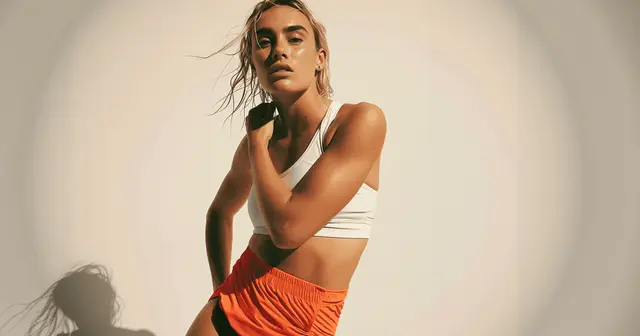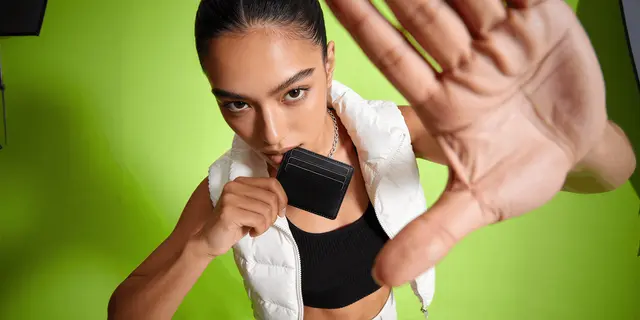
Instagram product photos are the versions of your catalog imagery that fit Instagram’s frames. Instagram keeps a feed photo at full quality when its aspect ratio sits between 1.91:1 landscape and 3:4 portrait, so the tallest photo is 1080 x 1440 pixels (Instagram Help Center, September 2026). The profile grid has shown tall thumbnails instead of squares since January 2025.
A packshot framed for a product page, with the item centered and space around it, arrives small in both places. Reframing beats reshooting, because you already own the source files.
Many brands treat the grid as a separate production problem and shoot for it separately. That is how a monthly content bottleneck forms. The catalog you shot for the store already contains most of what the grid needs, in the wrong shape.
This covers what Instagram does to the frame, what a month of posts is made of, and how to build the set as a repeatable system rather than a scramble every four weeks.
Key Takeaways
- Two frames, not one. Feed photos can be as tall as 3:4, and Instagram crops any photo outside its supported range. The profile grid shows each post as a tall thumbnail.
- Compose for 3:4. Keep the product, any text and the logo near the center, so the post and its grid thumbnail both still read.
- Your catalog is the raw material. A PDP set already holds the angles, the details and the variants. What it lacks is vertical framing and context.
- A month is roughly 12 to 16 posts. Built from existing product pixels, the set needs no new shoot.
- Consistency comes from the input, not the caption. One brand profile, one set of scene rules and one master file per product is what makes a grid look like a grid.
- Meta applies its own AI label. Meta’s ad policy says that since 1 June 2026 it checks ads for signals of third-party AI, such as C2PA metadata, and adds an “AI info” label when it finds them. Advertiser disclosure is required only in ads about social issues, elections or politics.
Instagram product photo sizes and the profile grid
Instagram changes a product photo twice: once on upload, and again on your profile grid. Confusing the two is why grids look inconsistent.
On upload, Instagram keeps a photo at up to 1080 pixels wide when its aspect ratio sits between 1.91:1 and 3:4. At 1080 pixels wide, that is a height between 566 and 1,440 pixels. A photo outside that range is cropped to fit a supported ratio (Instagram Help Center, September 2026). The 3:4 shape arrived in May 2025, when Adam Mosseri, the head of Instagram, said a 3:4 photo would “appear just exactly as you shot it” (Threads, May 2025). Square (1080 x 1080) and 4:5 (1080 x 1350) still fit inside the range.
On your profile, the grid shows tall thumbnails. Instagram moved the grid away from squares in January 2025. Mosseri said most photos and videos uploaded to Instagram are now vertical, and that rectangles show them better. He also said Instagram would improve the controls for customizing those thumbnails (Instagram, January 2025).
The consequence is specific. A PDP shot deliberately leaves margin around the object, and it is often square. In a tall feed post that margin makes the product small. In a tall grid thumbnail, a square or wide post can lose part of its frame, and the product reads smaller than it should at the size people browse.
Reels are a third shape again. Instagram takes reels with an aspect ratio between 1.91:1 and 9:16 (Instagram Help Center, September 2026). To make those Reels from a garment photo, see our guide to the AI video generator for Instagram.
Why your catalog already covers most of it
Open a completed product set and count what is there. A hero on clean background. Three or four angles. A detail crop. A scale reference. Variants in each color. Packaging.
That is most of a month of posts. Each of those images answers a different question, which is exactly what a content set has to do. What they share is the wrong aspect ratio and a missing context frame.
So the job splits cleanly:
- Reframe what exists into 3:4, with the subject near the center
- Extend backgrounds where the original crop is too tight to reframe without cutting the product
- Add the context frames a catalog never needed, meaning the product in a setting rather than on white
- Vary the same product across scenes so a single SKU carries several posts
None of that requires photographing the product again. It requires the product pixels you already have, placed differently. The same principle drives additional angles from one product photo, applied to a different output shape.
The month, built once
Twelve to sixteen posts covers four weeks at a sustainable rate. Here is a set that holds together as a grid rather than as sixteen unrelated images.
| Posts | Type | Built from |
|---|---|---|
| 3 to 4 | Hero product, one per SKU or drop | Catalog hero, reframed to 3:4 |
| 2 to 3 | Detail crops, texture and finish | Existing close-ups, cropped vertical |
| 3 | Product in a styled setting | Cutout placed into a new scene |
| 2 | Scale or in-use | Catalog scale shot, extended vertically |
| 2 | Variant grid, colors or sizes | Composite from the same master |
| 1 to 2 | Packaging or what arrives | Catalog packaging shot |
| 2 | Reels or vertical clips | Product photo animated at 9:16 |
Three rules keep it looking like one brand. Use the same background family across the styled scenes, so a viewer scrolling the grid reads a consistent world. Alternate clean and contextual posts so the grid has rhythm rather than nine near-identical white frames. And keep the product at a consistent scale within the frame, because inconsistent product size is what makes a grid look assembled rather than designed.

In DesignerBox, a product scene template makes the context frames from your cutout. A multi-angle template makes the other views, and a static ads template makes the formats that also run as paid ads. You set the brand profile once, and each workflow reads it on every run. That is what carries the look between them, which is the mechanism described in brand consistency across AI output. For a fashion drop, the Instagram posts guide shows the steps for the launch set, a carousel and one short clip.
Making it a system instead of a monthly scramble
The difference between doing this once and doing it every month is whether the second run repeats the setup.
Save the successful run as a workflow: the scene rules, the crop, the sizes and the order of steps. For the next drop, you run it on a new product photo. You do not rebuild the reasoning from blank. A saved workflow runs the same way on the next product, and batch runs it over the whole sheet at once, so the grid holds together at 40 SKUs as well as at four. For ads that already perform, a winning-ad variations template applies the same idea. That repeat is the reason a set costs less time each month.
The cost of each run is shown before the run, so you see what a month of posts costs before you start it. There is a free plan. Plans and credits are on the pricing page. The full workflow from the first product photo to the finished ad, in one subscription.
Video is the line item that moves. An 8-second clip costs 40 to 560 credits, depending on the model, so pick the model on purpose. AI video starts on the Premium plan, and the free plan cannot make video. The cost appears before you run the clip, so the two Reels do not use the month’s allocation by accident.
Labels, and what Meta requires
Meta’s ad policy says that, beginning 1 June 2026, it uses automated detection to find ad media created or edited with third-party generative AI tools, and that no advertiser action is required (Meta SIEP ad standards, accessed September 2026). When it finds a signal such as C2PA metadata, it adds an “AI info” label, which in most cases sits in the three-dot menu under About this ad (Meta Business Help, accessed September 2026). Advertisers must disclose AI only in ads about social issues, elections or politics. We found no Meta rule that asks every commercial advertiser to declare AI use, as of September 2026.
Meta says minor changes, such as resizing or color correction, do not get a label. Detection needs a signal, so not every AI ad gets one, and Meta says the feature may not be available in every region.
That is a labeling question rather than a permission question, and the fuller treatment across platforms is in labeling AI-generated images. The cross-platform format and cost picture sits in AI for social media content. Selling from the profile is a separate setup: how Instagram Shop and Facebook Shop work since Meta moved checkout to your website.
Where this approach stops working
Building Instagram product photos from catalog files has three limits.
A grid built only from product pixels goes flat. Product, product, product reads as a catalog rather than a brand. The styled and in-use frames are what stop that, and they need genuine variety in setting, not the same backdrop recolored.
Reframing cannot rescue a bad original. If the catalog file is soft, badly lit or shot too tight, extending the background inherits every one of those problems at a larger size.
Consistency can tip into monotony. A grid where every post is the same distance from the same product in the same light is consistent and boring. Vary crop distance deliberately while holding the color world steady.
If Instagram is the primary channel rather than one of several, an Instagram carousel template covers a wider version of the job, and running an Instagram account on AI content covers the case where you are generating rather than repurposing.
If creators post your products for an affiliate program, the constraints are different again. LTK creator content covers what that affiliate platform allows. Mavely creator content covers how a brand builds a week of posts for creators who are paid per sale, and affiliate roundup images covers making several brands’ products look like one set. The disclosure rules for gifted and paid creator posts are in social media marketing for clothing brands.
FAQ
What size should Instagram product photos be?
Upload photos 1080 pixels wide. Instagram keeps any aspect ratio between 1.91:1 landscape and 3:4 portrait, so the tallest feed photo is 1080 x 1440 pixels. Square (1080 x 1080) and 4:5 (1080 x 1350) also fit that range. Reels take aspect ratios between 1.91:1 and 9:16.
Why do my Instagram posts look cropped on my profile?
Since January 2025, the profile grid has shown tall thumbnails instead of squares. A square or wide post can lose part of its frame in that thumbnail. Keep the product, text and logo near the center, and upload at 3:4 where the product allows it.
Can I use my product page photos on Instagram?
Yes, and reframing them is faster than reshooting. The two changes they need are a 3:4 crop with the product near the center, and some context frames, because a catalog set is deliberately plain and a grid built only from plain shots reads as a catalog.
How many Instagram posts should a product brand plan per month?
Twelve to sixteen covers four weeks at a rate many small teams can sustain. You can build that set from existing catalog photography, with no new shoot.
Do I need to label AI-edited product photos on Instagram?
For organic posts, Meta requires you to disclose realistic AI video or realistic AI audio, and says this does not apply to images. Meta adds “AI info” to posts itself when it finds signals that AI made them. For ads, Meta asks for disclosure only in ads about social issues, elections or politics, and says minor edits such as resizing or color correction do not get a label. Rules as of September 2026.
How do I keep an Instagram grid consistent across products?
Fix the inputs rather than correcting the outputs. One brand profile, one background family across styled scenes, and a consistent product scale within the frame. Consistency in a grid is a production decision made before the images exist.
Is it cheaper to repurpose catalog photos than to shoot for social?
Usually, because the expensive part of a shoot is the setup rather than the frames. Repurposing removes the shoot entirely. In DesignerBox the cost of each run is shown before the run, so you can price a 16-post month against your plan’s monthly credits before you start.
Sources
- Instagram Help Center, image resolution of photos you share on Instagram (help.instagram.com, accessed September 2026)
- Instagram Help Center, reel size and aspect ratios (help.instagram.com, accessed September 2026)
- Adam Mosseri, profile roadmap and the tall grid (instagram.com, 19 January 2025, accessed September 2026)
- Adam Mosseri, 3:4 photo support (threads.com, May 2025, accessed September 2026)
- Meta, social issue, election and political ad standards, including automated detection from 1 June 2026 (transparency.meta.com, accessed September 2026)
- Meta Business Help, AI info labels on ads (facebook.com, accessed September 2026)
- Meta Help, AI info on posts and the image exemption for organic disclosure (meta.com, accessed September 2026)
- DesignerBox plans and credits (DesignerBox pricing, designerbox.ai/pricing, September 2026)
Instagram formats verified from Instagram’s Help Center and Adam Mosseri’s posts as of September 2026. Meta labeling policy verified from Meta’s own policy and help pages as of September 2026. Platform formats change. Individual results vary.