
To use DesignerBox, you build a piece of creative work once and then run it again for every product after it. The common patterns are a catalog run for ecommerce, a garment set for fashion drops, ad variants built from a winner, an edit chain that holds detail, product video, multi-client delivery for agencies, and saved workflows that rerun.
The How it works page gives the short version: add your product photo, pick the job, set your brand once and press Run. That is accurate and it is also the shortest possible answer. For a tour of each page in the app, read everything we rebuilt in DesignerBox.
What it leaves out is the shape of the work once a team runs it every week. A brand with 80 SKUs uses DesignerBox differently from an agency running six clients, and both differ from a founder making one ad on a Sunday. This covers seven common patterns, what each one produces, what moves its cost, and which plan it needs.
Key Takeaways
- The unit of work is a job you can run again. Every pattern below is set up once with your brand and your product photos, then rerun for the next product instead of rebuilt.
- There is no single per-image price. The image model in the step sets the rate, and the cost is shown before the run. Pick the model and you have picked the volume.
- Video has the widest price spread. The model you pick for a video step decides most of the clip price.
- With the image templates, you start from a finished result instead of a blank prompt box.
- Plan gates decide which patterns you can run at all. Uploading your own photos and the commercial license start on the Pro plan. AI video, virtual try-on, upscaling, the image editor and the video editor start on the Premium plan. Team seats, shared brand kits and white label are on the Ultra plan.
How to use DesignerBox, in one paragraph
DesignerBox is AI creative production for brands and agencies. It turns creative work a team repeats every week into a job that runs again. You give it a product photo or a brief, set your brand rules once, and it produces product shots, on-model imagery, ad frames, avatars and video. The full workflow from the first product photo to the finished ad, in one subscription. You pick the model for each step when you build the workflow, and every run after that uses it. A template comes with its model already picked. Work happens through one-click apps, image templates, a canvas for anything the apps do not cover, or a saved workflow that reruns.
The surface splits by output rather than by product area. Product photography and image generation cover stills. Virtual try-on covers a person in the frame. Video covers motion, with a real multi-track timeline behind it rather than generation on its own. Ad creation covers the placement sizes.
1. The catalog run
Who runs it: ecommerce and DTC brands with more SKUs than shoot days.
One phone photo of the product goes in. Out comes the set a product page needs: several camera angles, a clean cutout for the marketplace listing, and a styled scene for the PDP.
The workflow does it a step at a time. A photo angles step produces front, side and three-quarter views from the same source. A background removal step cuts the product out with a transparent alpha. A styled scene step places it in an environment. A flat lay step handles the overhead composition.
Cost: each image step costs what its model costs, so the model you pick moves the cost of the run the most.
Why teams pick this over a shoot: a shoot is a fixed cost per drop and the catalog run is a variable cost per SKU. At 80 SKUs the arithmetic stops being close. The ecommerce page covers the scope per SKU and per marketplace.
2. The garment set
Who runs it: fashion, apparel, footwear and jewelry brands on a monthly drop cadence.

A flat garment photo becomes a full on-model set: front, three-quarter, back and a fabric crop, on a generated model. This is the highest value per upload in the product, because one file goes in and a lookbook page comes out.
It is also the pattern with the sharpest before and after, because the alternative is a casting call, a studio day and a shot list. Virtual try-on starts on the Premium plan.
Cost: four on-model frames is four images, and the image model in the step sets the rate.
The mechanics of the try-on step are covered in putting clothes on a model with AI.
3. The ad set from your own winner
Who runs it: marketing teams and media buyers who need more creative than the calendar allows.
The winning ad is the only useful starting point, and producing 20 variants of it by hand consumes a specialist. One product photo and one approved frame produce a set sized per placement: 1:1 for feed, 4:5 for mobile, 9:16 for Stories, Reels and TikTok, 16:9 for YouTube and display, with room reserved for the headline so copy never collides with the subject.
Two steps do the mechanical part. Ad resizing rebuilds one approved ad in the other formats. Ad localization rebuilds it in another language with the text and the layout redrawn. That matters because German text often runs longer than English text, and the longer lines break a layout built for English.
Cost: four resized frames is four images, priced by the model on that step.
4. The edit chain that holds detail
Who runs it: anyone whose first result is 80% right.
You retouch, relight, change the angle, swap the background, then crop for the listing, and the detail survives the chain. When an image softens a little on every pass, the label on the bottle is blurred by the fifth edit. Then you start again from the source.
Two things make it work. Sequential edits hold resolution, so the fifth edit is as sharp as the first. And prompt assistance turns a rough brief into an art-directed prompt inside the workflow.
Best-of-N critic selection sits next to it. Three critic steps, a designer, a photographer and one scoring emotion, rank a generated set and keep the best one. You review that result instead of a contact sheet.
Cost: an edit is priced like a generation, so it is the model’s rate. The image editor starts on the Premium plan.
5. The product video
Who runs it: anyone who needs motion and has to watch the budget while getting it.
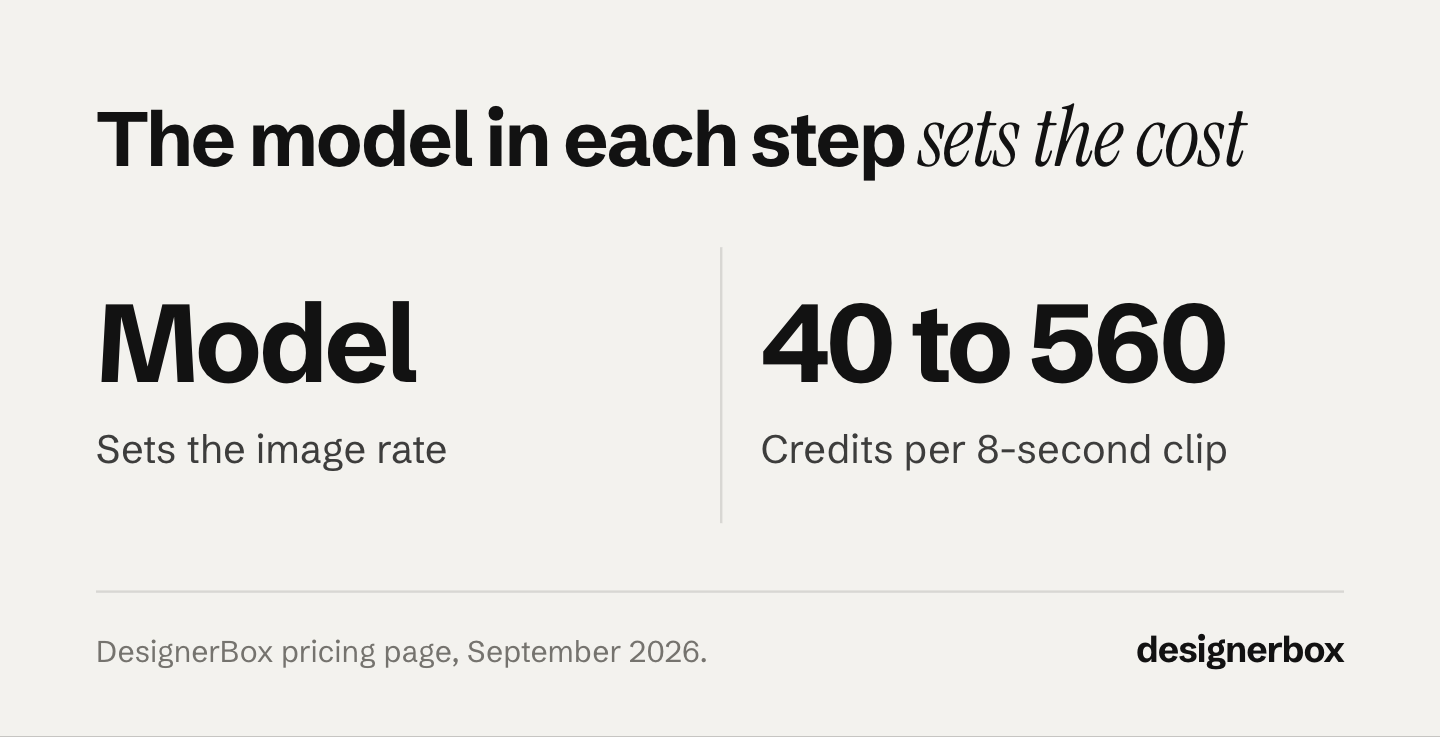
Video costs more than stills, and the model on the step decides how much. An 8-second clip costs 40 to 560 credits, depending on the model. The cheap end of that range is a draft you show internally. The expensive end is the hero clip that runs as a paid ad. A Kling 2.6 Pro clip and a Veo 3.1 clip are the same Run with a different setting on one step.
A test clip and a hero clip do not have to cost the same. AI video starts on the Premium plan, and the free plan cannot make video.
Generation is only half of it. The timeline underneath is multi-track, with picture-in-picture, per-clip transitions, animated text with dynamic fields, audio, a color LUT, vignette and fades. On the timeline, a set of clips becomes an ad. The wider picture sits in what AI video costs, and six rules for AI product video covers what makes a clip work.
6. The multi-client rig
Who runs it: agencies and studios running several brands through one team.

Each client gets its own brand profile holding logos, color palette, fonts, tone and reference imagery. The workflow reads that profile on every run, so nobody has to remember a brand PDF. With white label, the agency delivers the results under its own name. How studios sell white label content covers the pricing and the rights checks for that delivery.
The agency page covers the shape: set up each client brand, brief once and generate at volume, refine in place, then deliver unbranded files in the formats each channel needs. Competitor ad research runs as a workflow step across Meta, TikTok, Instagram and LinkedIn, so the brief starts from what is already running in the category.
The plan gate: team features, shared brand kits and white label are on the Ultra plan, and every plan below Ultra is one seat. A team of two or more people needs the Ultra plan. Extra seats above Ultra’s allowance are charged per seat. Plans and seats are on the pricing page.
Capacity planning for this pattern is covered in how small agencies scale creative production.
7. The workflow that reruns
Who runs it: anyone shipping the same shape of work more than three times.
The first six patterns are runs. This one saves the run. A sequence of generation and editing steps becomes a saved workflow, and the next product, drop or client reruns it instead of rebuilding it. Row one and row two hundred get the same brand rules.
Four stages drive it, and nothing is rebuilt between them. A template is a workflow somebody already built for a named job: open one, add your photo and run it. Your edited version becomes your own workflow, with your brand and your products in it. The same workflow behind a simple form is an app a colleague can run without ever seeing the steps, covered in what a DesignerBox app is. And batch runs that one workflow over a whole sheet of products in a single pass.
Two more surfaces reach the same workflows from outside the app. The MCP server exposes 68 tools, so Claude, ChatGPT or Cursor drive the same models and apps from a chat window. Setup is in the MCP launch post. The Figma plugin is the other. Image generation, background removal, image expansion, product ads, new camera angles and short AI video all run on the canvas, so the asset lands in the layer where the layout already lives and the comp does not get rebuilt around a downloaded PNG. Detail is in the Figma AI plugin guide.
The constraint is volume. Building a workflow takes setup time. Below a certain repeat count, the setup costs more than it saves. Where that line sits is worked through in the AI creative workflow guide.
What moves the cost of a run
Two things move it, and the plan is neither of them.
The model on the step. Image steps are priced by the model you pick, so the same six-step catalog run costs one number on a cheap model and several times that on the default. Swapping the model on one step changes the bill more than moving up a plan does. The one operation with a fixed price is the avatar run: nine fixed poses for 25 credits, the same every time.
How many steps the pattern has. A catalog run is six image steps. A garment set is four on-model frames. An ad set is four resized frames. Multiply the step count by the model rate and you have the run.
Video has the widest spread. On a video step, the most expensive model costs fourteen times as much as the cheapest.
The cost of the run appears on screen before you press Run, so you check the number before you spend it. Plans and credits are on the pricing page, and DesignerBox pricing explained covers what each tier includes.
Which pattern to start with
Start with the one that matches the asset you are short of this week.
- Short on listing images: run the catalog run on one SKU.
- Short on ad creative: rebuild your best performing ad in the other placement sizes. One run makes the four frames.
- Short on motion: run a clip on a cheap video model before you use a premium one on the same brief.
- Short on time every single week: skip the single runs, open a template, and save the edited version as your own workflow.
A useful sequence for a one-person operation sits on the solo founders page, and how it works walks the four stages end to end.
Where DesignerBox fits worse
Know these limits before you pick a plan. The plan gate for each pattern is in its section above.
- Frontier video is expensive if you pick the top model for everything. Use a cheap model for drafts and the top model for the hero clip.
- Uploading your own photos and the commercial license start on the Pro plan. Free-plan results also carry a watermark, so the free plan is for testing.
- One model and nothing else may be cheaper elsewhere. DesignerBox is priced for teams that use different models on different steps and rerun the same workflow. If you need exactly one model once a month, a single-model subscription can cost less.
The model catalog lists what each model does.
The workflows page covers the saved workflows built from these patterns.
FAQ
How do I start using DesignerBox?
Open a template or pick a one-click app. The free plan is enough for a first look on the sample products, and uploading your own product photo starts on the Pro plan. Starting from one of the templates is faster than starting from a blank prompt box.
What can I do on the free plan?
You can run one pattern end to end on the sample products and check whether the result is good enough. Free-plan results carry a watermark, and the free plan cannot make video. Use it to test before you ship.
Do I need to know how to write prompts?
No. The apps take a photo and a few options rather than a prompt, and each one makes the model choice for you. Prompt assistance turns a rough brief into an art-directed prompt when you do write one, so the skill barrier sits inside DesignerBox.
Which plan do most teams land on?
It depends on volume and on the features you need. Premium is the first plan with AI video and virtual try-on. Ultra is the only plan with team seats, shared brand kits and white label.
Can I use DesignerBox results in paid ads?
Yes. The commercial license starts on the Pro plan. Check the current terms on the pricing page before you start a campaign, because licensing terms can change.
How much does one image cost?
There is no single price. The image model on the step sets the rate, and the cost of the run appears before you press Run.
Does DesignerBox work inside other tools?
Yes. The Figma plugin runs generation on the canvas. The MCP server exposes 68 tools, so Claude, ChatGPT and Cursor can drive the same models and apps.
Sources
- DesignerBox product surface, apps, templates and use-case pages: designerbox.ai, accessed September 2026
- DesignerBox use cases, audience and industry breakdown: designerbox.ai/templates, accessed September 2026
- DesignerBox ecommerce page: designerbox.ai/for/ecommerce-brands, accessed September 2026
- DesignerBox agency page: designerbox.ai/for/agencies, accessed September 2026
- DesignerBox ad creation page: designerbox.ai/templates/static-ads, accessed September 2026
- DesignerBox solopreneurs page: designerbox.ai/for/solo-founders, accessed September 2026
- DesignerBox Figma plugin page and its capability list: designerbox.ai/plugins/figma, accessed 2 October 2026
- DesignerBox plans, the avatar operation price, the video credit range, the MCP tool count and feature gating: designerbox.ai/pricing and designerbox.ai/mcp, September 2026