Watch product photography is the image set that sells a watch online: a white-background packshot, angle and caseback views, a macro of the dial and hardware, and an on-wrist frame for scale. The last one is the one most brands skip. It is also the only image that answers the question a spec line cannot: how big is this on my arm?
The standard advice is diffused light, a macro lens, a polarizing filter, and the hands set to 10:10. That advice is correct and it stops one step short, because it treats a watch as a lighting problem. It is three problems in one case.
A watch is a mirror, so the case and crystal photograph your studio back at you. It is a legibility test, because the brand name on the dial is roughly 4pt type that still has to read in a 400px grid thumbnail. And it is a scale problem, because a 38mm dress watch and a 44mm diver are the same photograph on a white background. This guide covers the platform rules first, then the shot list, then where generative models fail on watches specifically.
Key Takeaways
-
Scale is the shot buyers need. Baymard Institute’s product page research names watches, alongside bags and jewelry, as products that require the context of a human model to get the truest sense of the product (baymard.com, accessed September 2026). The same tension runs through handbag product photography, where marketplaces ask for the bag alone in the main image.
-
The platform writes half your shot list. Amazon’s main image needs a pure white background with the product at 85% of the image, and images need 1,000 pixels or more on the longest side to turn on zoom. Chrono24 recommends at least eight photos and turns on listing zoom at 1600 x 1200 (update.chrono24.com, September 2026).
-
A polished case photographs the room. Chrono24’s own guidance tells sellers to shoot on a non-reflective surface in a neutral color, in diffused daylight, which is the same instruction that fixes the crystal.
-
Dial text is where generative models fail first. Fine type at that scale is the hardest thing to hold through an edit. ByteDance’s Seedream 5.0 Pro page leads with high-density infographics and native multilingual text (seed.bytedance.com, September 2026), and a dial made with it still needs checking at 100%.
-
Models default to 10:10 and resist other times. The convention dates to 1950s watch marketing. In a January 2025 test, Monochrome Watches found image generators returned 10:10 even when asked for a different time (monochrome-watches.com, accessed September 2026). Fine for a listing. A problem for a launch-date campaign.
-
Pre-owned listings are off limits for generated imagery. Chrono24 says catalog or stock images for pre-owned watches are strictly prohibited. The listing has to show the actual item, wear included.
-
Cost moves from per day to per variant. A studio day prices the shoot. In DesignerBox each run shows its cost first, and that is where the math flips on a watch line with four bracelet options.
What is watch product photography?
Watch product photography produces the commercial images a watch brand lists and advertises with. Watch photography for a brand covers three image types.
Off-wrist packshots show the watch alone: front, 45-degree angle, caseback, and a side profile that reveals case thickness. Macro details cover the parts that justify the price, which means applied indices, crown knurling, bezel action, lume, the clasp, and bracelet link finishing. On-wrist frames put the watch on a body so the buyer can read scale and drape. Jewelry bracelets sold alongside a watch line need their own five-frame set, because a clasp and a wrist fit carry the sale there.
The category differs from most product photography in one respect. Two of your three subjects are reflective metal and sapphire, and the third is type small enough that most cameras and most models lose it. Only one other category stacks the same three problems, and that is eyewear product photography, where a single lens is the mirror, the transparent surface and the regulated component all at once.
The marketplace rules that write your shot list
Two platforms carry most watch commerce, and they do not want the same picture.
Amazon
Amazon’s image requirements are specific and enforced. The main image needs a pure white background (RGB 255, 255, 255), the product at 85% of the image, the whole product in the frame and shown once, and no props that are not included. Images need at least 500 pixels on the longest side, and 1,000 pixels or more turns on zoom (Amazon product image guide, accessed September 2026). For a watch, zoom is the difference between a buyer seeing an applied index and a buyer seeing a smudge.
Amazon’s main image must be a realistic, professional-quality image that shows the real scale, amount and color of the product. Only a few product types may use a lifestyle main image, and then with no text or extra logos. No product image may show Amazon badges, review images or claims such as free shipping.
The practical read: your Amazon hero is a straight-on dial shot on white, cropped tight, with at least 1,000 pixels on the longest side so zoom works.
Chrono24
Chrono24 runs on gallery depth. The platform recommends at least eight photos of the watch and its box and papers, and photos of 1600 x 1200 or larger turn on the zoom function on the listing page (Chrono24 listing import guide, accessed September 2026).
Its shooting guidance is unusually specific for a marketplace. Use diffused daylight. Use a non-reflective surface in a neutral color. Take front, back and side views, and lay the watch flat with the bracelet or strap open (Chrono24 Magazine, accessed September 2026). For dealers, the main photo shows the dial straight-on, with the full watch centered (Chrono24 listing guide, accessed September 2026).
Two prohibitions matter more than the rest. Photos may not carry watermarks, logos or contact details. And “Using catalog or stock images for pre-owned watches is strictly prohibited”. Chrono24’s listing guide also asks sellers to show any wear a buyer would notice on arrival.
That second rule draws a hard line for AI. Generated imagery belongs on your own brand’s new-product marketing and product pages. It does not belong on a pre-owned resale listing, where the platform requires photographs of the specific item in front of you. Treat that as a compliance boundary, not a stylistic preference.
The one shot a packshot cannot replace
Baymard Institute’s product page research is direct about scale. Getting an immediate grasp of a product’s size is much harder online than in a shop, and the fix is an in-scale image: the product next to a human, a model wearing it, or an object of known size. Products designed to be worn, and Baymard names accessories such as bags, jewelry and watches explicitly, need the context of a human model to get the truest sense of the product (baymard.com, accessed September 2026). The same four-shot logic applied to rings and pendants is in jewelry product photography, the earring version adds a backing shot for the post, and the question of which shots need a person is answered category by category.
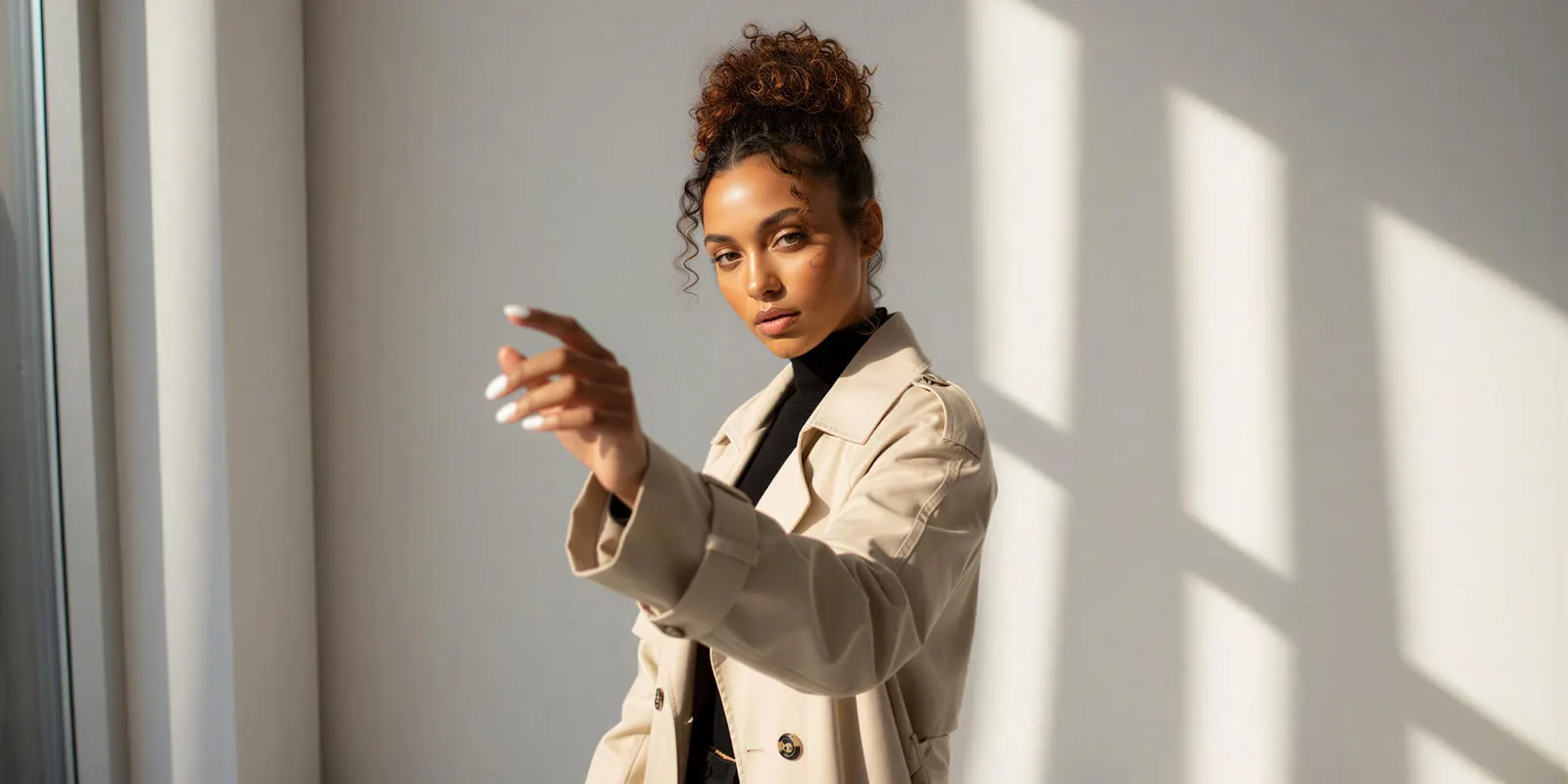
Watches are the extreme version of this problem. Case diameter is the single most discussed spec in the category, buyers self-select on it, and a white-background packshot carries none of it. A 38mm and a 44mm case shot at the same crop are visually identical. Lug-to-lug distance is not readable either, and lug-to-lug is what decides whether a watch sits past the edge of a 6.5-inch wrist.
Publish the spec and publish the shot. One on-wrist frame, straight on, at a normal viewing distance, does more for a watch PDP than three more studio angles.
The watch PDP shot list
Ten frames per SKU covers Amazon’s requirements and lands inside Chrono24’s recommended range with room for editorial.
| # | Shot | What it proves | Where it goes |
|---|---|---|---|
| 1 | Dial straight on, white background | Compliance, dial layout | Amazon main image, PDP hero |
| 2 | 45-degree angle | Case profile, crown, pushers | PDP gallery slot 2 |
| 3 | Caseback | Movement, engraving, finishing | Gallery, spec section |
| 4 | Side profile | Case thickness, box crystal, lug curve | Gallery |
| 5 | Dial macro | Applied indices, printing, lume, date window | Gallery, ads |
| 6 | Clasp and bracelet macro | Link finishing, deployant, taper | Gallery |
| 7 | Strap or bracelet variants | Every colorway you sell | Variant swatches |
| 8 | On-wrist, straight on | Scale against a real wrist | Gallery, above the fold on mobile |
| 9 | On-wrist under a cuff | Real-world fit and drape | Gallery, social |
| 10 | Editorial or lifestyle | Brand context | Paid social, banners, email |
Shots 1 to 7 are still-life work. Shots 8 and 9 are the expensive half of a traditional shoot and the cheap half of an AI one. Shot 10 is where a brand looks like a brand, and the nineteen scenes that can fill it are sorted by what the crystal reflects in watch photoshoot ideas.
If you are building the angle set from nothing, the sequencing logic is the same one covered in product photography angles, and the order the frames appear in on the page is covered in PDP images that convert.
Where AI breaks on watches
Generative models handle watch cases well. Metal, brushing, polished bevels and leather straps all render convincingly. Five things break, and four of them are watch-specific.

1. Dial text. The brand name, the applied logo, the depth rating, “automatic”, the chapter ring numerals. All of it sits at a scale where models historically produced approximate letterforms. This has improved. ByteDance’s Seedream 5.0 Pro page leads with high-density infographics and native multilingual text (seed.bytedance.com, September 2026). Google still says Nano Banana Pro “can still struggle with small faces, accurate spelling, and fine details in images” (deepmind.google, September 2026). Use a model built for text when the dial carries text, and read every result at 100% before it ships.
2. The 10:10 default. Watches have been photographed at 10:10 since the 1950s because the hands sit symmetrically, form a V that frames the logo under twelve, and stay clear of the date window and subdials (monochrome-watches.com, January 2025). The convention is so common in pictures of watches that, in Monochrome Watches’ January 2025 test, image generators returned it even when asked for a different time. For a listing that default is what you wanted anyway. For a campaign built around a launch time or a GMT hand in a set position, check every frame.
3. Counting. Index count, subdial count, chronograph hand positions, and the number of links in a bracelet are all repeated-element problems, which is the class of task diffusion models are least reliable on. Compare against the source photo, not against your memory of the source photo.
4. Bracelet geometry. A five-link jubilee is fine, repeating structure, the same failure class as lace on a lingerie shoot. It survives a light background swap and degrades under a heavy edit.
5. Invented reflections. A model will happily put a window in a crystal that has no window near it. On a dive watch with a domed sapphire this reads as realistic and is wrong, which is worse than an obvious artifact.
The working rule: generate the set, then verify each frame against the source packshot at full size. Anything carrying a serial number, a reference number, or a certification mark should be a real capture, not a generated one. The wider version of this check is in AI product photo accuracy.
What watch photography costs
Published market rates, from guides that pool many photographers:
| Source | Range |
|---|---|
| Shopify pricing guide, January 2026 | $50 to $350 per image, $500 to $3,000 per day |
| VSCO pricing guide, November 2023 | $25 to $175 per image for product photography |
Sources: shopify.com and vsco.co, both accessed September 2026. Reflections and dial retouching add time to every watch frame, and on-wrist frames add a model’s time on top.
Plans and credits are on the pricing page. There is no single per-image price. The cost depends on the model you pick, and the cost is shown before the run. The model list shows the image models DesignerBox runs.
Three plan gates are worth stating plainly. The commercial license starts on the Pro plan, and a watch workflow ends in a paid ad, so Pro is the real entry point. AI video, virtual try-on, upscaling, the image editor and the video editor start on the Premium plan, and the free plan cannot make video. An 8-second clip costs 40 to 560 credits, depending on the model. Team features, shared brand kits and white label are on the Ultra plan, and every plan below Ultra is one seat.
The packshots, the macros and the editorial clip also stay in one place. The image editor, the video editor, your brand rules and your Assets are all part of DesignerBox. The full workflow from the first product photo to the finished ad, in one subscription. You set the brand once, and the workflow reads it on every run. Watch forty then carries the same light and grade as watch one. The watch photography page covers the crystal glare, the dial text and the bracelet finish.
The structural difference sits under the headline number. A studio day prices the shoot. A run prices the variant. On a watch line that is the whole argument, because the variant count is the thing that grows: four references, three bracelet options and two dial colors is twenty-four packshot sets, and a traditional shoot charges you the day rate again the moment you add the fifth reference. The full version of that math is in product photoshoot cost.
A watch set from one packshot
Start from one clean packshot of the actual watch. Straighten the case, wipe the crystal, shoot flat and evenly lit on white. The reference decides how much the model has to invent, and on a watch you want it inventing as little as possible.
Build the angle set. A multi-angle template turns the single packshot into the front, angle, side and top views from shots 1 to 4. This set fills the compliance slots.
Clean and light the hero. An object removal template and a relighting template handle the studio treatment for the Amazon main image without a rig.
Lay out the strap variants. A flat lay template lays out the bracelet and strap options as a set, which is the frame buyers use to pick a colorway.
Pick the model per shot, not per project. Reference images hold one watch identity across ten frames. Google says Nano Banana Pro takes up to 6 high-fidelity object images and outputs 1K, 2K or 4K (ai.google.dev, September 2026). ByteDance says Seedream 5.0 Pro takes up to 10 reference images, and its product page leads with dense text, so it is the one to try when the dial text has to read (docs.byteplus.com, September 2026).
Then check every frame against the source. Dial text, index count, subdial hands, link count, and the time on the dial. Run all five checks on every frame. This is the step that separates a usable set from a recall.
Build that sequence once on the first reference, then save it as a workflow. A saved workflow runs the same way on the next reference, so nobody rebuilds the angle set, the light or the background. Batch runs one workflow over a whole sheet of products.
For the marketplace side of this, AI product photos and marketplace rules covers what each platform accepts, and the channel-by-channel image spec sets out what the file itself has to look like.
Start from a template, add your brand and your products, and run it.
FAQ
How many photos does a watch listing need?
At least eight. Chrono24 recommends at least eight photos, and photos of 1600 x 1200 or larger turn on the listing zoom. Amazon needs a pure white main image with the product at 85% of the image, recommends a main image plus at least six more images and one video, and turns on zoom at 1,000 pixels or more on the longest side. Ten frames per SKU is a sensible working default: four angles, two macros, one variant layout, two on-wrist and one editorial.
Can you use AI-generated watch photos on Amazon?
For your own new products, the image has to meet the same rules as any other. Amazon’s main image must be a realistic, professional-quality image that shows the real scale, amount and color of the product, on pure white at 85% of the image. What you cannot do is publish a generated image that misrepresents the item. If a generated on-wrist frame shows a photorealistic AI-generated person, Amazon asks you to tag the image with the contains-synthetic-performer keyword before upload (Amazon product image guide, September 2026).
Do you need a wrist model for watch photography?
Not for the PDP and social set. On-wrist is usually the most expensive frame in a traditional watch shoot, because it adds a model’s time, and it is the frame that answers the scale question buyers have. Generated on-wrist frames cover the gallery and paid social. A booked model still earns the fee on a flagship campaign where a specific face is the point.
Why are watches photographed at 10:10?
Because the hands sit symmetrically, form a V that frames the brand logo under twelve, and stay clear of the date window and any subdials at the bottom of the dial. The convention dates to watch advertising in the 1950s. It is also so heavily represented in training data that generative models default to it and resist other times, so if your campaign needs a specific time on the dial, check every frame before publishing.
How do you stop reflections in the crystal?
Shoot into soft diffused light rather than open flash, so the softbox and the ceiling stop appearing in the sapphire, and use a neutral non-reflective background, which is what Chrono24’s own guidance tells sellers. On generated frames the failure runs the other way: the model invents a reflection that does not match the scene. Check the crystal against the source packshot on every frame that shows the dial at size.
Can AI generate a legible watch dial?
Text rendering has improved to the point where it is usable. ByteDance’s Seedream 5.0 Pro page leads with high-density infographics and native multilingual text, which covers a brand name and a depth rating in many cases. It does not remove the check: read applied logos, chapter ring numerals and any small print at 100% before the frame ships, and treat anything carrying a reference or serial number as a job for a real capture.
Can you use AI images on a pre-owned watch listing?
No. Chrono24 says catalog or stock images for pre-owned watches are strictly prohibited, and it asks sellers to show any wear a buyer would notice on arrival. The listing has to show the specific item. Generated imagery belongs on new-product marketing, your own product pages, and paid social, not on a resale listing for a used watch.
Sources
All external claims were checked in September 2026.
- Chrono24, Listing Import Guide (eight photos recommended, 1600 x 1200 zoom threshold, no watermarks, logos or contact details, no catalog or stock images for pre-owned watches): https://update.chrono24.com/listing-import-guide/
- Chrono24, “How to Create Listings That Sell on Chrono24” (main photo with the dial straight-on and the full watch centered, showing wear): https://update.chrono24.com/how-to-create-listings-that-sell-on-chrono24/
- Chrono24 Magazine, “How to photograph a watch” (diffused daylight, non-reflective neutral surface, front, back and side views): https://www.chrono24.com/magazine/how-to-photograph-a-watch-p_18082/
- Amazon product image guide (G1881), main image rules, size and zoom, and the contains-synthetic-performer tag: https://sellercentral.amazon.com/help/hub/reference/external/G1881
- Baymard Institute, current state of ecommerce product page UX, on human model images for worn products such as bags, jewelry and watches: https://baymard.com/blog/current-state-ecommerce-product-page-ux
- Shopify, product photography pricing guide (January 2026): https://www.shopify.com/blog/product-photography-pricing
- VSCO, photography pricing guide (November 2023): https://www.vsco.co/learn/photography-pricing-guide
- Monochrome Watches, on the 10:10 convention and image generators defaulting to it, January 2025: https://monochrome-watches.com/just-because-editorial-10-past-10-position-of-hands-so-deeply-rooted-in-watchmaking-ai-only-generate-this-even-if-asked-different/
- ByteDance, Seedream 5.0 Pro product page: https://seed.bytedance.com/en/seedream5_0_pro
- ByteDance BytePlus, Seedream 5.0 reference limits and resolutions: https://docs.byteplus.com/en/docs/ModelArk/1541523
- Google, Gemini API image generation (Nano Banana Pro reference limits and resolutions): https://ai.google.dev/gemini-api/docs/image-generation
- Google DeepMind, Nano Banana Pro limitations: https://deepmind.google/models/gemini-image/pro/
- DesignerBox pricing page (designerbox.ai/pricing), September 2026