




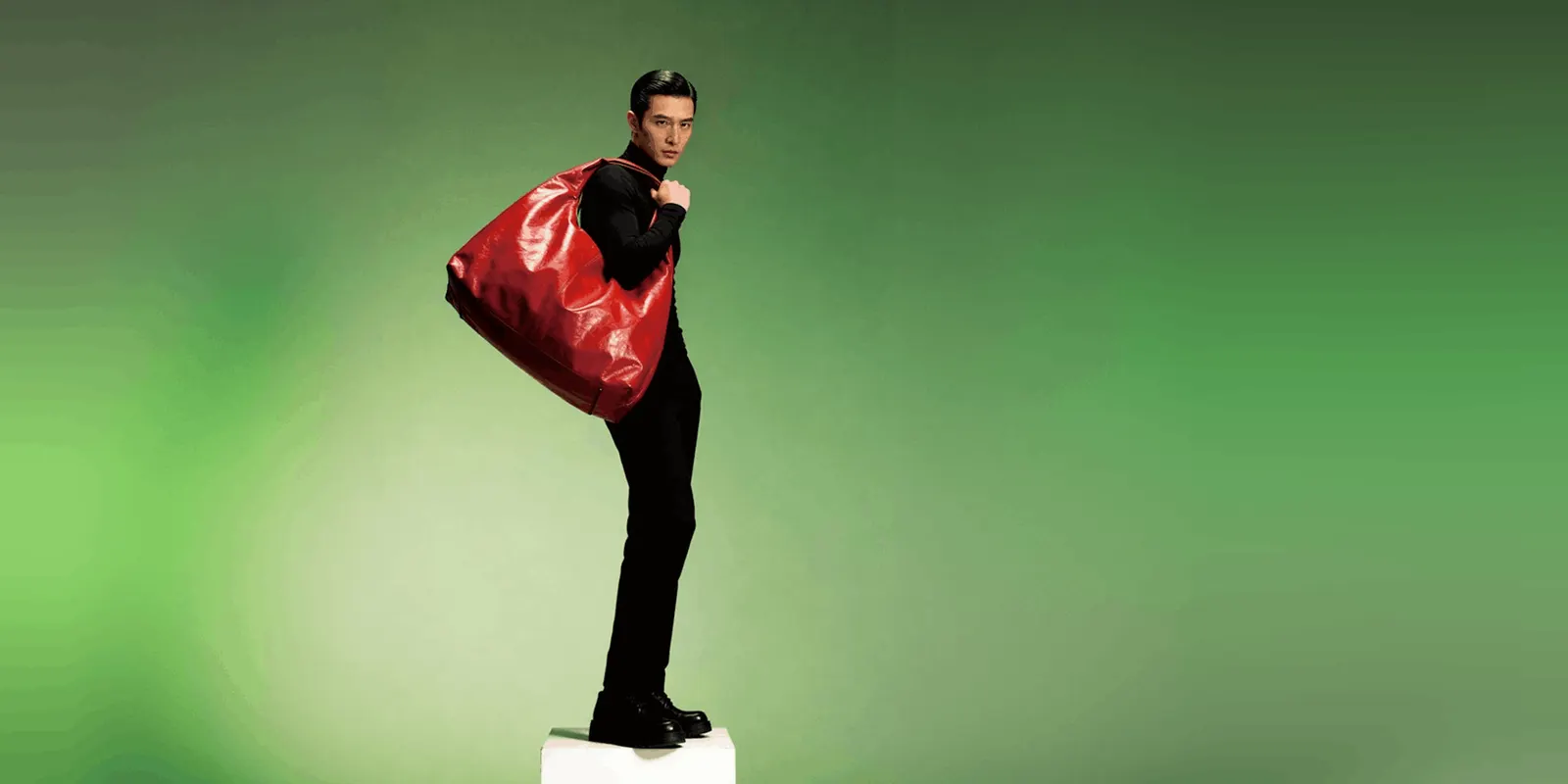
Handbag product photography is the image set that sells a bag product page: an off-model packshot, a 45 degree back and side view, an interior shot, and hardware detail. One rule shapes all of it. Amazon asks for clothing accessories shown flat, without a model, in the main image. Google recommends showing a handbag alone there. So the platform sets your primary shot before your art director does.
Lighting is the second question. Use a big softbox, shoot on white, stuff the bag and watch the hardware. The first question is what the bag has to look like in the slot you do not control.
There is a real tension underneath it. The platforms want the bag alone. Shoppers want a body for scale. Baymard Institute’s research finds that 42% of users try to judge product size from images, that 37% of sites give them no in-scale image at all, and that bags specifically need the context of a human model (baymard.com, updated March 2026). Your shot list is the resolution of that conflict, not a lighting preference. Where the body is allowed, generating it instead of booking one removes the casting day from the equation.
Key Takeaways
-
On Amazon, the main image cannot be on a model. Amazon’s product image guide asks for clothing accessories shown flat, without a model, in the main image. Its image guidelines for clothing say accessories must not be photographed on models, and they give bags as an example of an accessory. Google Merchant Center recommends the same split as a best practice: handbags alone in main images, on a model in additional images.
-
Zalando publishes a detailed public bag spec: a primary packshot, a back view at 45 degrees, an inside view and a detail view. Standard bag listings need three compliant images, and Premium and Designer listings need all four (partner.zalando.com, September 2026).
-
Stuffing the bag is documented advice. Zalando tells sellers to prepare bags neatly, possibly stuffing or filling them, and Amazon’s 2021 clothing guide names stuffing for off-figure shots. An unstuffed bag photographs as a collapsed pouch.
-
Hardware is the hard part, and a bigger light will not fix it. Polished metal reflects the shape and edge of whatever is in front of it, at the same brightness no matter the distance. You control what the metal sees, not how bright it. The same principle governs shooting eyewear, where the goal is a controlled reflection rather than no reflection at all.
-
A white background bag catalog is priced per image, and campaign work is a different job. The largest quotes are campaign shoots with usage rights attached.
-
The EU disclosure rule turns on misrepresentation, not on using AI. The Commission’s Article 50 guidelines say a real product on an AI background is not a deep fake. An AI image that can mislead people about how the product looks can be a deep fake, and a deep fake needs a visible label.
-
Three different metadata regimes now apply, and they are not the same thing. Google Merchant Center asks for AI metadata on every AI product image. Amazon asks for a tag only when a photorealistic AI person is in frame. The EU marking is the model provider’s job and does not discharge yours.
What is handbag product photography?
Handbag product photography produces the commercial images a bag brand lists and advertises with. It covers three image types: off-figure packshots showing the bag alone from several angles, in-scale shots putting the bag on a body or in a hand so size reads, and macro detail shots of hardware, stitching, lining and grain. The category differs from apparel because platform rules put the primary listing image off-model, while the buying decision needs on-model context. Small leather goods share the macro and scale problems and drop the model entirely, which is why wallet photography runs a six-shot set instead.
Why a handbag main image cannot be on a model
Amazon and Zalando put the bag alone in the first slot, and Google recommends the same.
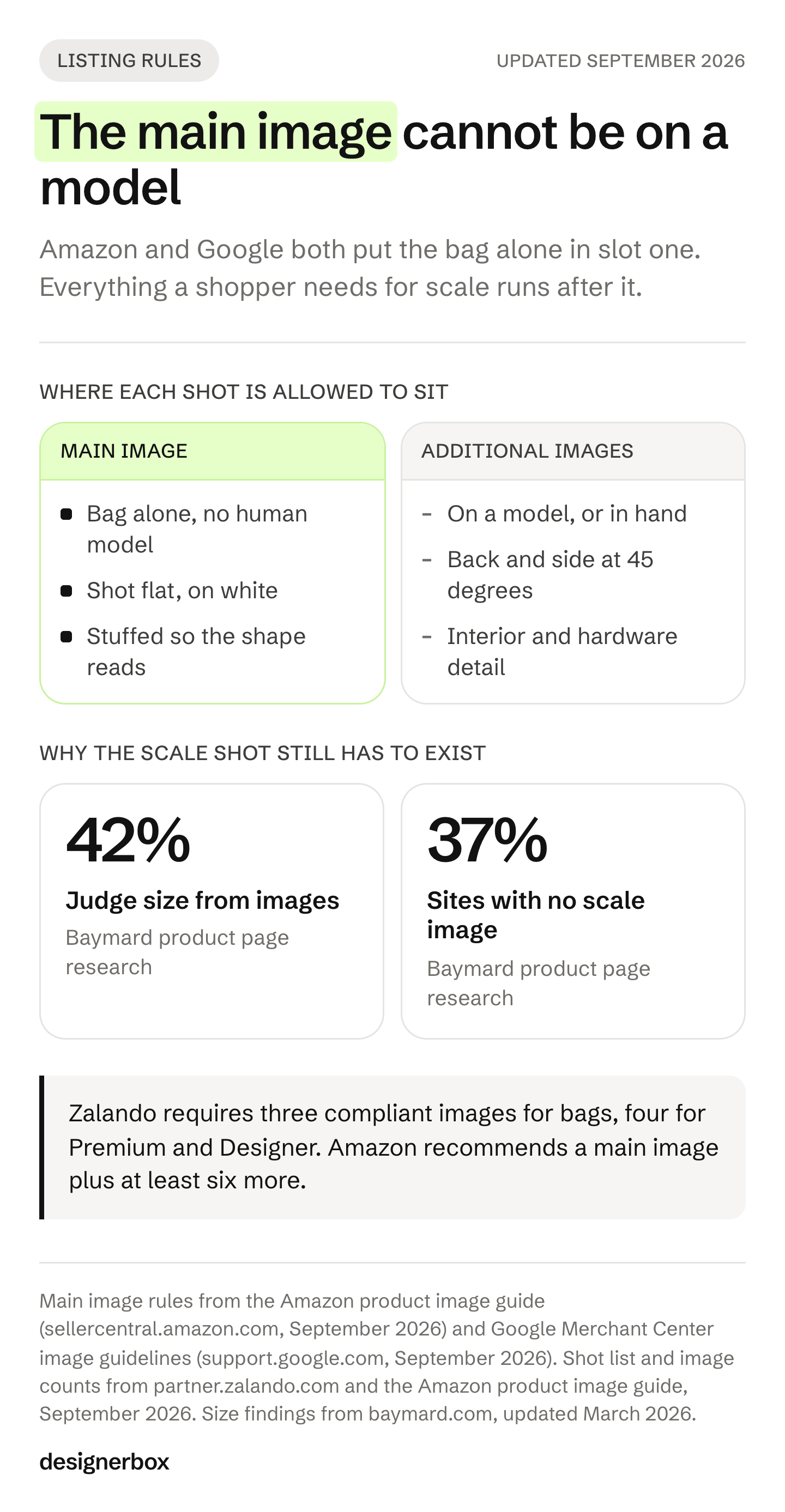
Amazon’s current product image guide says to show clothing accessories or multipacks flat, without a model, in the main image (Amazon product image guide, as of September 2026). Amazon’s image guidelines for clothing add that accessories must not be photographed on models in the main image, and they give bags as an example of an accessory (Amazon image guidelines for clothing, as of September 2026). Neither current page names handbags as a category. Amazon’s older style guides for shoes, handbags and shoe accessories, for the UK (January 2020) and Australia (August 2017), say the handbag main image must be shot flat and not with a human model. Amazon’s 2021 clothing guide, which it marks as informational, tells sellers to build off-figure shots using pins, liner or stuffing, with the seams as a guideline.
Google Merchant Center’s image guidance is more explicit about the split. As a best practice, it recommends showing shoes, handbags and accessories alone in main images, and on a model in additional images (Google Merchant Center image requirements, as of September 2026).
Zalando lands in the same place from a different direction. For bags, the catalog view must be a primary packshot, and Zalando does not allow the front crop, its front model view, in that slot (partner.zalando.com, September 2026).
So the primary image is the bag, alone, filled out to hold its shape, on white. Everything a shopper needs to judge scale has to live in the images after it. That is the constraint the rest of this guide is built around, and it is why a generic list of product photography angles is not enough for this category.
The handbag shot list that fills a PDP
Zalando publishes a specific public bag shot list, and it is a sound base even if you never sell there.
| Shot | What it does | Documented rule |
|---|---|---|
| Primary packshot | The listing image, front, bag alone | Off-model, white background, bag filled out to show its shape |
| Back or side at 45 degrees | Shows two planes in one frame | Zalando specifies 45 degrees so back and side are both visible |
| Interior view | Answers “what fits” | Required by Zalando for Premium and Designer bags |
| Detail view | Hardware, grain, stitching, lining | Required by Zalando for Premium and Designer bags |
| In-hand or on-body | Scale, drape, strap drop | Not allowed as the main image on Amazon or Zalando |
| Styled scene | Ads, social, lifestyle placements | Outside marketplace packshot rules |
Zalando requires three compliant images for bags and four for Premium and Designer listings, and states that duplicating images to hit the count leads to article rejection. Its strap handling is unusually prescriptive: short straps point upwards, long straps lie flat or roll on the left so they are not visible on the right side of the frame.
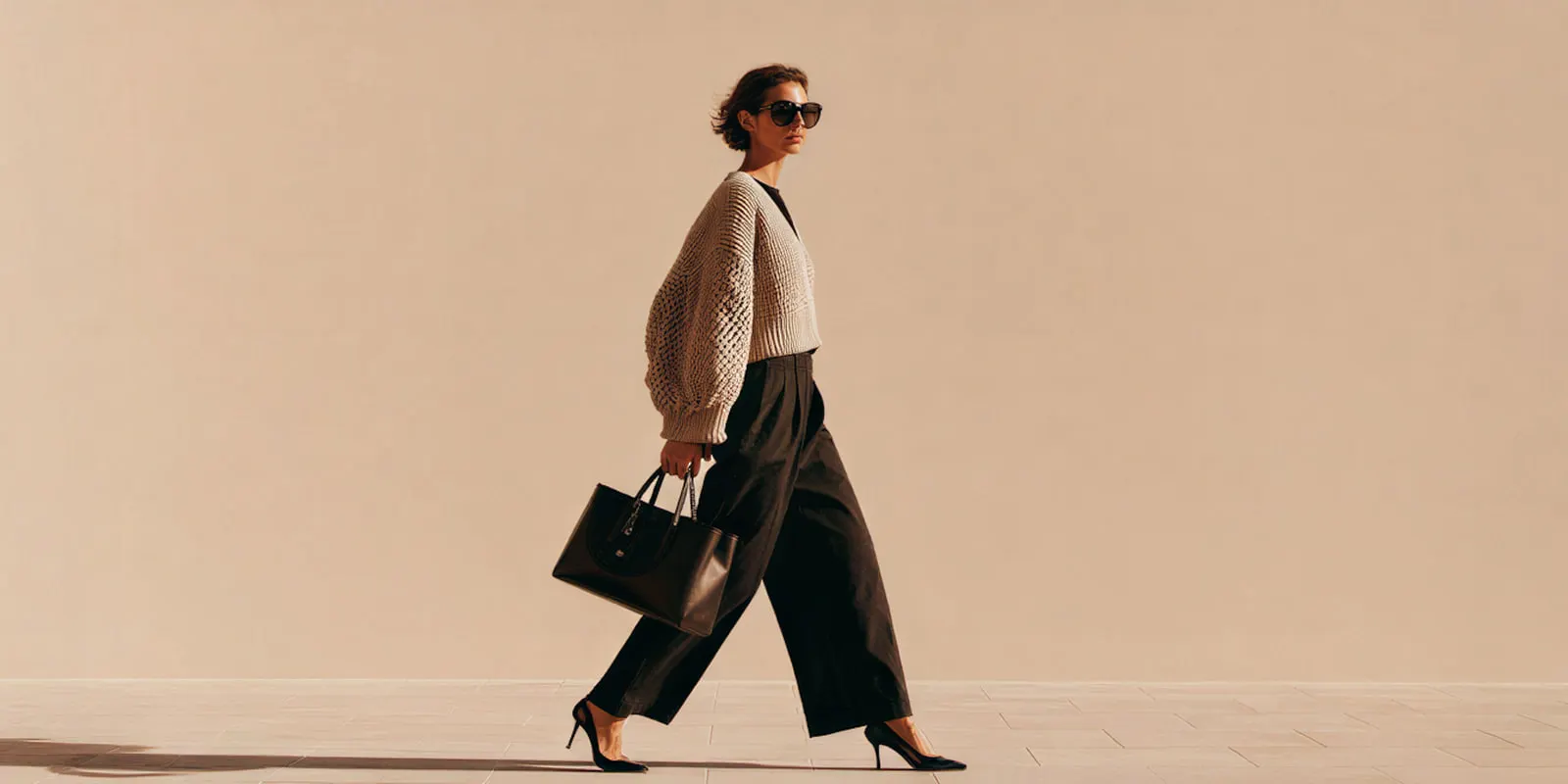
Amazon recommends a main image plus at least six more images and one video (Amazon product image guide, as of September 2026).
The in-hand shot is the one most bag brands skip and the one Baymard’s research says the category needs. It is also a shot you can make with AI once the packshot exists. Baymard names watches in the same group, and watch product photography runs into an identical split between the listing slot and the scale shot.
The last two rows are a separate program with their own failure modes, because a bag has to read as carried rather than worn. Editorial bag photography covers the campaign set, the load tells that expose a generated frame, and what the usage license costs.
Marketplace image specs for bags
Handbag image specs differ by channel. Amazon wants a pure white main image with the bag filling 85% of the frame. Zalando wants a 1:1.44 packshot on #FFFFFF. These are the current published numbers. Every one of them moves, so check the source before a big upload.
| Platform | Size | Background | Format and limits |
|---|---|---|---|
| Amazon | 500 to 10,000 px longest side, 1,000 px or more for zoom | Pure white, RGB 255,255,255 | Product should fill 85% of frame |
| Zalando | Best practice 1801 x 2600 px, minimum 762 x 1100, designer brands 1800 x 2600 | Packshot #FFFFFF, model view #F1F1F1 | JPG, sRGB, max 20 MB, aspect 1:1.44 |
| Shopify | 2048 x 2048 recommended, max 5000 x 5000 or 25 MP | Not specified | Under 20 MB, max 250 media per product |
| Google Merchant Center | 100 x 100 enforced floor now, 500 x 500 for all products from 31 January 2027 | White or transparent recommended | Max 16 MB, 64 MP, no watermarks, promotional overlays or borders |
| eBay | Minimum 500 x 500, 1600 x 1600 recommended | Not specified | Max 12 MB, up to 24 photos |
Sources: Amazon product image guide (sellercentral.amazon.com, September 2026); partner.zalando.com (September 2026); help.shopify.com (September 2026); support.google.com (September 2026); ebay.com (September 2026).
Two warnings on the Amazon row. Its pixel figures differ across older Amazon documents, so use the current product image guide and date it. And the “1,600 px for zoom” figure appears only in Amazon’s 2021 clothing guide, which Amazon marks as informational. The current guide turns on zoom at 1,000 pixels on the longest side.
Google’s floor is the one with a deadline attached. Its “image too small” help page sets the minimum today at 100 x 100 for non-clothing items, rising to 500 x 500 for all products on 31 January 2027 (as of September 2026). If your bag feed is built on 800 px assets you are fine now and fine then, but a legacy 300 px catalog has a date on it. The same logic runs across every channel you sell on, which is why the specs each channel enforces are worth auditing once rather than per launch.
Why handbags are harder to shoot than flat products
A t-shirt is diffuse. A handbag is four different surfaces in one frame, and three of them are reflective.
Polished hardware. Buckles, chains, feet and zip pulls behave like mirrors. A mirror does not have brightness of its own, it shows you whatever sits in the family of angles between the light and the lens. Two consequences follow. A light outside that family does not light the hardware at all. And a direct reflection stays as bright as the source no matter how far away you move it, so backing the light off changes the size of the highlight, not its intensity (petapixel.com, August 2021). The three working fixes are documented in Light, Science and Magic: shoot through a hole in the light source, angle the metal so the camera is out of the reflection, or retouch it.
Patent and coated leather. A glossy panel reflects the shape and the edge of the softbox, so a bigger light just gives you a bigger hard-edged rectangle. The fix is covering the angles the surface reveals to the camera with diffusion, then building a gradient across that diffusion, so the panel reads as a soft falloff rather than a lit box.
Structure. Unstuffed bags collapse. Amazon’s own guide names pins, liner and stuffing as the method. Working photographers roll bubble wrap bubble-side-in so it does not print texture through soft leather, and suspend handles on a single strand of fishing line rather than a knot, because one strand retouches out and a knot does not. Packs need the same treatment for a different reason, since a backpack is bought on capacity and an unstuffed one misreports the volume the listing claims.
Black on black. Most bag catalogs are half black. Separation comes from a hard, directional rim, not a soft one, and the variable that keeps black looking black is the distance between the bag and the background rather than the power of the light.
Suede and nubuck. Nap only reads under raking light, meaning a source across the surface at a very shallow angle, which exaggerates the texture into visible relief. Smooth leather in the same setup produces direct reflections instead. The two materials want opposite setups, so mixed-material bags get shot in passes.
Color. Leather absorbs color from whatever is around it, so a colored wall or a warm bounce card shifts a tan bag two shades. At volume the answer is procedural: lock white balance to one calibrated value for the whole day, shoot colorways in tonal groups rather than SKU order, and reference a color chart at the start of each group.
For throughput, one London studio publishes about 60 to 80 SKUs a day for simple items, accessories included, at one angle each. It gives 30 to 50 a day for medium-complexity garments at two or three angles, and 15 to 25 for complex garments with full angle and detail coverage (pixeleyesphotography.co.uk, accessed September 2026). We found no handbag-specific frames-per-day figure in a public source, so treat accessory rates as the closest proxy.
What handbag product photography costs
Quoted figures for a bag shoot vary widely, because they mix two different jobs: catalog images and campaign work. Here is how the published price lists are built, checked September 2026.
| Line item | How it is priced | Who lists it |
|---|---|---|
| Bag catalog image | Per image or per photo, sometimes with a studio fee | US product studios |
| Packshot | Per image, with volume rates | UK packshot studios |
| Bag with hand model | Per image, as its own line | US product studios |
| Bag on a model | Per image, as its own line | US product studios |
| Shoot day | Per 8-hour day, sometimes including studio and lighting | US and London studios |
| Hand model | Per hour | US product studios |
| Retouching, volume | Per image | Retouching services |
| Retouching, high end | Per image | High-end retouchers |
Each studio and retoucher lists its current rates on its own pricing page (squareshot.com, soona.co, lightstudios.org, archphoto.studio, pathedits.com, pixelz.com, September 2026).

Run the math on a real catalog. Take one per-image quote for a single white-background angle and multiply it by the number of bags. That is the number for the job most brands need. Campaign work is quoted as a separate job.
The largest figures describe campaign work, where the quote adds a usage license to the creative fee. A six-day campaign estimate that A Photo Editor published in July 2026 was split that way, and the client then made the whole project with an AI artist (aphotoeditor.com, 16 July 2026, accessed September 2026). We break the full picture down in what a product shoot really costs.
The comparison that matters is structural rather than per-unit. A shoot prices per image and per day. A subscription prices per month. The workflow picks the image or video model for each step, and the cost of a run is shown before you press Run. A shoot reprices for every new colorway. A saved workflow runs again on the new colorway.
The limits are worth stating in the same breath. Uploading your own photos and the commercial license start on the Pro plan. AI video, virtual try-on, upscaling, the image editor and the video editor start on the Premium plan. Team features, shared brand kits and white label are on the Ultra plan, and every plan below Ultra is one seat. Plans and credits are on the pricing page.
Where AI works on bags and where it breaks
One controlled result on generated product imagery is worth knowing. A 2024 study of online A/B tests, on catalogs of a few thousand to several tens of thousands of items, found products with generated backgrounds gained roughly 15% in click-through over the original images, with all gains significant at p<0.05 (Czapp, Jani, Domián and Hidasi, RecSys ‘24, accessed September 2026). Read the scope carefully: that measures ad click-through in a recommendation network, not conversion on your own product page. Anyone quoting it as a PDP conversion figure is overreaching.
What holds up well on bags:
- Backgrounds and scenes from an existing packshot. The bag geometry is already correct, so the model only has to build around it. AI lifestyle photo generators compares the tools that keep your photo and build the scene around it.
- In-hand and on-body scale shots. The image Baymard’s research says bag shoppers need, and one you can add once the packshot exists.
- Colorway variants where the material is smooth and matte.
- Relighting a flat catalog frame into something usable as ad creative.
What still needs a real capture:
- Logo and monogram fidelity. Repeating monogram canvas and embossed logotypes drift under generation and under edit.
- Hardware legibility. Engraved brand marks on a zip pull or lock plate are small, reflective and high-stakes.
- Exact hex color. Generated color is approximate, and returns on a mismatched tan are expensive.
- Serial numbers, date codes and authenticity marks. Never generate these.
The practical split is to shoot the source and generate everything downstream of it. That is the same rule that governs product photos that survive a marketplace review.
Do you have to label an AI handbag image?
Three separate rules apply and they trigger on three different things. Getting them confused is a common error in articles on this topic.
Google’s rule covers every AI product image. For Merchant Center product images, Google states that all images created using generative AI must contain metadata indicating the image was AI-generated. It names the IPTC DigitalSourceType value TrainedAlgorithmicMedia as an example, and tells merchants not to remove that metadata. This covers a plain AI packshot too. Google has asked merchants to keep AI metadata on product images since February 2024 (Google Merchant Center image requirements, as of September 2026). Watch the pipeline rather than the prompt: a resize or re-encode after generation can silently drop the tag, and keeping it is one of Google’s minimum requirements.
Amazon’s tag covers AI people, not AI products. In July 2026, Amazon told sellers to tag images that show a photorealistic person made fully by AI. You add the keyword contains-synthetic-performer to the dc:subject XMP field before you upload (Amazon product image guide, as of September 2026). The tag is not needed for real people edited with AI, or for images with no photorealistic people. Amazon says some jurisdictions may require this disclosure. CNBC reports the change followed New York’s synthetic performer law, which took effect on 9 June 2026. A bag alone does not trigger it. A bag held by a synthetic model does.
The EU turns on misrepresentation, not on the use of AI. Article 50 of the EU AI Act has applied since 2 August 2026. The European Commission published guidelines on Article 50 on 20 July 2026. The guidelines are not binding, and they give two worked examples that matter for bag imagery. A real product shown against an AI-generated background is not a deep fake, so long as the ad is not likely to mislead about the product’s actual representation, characteristics and use. An AI-generated product image can be a deep fake if it can mislead people about how the real product looks or works, for example by making it look “more appealing or with improved quality than in real life”. A deep fake needs a clear label. The guidelines also say color correction, background changes for clearly aesthetic reasons and re-scaling usually have only a minor effect, so routine retouching is usually outside the definition.
Two further points from the Commission. A realistic invented person can count as a deep fake, because it is enough that the person could plausibly exist. And a deployer cannot rely on the machine-readable mark the model provider embeds: people must be able to see or hear the label without special tools.
So the line for bags is whether the image still shows the bag a buyer will receive, whoever or whatever made it. Change the strap length, deepen the leather color, add hardware the product does not have, and you have crossed it. Put the real bag on a generated marble surface and you have not.
The UK regulator has tested this kind of image. In a ruling published on 25 March 2026, the ASA looked at a paid Meta ad for a robot-dog toy. The ad showed scenes that appeared to be of real or AI-generated puppies. The ASA found the ad exaggerated the product’s performance and characteristics without evidence, and was misleading (ASA ruling on UAB CommerceCore t/a WiggyDog, accessed September 2026). The ASA says the CAP and BCAP Codes do not contain AI-specific rules, and that “disclosure alone is very unlikely to mitigate the harm caused by a fundamentally misleading message” (ASA, 29 May 2025). Anyone publishing synthetic models at volume should also read how AI-generated fashion images get labeled.
This is general information, not legal advice. The rules in this area change often, so check each source before you publish.
A bag collection workflow in DesignerBox
The workflow follows the shot list above rather than replacing it. Build it once on the first bag and save it. Then run the same workflow for each new bag, so the next bag gets the same steps you set on the first.
- Shoot or supply one clean source frame per bag. Front, lit evenly, hardware legible, stuffed to shape. This is the frame every other image derives from, so it is the one worth doing properly.
- Run the angle set. A multi-angle template builds the back, side and 45 degree views from the source frame, for the back-and-side view Zalando asks for.
- Run the hero set. A hero product shot template starts the main packshot set from the same source frame, so you do not write a generic product prompt.
- Add the in-scale shots. The in-hand and on-body frames that the main image slot will not take, and that Baymard’s research says bag shoppers look for.
- Relight for placement. The same source becomes a white packshot for the marketplace and a styled frame for paid social, without a second shoot.
- Save it as a workflow and run it again for each bag. Each bag in the next collection gets the same steps in the same order. That helps twenty bags look like one brand.
Three critic steps score the results of a run, and best-of-N keeps the best one. You still check logos and hardware against the real bag. Batch runs that same workflow over a whole sheet of bags. The full workflow from the first product photo to the finished ad, in one subscription. The templates, the image editor, the video editor and your brand rules are in the same place. You set the brand once. Every run after that reads the same record. Bag forty then carries the same light and grade as bag one. The bag and handbag photography page shows the three-quarter hero, the open interior, the hardware macro and a carried shot. To begin, start from a template and run it on one bag photo.
FAQ
Can you use AI-generated handbag photos on Amazon?
Amazon’s product image guide has no general rule against AI images. It asks for a realistic, professional-quality image that shows the real scale, quantity and color of the product. Its one AI rule is a tag: since July 2026, Amazon asks for the contains-synthetic-performer keyword in the dc:subject XMP field on any image with a photorealistic person made fully by AI. Images with no photorealistic AI people do not need the tag.
Why can’t a handbag main image have a model in it?
On Amazon it cannot. Amazon’s product image guide asks for clothing accessories shown flat, without a model, in the main image, and its clothing image guidelines say accessories must not be photographed on models. Older Amazon UK and Australia style guides name handbags directly and ask for the main image shot flat. Google Merchant Center recommends showing handbags alone in main images and on a model in additional images. Model shots still belong in the images after the main one.
How many photos does a handbag product page need?
Zalando requires three compliant images for bags and four for Premium and Designer listings. Amazon recommends a main image plus at least six more images and one video. A practical set is packshot, 45 degree back and side, interior, hardware detail, and one in-scale shot.
Should you stuff a handbag before photographing it?
Yes. Amazon’s 2021 clothing guide, which Amazon marks as informational, names pins, liner or stuffing as the method for off-figure shots. Zalando tells sellers to prepare bags neatly, possibly stuffing or filling them to show shape and capacity. Bubble wrap rolled bubble-side-in avoids printing texture through soft leather.
How do you stop studio reflections showing in bag hardware?
Polished metal reflects whatever sits in the family of angles between light and lens, at the same brightness regardless of distance. Moving the light back changes the size of the highlight, not its brightness. The documented fixes are shooting through a hole in the light source, angling the metal so the camera falls outside the reflection, or retouching it.
What does a handbag photoshoot cost?
Studios price catalog images per image, with separate rates for hand-model and on-model shots, and price shoot days per eight hours. Some UK packshot studios offer volume rates. For a single-angle catalog, multiply one per-image quote by the number of bags. Campaign work is a separate quote that usually adds a usage license. Each studio lists its current rates on its own pricing page.
Can AI keep a monogram or logo accurate on a bag?
Not reliably. Repeating monogram canvas, embossed logotypes and engraved hardware marks drift under both generation and edit. Shoot those areas for real and generate the background, the angles and the scale shots around them. Never generate serial numbers, date codes or authenticity marks.
Sources
- Clothing accessories shown flat without a model in the main image; pure white RGB 255, 255, 255; 85% of the image; 500 to 10,000 px longest side with zoom at 1,000 px; a main image plus at least six more images and one video; the contains-synthetic-performer tag: Amazon product image guide, accessed September 2026
- Accessories must not be photographed on models in the main image, with bags given as an example of an accessory: Amazon image guidelines for clothing, accessed September 2026
- Handbag main image shot flat and not with a human model: Amazon category style guides for shoes, handbags and shoe accessories, UK, January 2020 and Australia, August 2017, accessed September 2026
- Pins, liner and stuffing method for off-figure shots, and the 1,600 px figure: Amazon Seller Imaging Guide: Clothing & Accessories, Spring 2021, marked for informational purposes only, accessed September 2026
- Bag shot list, 45 degree back view, stuffing advice, strap handling, 1:1.44 aspect ratio, 1801 x 2600 best practice, #FFFFFF and #F1F1F1 backgrounds, the three image minimum and duplicate image rejection: Zalando Bags and Luggage image guide, updated March 2025, and Zalando image guidelines, updated August 2026; four required views for Premium and Designer bags: Zalando Premium/Designer image guide; all accessed September 2026
- Show handbags alone in main images and on a model in additional images (best practice); generative AI images must carry metadata: Google Merchant Center image requirements, accessed September 2026. The 100 x 100 floor and the 31 January 2027 move to 500 x 500: Google Merchant Center, image too small, accessed September 2026
- 2048 x 2048 recommendation, 25 MP and 250 media per product limits: Shopify Help Center, product media types, September 2026
- eBay minimum 500 x 500, about 1600 x 1600 recommended, 12 MB and 24 pictures: eBay, adding pictures to your listings, September 2026
- 42% of users judge size from images, 37% of sites give no in-scale image, bags require the context of a human model: Baymard Institute, product page UX best practices, updated March 2026, accessed September 2026
- Direct reflection brightness independent of distance, and the family of angles: (petapixel.com, 14 August 2021; Hunter, Biver, Fuqua and Reid, “Light, Science and Magic”, 6th edition)
- Raking light definition for texture: (conservation-wiki.com; nationalgallery.org.uk)
- Shoot throughput of 60 to 80, 30 to 50 and 15 to 25 SKUs per day: (pixeleyesphotography.co.uk, accessed September 2026)
- How per-image and per-day production is priced: (squareshot.com, shootify.us, soona.co, proshotmediagroup.com, lightstudios.org, product-packshot-photography.co.uk, archphoto.studio, pathedits.com, pixelz.com, highendbeautyretouching.com, all September 2026)
- A 2026 campaign estimate split into a creative fee and a three-year usage license, and the client’s move to an AI artist: (aphotoeditor.com, 16 July 2026, accessed September 2026)
- Roughly 15% click-through gain on generated backgrounds, significant at p<0.05, measured on ad creative in retargeting campaigns: Czapp, Jani, Domián and Hidasi, “Dynamic Product Image Generation and Recommendation at Scale for Personalized E-commerce”, RecSys ‘24 (arxiv.org/abs/2408.12392, accessed September 2026)
- Amazon’s July 2026 change and its link to New York’s law: CNBC, 23 July 2026
- New York’s synthetic performer law in effect from 9 June 2026: New York State, Governor’s announcement, 9 June 2026
- Article 50 transparency obligations applying from 2 August 2026; the deepfake definition covering subjects that exist or could plausibly exist; the worked examples placing an AI background behind a real product outside the definition and a misleading AI product image inside it; the treatment of color correction, background replacement and re-scaling as minor impact; and the rule that a deployer cannot rely on the provider’s machine-readable mark: European Commission Article 50 guidelines, C(2026) 5054, published 20 July 2026, not binding, accessed September 2026
- ASA ruling on scenes that exaggerated a product: ASA ruling on UAB CommerceCore t/a WiggyDog, 25 March 2026; disclosure alone does not fix a misleading message: ASA, 29 May 2025
- DesignerBox feature gating, seats and the cost shown before each run: DesignerBox pricing page (designerbox.ai/pricing), September 2026
Amazon, Google Merchant Center, Zalando, Shopify and eBay specifications verified as of September 2026. Production price structures checked against published price lists as of September 2026. Policies and prices in this area change quickly, and this is not legal advice. Individual results vary.

