 Styled scene background

Botanical plant background product photography with leaves in the right place

Upload one photo of your product. DesignerBox builds the botanical set around it: eucalyptus at the frame edge, dried lavender on linen, or a single palm leaf that casts a shadow on the wall. You get a hero shot, a flat lay and social crops from the same product file.

Start free
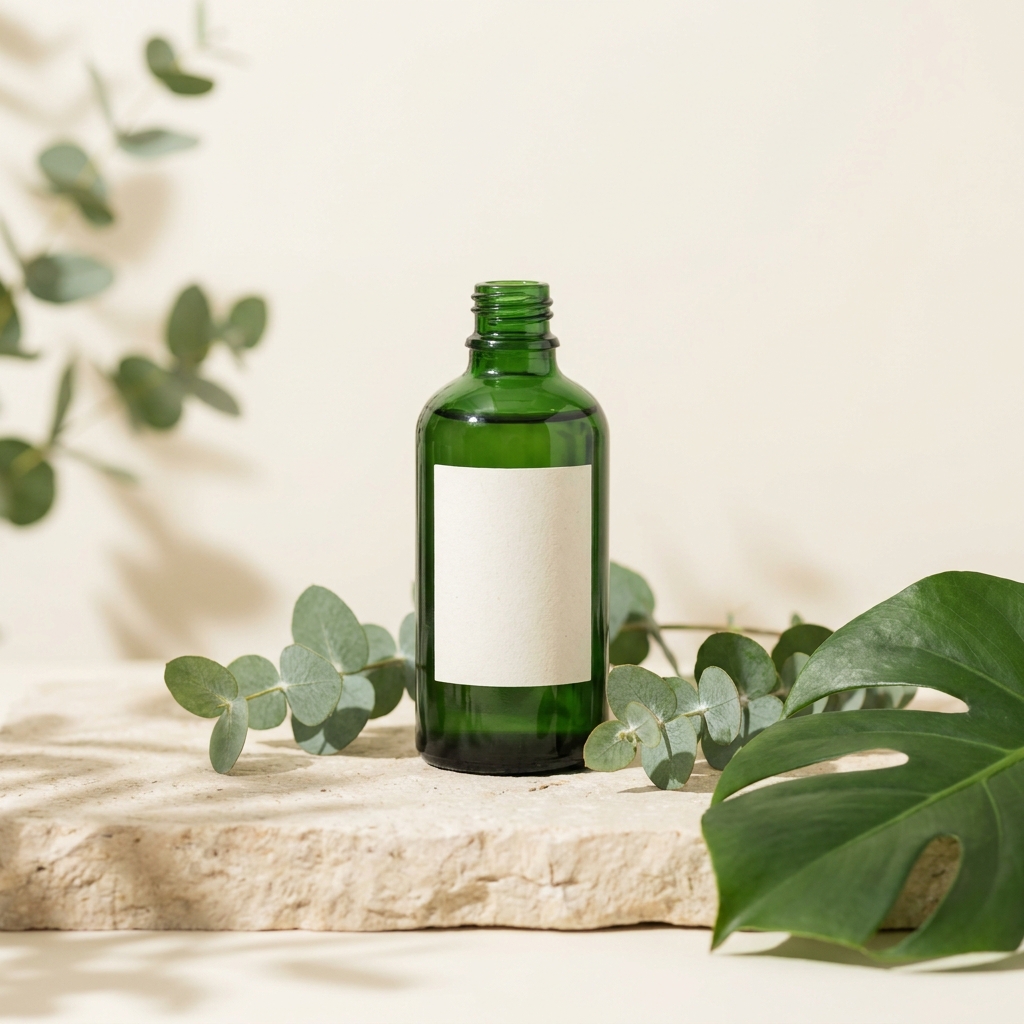
Green glass skincare bottle on pale stone, framed by fresh eucalyptus sprigs and a single monstera leaf
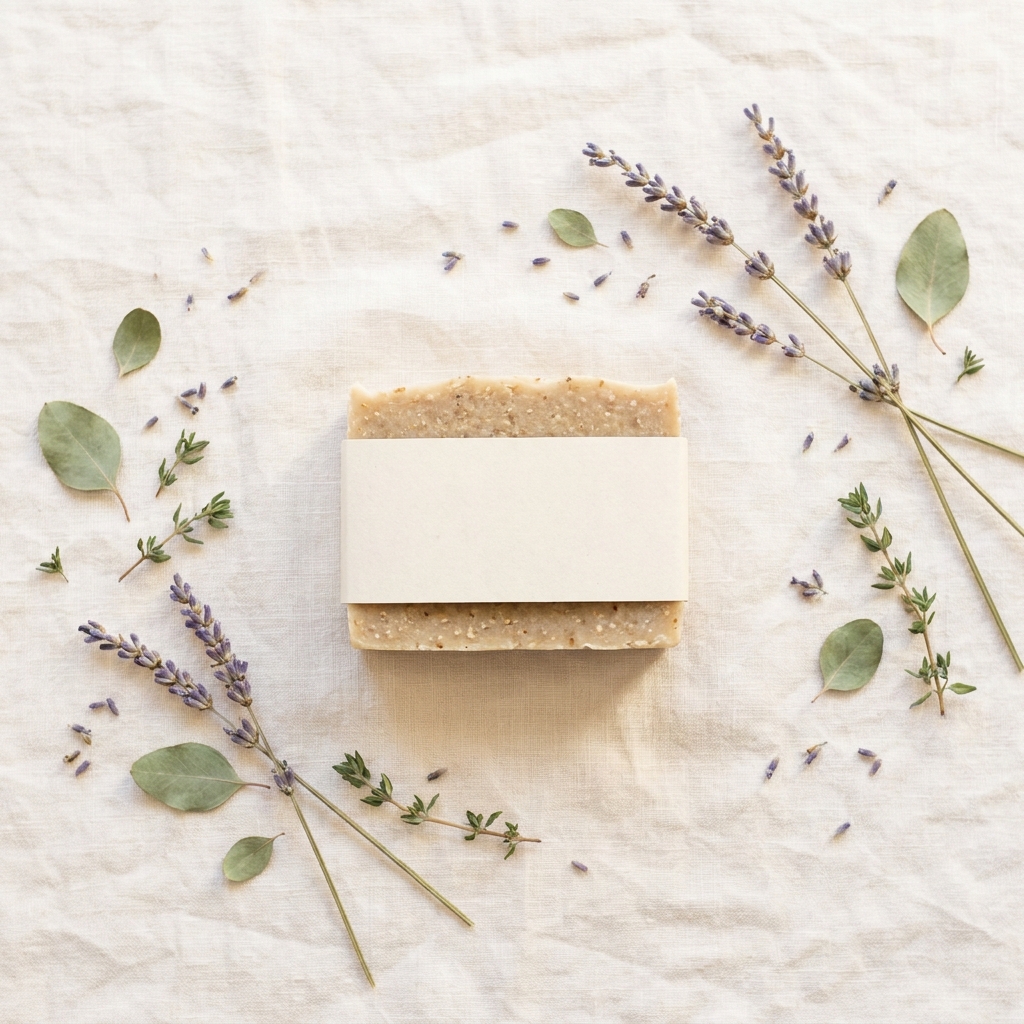
Botanical soap bar in a blank paper wrap, shot from above on pale linen between dried lavender stems
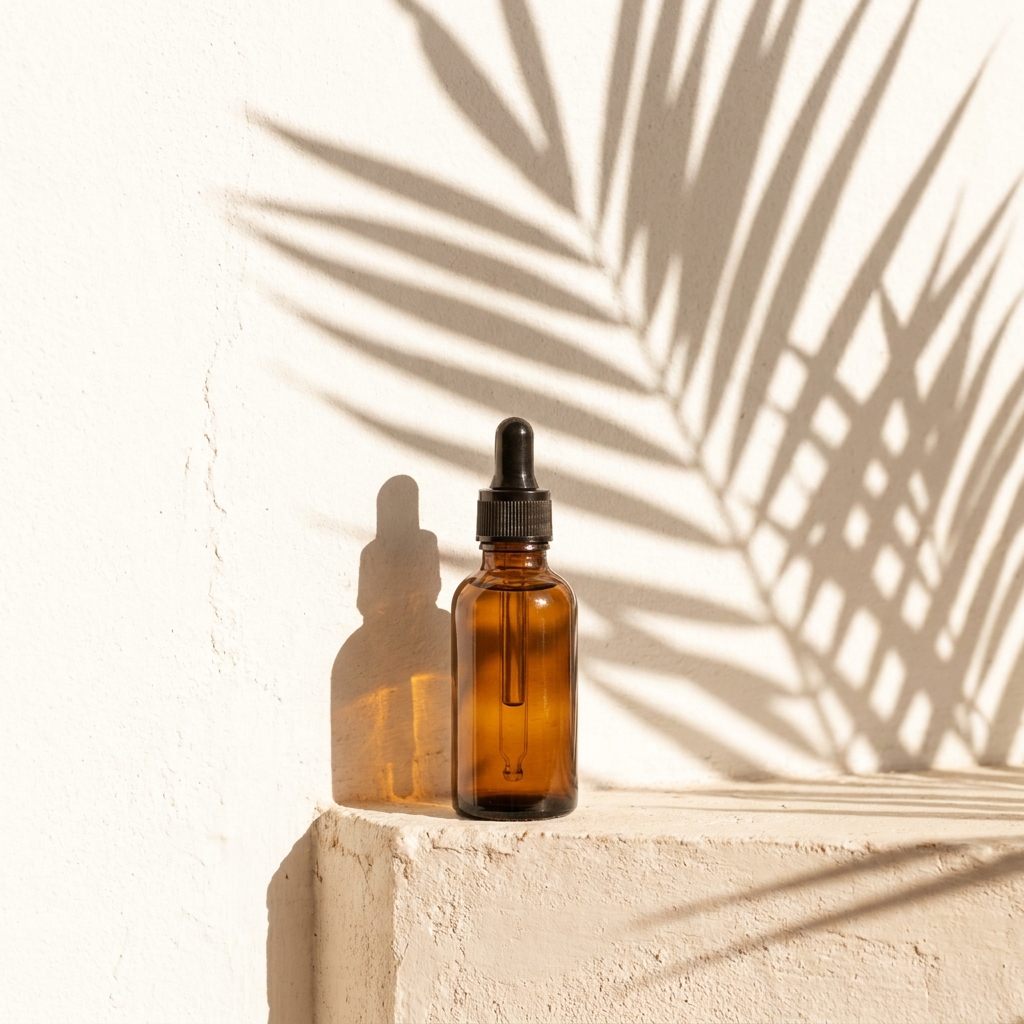
Amber dropper bottle on a plaster ledge, with a large palm leaf casting a crisp shadow across the wall

A botanical product background is a set built from real foliage, fresh or dried, arranged around the product. The usual pieces are eucalyptus sprigs, monstera and palm leaves, dried lavender and olive branches. A buyer reads the plant as a claim. They see eucalyptus beside a bottle and expect eucalyptus inside it, which is why the set sells skincare, soap, candles, tea and haircare, and why it looks odd next to a charger or a hand tool. The physics are unusual as well. A leaf is often the highest contrast shape in the frame, so it takes the eye before the product does. Green surfaces also throw green light, so pale packaging near a stem picks up a tint the real product does not have. Both problems are settled while you arrange the set, by keeping the stems few, pushing them to the edge and holding them away from the label.

Craft problems on a botanical set

Four things that go wrong when leaves share the frame with a product.

Foliage frames, never crowds

A leaf is a high contrast shape with a hard edge, so the eye lands on it before the product. Keep foliage to the frame edge and leave clear space around the label. Three or four stems read better than a full bed. Push the leaves slightly out of focus, or set them behind the product, so the sharpest edge in the picture belongs to the product.

Green cast on pale labels

Green leaves reflect green light. Put a white jar or a cream label within about 10 cm of foliage and the packaging turns slightly green. Buyers then see a colour your product does not have. Move the leaves further away, or slide a small white card between leaf and product. When you correct colour, set the neutral point on the packaging, not on the leaf.

Leaf shadows need hard light

A crisp leaf shadow on a wall comes from one small hard source, such as direct sun or a bare bulb placed far away. A soft box gives a soft grey blur with no leaf shape in it. The gap between leaf and wall sets the sharpness: close to the wall gives clean edges, further back gives softer ones. Angle the light low for a long shadow that reads as late afternoon.

Fresh foliage wilts fast

Cut eucalyptus curls and lavender drops seed under warm lamps, often within an hour. On a long shoot the last product sits in tired foliage while the first sat in fresh stems, so a set of eight images never matches. Dried stems hold their shape but read grey and brown, not green. In DesignerBox the foliage is described in the prompt, so every product in a set gets the same stems in the same place.

Tools for a botanical set

Four apps that build, arrange, relight and crop the foliage shot.

Foliage set around your product
Styled Scene Generator

Foliage set around your product

Styled Scene Generator places your product into a described botanical set. Name the plant, the count and the position: three eucalyptus sprigs at the left edge, one monstera leaf behind, pale stone under the bottle. Naming a count stops the model filling the frame with leaves. A run costs 4 to 10 credits, so four different foliage options cost under a dollar.

Open the tool
Dried stems seen from above - Before
Before
Dried stems seen from above - After
After
Flat Lay Studio

Dried stems seen from above

Flat Lay Studio builds the overhead shot: the soap bar centred on linen, dried lavender stems laid along two sides, a clean gap in the middle for the wrap. Overhead is where botanical props fail most often, because a full bed of leaves reads as texture and the product disappears into it. Ask for negative space around the product and keep the stems flat, not stacked.

Open the tool
Hard light for leaf shadows - Before
Before
Hard light for leaf shadows - After
After
Spotlight Relight

Hard light for leaf shadows

Spotlight Relight changes the light on a photo you already have. Give it a plain frame of the dropper bottle and ask for one hard source from the left, with a palm leaf shadow across the wall. Soft light cannot produce a leaf pattern, so this is the step that decides whether the shadow has a shape. Try two angles and keep the one where the shadow misses the label.

Open the tool
Botanical crops for feeds
Social Media Ad Studio

Botanical crops for feeds

Social Media Ad Studio turns the botanical frame into paid and organic formats. A 9:16 crop removes most of the foliage, so ask for a version with the stems higher in the frame and the bottle low. Square crops need the leaves moved away from the corners, because captions and price stickers sit there. One set, three ratios, same eucalyptus.

Open the tool

Each before and after above demonstrates the tool named on the card, using that app's own sample image, so the subject you see may not be from this industry. Run the same tool on your own photos to see it on your work.

Four steps to a botanical shot

From one product photo to a hero, a flat lay and crops.

1
Upload a clean product photo
Photograph the product on a plain surface in even light. Uploading your own product photo is on Pro and above. If the original already sits in a busy set, run Background Remover first and keep the transparent file. Leaves will overlap the product edge in the new scene, so the cut-out has to be accurate around caps, droppers and paper wraps.
2
Name the plant and the count
Write the foliage as a list, not as a mood. Say the species, how many stems, and where they sit: two eucalyptus sprigs at the right edge, one monstera leaf behind the bottle, pale stone surface. Add the gap you want around the label, for example two centimetres of clear space on every side.
3
Check the label colour
Open the result at full size and look at the white parts of the packaging. If they lean green, ask for more distance between the leaves and the product, or a cooler surface such as pale stone. Also check that no leaf crosses the brand name or the ingredient list.
4
Add the shadow version and crops
Run Spotlight Relight on the frame you kept, with one hard source from the side and a palm leaf shadow on the wall. Then check where that shadow lands. Across the label it costs you the read; beside the label it adds depth. Rebuild the vertical version rather than cutting it out of the hero, because a 9:16 crop takes the side stems away and the set stops looking botanical. Leaf edges and shadow edges are the first detail to go soft when a buyer zooms in, so finish the hero with Image upscale. Spotlight Relight and Image upscale are both on the Premium plan.

Order of work

The cut-out comes first because foliage overlaps the product. A soft or wrong edge is visible where a leaf passes in front of a cap, and no later step repairs it. You check colour before making formats, because a green tint copied into six crops means six files to redo. Leave the leaf shadow until the end, because Spotlight Relight changes the light across the whole frame, including the foliage. Upscale last, because it enlarges whatever is already in the frame. When a set works, save it as a workflow, so the second product gets the same stems in the same corner.

Deliverables from one botanical shoot

Four files, each proving a different thing about the product.

Hero with foliage at the edge

One frame where the product stands clear and the leaves sit at the border. The label must be fully readable, with no stem crossing the brand name. A buyer scanning a grid should read the product first and the plants second, at 300 pixels wide.

Colour-true packaging shot

A version where white is white and cream is cream, with the green bounce removed. Compare the file against the real product under daylight. If a customer receives a bottle paler or warmer than the picture, the return is caused by the foliage, not the camera.

Overhead flat lay with dried stems

A square and a 4:5 version shot from directly above, with dried lavender or olive along two sides and clear linen in the centre. Dried foliage holds a matte grey-green, so it stays quiet under the product. This file carries the feed post and the email header.

Leaf shadow wall frame

A tall 9:16 frame with the product on a plain ledge and a hard palm leaf shadow behind. The shadow must have visible leaf edges, not a soft grey patch. Keep the shadow off the label, since a dark band across text costs you the read on a small screen.

Model choice for foliage

Foliage puts two demands in one frame, and they pull against each other. The leaves need fine separate edges. The label sitting under them has to come back untouched. Nano Banana Pro holds printed text while the set changes around it, so a stem passing near the brand name does not turn the words into shapes. FLUX draws the plant better, with veins that stay apart and a shadow edge that still reads as a leaf. Run the same prompt on both. Zoom to the label first, then to the point where a leaf crosses the bottle. That overlap is where a foliage set fails, and it only shows at full size.

Questions about botanical backgrounds

Answers on foliage, colour cast, shadows and cost per run.

How do I stop the leaves taking attention from my product?
Keep foliage at the frame edge and cut the number of stems. Three or four pieces read as a frame. A full bed reads as wallpaper, and the product becomes part of the pattern. Two more controls help: put the leaves slightly behind the product so they fall out of focus, and leave clear space around the label. When you check the result, look at a small thumbnail. If your eye finds a leaf first, remove one.
Why does my white label look green on a plant background?
Green leaves reflect green light onto anything pale near them. The effect grows as the leaf gets closer, and a white or cream label shows it most. Fix it in three ways. Increase the gap between foliage and product. Place a small white card between the leaf and the packaging. Set the neutral point on the packaging when you correct colour, never on a leaf, because a leaf is meant to be green.
How do I get a sharp palm leaf shadow on the wall?
Use one small hard light source and place the leaf close to the wall. Direct sun through a window or a single bare bulb far from the set both give crisp edges. A soft box spreads light around the leaf and the shadow loses its shape. In DesignerBox, run Spotlight Relight on a plain frame and ask for one hard source from the side, low, with a palm leaf shadow across the wall behind the product.
Should I use fresh or dried foliage?
Use fresh foliage for green, glossy sets and dried foliage for calm, matte ones. Fresh eucalyptus and monstera give strong colour and shine, but real stems wilt under lamps within about an hour, so a long shoot drifts. Dried lavender, olive and pressed leaves hold their shape for months and read grey-green, which sits quieter under a pale product. A generated set has neither problem, since the same stems repeat for every product in the range.
Which products suit a botanical background?
Skincare, soap, candles, tea, herbal supplements and haircare suit it best, because the plant supports the ingredient story. It also works for silver or gold jewellery, where one leaf adds scale without noise. Avoid it for electronics, tools and anything technical, since the buyer reads foliage as a claim about ingredients. Also avoid it when the label carries dense small text, because leaf edges compete with letters at listing size.
How much does a botanical set cost to make?
Compare it with the real thing. Fresh eucalyptus has to be bought again for every shoot, and it looks right for about one day. Here a run costs 4 to 10 credits, and a credit is worth about one cent, so four botanical variants of one product come to well under a dollar. The stems also stay identical across a whole range, which cut foliage cannot do.

The full background catalogue

The hub lists all twelve product backgrounds side by side, so you can compare foliage against marble, concrete and plain paper before you shoot.

See all backgrounds

Put your product in real foliage

The free plan comes with 112 credits, enough to build several foliage sets and see how the leaves sit around a product. Free files carry a watermark. Any paid plan removes it. Your own bottle, and the licence to sell, come with Pro.

Start free